

YouTube Channel ID Finder – Get Any UC Channel ID in 3 Easy Steps
YouTube Channel ID Finder
Free YouTube channel ID finder – extract the unique 24-character "UC" Channel ID from any YouTube URL, @handle, or page source code without API limits.
Find Channel ID
Extracted Channel ID
Enter a URL or source code to begin.
YouTube ID Formats & Technical References
Why do you need a Channel ID?
- API Integration: The YouTube Data API requires the exact `UC...` ID to fetch channel statistics, videos, or playlists.
- RSS Feeds: To generate a channel's RSS feed, you must append the Channel ID to the YouTube XML feed URL.
- Embeds & Plugins: Many WordPress plugins and website widgets require the raw ID rather than a custom handle.
Anatomy of YouTube URLs
- Standard ID:
/channel/UC...(Instantly parsable). - Handle:
/@Username(Requires source code parsing if done purely client-side). - Legacy Custom:
/c/CustomName(Requires source code parsing). - Legacy User:
/user/Username(Requires source code parsing).
Use this free YouTube channel ID finder to get the permanent UC channel ID of any channel in seconds.
Quick answer
A YouTube channel ID is a permanent 24-character code starting with “UC”, such as UC_x5XG1OV2P6uZZ5FSM9Ttw. This YouTube channel ID finder reads it straight from links like youtube.com/channel/UC…. For @handle, /c/ or /user/ links, open the channel, press Ctrl+U to view the page source, copy everything and paste it into the tool to extract the ID.
Table of Contents
Handles like @YourChannel are easy to remember, but they can change. The channel ID never does – which is why the YouTube Data API, RSS feeds, analytics tools, WordPress plugins and many widgets ask for it.
Our free YouTube channel ID finder extracts that ID without an API key. It instantly reads IDs from /channel/ URLs, and for handles and older custom URLs it scans the page source you paste in and finds the ID for you.
YouTube URL Types and How the Finder Handles Them
| URL type | Example | How the ID is found |
|---|---|---|
| Channel ID URL | youtube.com/channel/UC… | Read directly from the link |
| Handle | youtube.com/@YourChannel | Paste the page source |
| Custom URL (legacy) | youtube.com/c/CustomName | Paste the page source |
| User URL (legacy) | youtube.com/user/Username | Paste the page source |
Handles and custom names are not the same as the channel ID, and YouTube does not let a browser tool look them up directly without the official API. Reading the page source is a quick, private workaround that works for any public channel.
What Is a YouTube Channel ID Used For?
- YouTube Data API – fetching subscriber counts, videos or playlists.
- RSS feeds –
https://www.youtube.com/feeds/videos.xml?channel_id=UC…to follow new uploads. - WordPress plugins and widgets – YouTube feed and gallery plugins usually need the ID.
- Analytics and social tools that track channel growth.
- Uploads playlist – replace “UC” with “UU” to get the playlist of all uploads.
How to Use the YouTube Channel ID Finder
Get a channel ID in three steps.
Step 1: Paste the Channel URL
Copy the channel link from your browser and paste it into YouTube Channel URL or @Handle. Click Extract Channel ID. If the link already contains /channel/UC…, the ID appears straight away.

Step 2: For @Handles, Paste the Page Source
If you enter an @handle or a /c/ or /user/ link, the tool shows a message and a source box. Open the channel in your browser, press Ctrl+U (Cmd+Option+U on Mac), select all with Ctrl+A, copy, and paste it into the box.
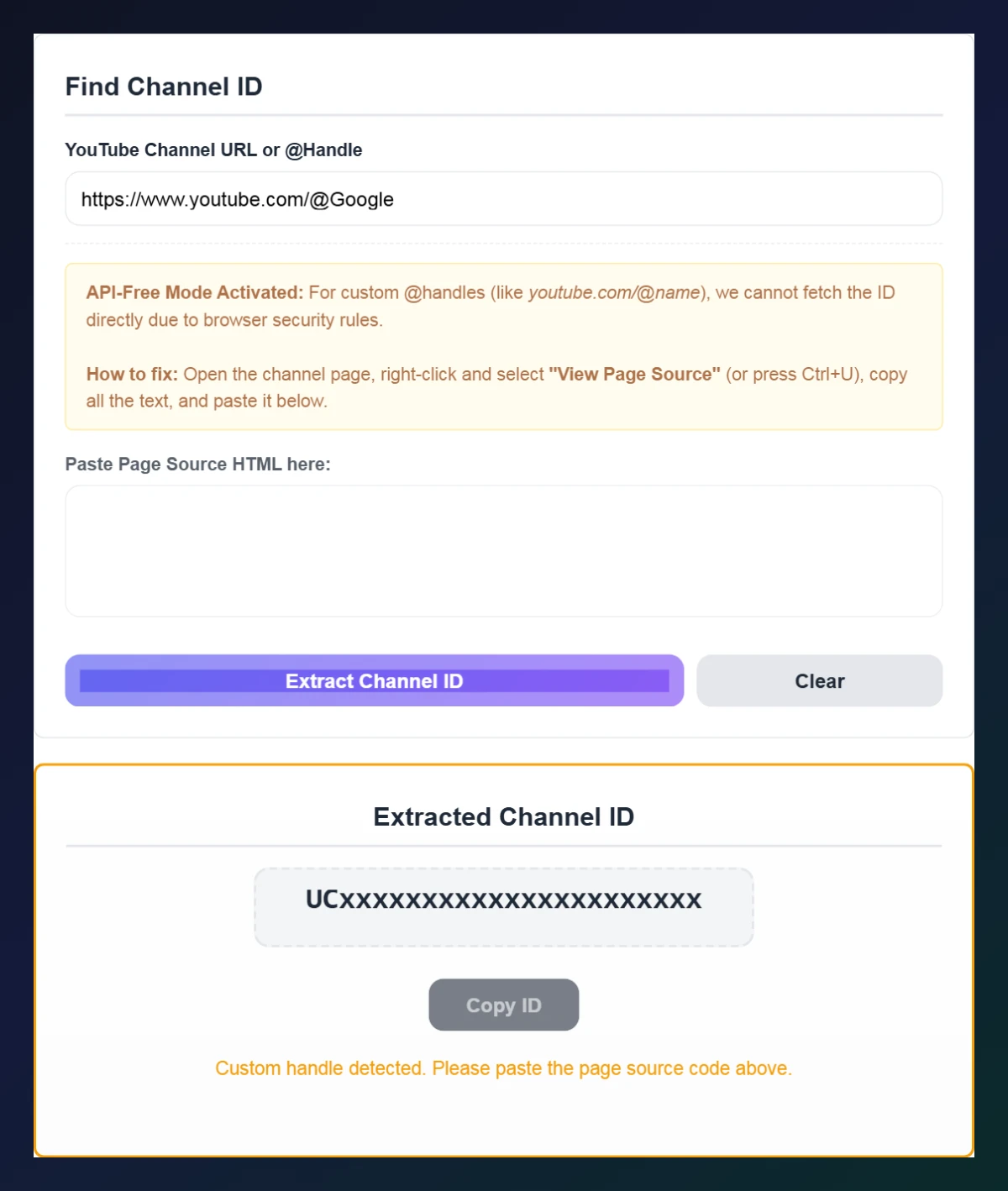
Step 3: Copy Your Channel ID
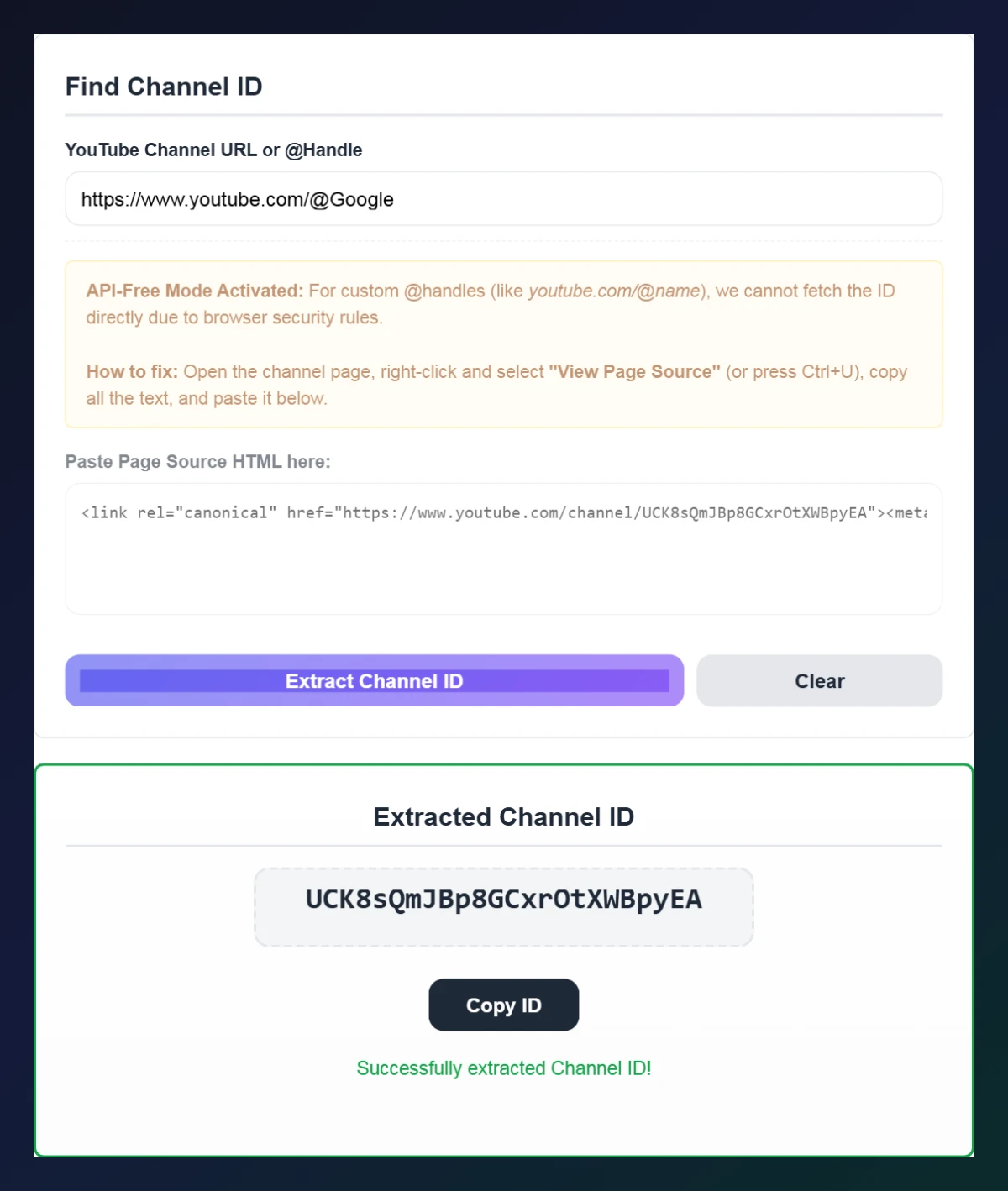
Click Extract Channel ID again. The tool finds the 24-character UC ID in the source and shows Successfully extracted Channel ID. Click Copy ID to use it in your API calls, RSS reader or plugin.
Find Your Own Channel ID Without a Tool
- Sign in to YouTube and click your profile picture.
- Open Settings → Advanced settings.
- Copy the value under Channel ID.
For other people’s channels, the page-source method in this YouTube channel ID finder is the fastest way without an API key.
Tips and Troubleshooting
- Make sure you copy the whole page source – the ID appears in several places, usually near the top.
- Use the channel page, not a video page; a video’s source can also contain other channels’ IDs from recommendations.
- IDs are case-sensitive and always 24 characters long, starting with UC.
- Need a subscribe link next? Use our YouTube Subscribe Link Generator with the ID.
Frequently Asked Questions
What is a YouTube channel ID?
It is a permanent 24-character code starting with UC that uniquely identifies a YouTube channel, even if its name or handle changes.
Is a handle the same as a channel ID?
No. A handle like @YourChannel is a readable name that can change; the channel ID never changes.
How do I find a channel ID from an @handle?
Open the channel, view the page source (Ctrl+U), copy it all and paste it into the YouTube channel ID finder.
Do I need an API key?
No. The tool works entirely in your browser without the YouTube API.
Where can I see my own channel ID?
In YouTube Settings → Advanced settings, under Channel ID.
Is the YouTube channel ID finder free?
Yes. It is completely free and needs no sign-up.