

YouTube Description Template Maker – SEO-Friendly Descriptions in 3 Easy Steps
YouTube Description Template Maker
Free YouTube description template maker – build the perfect, SEO-friendly YouTube description format to increase visibility, engagement, and click-through rates.
Video Content & Summary
Links, Socials & SEO
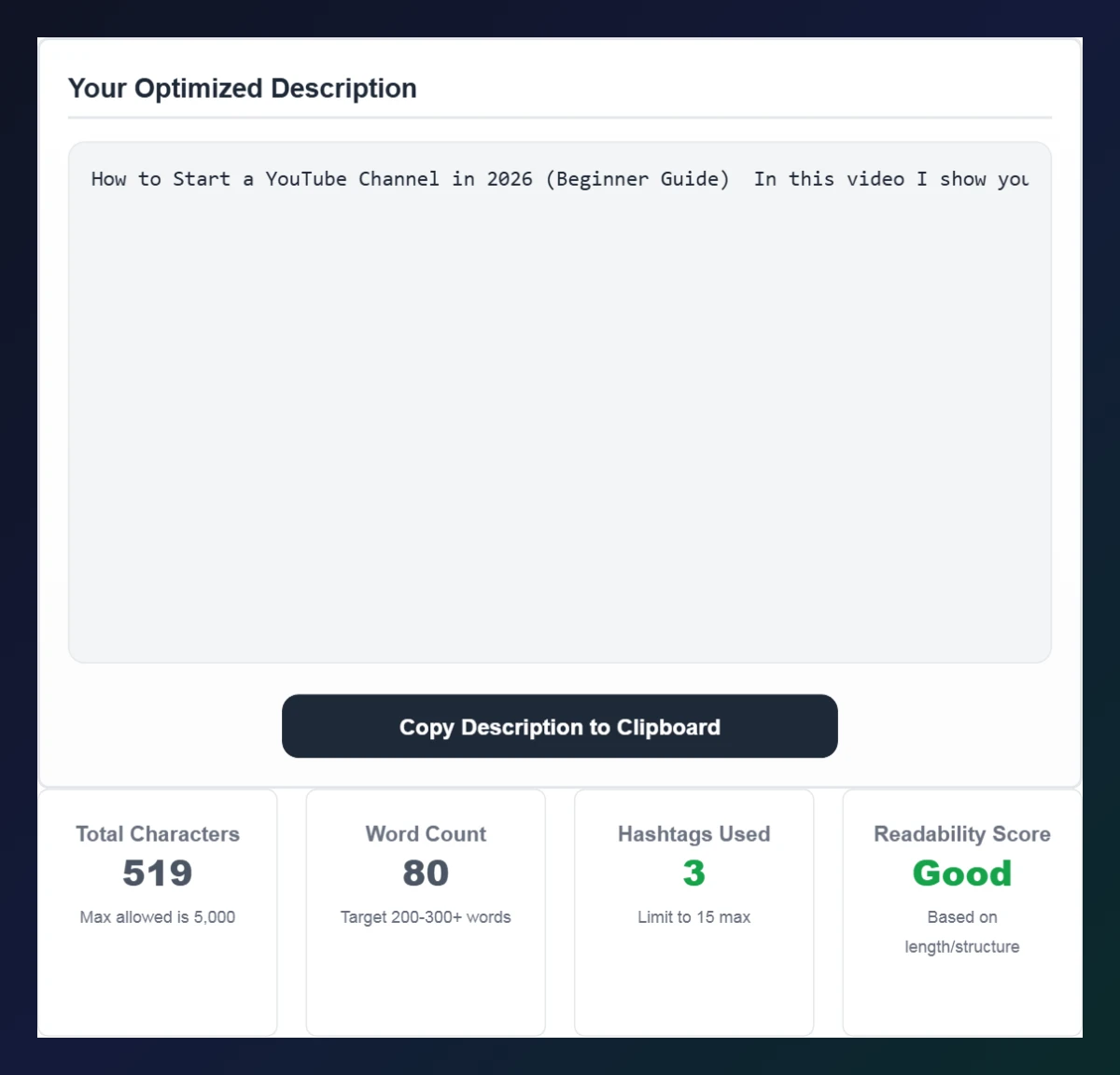
Your Optimized Description
Total Characters
Max allowed is 5,000
Word Count
Target 200-300+ words
Hashtags Used
Limit to 15 max
Readability Score
Based on length/structure
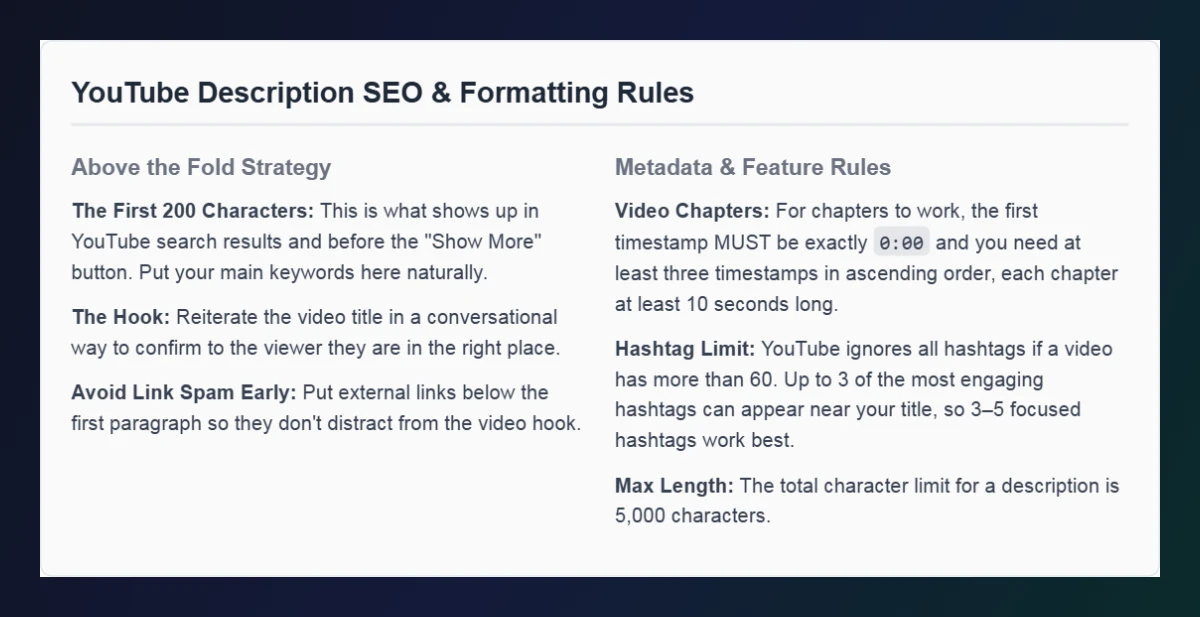
YouTube Description SEO & Formatting Rules
Above the Fold Strategy
- The First 200 Characters: This is what shows up in YouTube search results and before the "Show More" button. Put your main keywords here naturally.
- The Hook: Reiterate the video title in a conversational way to confirm to the viewer they are in the right place.
- Avoid Link Spam Early: Put external links below the first paragraph so they don't distract from the video hook.
Metadata & Feature Rules
- Video Chapters: For chapters to work, the first timestamp MUST be exactly
0:00and you need at least three timestamps in ascending order, each chapter at least 10 seconds long. - Hashtag Limit: YouTube ignores all hashtags if a video has more than 60. Up to 3 of the most engaging hashtags can appear near your title, so 3–5 focused hashtags work best.
- Max Length: The total character limit for a description is 5,000 characters.
Use this free YouTube description template maker to turn a few notes into a complete, well-structured video description.
Quick answer
A good YouTube description template follows this order: a hook and summary with your main keyword in the first 200 characters, chapters starting at 0:00, important links, social profiles, a call to action and 3–5 hashtags. Fill in the fields, click Generate Description and copy the result – the tool also checks length (max 5,000 characters), word count and hashtags.
Table of Contents
The description is one of the few places where you can tell YouTube – and viewers – exactly what your video is about. Yet many creators leave it almost empty or paste the same messy block every time.
Our free YouTube description template maker gives every upload a consistent, professional structure. Enter your title, summary, chapters, links, socials, call to action and hashtags, and the tool assembles them into a clean description with headings and emojis, ready to paste into YouTube Studio.
YouTube Description Template Structure
| Section | What to include | Why it matters |
|---|---|---|
| Hook + summary | 2–3 sentences with your main keyword | Shown in search and above “Show more” |
| Chapters | 0:00 Intro, then key moments | Creates video chapters and helps viewers jump |
| Important links | Resources, products, affiliate links | Drives traffic where you want it |
| Social links | Instagram, X, TikTok, website | Grows your audience off YouTube |
| Call to action | Subscribe, comment, watch next | Turns viewers into fans |
| Hashtags | 3–5 relevant tags | Adds context and discovery pages |
Example Description
How to Start a YouTube Channel in 2026 (Beginner Guide) – In this video I show you exactly how to start a YouTube channel in 2026, from picking a niche to uploading your first video. ⏱️ CHAPTERS: 0:00 Intro · 0:45 Picking your niche · 3:10 Setting up the channel · 6:30 Your first upload · 9:15 Final tips. 🔗 Links, 👋 socials, 🔔 “Subscribe for weekly creator tutorials!” and #youtubetips #newyoutuber #contentcreator.
How to Use the YouTube Description Template Maker
Build a full description in three steps.
Step 1: Fill In the Template Sections
Enter your Video Title / Hook and Video Summary, then add Timestamps / Chapters (one per line, starting with 0:00). Under Links, Socials & SEO, add important links, social profiles, a Call to Action and space-separated Hashtags.

Step 2: Generate and Copy Your Description
Click Generate Description. The formatted description appears with section headings. Check Total Characters (max 5,000), Word Count, Hashtags Used and the Readability Score, then click Copy Description to Clipboard.
Step 3: Follow the Description SEO Rules
Read the formatting rules below the tool: put keywords in the first 200 characters, start chapters at 0:00 with at least three timestamps, and keep hashtags focused.
YouTube Description SEO Tips
- Front-load keywords naturally in the first sentence – do not keyword-stuff.
- Write 200–300+ words on longer videos to give YouTube more context.
- Use chapters on videos longer than a few minutes; they can appear in Google search too.
- Keep links below the summary so the hook is not hidden behind URLs.
- Disclose sponsorships and affiliate links clearly.
- Save your best layout as YouTube’s default upload description so every video starts from your YouTube description template.
How to Add Chapters Correctly
- Start the first timestamp at exactly 0:00.
- Add at least three timestamps in ascending order.
- Make each chapter at least 10 seconds long.
- Use short, descriptive chapter titles.
Create shareable links to a specific moment with the YouTube Timestamp Link Maker and clean up hashtags with the YouTube Hashtag Generator.
Frequently Asked Questions
What should a YouTube description include?
A keyword-rich summary, chapters, useful links, social profiles, a call to action and a few relevant hashtags.
How long can a YouTube description be?
Up to 5,000 characters. Most creators aim for 200–300+ words on long videos.
How do I make chapters show on YouTube?
Start with 0:00, add at least three timestamps in ascending order and make each chapter at least 10 seconds long.
How many hashtags should I use in the description?
Use 3–5 relevant hashtags. If a video has more than 60, YouTube ignores all of them.
Can I reuse a YouTube description template?
Yes. Save it as your default upload description in YouTube Studio and edit the summary and chapters for each video.
Is the YouTube description template maker free?
Yes. It is free, runs in your browser and needs no sign-up.