

YouTube Timestamp Link Maker – Share a Video at the Exact Second (3 Easy Steps)
Use this free YouTube timestamp link maker to share any video starting at the exact moment you want.
Quick answer
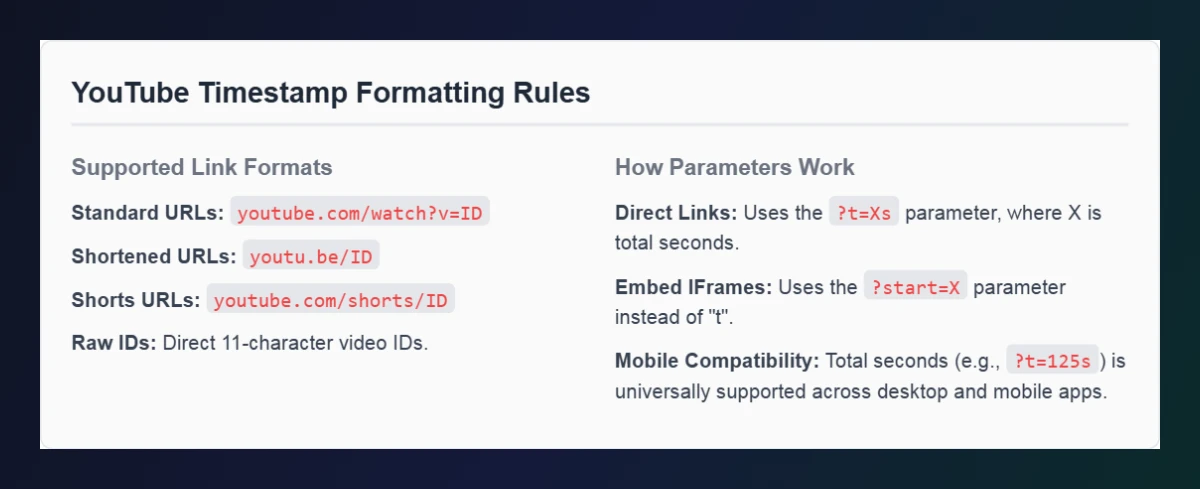
A YouTube timestamp link adds ?t= and the start time in seconds to a video link, e.g. https://youtu.be/VIDEO_ID?t=125s starts at 2:05. For embedded players the parameter is start=, e.g. youtube.com/embed/VIDEO_ID?start=125. Paste a link, enter hours, minutes and seconds, and this tool builds both for you.
Table of Contents
Sending someone a 20-minute video and telling them “skip to around two minutes” rarely works. A timestamp link drops them exactly where the important part begins – perfect for tutorials, reviews, podcasts, lectures and support answers.
Our free YouTube timestamp link maker converts your chosen time into total seconds and creates a clean shareable link plus ready-to-use iframe code with the same start time. It works with normal, short, Shorts, live and embed links.
YouTube Timestamp Link Formats
| Use | Format | Example (2 min 5 s) |
|---|---|---|
| Share link | youtu.be/ID?t=Xs | youtu.be/aqz-KE-bpKQ?t=125s |
| Long URL | youtube.com/watch?v=ID&t=Xs | …watch?v=aqz-KE-bpKQ&t=125s |
| Embed code | youtube.com/embed/ID?start=X | …/embed/aqz-KE-bpKQ?start=125 |
Converting time to seconds
Total seconds = hours × 3,600 + minutes × 60 + seconds. So 2:05 = 125 seconds and 1:00:00 = 3,600 seconds. The tool does this automatically.
How to Use the YouTube Timestamp Link Maker
Create a timestamp link in three steps.
Step 1: Paste the Video URL and Set the Time
Paste a link into YouTube Video URL – watch, youtu.be, Shorts, live, embed or just the video ID. Enter the start time in Hours, Minutes and Seconds, then click Generate Timestamp Links.

Step 2: Copy the Share Link or Embed Code
The Shareable Direct Link sends viewers to the exact moment (2:05 becomes ?t=125s). The Website Embed Code is an iframe with start=125. Use Copy Link or Copy HTML.

Step 3: Check the Formatting Rules
The rules section below the tool lists the supported link formats and explains why share links use t= while embeds use start=.
Ways to Use YouTube Timestamp Links
- Customer support: link to the exact step that answers a question.
- Teaching: point students to a specific explanation in a lecture.
- Social posts: share the funniest or most important moment.
- Podcasts: link guests and listeners to their segment.
- Video chapters: combine with chapters in your description – see our YouTube Description Template Maker.
Make a Timestamp Link Without a Tool
- On desktop, pause the video at the right moment.
- Click Share and tick Start at.
- Copy the link – YouTube adds ?t= automatically.
On mobile the Start at option is not always available, which is where this YouTube timestamp link maker is handy.
Need a full embed with autoplay, mute or loop? Use the YouTube Embed Code Generator.
Frequently Asked Questions
How do I link to a specific time in a YouTube video?
Add ?t= and the time in seconds to the youtu.be link, e.g. ?t=125s for 2:05, or use this tool to build it.
What is the difference between t= and start=?
t= is used in normal watch and share links; start= is used in embedded iframe players.
Do timestamp links work on mobile?
Yes. Links with total seconds such as ?t=125s open at the right time in browsers and the YouTube app.
Can I make a timestamp link for YouTube Shorts?
Yes, the tool accepts Shorts links, though Shorts are short enough that timestamps are rarely needed.
Can I set an end time?
Share links only support a start time. For embeds you can add end= with our YouTube Embed Code Generator.
Is the YouTube timestamp link maker free?
Yes. It is free, runs in your browser and needs no sign-up.