

HTML Color Picker – HTML Colour Codes and Named Colours
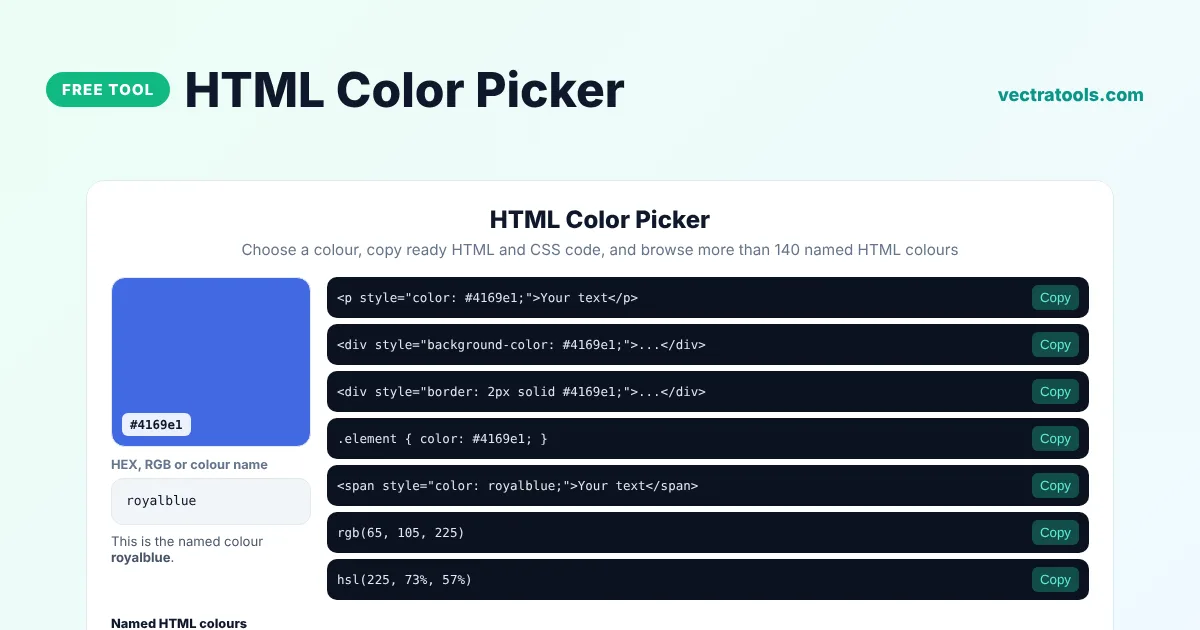
HTML Color Picker
Choose a colour, copy ready HTML and CSS code, and browse more than 140 named HTML colours
Named HTML colours
Quick answer
An HTML color picker helps you choose a colour and gives you the exact code to use in a web page. Pick a colour or type a name such as royalblue, then copy ready-made HTML and CSS snippets for text colour, background colour and borders. You can also browse and search every named colour that browsers support.
Our free HTML color picker shows HEX, RGB and HSL values together with copy-ready code, tells you the closest named HTML colour for any shade, and includes a searchable list of more than 140 colour names. It is useful for beginners learning HTML, bloggers styling posts and developers writing CSS.
Ways to Write a Colour in HTML and CSS
| Method | Example | Notes |
|---|---|---|
| Colour name | color: tomato; | Easy to read, but only about 140 names exist |
| HEX code | color: #ff6347; | The most common format on the web |
| RGB | color: rgb(255, 99, 71); | Add a fourth value for transparency |
| HSL | color: hsl(9, 100%, 64%); | Easy to make lighter or darker |
What the HTML Color Picker Gives You
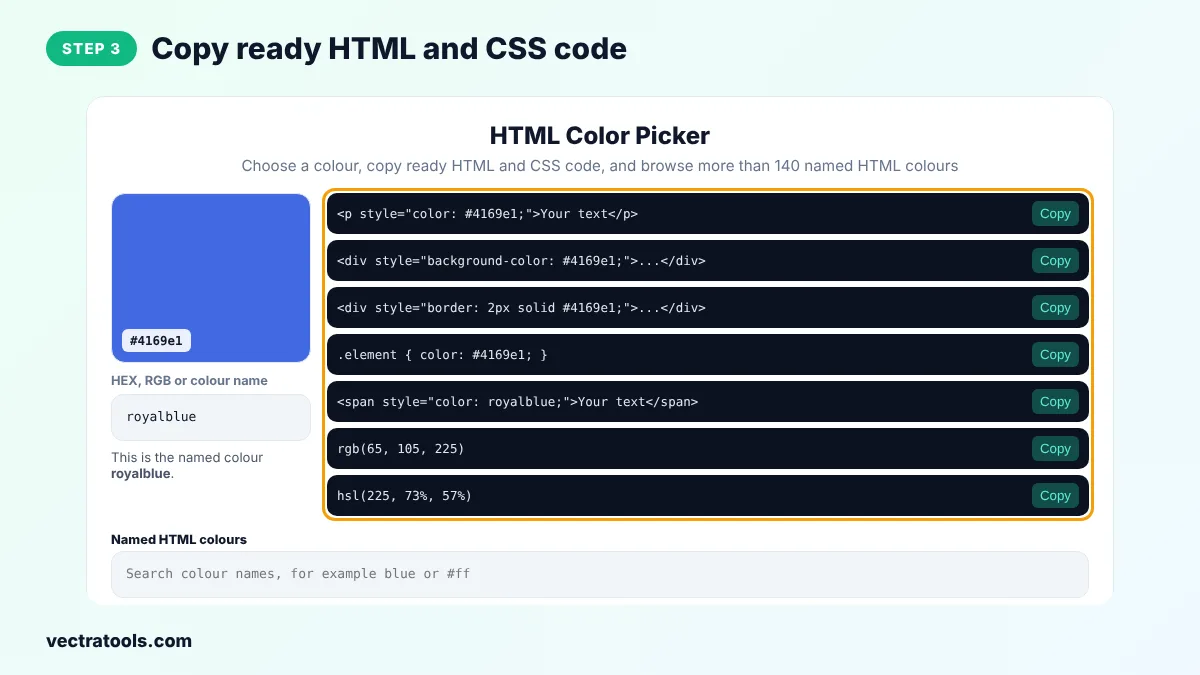
- Copy-ready snippets for text colour, background colour and borders.
- A CSS rule and RGB and HSL values for the same colour.
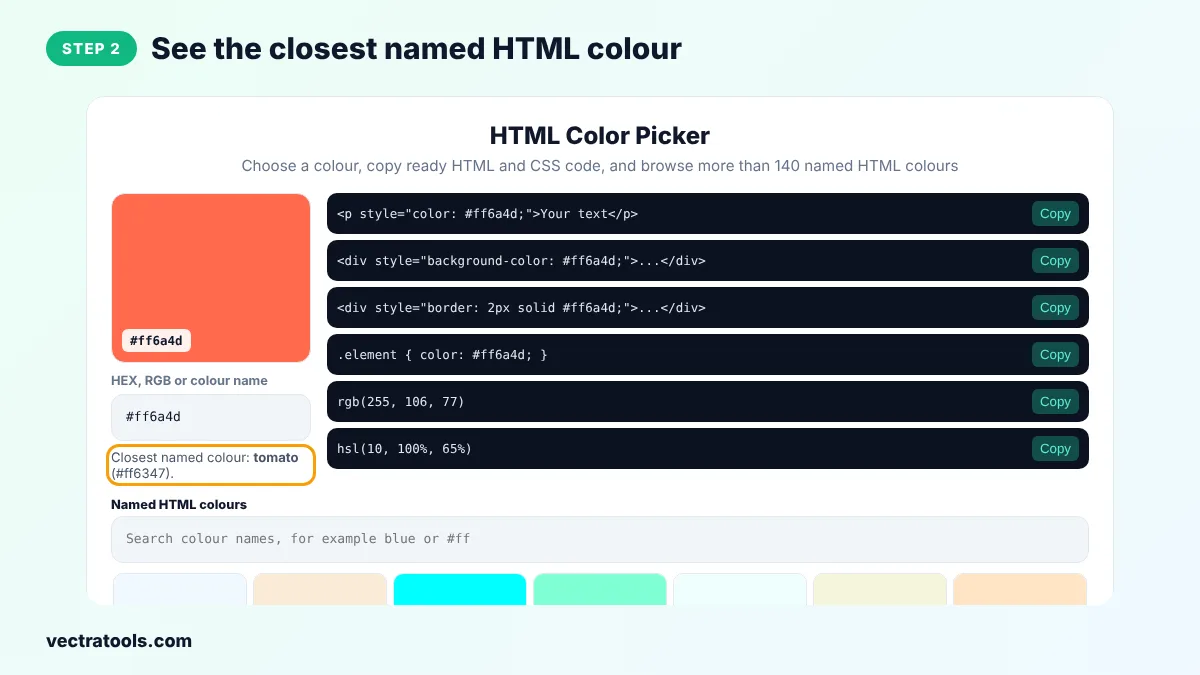
- The closest named HTML colour for any colour you pick.
- A searchable grid of every named colour with its HEX code.
- Support for typing a HEX code, an rgb() value or a colour name.
How to Use the HTML Color Picker
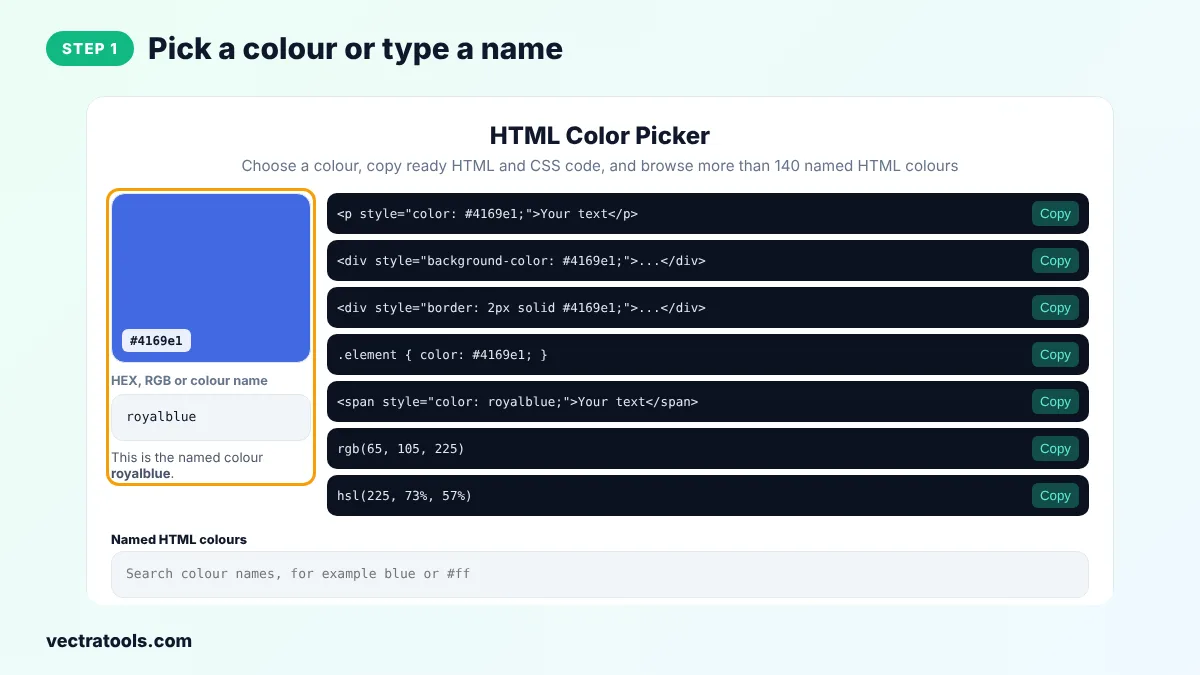
Step 1: Pick a Colour or Type a Name
Click the swatch to open the colour picker, or type a HEX code, an rgb() value or a colour name such as royalblue into the box.
Step 2: See the Closest Named HTML Colour
Under the box, the tool tells you whether your colour has an official name or which named colour is closest to it.
Step 3: Copy Ready HTML and CSS Code
Click Copy next to the snippet you need, for example the text colour or background colour code, and paste it into your HTML or stylesheet.
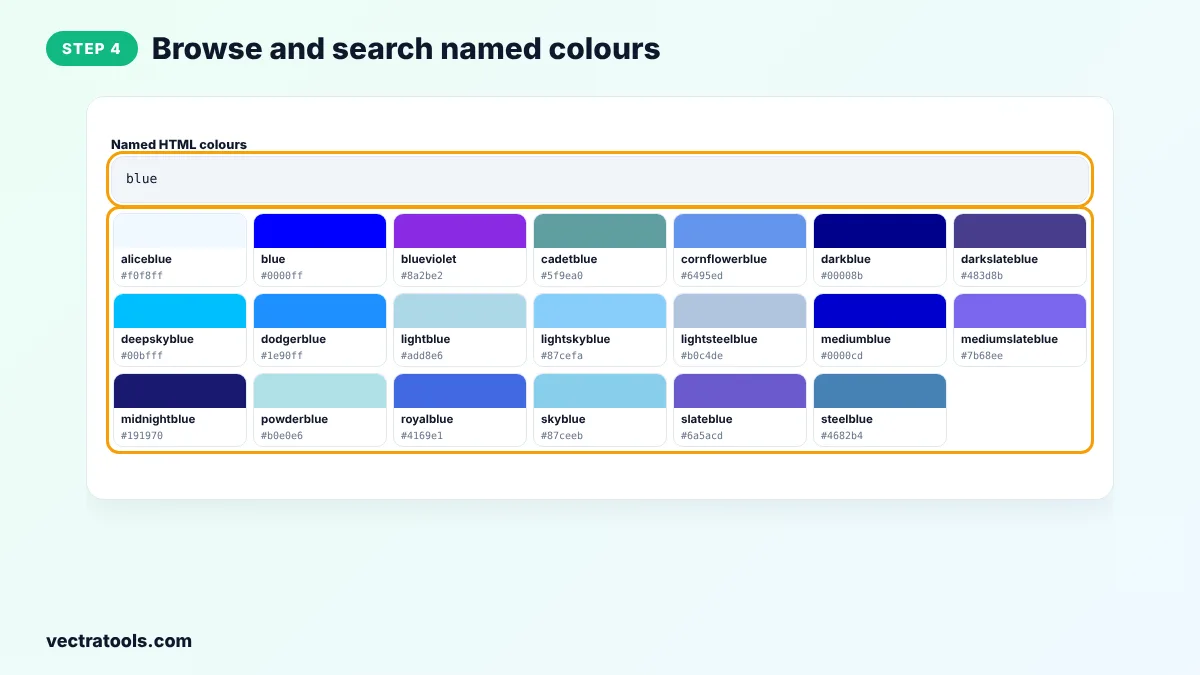
Step 4: Browse and Search Named Colours
Scroll the Named HTML colours grid or type a word such as blue into the search box. Click any colour to load it into the picker.
The HTML color picker is handy when you write HTML emails, WordPress posts or simple web pages and need the right code fast. Because the HTML color picker runs in your browser, there is nothing to install and it works on phones as well as computers.
Inline Styles or CSS Classes?
Inline styles such as style="color: #4169e1;" are quick for a single element or for HTML emails. For a website, it is better to put colours in a stylesheet with classes or CSS custom properties, so you can change a colour in one place and update the whole site.
HTML Color Picker Tips
- Named colours are fine for quick tests, but brand colours usually need an exact HEX code.
- Grey can be written as gray or grey in CSS. Both spellings work for every grey name.
- Check that text colours have enough contrast with the background before you publish.
- Use the same few colours throughout a page to keep the design clean.
Frequently Asked Questions
What is an HTML color picker?
An HTML color picker is a tool that lets you choose a colour and gives you the HTML and CSS code, such as a HEX value or a colour name, to use it on a web page.
How do I change text colour in HTML?
Use the CSS color property, for example <p style="color: #4169e1;">Your text</p>. The old font tag is no longer supported in HTML5.
How do I change the background colour in HTML?
Use the background-color property, for example <div style="background-color: #f0f8ff;">. The tool gives you this snippet for any colour.
How many named colours are there in HTML?
Browsers support about 140 named colours, plus a few spelling variants such as gray and grey. The HTML color picker lists them all.
Are HTML colour names case-sensitive?
No. Tomato, tomato and TOMATO all work, but lowercase is the common style.
What is the difference between HEX and RGB?
They describe the same colours in different ways. HEX uses base-16 pairs, and RGB lists red, green and blue values from 0 to 255.
Is this HTML color picker free?
Yes. It is free, needs no sign-up and runs in your browser.