

HTML Table Generator – Create Responsive HTML Tables
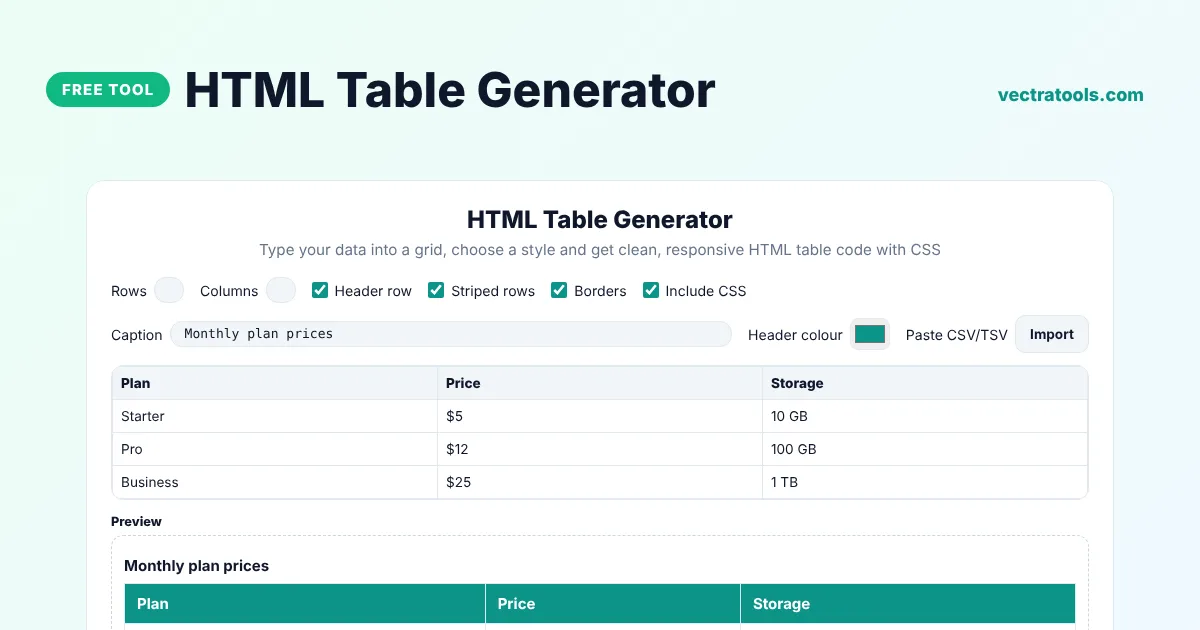
HTML Table Generator
Type your data into a grid, choose a style and get clean, responsive HTML table code with CSS
Preview
Quick answer
An HTML table generator turns your data into clean HTML table code without hand-typing every tag. Choose the number of rows and columns, type into the grid or paste CSV data, pick options such as a header row, borders and striped rows, and copy the finished HTML and CSS. The table scrolls sideways on small screens, so it stays readable on phones.
Our free HTML table generator writes accessible code with thead, tbody, th scope and an optional caption, plus a small CSS block you can include or leave out. It is useful for pricing tables, comparison charts, timetables, specs and any data you want to show in a blog post or web page.
HTML Table Tags Explained
| Tag | Purpose |
|---|---|
| <table> | Wraps the whole table |
| <caption> | A title for the table, read by screen readers |
| <thead> and <tbody> | Separate the header rows from the data rows |
| <tr> | A table row |
| <th scope="col"> | A header cell for a column |
| <td> | A normal data cell |
What the HTML Table Generator Can Do
- Create tables with up to 50 rows and 12 columns.
- Import data by pasting CSV or tab-separated text, for example straight from Excel or Google Sheets.
- Add a header row, a caption, borders and striped rows.
- Pick a header background colour that matches your brand.
- Wrap the table in a scrolling container so it works on mobile.
- Copy the code or download it as an HTML file.
How to Use the HTML Table Generator
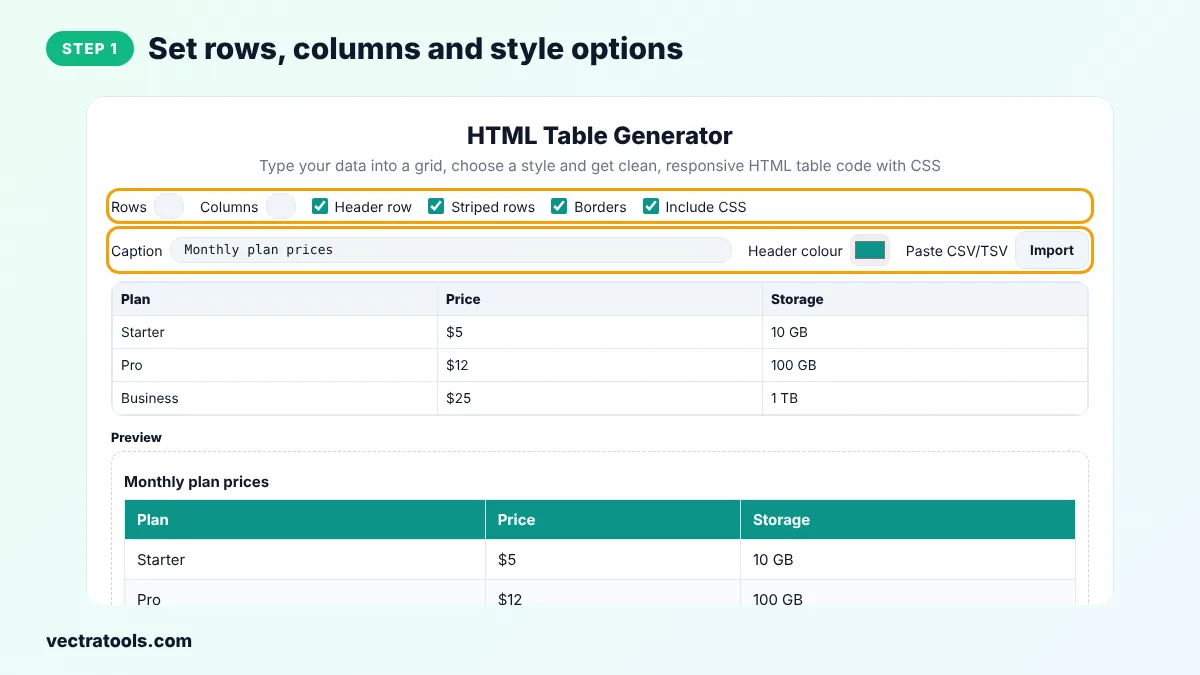
Step 1: Set Rows, Columns and Style Options
Enter the number of rows and columns, then tick Header row, Striped rows, Borders and Include CSS as needed. Add a caption and choose the header colour.
Step 2: Type or Paste Your Data into the Grid
Click any cell and type. To import a spreadsheet, click Import, paste the copied cells and click Import again.

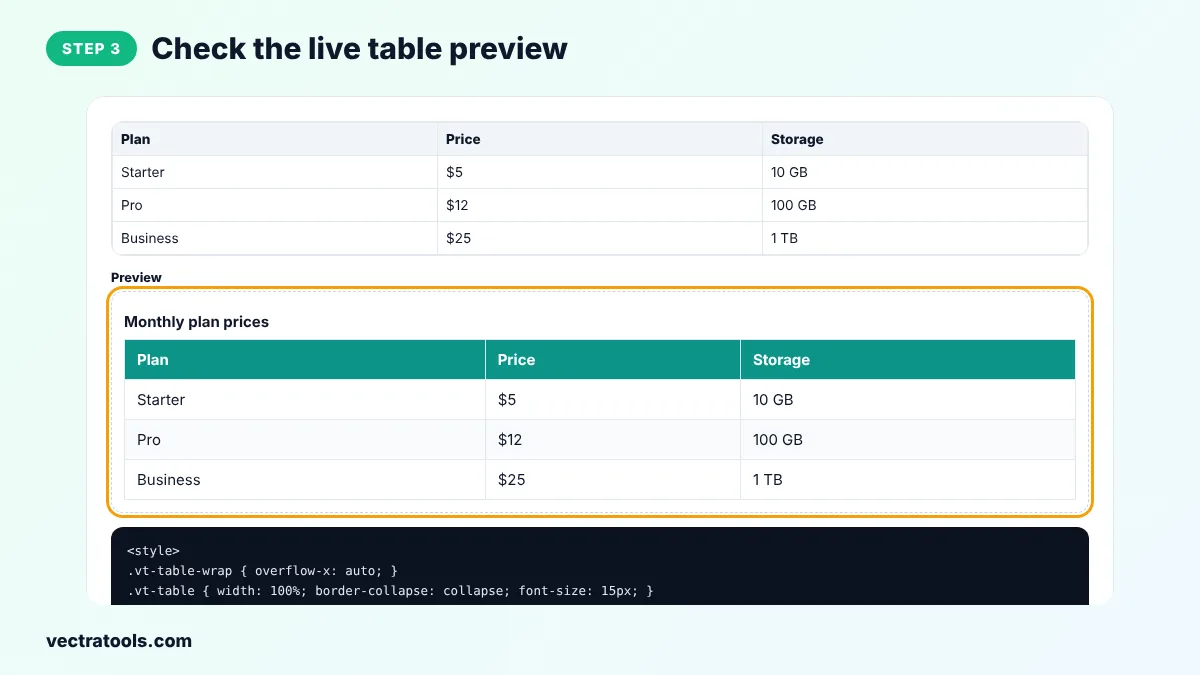
Step 3: Check the Live Table Preview
The preview shows exactly how the table will look with your options, including the header colour and stripes.
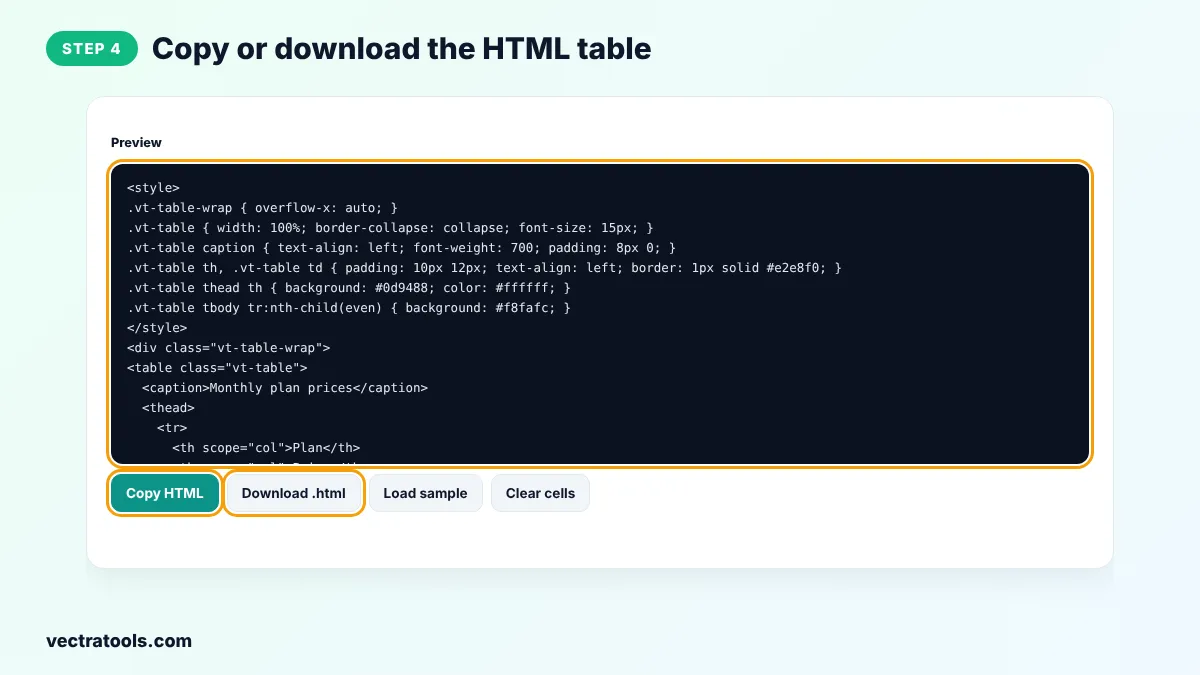
Step 4: Copy or Download the HTML Table
Click Copy HTML and paste the code into your page, or click Download .html to save it as a file.
Bloggers use the HTML table generator for product comparisons, teachers use it for timetables and developers use it to prototype data views. The HTML table generator runs in your browser, so your data is never uploaded.
How to Add the Table to WordPress
- In the block editor, add a Custom HTML block and paste the code.
- If your theme already styles tables, untick Include CSS and copy only the table markup.
- For very large data sets, consider a table plugin with sorting and search.
HTML Table Generator Tips
- Use tables only for tabular data, not for page layout.
- Keep header labels short and clear, so the table is easy to scan.
- Always include a header row. It helps screen reader users understand each column.
- Put numbers in their own column with units in the header, for example Price (USD), to make comparisons easier.
Frequently Asked Questions
What is an HTML table generator?
An HTML table generator is a tool that creates the HTML code for a table from data you type or paste, so you do not have to write every tag by hand.
How do I import data from Excel?
Select the cells in Excel or Google Sheets and copy them, click Import in the tool, paste the data and click Import again. Tab-separated data is detected automatically.
Is the generated table responsive?
Yes. The table is wrapped in a container with overflow-x: auto, so on small screens it scrolls sideways instead of breaking the layout.
Can I use the table without the CSS?
Yes. Untick Include CSS to get only the HTML. Your site's own styles will then apply.
How do I make the first row a header?
Tick Header row. The first row becomes th cells inside a thead section.
What is the caption for?
The caption gives the table a visible title and helps screen reader users understand what the table is about.
Is this HTML table generator free?
Yes. It is free, needs no sign-up and runs in your browser.