

Color Picker Tool Online – HEX, RGB, HSL and CMYK Codes
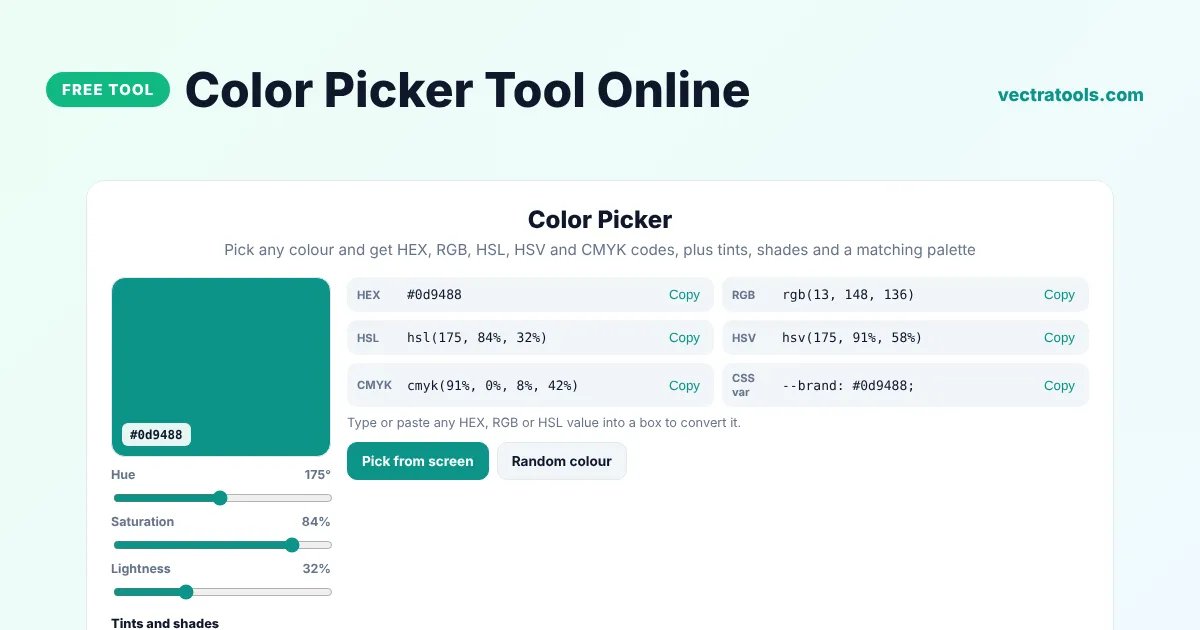
Color Picker
Pick any colour and get HEX, RGB, HSL, HSV and CMYK codes, plus tints, shades and a matching palette
Type or paste any HEX, RGB or HSL value into a box to convert it.
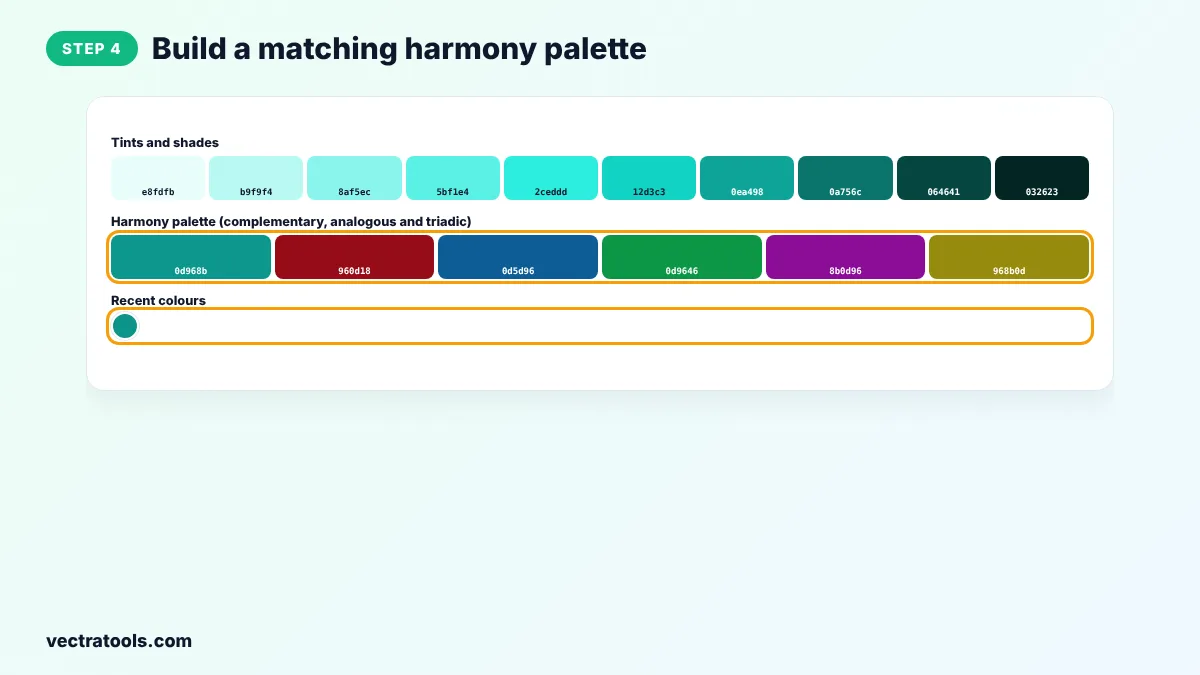
Tints and shades
Harmony palette (complementary, analogous and triadic)
Recent colours
Quick answer
A color picker tool lets you choose a colour visually and gives you its exact code. Click the swatch or drag the hue, saturation and lightness sliders, then copy the HEX, RGB, HSL, HSV or CMYK value. You can also paste a code to convert it, pick a colour from anywhere on your screen and build tints, shades and harmony palettes.
Our free color picker tool online is made for web designers, developers, bloggers and students. It converts between all common colour formats at once, shows ten tints and shades of your colour, suggests complementary, analogous and triadic colours, and keeps a list of the colours you used recently.
Colour Formats Explained
| Format | Example | Used for |
|---|---|---|
| HEX | #0d9488 | CSS, HTML and most design tools |
| RGB | rgb(13, 148, 136) | CSS, screens and code |
| HSL | hsl(175, 84%, 32%) | CSS when you want to adjust lightness easily |
| HSV | hsv(175, 91%, 58%) | Design apps such as Photoshop and Figma pickers |
| CMYK | cmyk(91%, 0%, 8%, 42%) | Print design |
What the Color Picker Tool Does
- Pick a colour with the native colour picker or the hue, saturation and lightness sliders.
- Pick from screen to grab a colour from any app or image (Chrome and Edge on desktop).
- Convert any pasted HEX, RGB or HSL value into every other format.
- Show ten tints and shades from very light to very dark.
- Suggest a harmony palette with complementary, analogous and triadic colours.
- Remember your recent colours while the page is open.
How to Use the Color Picker Tool
Step 1: Pick a Colour or Use the Sliders
Click the large swatch to open the colour picker, or drag the Hue, Saturation and Lightness sliders. Click Pick from screen to grab a colour from anywhere on your display.

Step 2: Copy HEX, RGB, HSL or CMYK
Every format updates at once. Click Copy next to the value you need. To convert a code you already have, paste it into the HEX, RGB or HSL box.

Step 3: Choose a Tint or Shade
The Tints and shades row shows ten lighter and darker versions of your colour. Click any of them to make it the current colour.

Step 4: Build a Matching Harmony Palette
The Harmony palette shows complementary, analogous and triadic colours that go well with your choice. Recent colours keeps the ones you picked so you can compare them.
Designers use the color picker tool to match brand colours, developers use it to turn a design into CSS, and print designers use it to get CMYK values. Because the color picker tool runs in your browser, it works instantly with no sign-up and no app to install.
How to Choose Good Colours for a Website
- Start with one main brand colour and use tints and shades of it for backgrounds, borders and hover states.
- Add one accent colour from the harmony palette for buttons and highlights.
- Keep text dark on light backgrounds, and check contrast with a colour contrast checker.
- Use HSL in CSS when you need several versions of a colour. Changing only the lightness keeps the hue consistent.
Color Picker Tool Tips
- HEX codes are not case-sensitive. #0D9488 and #0d9488 are the same colour.
- Screens and printers show colours differently, so CMYK values are a starting point for print, not an exact match.
- Use the CSS var line to add your colour as a custom property in your stylesheet.
- Pick from screen needs a browser that supports the EyeDropper API, such as Chrome or Edge on a computer.
Frequently Asked Questions
What is a color picker tool?
A color picker tool lets you select a colour visually and shows its code in formats such as HEX, RGB and HSL, so you can use the exact same colour in code or design apps.
How do I convert HEX to RGB?
Paste the HEX code into the HEX box. The RGB, HSL, HSV and CMYK values update instantly.
Can I pick a colour from an image or another app?
Yes. Click Pick from screen and then click anywhere on your screen. This works in Chrome and Edge on desktop computers.
What is the difference between HSL and HSV?
Both describe hue and saturation. HSL uses lightness, where 50% is the pure colour, while HSV uses value, where 100% is the brightest version.
What are tints and shades?
A tint is a colour mixed with white and a shade is a colour mixed with black. The tool shows ten of them for any colour you pick.
Are CMYK values accurate for printing?
They are a mathematical conversion. For important print jobs, check the colours with your printer's colour profile.
Is this color picker tool free?
Yes. It is free, needs no account and runs in your browser.