

CSS Gradient Generator – Linear, Radial and Conic Gradients
CSS Gradient Generator
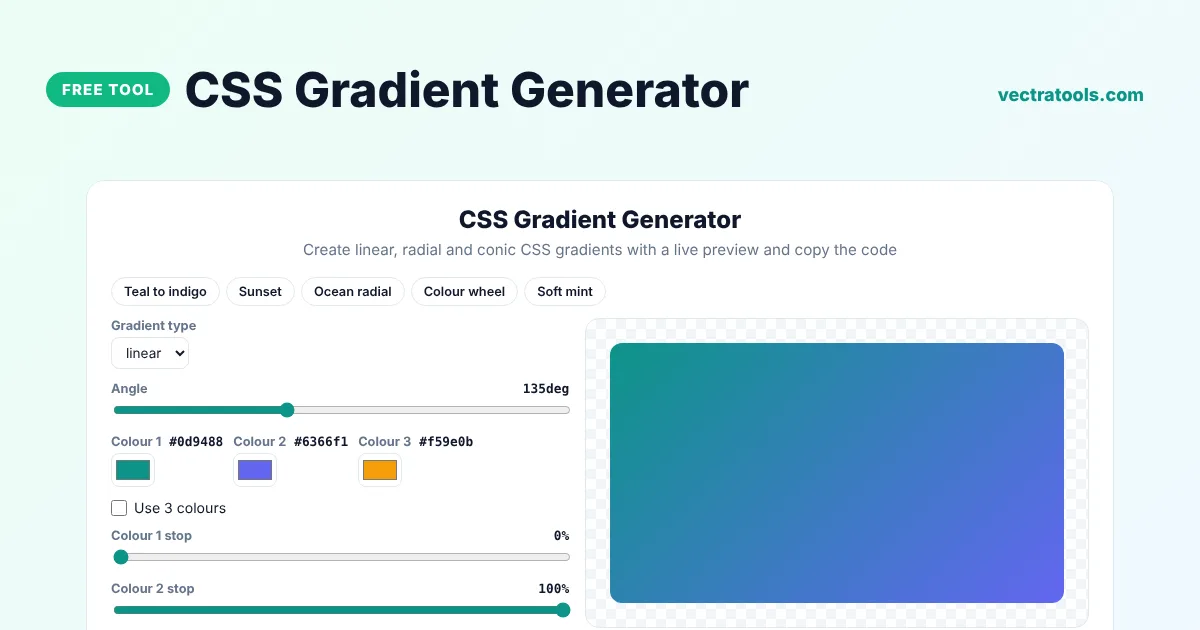
Create linear, radial and conic CSS gradients with a live preview and copy the code
Quick answer
A CSS gradient generator lets you build a smooth colour blend visually and gives you the matching CSS code. Pick linear, radial or conic, choose your colours and angle, and copy the background rule into your stylesheet. No image file is needed, so gradients load instantly and scale to any size.
Our free CSS gradient generator shows every change in a live preview, includes ready-made presets and writes a solid colour fallback above the gradient for very old browsers. It is useful for hero sections, buttons, cards, backgrounds and text effects, and it runs entirely in your browser.
Types of CSS Gradients
| Type | What it does | Example |
|---|---|---|
| Linear | Blends colours along a straight line at any angle | linear-gradient(135deg, #0d9488, #6366f1) |
| Radial | Blends colours outwards from a centre point in a circle or ellipse | radial-gradient(circle, #22d3ee, #1e3a8a) |
| Conic | Rotates colours around a centre point, like a colour wheel or pie chart | conic-gradient(from 0deg, red, green, blue) |
What the CSS Gradient Generator Lets You Control
- The gradient type: linear, radial or conic.
- The angle in degrees for linear gradients and the start angle for conic gradients.
- Two or three colours, picked with a colour picker.
- Where each colour starts and stops, as a percentage.
- Circle or ellipse shape for radial gradients.
How to Use the CSS Gradient Generator
Step 1: Pick a Preset or Start from Scratch
Click a preset such as Teal to indigo, Sunset or Ocean radial to load a ready-made gradient, or keep the default and build your own.

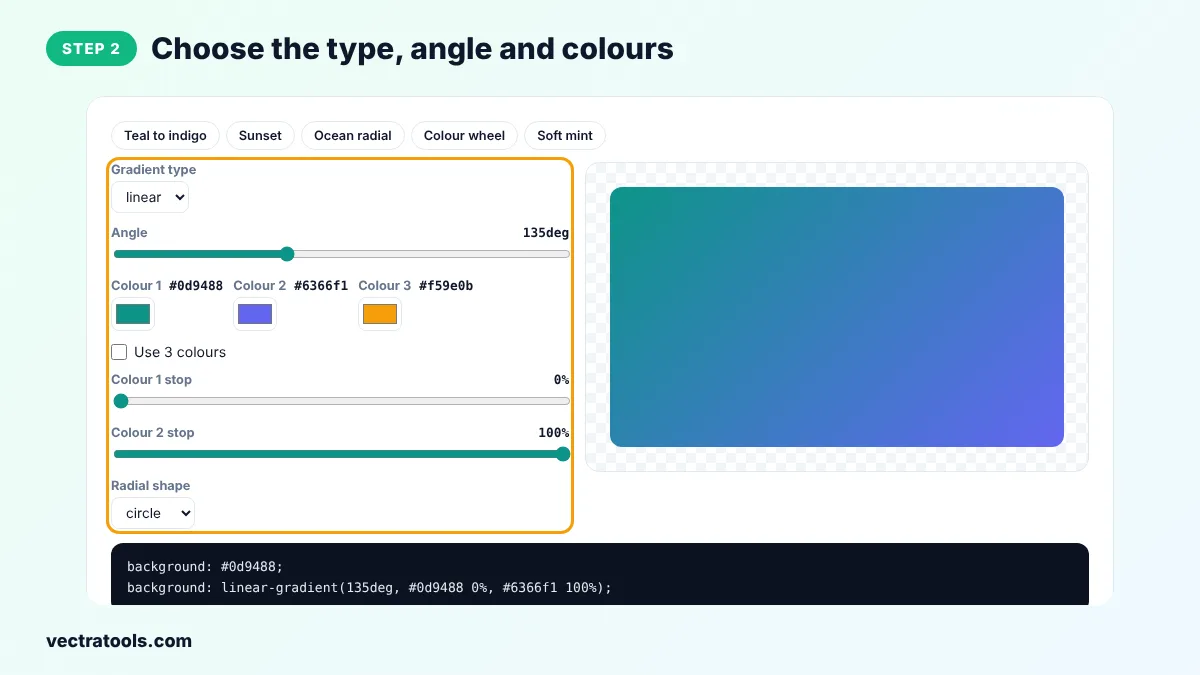
Step 2: Choose the Type, Angle and Colours
Select linear, radial or conic, drag the Angle slider and pick your colours. Tick Use 3 colours for a three-colour blend and move the stop sliders to change where each colour sits.
Step 3: Check the Live Gradient Preview
The preview box updates with every change, so you can see exactly how the gradient will look before you use it.

Step 4: Copy the CSS Gradient Code
Click Copy CSS to copy the background rule. Paste it into the CSS of any element, such as a section, button or card.

Every gradient you make with this CSS gradient generator is plain, standard code. There is no watermark, no account and no limit, so you can use the CSS gradient generator for client projects, themes and personal sites alike.
How to Use a Gradient in Your CSS
Apply the copied code to any element. The first line is a solid colour fallback and the second line is the gradient, so browsers that do not understand gradients still show a colour:
.hero {
  background: #0d9488;
  background: linear-gradient(135deg, #0d9488 0%, #6366f1 100%);
}
You can also use gradients for text by combining background-clip: text with color: transparent, or layer a gradient over an image by listing it before url() in the background property.
Gradient Ideas for Web Design
- Hero backgrounds: a diagonal two-colour gradient behind a headline makes a landing page feel modern without a heavy image.
- Buttons: a subtle gradient from a brand colour to a slightly darker shade gives buttons depth.
- Cards and badges: a soft pastel gradient helps featured items stand out from the rest of the page.
- Image overlays: a gradient from transparent to dark at the bottom of a photo keeps white captions readable.
- Charts and loaders: conic gradients can draw pie charts, progress rings and colour wheels with pure CSS.
Use the CSS gradient generator to try each idea in seconds, then copy the code and fine-tune it in your own stylesheet.
CSS Gradient Generator Tips
- Keep text readable: check the contrast of text against both ends of the gradient.
- Colours that sit next to each other on the colour wheel blend more smoothly than opposite colours, which can look muddy in the middle.
- Use 180deg for a top-to-bottom gradient and 90deg for left-to-right.
- Gradients are images in CSS, so use them with background or background-image, not background-color.
Frequently Asked Questions
How do I make a gradient in CSS?
Use the background property with a gradient function, such as background: linear-gradient(135deg, #0d9488, #6366f1). The CSS gradient generator writes this code for you.
What is the difference between linear and radial gradients?
A linear gradient changes colour along a straight line. A radial gradient spreads out from a centre point in a circle or ellipse.
Do CSS gradients work in all browsers?
Yes. Linear and radial gradients work in all modern browsers without prefixes, and conic gradients work in all current versions of Chrome, Edge, Firefox and Safari.
How do I change the direction of a gradient?
Change the angle. 0deg goes from bottom to top, 90deg from left to right, 180deg from top to bottom and 135deg diagonally.
Can I use more than two colours?
Yes. Tick Use 3 colours in the tool. In CSS you can add as many colour stops as you like, separated by commas.
Are CSS gradients better than images?
For simple colour blends, yes. They add no file to download, stay sharp on any screen and are easy to change in code.
Is this CSS gradient generator free?
Yes. It is free with no sign-up and runs entirely in your browser.