

Empty Line Remover – Delete Blank Lines from Text Instantly
Empty Line Remover
Delete blank paragraphs, purge broken whitespace gaps, and normalize text row spacing instantly
Quick answer
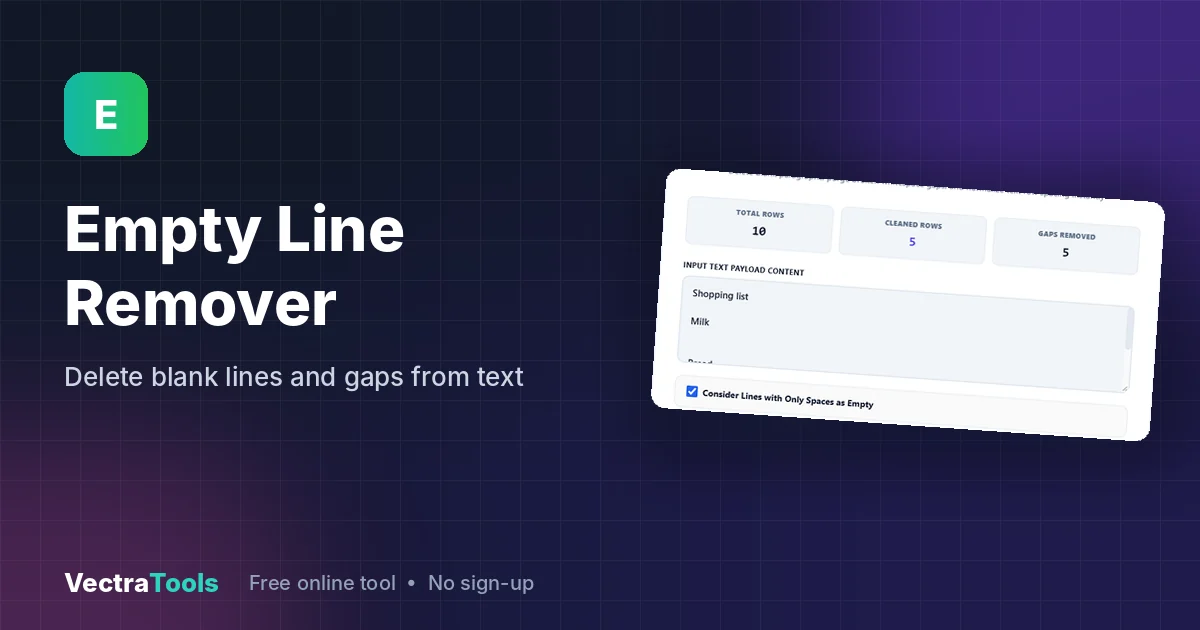
An empty line remover deletes blank lines from text so every line with content sits directly under the previous one. Paste your text, choose whether lines that contain only spaces should also count as empty, click Purge Text Gaps and copy the clean result. Your actual lines are not changed or reordered.
Our free empty line remover is useful for text copied from PDFs, emails, web pages, AI chat answers and spreadsheets, which often arrives full of double or triple gaps. It also counts the total rows, the rows kept and the gaps removed, so you can see exactly what changed.
What Does an Empty Line Remover Do?
It checks your text line by line and drops every line that is empty. A truly empty line has no characters at all. A "whitespace line" looks empty but holds spaces or tabs, which is common in copied text. The Consider Lines with Only Spaces as Empty option decides whether those are removed too. Lines that contain words are kept exactly as they are, including any spaces at the start or end.
| Input line | Option on (default) | Option off |
|---|---|---|
| Line with text | Kept | Kept |
| Completely empty line | Removed | Removed |
| Line with only spaces or tabs | Removed | Kept |
| Line with text and extra spaces | Kept unchanged | Kept unchanged |
How to Use the Empty Line Remover
Step 1: Paste Your Text
Open the empty line remover and paste your text into Input Text Payload Content. We paste a shopping list with gaps: Shopping list, Milk, Bread, Eggs and Butter separated by blank lines and one line of spaces, 10 lines in total.

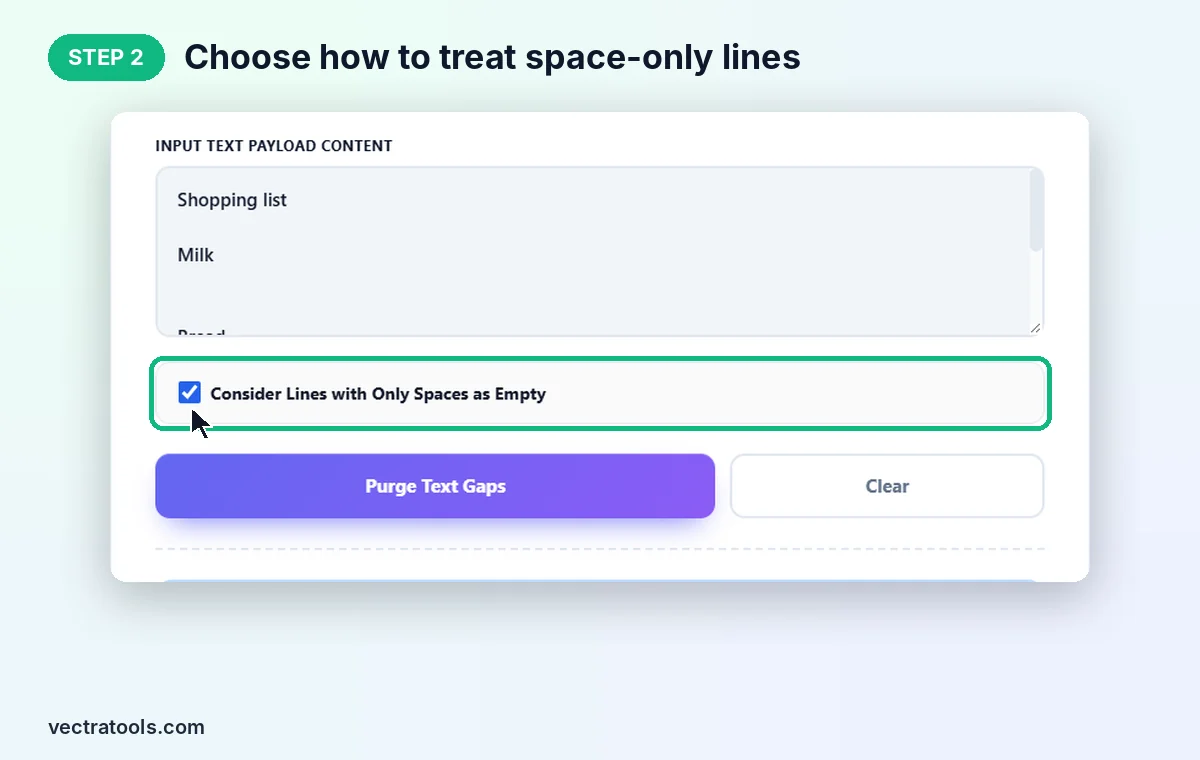
Step 2: Choose How to Treat Space-Only Lines
Keep Consider Lines with Only Spaces as Empty ticked to remove lines that only contain spaces or tabs. Untick it if those lines are intentional, for example in code or poetry.
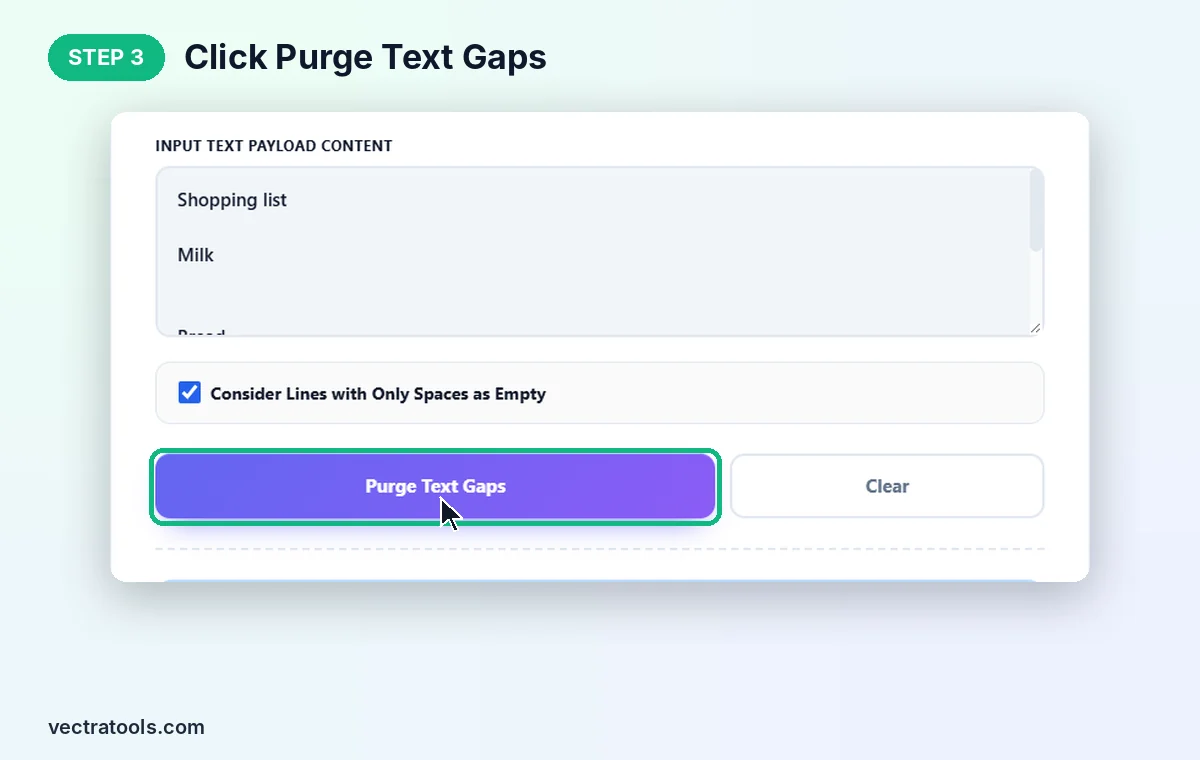
Step 3: Click Purge Text Gaps
Click Purge Text Gaps. The counters show 10 total rows, 5 cleaned rows kept and 5 gaps removed. Clear resets the tool.
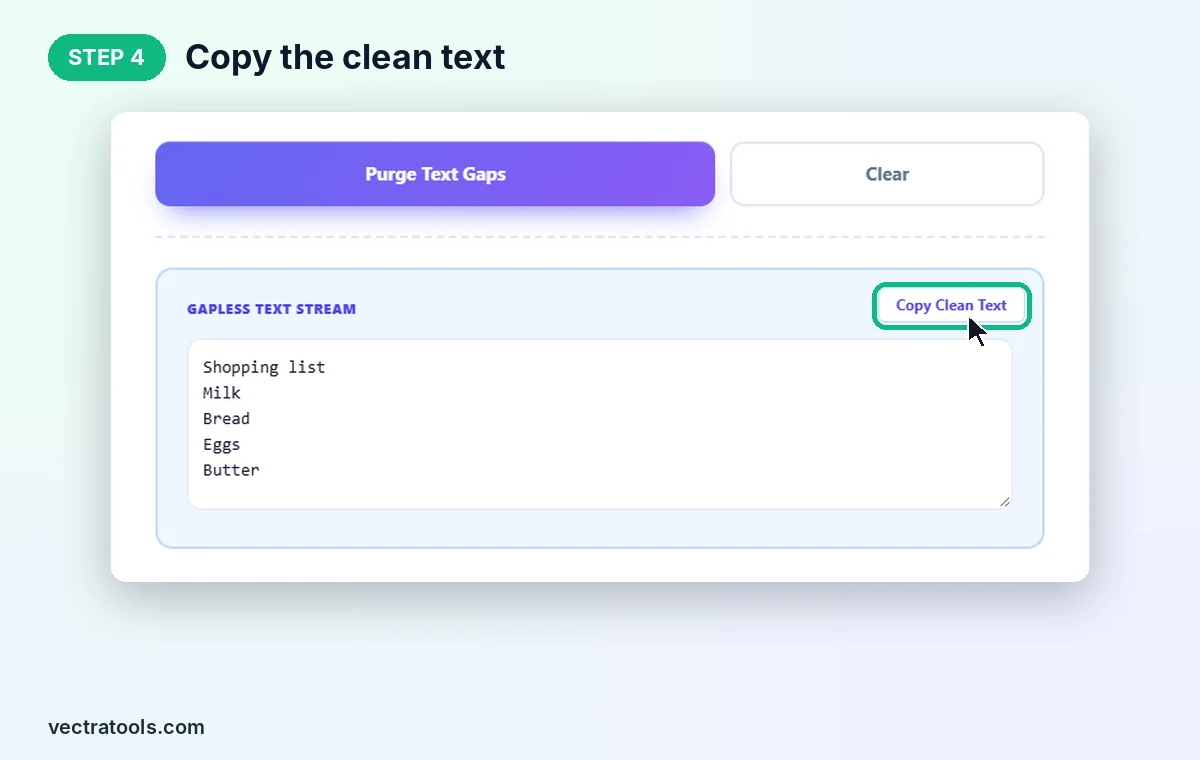
Step 4: Copy the Clean Text
The result appears in Gapless Text Stream with one item per line. Click Copy Clean Text and paste it wherever you need it.
Where an Empty Line Remover Helps
- Text copied from PDFs: PDF copy often adds a blank line after every line or paragraph.
- Lists for import: blank rows can create empty records when you paste into Excel, Google Sheets or a CRM.
- Keyword and URL lists: tidy lists before using a duplicate remover or sorter.
- Emails and chat replies: compact long messages that have too much spacing.
- Code and config files: strip extra gaps from data files such as CSV or log output.
Empty Line Remover Tips
- This tool removes every blank line, including the single gap between paragraphs. If you want to keep paragraph breaks, add them back after cleaning.
- Spaces inside or around your real lines are not touched. Use an extra space remover if you also want to tidy those.
- To clean a list completely, remove empty lines first, then remove duplicates, then sort it.
The empty line remover works entirely in your browser. Your text is never uploaded, there is no sign-up, and long documents are cleaned instantly.
Frequently Asked Questions
What is an empty line remover?
It is a tool that deletes blank lines from text so the remaining lines sit directly under each other.
Does it remove lines that only have spaces?
Yes, when Consider Lines with Only Spaces as Empty is ticked, which is the default. Untick it to keep those lines.
Will it change my text?
No. Lines with content are kept exactly as typed and stay in the same order. Only empty lines are removed.
What do the counters show?
Total Rows is the number of lines you pasted, Cleaned Rows is the number of lines kept, and Gaps Removed is how many empty lines were deleted.
Can I keep one blank line between paragraphs?
Not in this tool. It removes all blank lines, so add paragraph breaks back afterwards if you need them.
Is this empty line remover free?
Yes. It is free, needs no sign-up, and runs entirely in your browser.