

Duplicate Line Remover – Remove Repeated Lines from Any List
Duplicate Line Remover
Scrub large text logs, clean identical line arrays, and compile unique lists instantly

Quick answer
A duplicate line remover deletes repeated lines from a list and keeps only the first copy of each, in the original order. Paste your text, choose whether matching should be case sensitive and whether to trim spaces and drop empty rows, then click Process & Scrub Matrix and copy the clean list.
Our free duplicate line remover handles keyword lists, email lists, URLs, log files, product SKUs and any other one-item-per-line data. It also shows how many rows you started with, how many unique rows are left and how many were cleaned out, so you can check the result at a glance.
What Does a Duplicate Line Remover Do?
It reads your text line by line and remembers every line it has already seen. When the same line appears again, it is skipped. Nothing is sorted or rearranged, so the first occurrence of each line stays exactly where it was. Three options control what counts as "the same". The example below uses seven lines: apple, banana, Apple, apple, an empty line, cherry and banana.
| Setting | Default | Effect on the example |
|---|---|---|
| Strict Case Sensitive Check | Off | Off: Apple and apple count as one line. On: Apple is kept as a separate line. |
| Auto Trim Whitespaces | On | Lines like "apple " and "apple" are treated as the same. |
| Filter Empty Rows | On | The blank line is removed completely. |
| Result with defaults | - | 7 original rows, 3 unique rows (apple, banana, cherry), 4 cleaned rows |
How to Use the Duplicate Line Remover
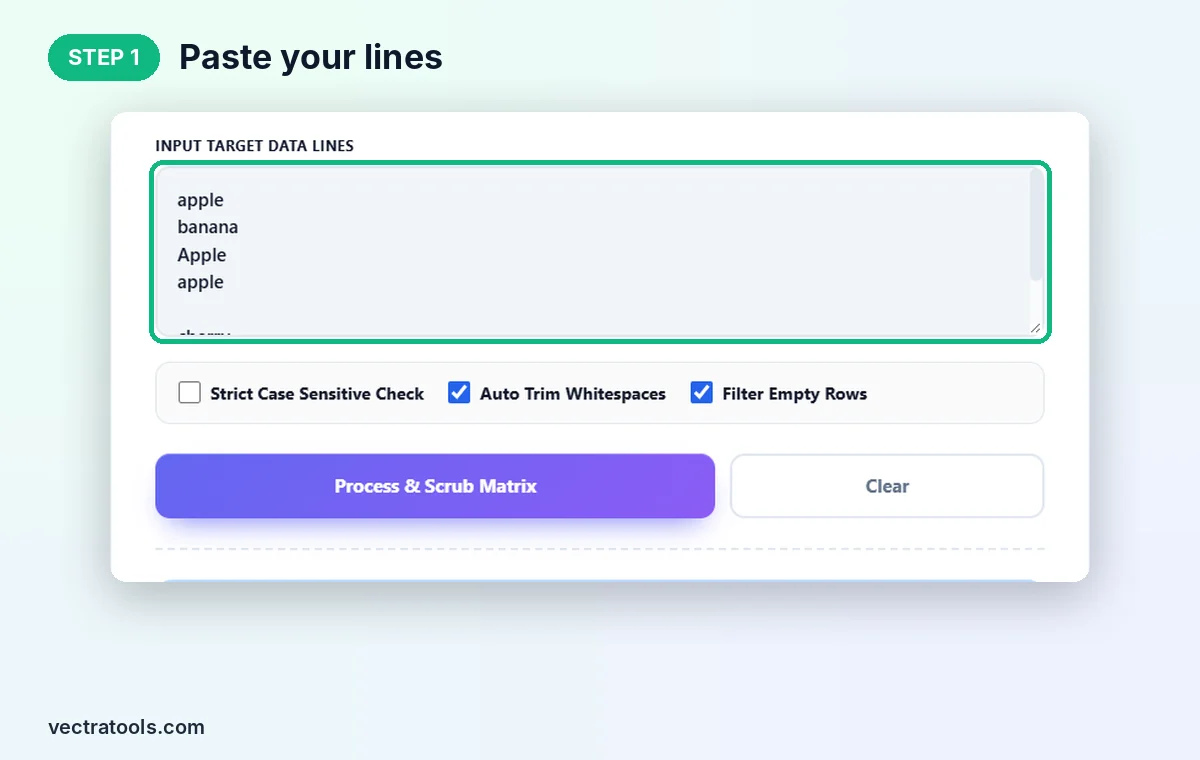
Step 1: Paste Your Lines
Open the duplicate line remover and paste your list into Input Target Data Lines, one item per line. We paste apple, banana, Apple, apple, a blank line, cherry and banana.
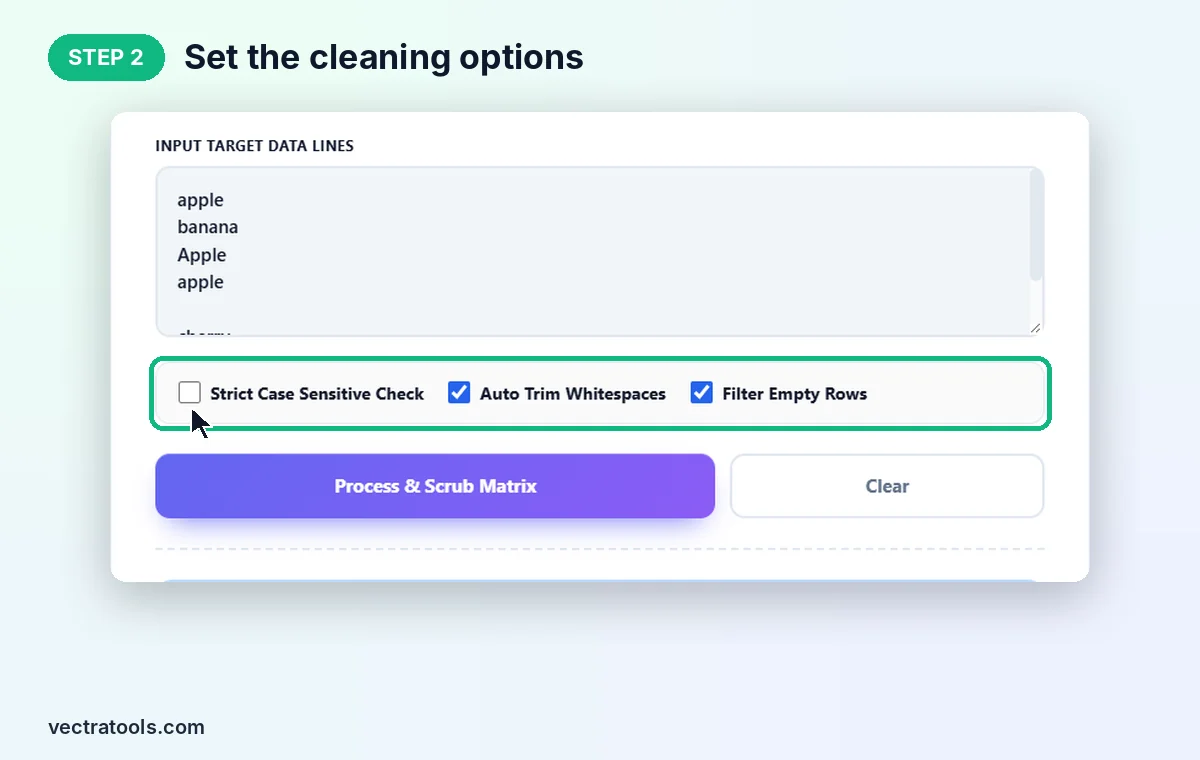
Step 2: Set the Cleaning Options
Tick Strict Case Sensitive Check only if "Apple" and "apple" must stay separate. Keep Auto Trim Whitespaces and Filter Empty Rows on for the cleanest result.
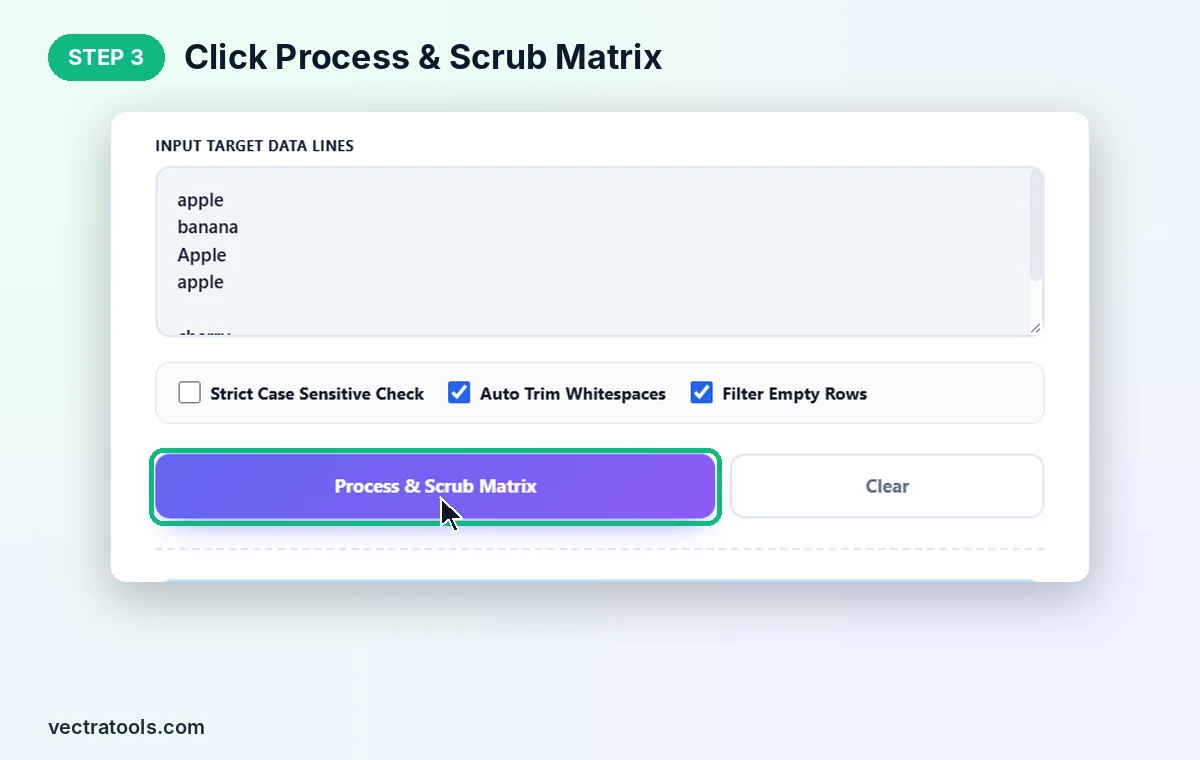
Step 3: Click Process & Scrub Matrix
Click Process & Scrub Matrix. The counters update to show 7 original rows, 3 unique rows and 4 cleaned rows. Use Clear to empty the box and start again.
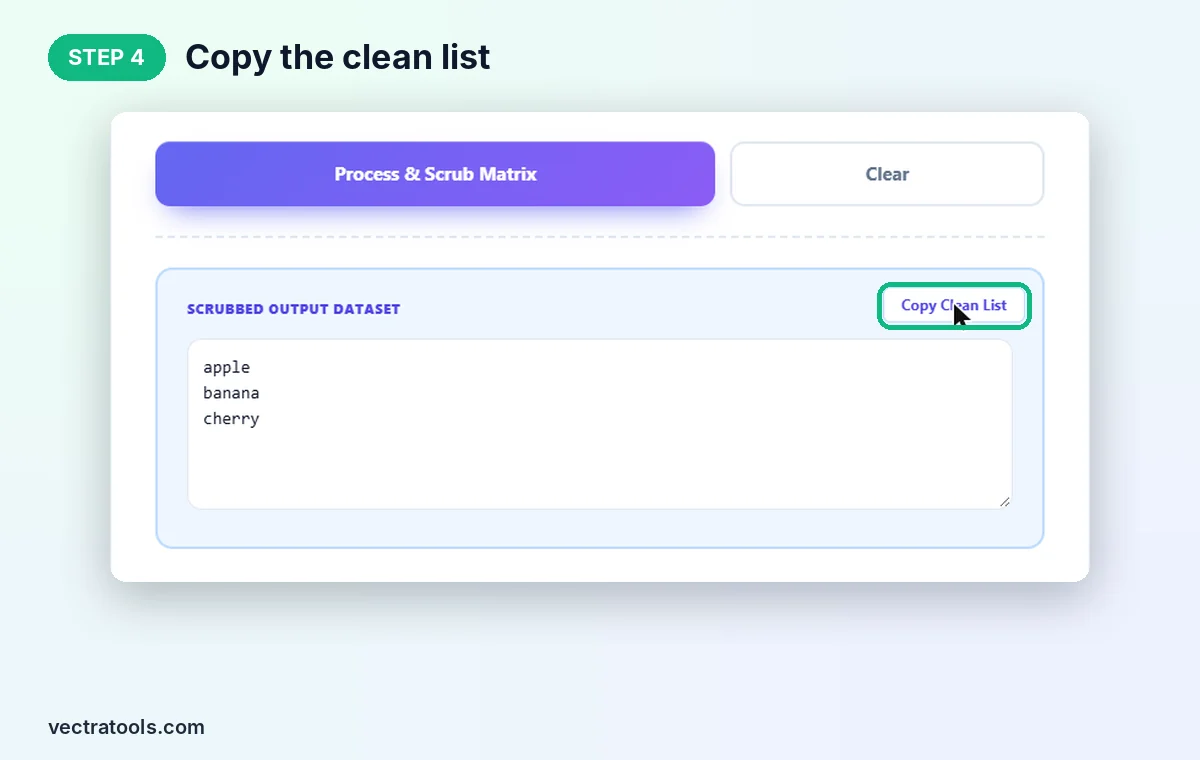
Step 4: Copy the Clean List
The unique lines appear in Scrubbed Output Dataset: apple, banana and cherry. Click Copy Clean List to put them on your clipboard.
Where a Duplicate Line Remover Helps
- SEO keyword lists: merge exports from several tools and remove repeated keywords before grouping them.
- Email and contact lists: clean a list before importing it, so nobody gets the same message twice.
- URL lists and sitemaps: remove repeated links before a crawl, disavow file or redirect map.
- Log files: collapse repeated error lines to see each distinct message once.
- Spreadsheet columns: paste a single column, remove repeats and paste it back.
Duplicate Line Remover Tips
- For email addresses and URLs keep case sensitivity off, since [email protected] and [email protected] reach the same inbox.
- Turn case sensitivity on for code, file paths or passwords lists, where capital letters matter.
- With trimming on, lines are compared without their outer spaces, but the copy that is kept is the original line.
- Need the result in alphabetical order? Run it through a text sorter afterwards, because this tool keeps the original order.
All processing happens in your browser, so private lists are never uploaded. The duplicate line remover is free, needs no sign-up and works on long lists in a fraction of a second.
Frequently Asked Questions
What is a duplicate line remover?
It is a tool that removes repeated lines from text and keeps only the first copy of each line, without changing the order.
Does it change the order of my lines?
No. Lines stay in their original order. Only later repeats are removed.
Is it case sensitive?
Not by default, so Apple and apple count as the same line. Tick Strict Case Sensitive Check to treat them as different.
What do the three counters mean?
Original Rows is how many lines you pasted, Unique Rows is how many are left, and Cleaned Rows is how many repeated or empty lines were removed.
Can I remove duplicates from Excel data?
Yes. Copy one column, paste it into the tool, process it, then paste the clean list back into your sheet.
Is this duplicate line remover free?
Yes. It is free, needs no sign-up, and runs entirely in your browser.