

Color Palette Generator – Create Colour Schemes from Any Colour
Color Palette Generator
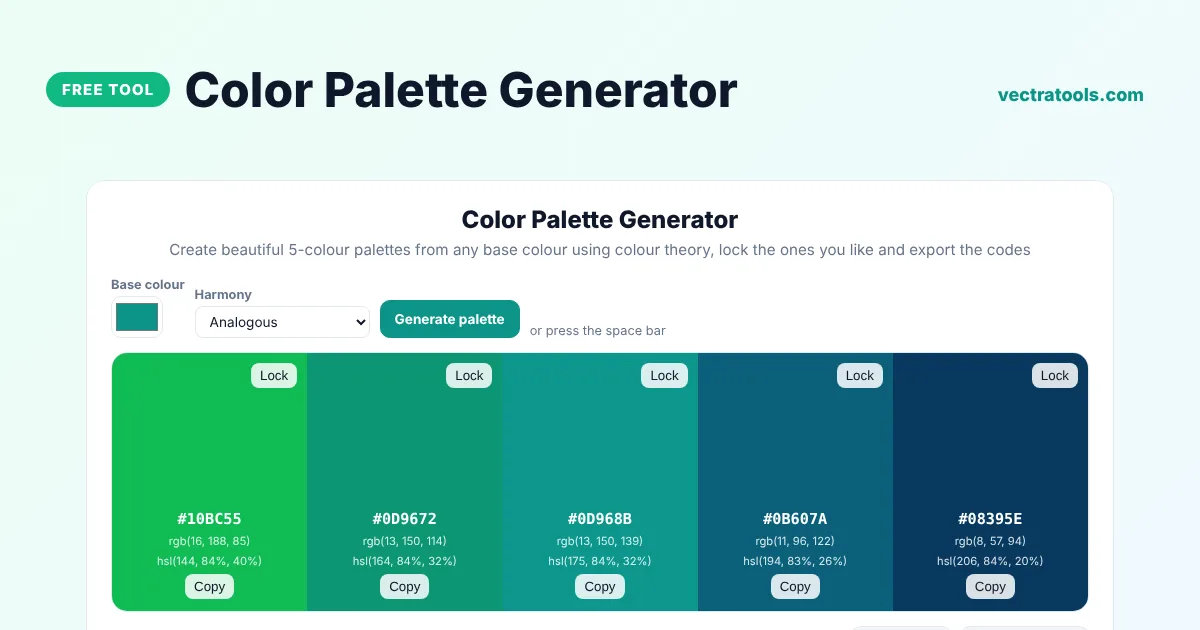
Create beautiful 5-colour palettes from any base colour using colour theory, lock the ones you like and export the codes
Quick answer
A color palette generator builds a matching set of colours for a website, brand or design. Pick a base colour and a colour harmony such as analogous, complementary or triadic, and the tool creates a five-colour palette. Lock the colours you want to keep, generate again to change the rest, and export the palette as CSS variables, JSON, Tailwind config or a PNG image.
Our free color palette generator uses colour theory on the HSL colour wheel, so palettes look balanced rather than random. Each swatch shows its HEX, RGB and HSL code, text on each swatch switches between dark and light for readability, and you can press the space bar to try new ideas quickly.
Colour Harmonies Explained
| Harmony | How it works | Feeling |
|---|---|---|
| Analogous | Neighbouring hues on the colour wheel | Calm and natural |
| Monochromatic | One hue in different lightness levels | Clean and elegant |
| Complementary | Opposite hues | Bold, high contrast |
| Split complementary | Base hue plus the two neighbours of its opposite | Lively but balanced |
| Triadic | Three hues evenly spaced | Playful and vibrant |
| Tetradic | Four hues in two complementary pairs | Rich and varied |
What the Color Palette Generator Gives You
- Five colours named primary, secondary, accent, light and dark.
- HEX, RGB and HSL codes for every swatch, with one-click copy.
- Locks to keep favourite colours while you regenerate the others.
- Export as CSS custom properties, a HEX list, JSON or a Tailwind colours object.
- A PNG image of the palette for mood boards and presentations.
How to Use the Color Palette Generator
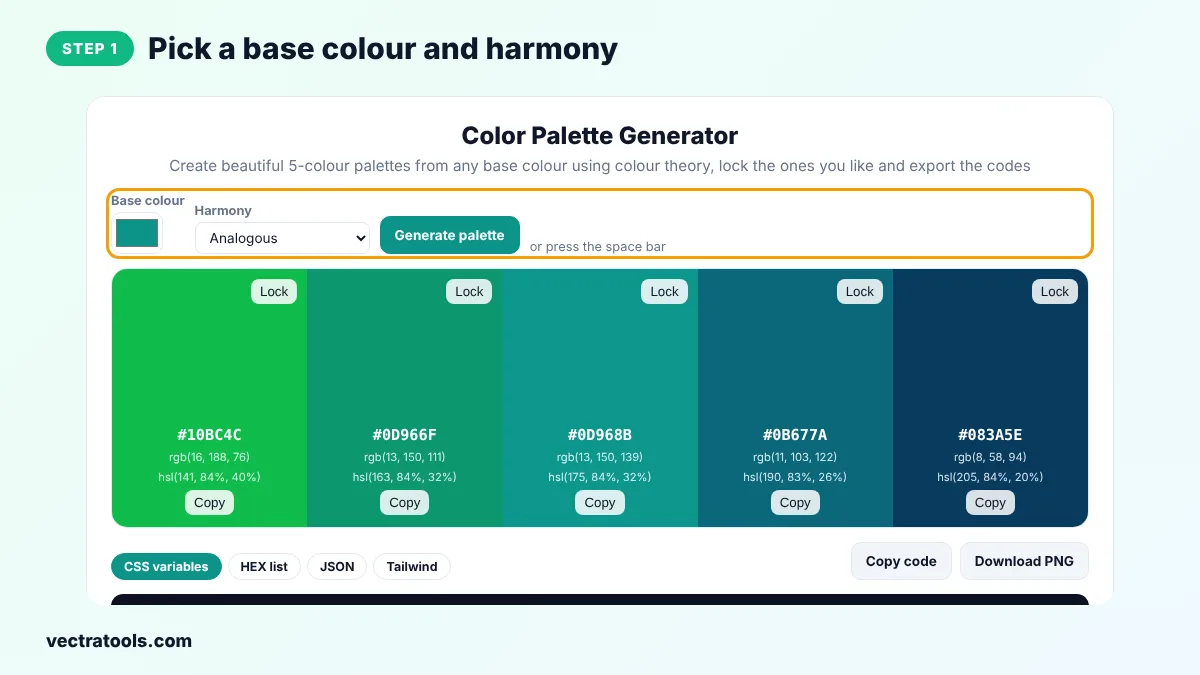
Step 1: Pick a Base Colour and Harmony
Choose your starting colour, such as your logo colour, and a harmony from the menu.
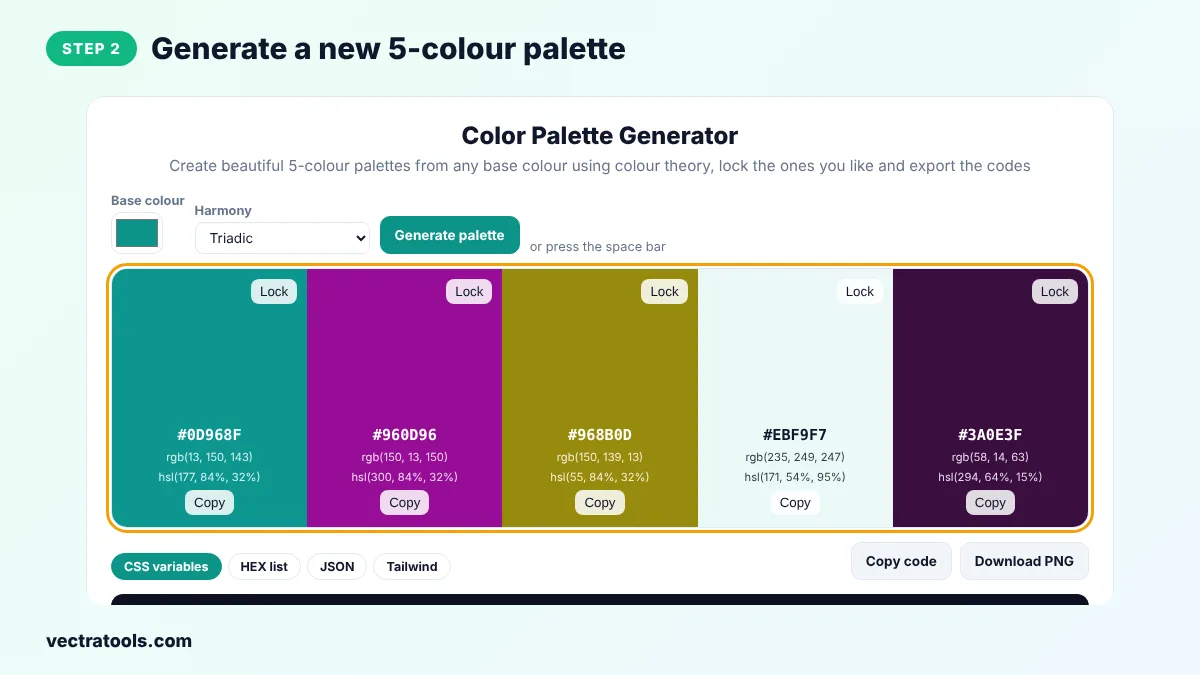
Step 2: Generate a New 5-Colour Palette
Click Generate palette or press the space bar to create a fresh palette based on your settings.
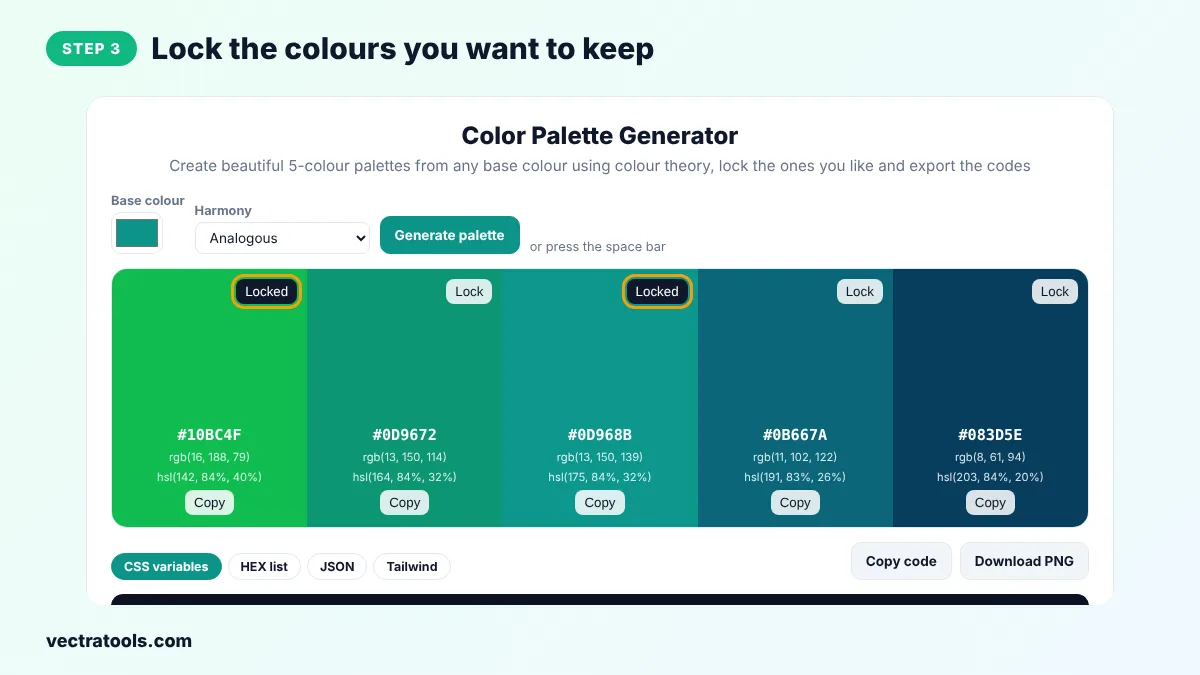
Step 3: Lock the Colours You Want to Keep
Click Lock on any swatch you like. The next time you generate, locked colours stay and only the others change.
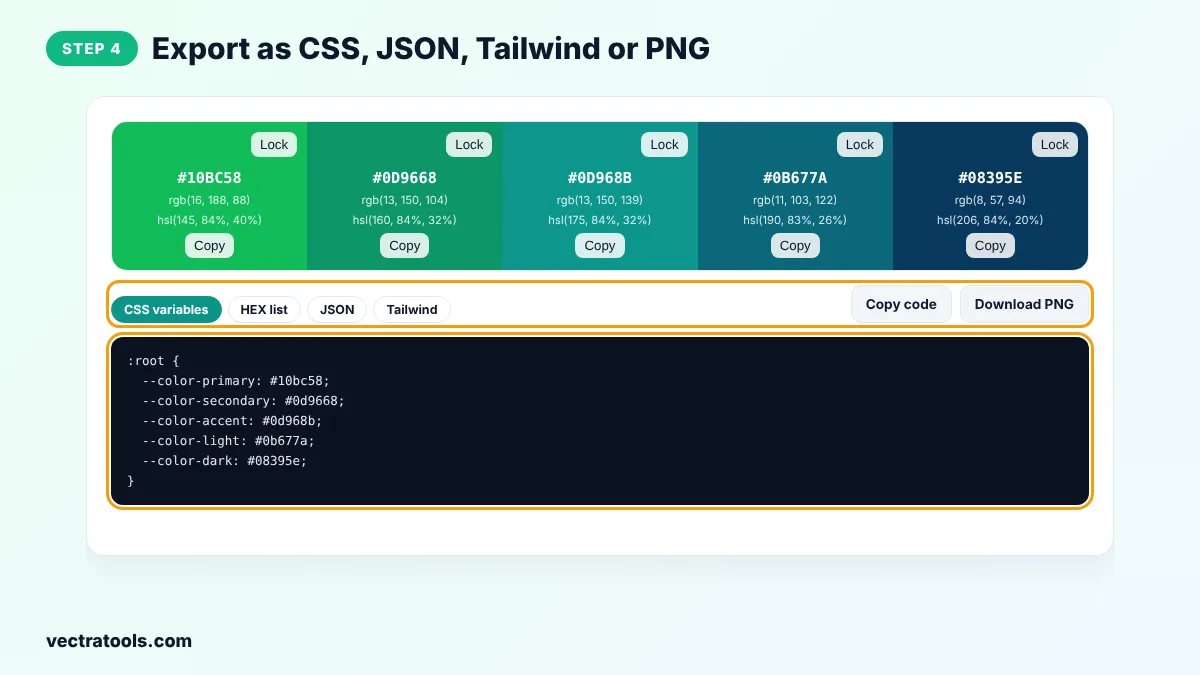
Step 4: Export as CSS, JSON, Tailwind or PNG
Choose a format tab and click Copy code, or click Download PNG to save an image of the palette.
Designers use a color palette generator to start a brand, refresh a website or pick chart colours. Developers use the color palette generator to turn a single brand colour into a full set of CSS variables in seconds.
How to Use a Palette in Your Design
- Follow the 60-30-10 rule: 60% neutral or light colour, 30% primary, 10% accent.
- Use the dark colour for text and the light colour for backgrounds.
- Save the accent colour for buttons and links so they stand out.
- Check text contrast with a colour contrast checker before you launch.
Color Palette Generator Tips
- Start from your logo colour to keep the palette on brand.
- Monochromatic palettes are the easiest way to look professional with little effort.
- If a palette feels too bright, pick a base colour with lower saturation.
- Generate several palettes and compare them on a real page before you choose.
Frequently Asked Questions
What is a color palette generator?
It is a tool that creates a set of colours that work well together, based on a starting colour and a colour harmony rule.
How many colours should a website palette have?
Three to five colours is usually enough: a primary, a secondary or accent, and light and dark neutrals.
Which harmony should I choose?
Analogous and monochromatic are safe for most brands. Complementary and triadic are better when you want energy and contrast.
Can I keep some colours and change others?
Yes. Click Lock on the colours you like, then generate again.
How do I use the palette in CSS?
Copy the CSS variables code into your stylesheet and use var(--color-primary) wherever you need the colour.
Can I download the palette?
Yes. Click Download PNG to save an image with all five colours and their HEX codes.
Is the color palette generator free?
Yes. It is free, needs no sign-up and runs in your browser.