

Initials Avatar Generator – Profile Pictures from Your Name
Initials Avatar Generator
Make a clean profile picture from your initials in any colour, shape and size, then download it as PNG or SVG

Quick answer
An initials avatar generator makes a profile picture from the first letters of a name, such as SK for Sara Khan. Type the name, choose a background colour or gradient, pick a circle, rounded square or square shape and a font, and download the avatar as a PNG up to 1024 pixels or as a sharp SVG.
Our free initials avatar generator is ideal for team pages, chat apps, email signatures, forum profiles and default user images in web apps. It previews the avatar at small sizes too, so you can check it still looks good as a 24-pixel icon, and it works with names in any language.
Where to Use Initials Avatars
- Team and about pages when you do not have photos for everyone.
- Default profile pictures in apps, forums and online courses.
- Email signatures and business directories.
- Slack, Teams, Discord and other chat apps.
- Placeholders in design mock-ups.
Avatar Options
| Option | Choices |
|---|---|
| Letters | 1, 2 or 3 initials |
| Background | 10 preset colours or any custom colour, flat or gradient |
| Shape | Circle, rounded square, square |
| Font | Sans serif, serif or monospace, bold or regular |
| Download | PNG at 128, 256, 512 or 1024 px, or SVG |
How to Use the Initials Avatar Generator
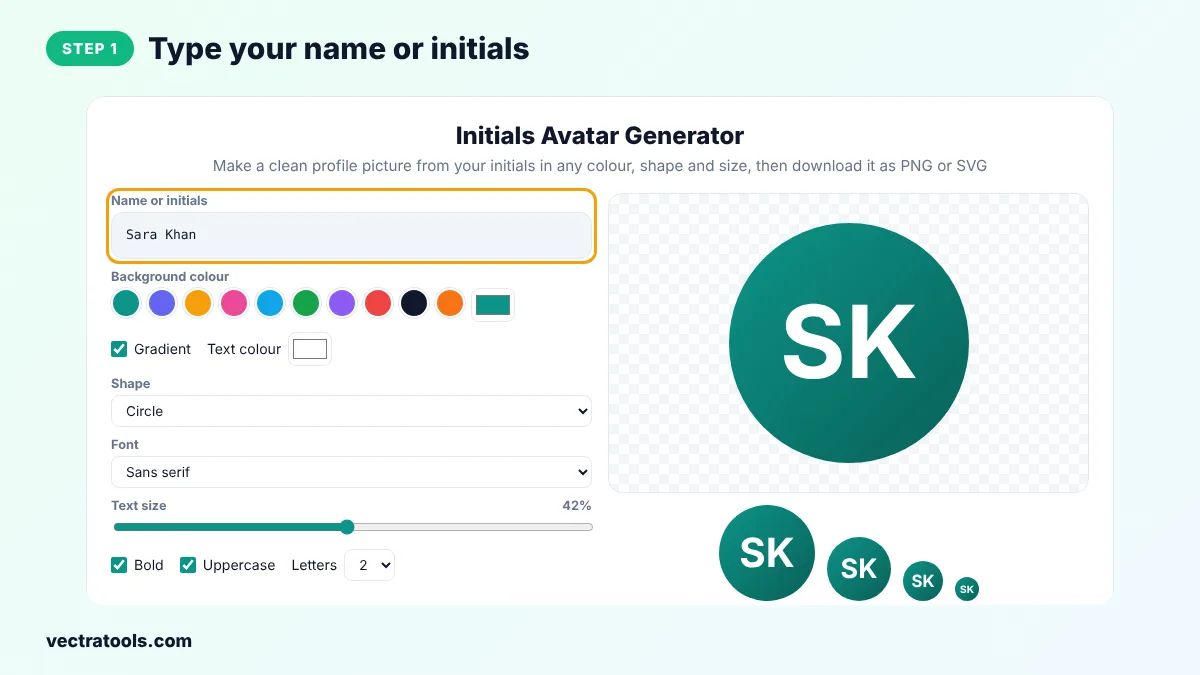
Step 1: Type Your Name or Initials
Enter a full name, such as Sara Khan, or just the letters you want. The tool picks the first letter of the first and last words.
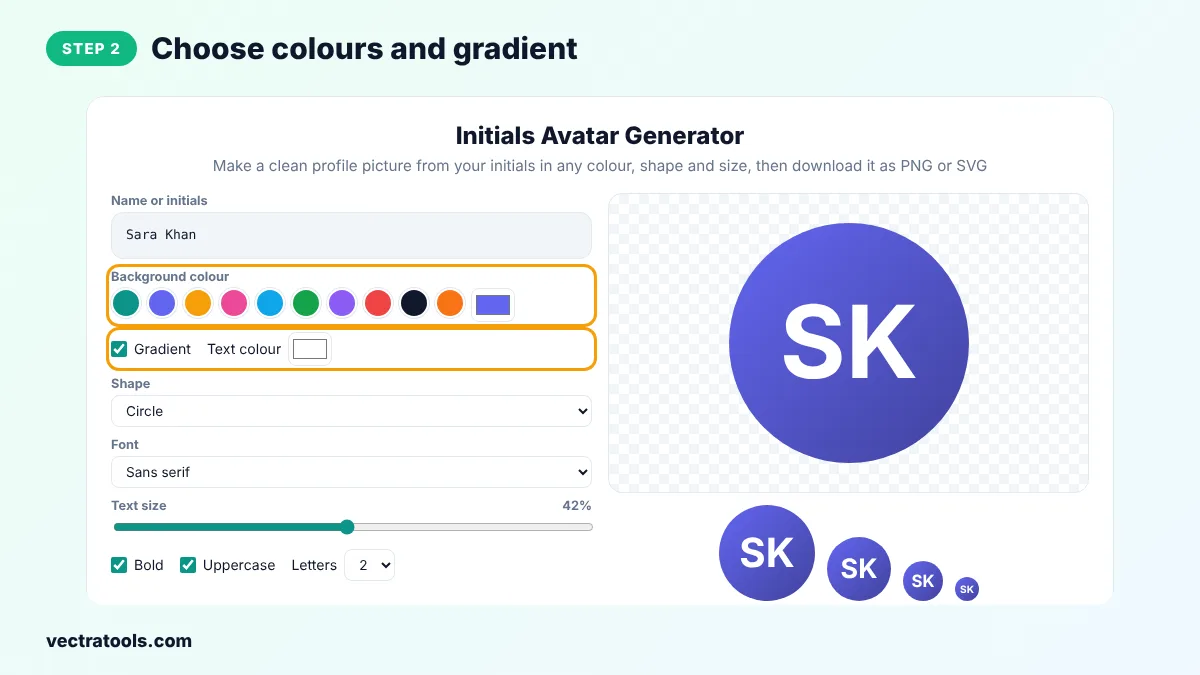
Step 2: Choose Colours and Gradient
Click a preset colour or pick your own, keep Gradient ticked for a soft two-tone look and choose the text colour.
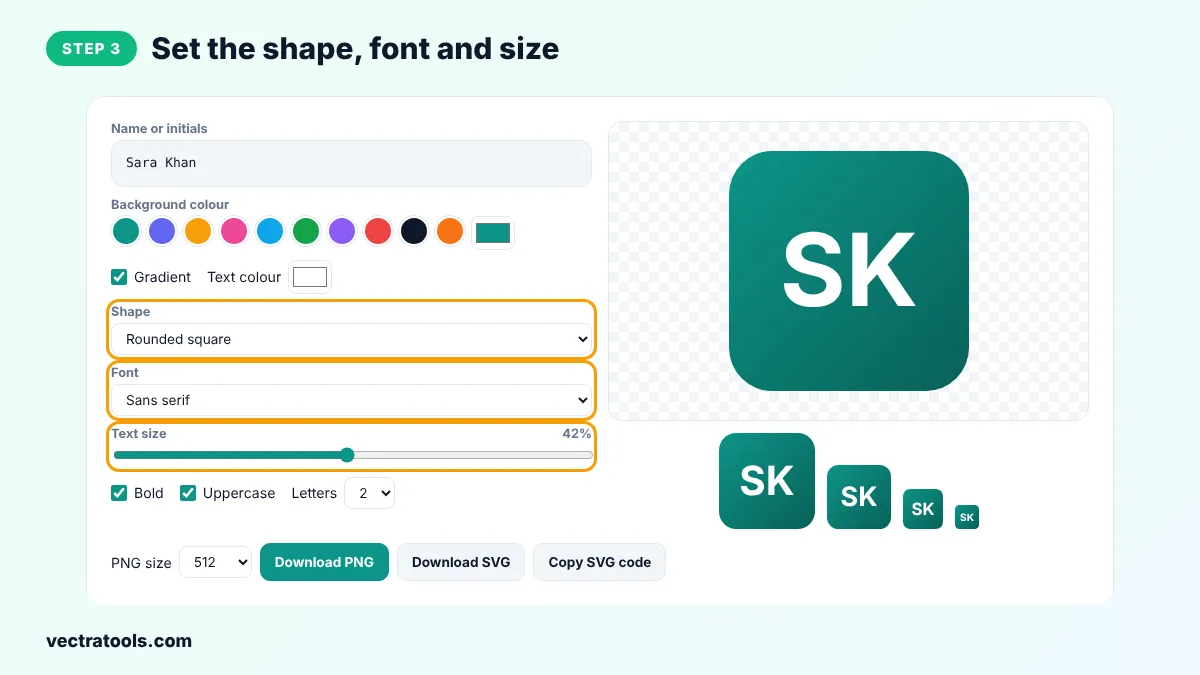
Step 3: Set the Shape, Font and Size
Choose a circle, rounded square or square, a font style and the text size. Change the number of letters if you need one or three.
Step 4: Download the Avatar as PNG or SVG
Choose a PNG size and click Download PNG, or click Download SVG for a vector file. Copy SVG code lets you paste the avatar straight into HTML.

An initials avatar generator gives every person a consistent, friendly picture without collecting photos. Because this initials avatar generator runs in your browser, the names you type are never uploaded.
Initials Avatar Generator Tips
- Use two letters in the initials avatar generator. They are easier to recognise than one and fit better than three.
- Pick colours with strong contrast against white text.
- Give each team member a different colour from the same palette.
- Use the SVG file on websites, because it stays sharp on every screen.
Using Avatars in Web Apps
Developers can copy the SVG code and generate similar avatars on the fly: take the user's initials, pick a colour based on a hash of their name so it is always the same, and draw the letters in the centre of a circle. This avoids broken image icons when a user has no photo.
Frequently Asked Questions
What is an initials avatar?
It is a simple profile picture that shows the first letters of a person's name on a coloured background.
Is the initials avatar generator free?
Yes. It is free with no watermark and no sign-up.
What size should a profile picture be?
Most sites accept 400 to 1024 pixels. Download 512 or 1024 px for the sharpest result.
Can I use the avatar on social media?
Yes. Download a PNG and upload it as your profile picture.
Does it work with Arabic, Urdu or other scripts?
Yes. Any characters you type are used, as long as your device has a font that supports them.
Why is the SVG file better for websites?
It is a vector image, so it stays crisp at any size and the file is tiny.
Are my names uploaded anywhere?
No. Everything happens in your browser.