

QR Code Generator – Free QR Codes for URL, Wi-Fi and vCard
QR Code Generator
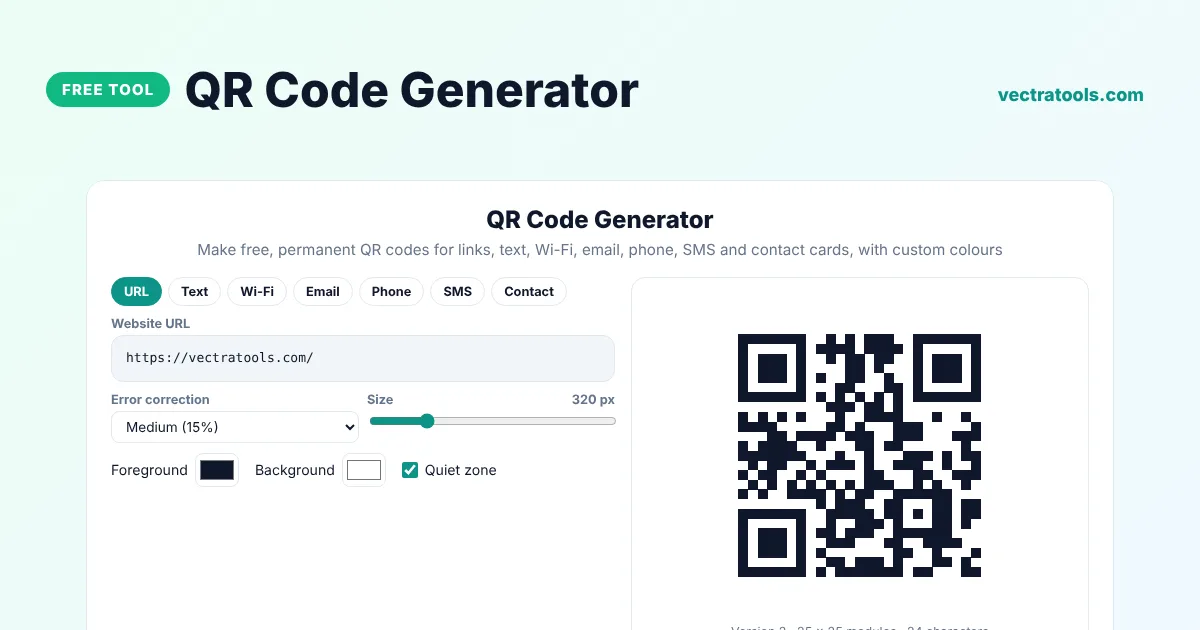
Make free, permanent QR codes for links, text, Wi-Fi, email, phone, SMS and contact cards, with custom colours
Quick answer
A QR code generator turns a link, text or other information into a square code that phones can scan with their camera. Choose what the code should do, such as open a website or join a Wi-Fi network, fill in the details and download the QR code as a PNG or SVG. The codes made here are static, so they never expire and need no account.
Our free QR code generator supports seven content types, four error correction levels, custom colours and sizes up to 1024 pixels. It encodes the data directly into the image, with no tracking link in between, and it runs entirely in your browser. Every code was checked with a real QR scanner during testing.
What Can a QR Code Do?
| Type | What happens when scanned |
|---|---|
| URL | Opens a website |
| Text | Shows a message |
| Wi-Fi | Joins a Wi-Fi network without typing the password |
| Opens a new email with the address and subject filled in | |
| Phone | Starts a call |
| SMS | Opens a text message with the number and message filled in |
| Contact | Saves a contact card (vCard) to the phone |
Error Correction Levels
| Level | Damage it can survive | Best for |
|---|---|---|
| Low (L) | About 7% | Clean, small codes with lots of data |
| Medium (M) | About 15% | Most uses |
| Quartile (Q) | About 25% | Printed codes that may get dirty |
| High (H) | About 30% | Codes with a logo on top or outdoor signs |
How to Use the QR Code Generator
Step 1: Choose What the QR Code Should Do
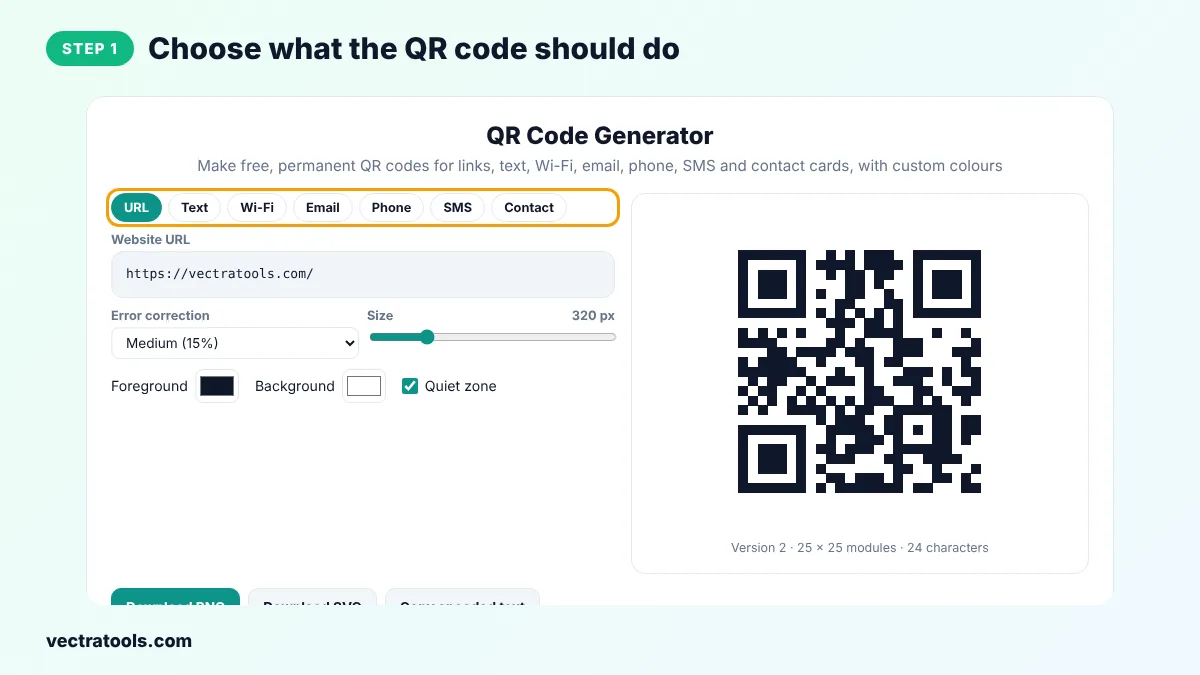
Click URL, Text, Wi-Fi, Email, Phone, SMS or Contact at the top of the QR code generator.
Step 2: Fill in the Details
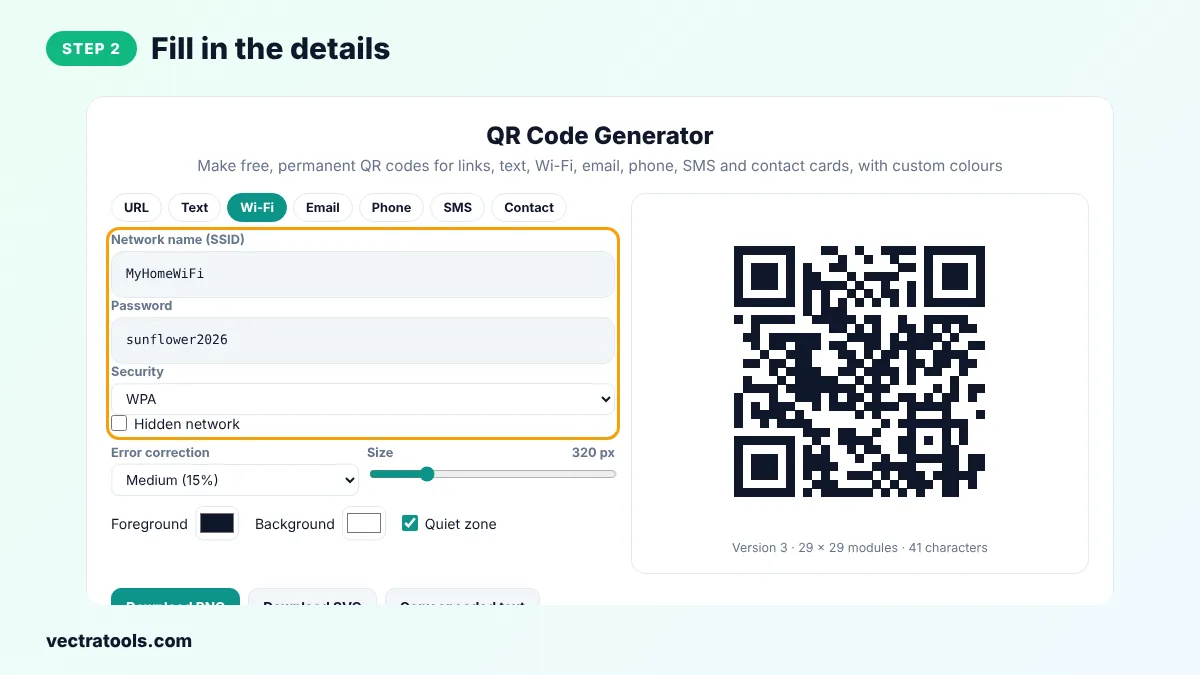
Type the website address, message or other details. For Wi-Fi, enter the network name, password and security type exactly as they are on your router.
Step 3: Set Error Correction, Size and Colours
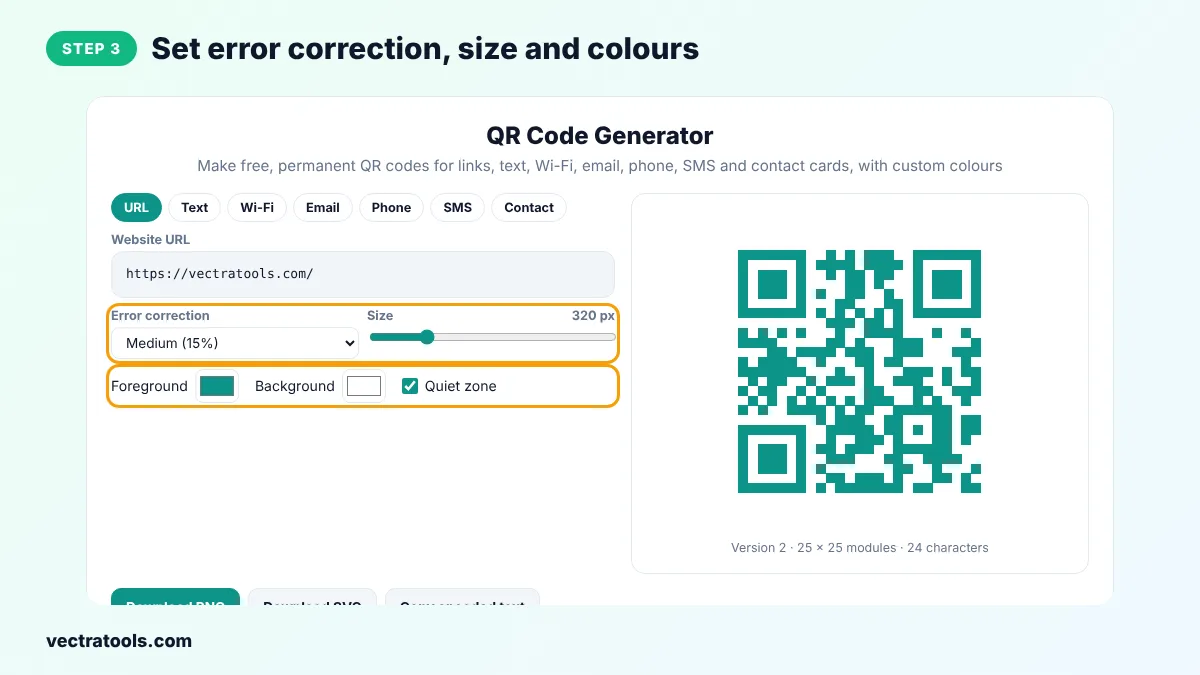
Pick an error correction level, drag the size slider and choose foreground and background colours. Keep a dark code on a light background.
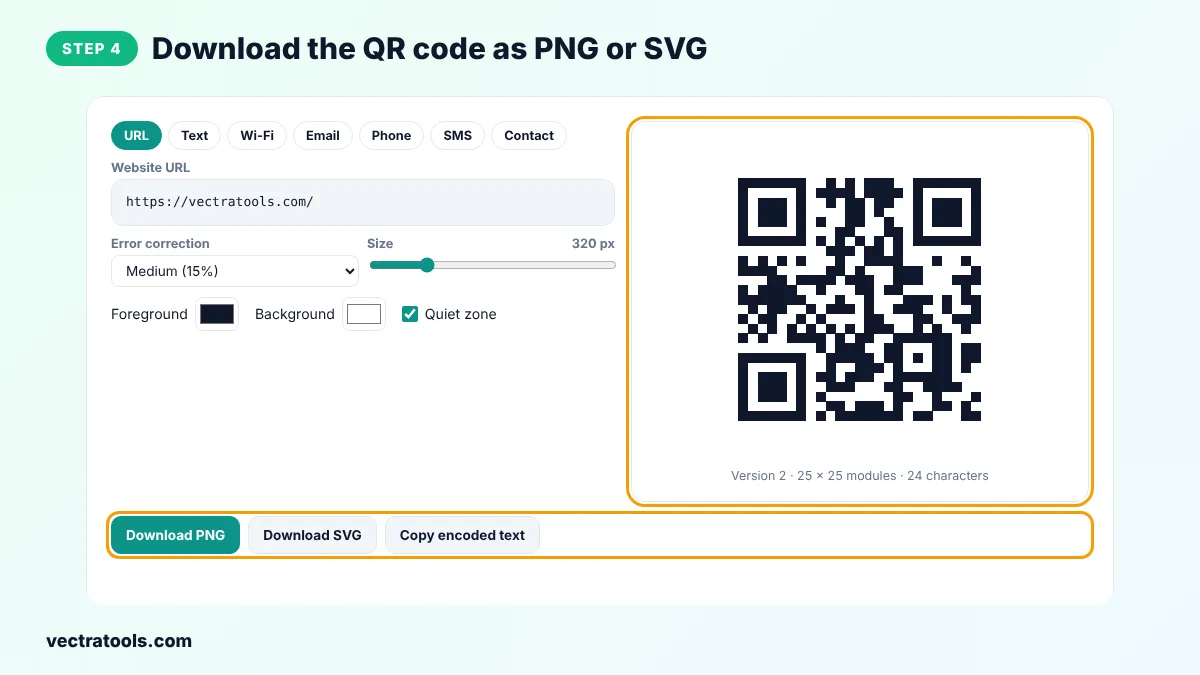
Step 4: Download the QR Code as PNG or SVG
Click Download PNG for screens and documents, or Download SVG for print and design work. Scan the code with your phone to test it before you share it.
Restaurants use the QR code generator for menus, shops for product pages, teachers for worksheets and event organisers for tickets and maps. Because this QR code generator creates static codes, they work for as long as the link or information inside them stays the same.
Static vs Dynamic QR Codes
A static QR code stores the information itself, so it works forever and cannot be tracked. A dynamic QR code stores a short link to a service that redirects to your page, so you can change the target later and see scan counts, but it stops working if the service ends or you stop paying. This tool makes static codes.
QR Code Printing Tips
- Print the code at least 2 cm (0.8 inch) wide. Larger is better for codes scanned from far away.
- Keep the quiet zone, the white border around the code, so phones can find it.
- Use high contrast. Dark on light works best, and inverted codes fail on many scanners.
- Shorter content makes a simpler code that scans faster, so use short URLs where possible.
- Always test the printed code with more than one phone.
Frequently Asked Questions
Is this QR code generator really free?
Yes. There is no sign-up, no watermark and no limit, and the codes never expire.
Do these QR codes expire?
No. They are static codes with the data inside the image, so they keep working as long as the link or information is still valid.
Can I change the link after printing?
No. A static code cannot be edited. Make a new code if the link changes, or point the code to a page you control and update that page.
How do I make a Wi-Fi QR code?
Click Wi-Fi, enter the network name and password, pick the security type and download the code. Guests can scan it to join without typing the password.
What size should a QR code be?
At least 2 cm wide for close scanning. As a rule, the code should be about one tenth of the scanning distance.
Can I add colours to my QR code?
Yes. Choose any foreground and background colour, but keep enough contrast so phones can read it.
Is my data sent to a server?
No. The QR code generator runs entirely in your browser.