

Business Card Generator – Design Print-Ready Business Cards Free
Business Card Generator
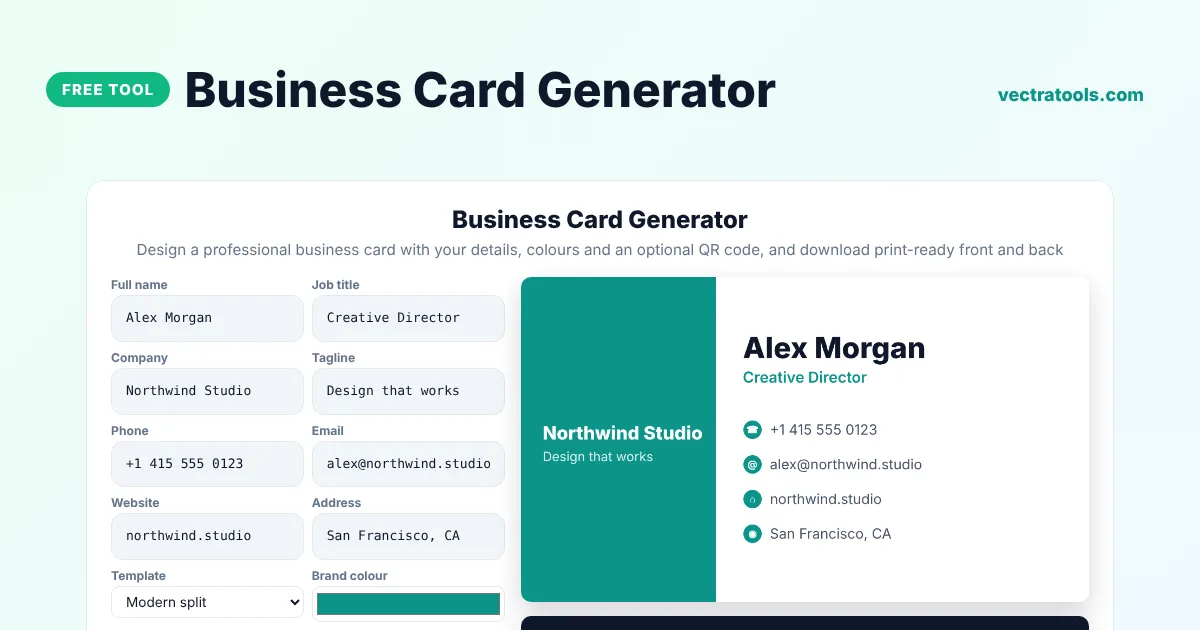
Design a professional business card with your details, colours and an optional QR code, and download print-ready front and back
Quick answer
A business card generator designs a professional card from your details. Enter your name, job title, company, phone, email, website and address, pick a template and brand colour, and the tool creates the front and back at print size. It can add a QR code to your website on the back, and you can download PNG files or print a sheet of ten cards.
Our free business card generator creates cards at the standard US size of 3.5 x 2 inches, at 300 dpi, with four templates: Modern split, Classic centred, Bold dark and Minimal line. The QR code on the back is generated in your browser and was tested with a real scanner.
Business Card Sizes
| Region | Size | At 300 dpi |
|---|---|---|
| USA and Canada | 3.5 x 2 in (89 x 51 mm) | 1050 x 600 px |
| Europe | 85 x 55 mm | 1004 x 650 px |
| Pakistan, India | 3.5 x 2 in or 90 x 54 mm | about 1050 x 630 px |
What to Put on a Business Card
- Your name and job title.
- Company name and a short tagline.
- Phone number with country code.
- Professional email address.
- Website, and a QR code so people can open it instantly.
- City or address if customers visit you.
How to Use the Business Card Generator
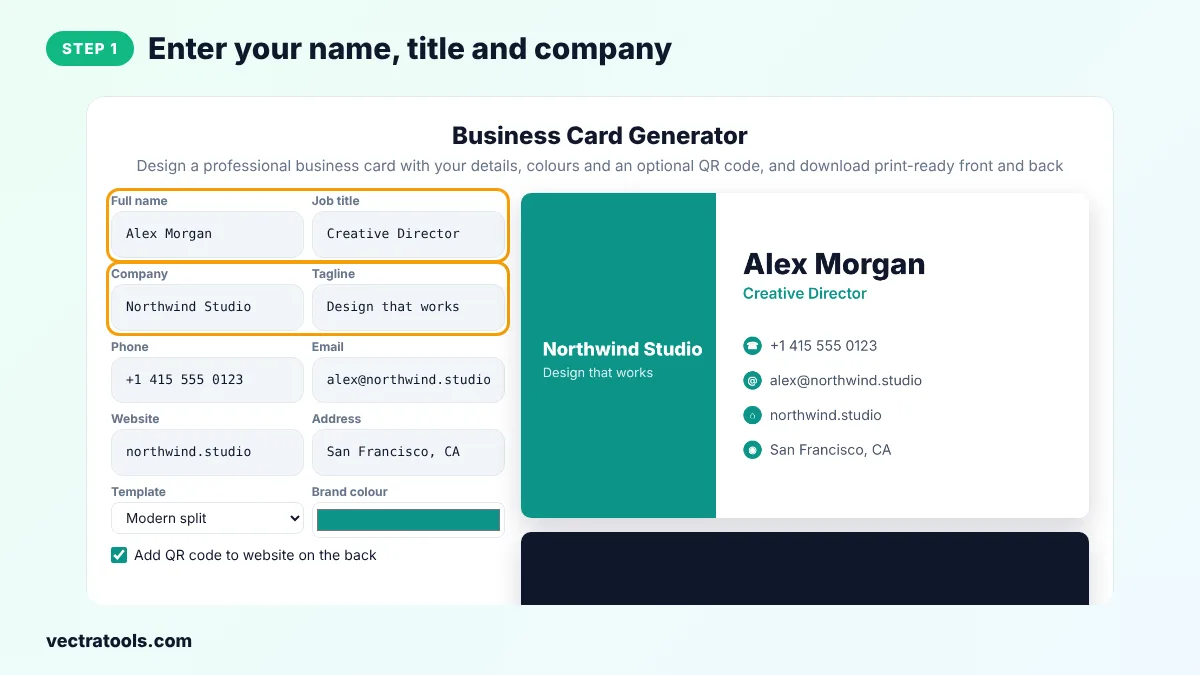
Step 1: Enter Your Name, Title and Company
Type your full name, job title, company name and a short tagline.
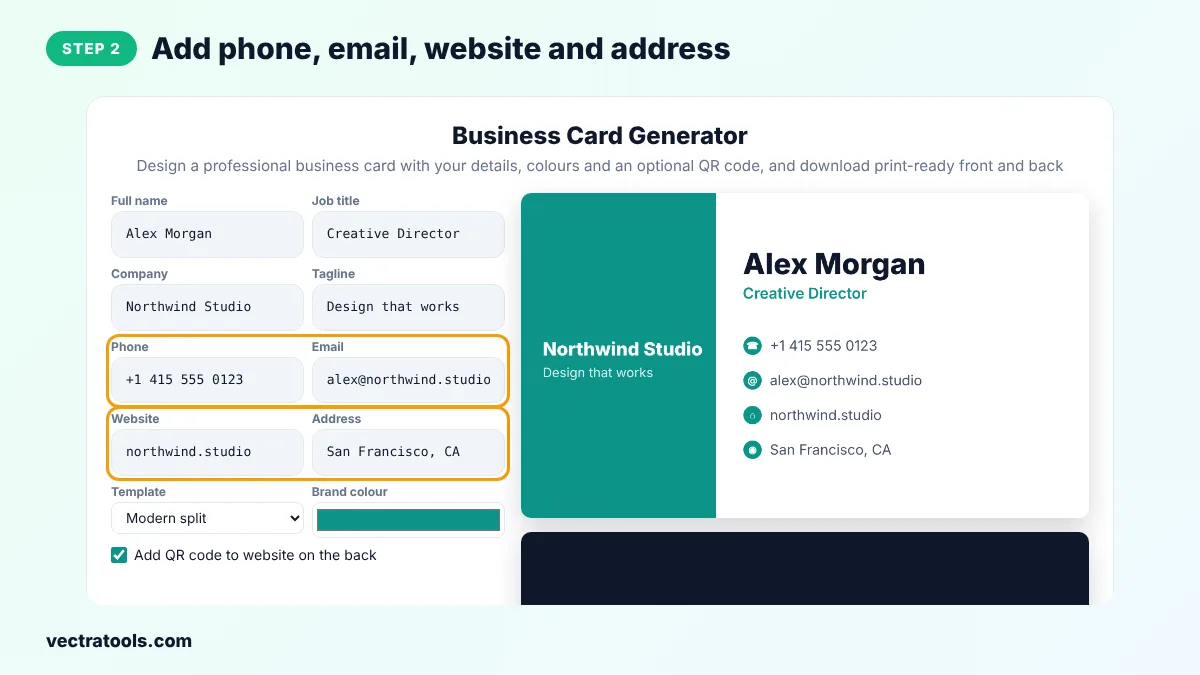
Step 2: Add Phone, Email, Website and Address
Fill in your contact details. Leave any field empty to hide it from the card.
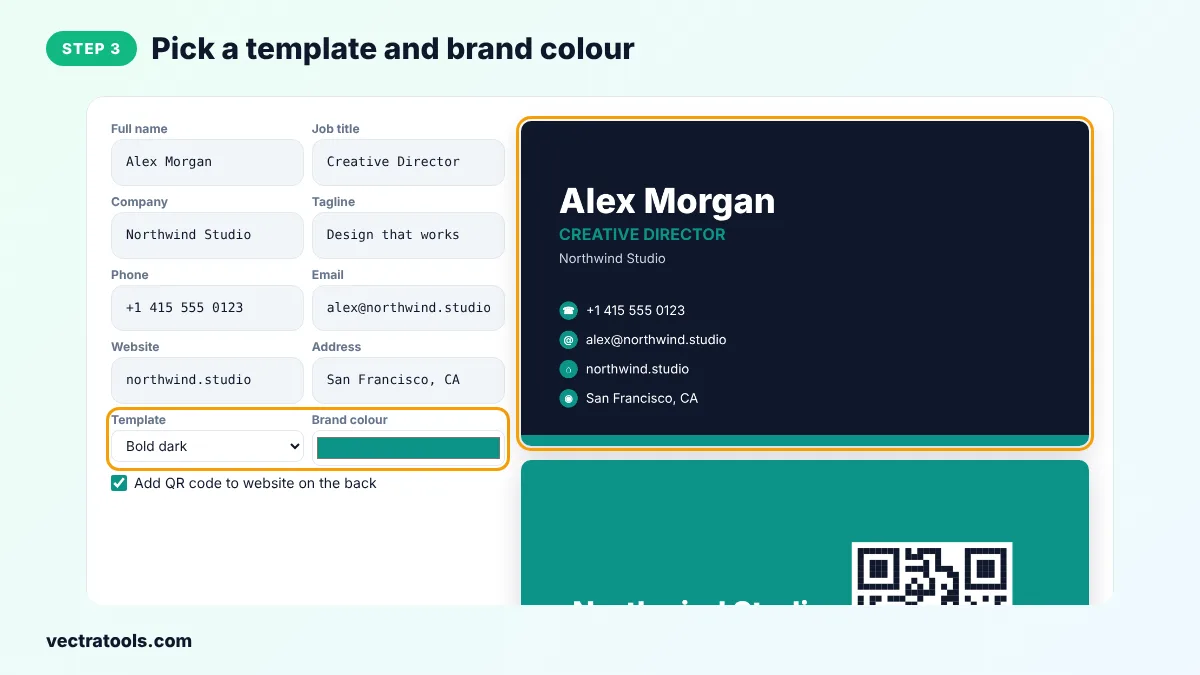
Step 3: Pick a Template and Brand Colour
Choose Modern split, Classic centred, Bold dark or Minimal line and pick your brand colour. Keep the QR option ticked to add a website QR code on the back.
Step 4: Download Front and Back for Printing
Click Download front and back PNG, or Print sheet to print ten cards per page on card stock.
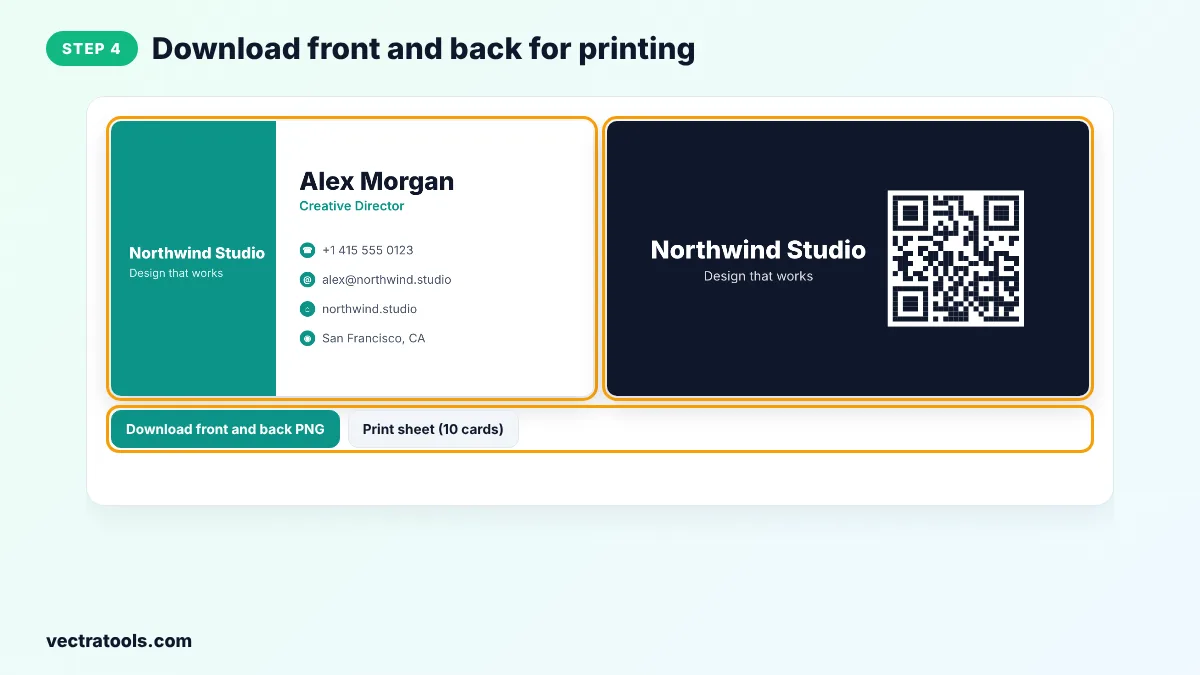
Using a business card generator means you do not need design software or a designer for a simple, clean card. The business card generator keeps text sizes readable, aligns everything for you and exports at print quality, so the result looks professional on paper.
Freelancers, real estate agents, consultants and small shops use a business card generator to get cards ready for an event the same day. Upload the PNGs from this business card generator to any print shop or online printer, or print them at home.
Printing Tips
- Print on 300 to 400 gsm card for a sturdy feel.
- Ask your printer for a matte or soft-touch finish for a premium look.
- Leave a little space around the edges, because cutting is never perfectly exact.
- Check that phone numbers and emails are correct before printing a large batch.
- Scan the QR code on a printed proof before ordering.
Business Card Generator for Teams
To make cards for a whole team, keep the same template and colour and change only the name, title, phone and email for each person. This keeps every card on brand.
Frequently Asked Questions
Is this business card generator free?
Yes. It is free, needs no sign-up and adds no watermark.
What resolution are the cards?
1050 x 600 pixels, which is 3.5 x 2 inches at 300 dpi, the standard for print.
Can I print the cards at home?
Yes. Click Print sheet to print ten cards on an A4 page, then cut them out along the guides.
Does the QR code work?
Yes. It links to the website you enter. Scan the printed card to check it.
Can I upload my logo?
This version uses your company name as a text logo. You can add a logo in an image editor using the PNG files.
What file should I send to a print shop?
Send both PNG files and tell them the size is 3.5 x 2 inches at 300 dpi.
Are my details uploaded?
No. The cards are drawn in your browser.