

Invoice Generator – Create Professional Invoices and Download PDF
Invoice Generator
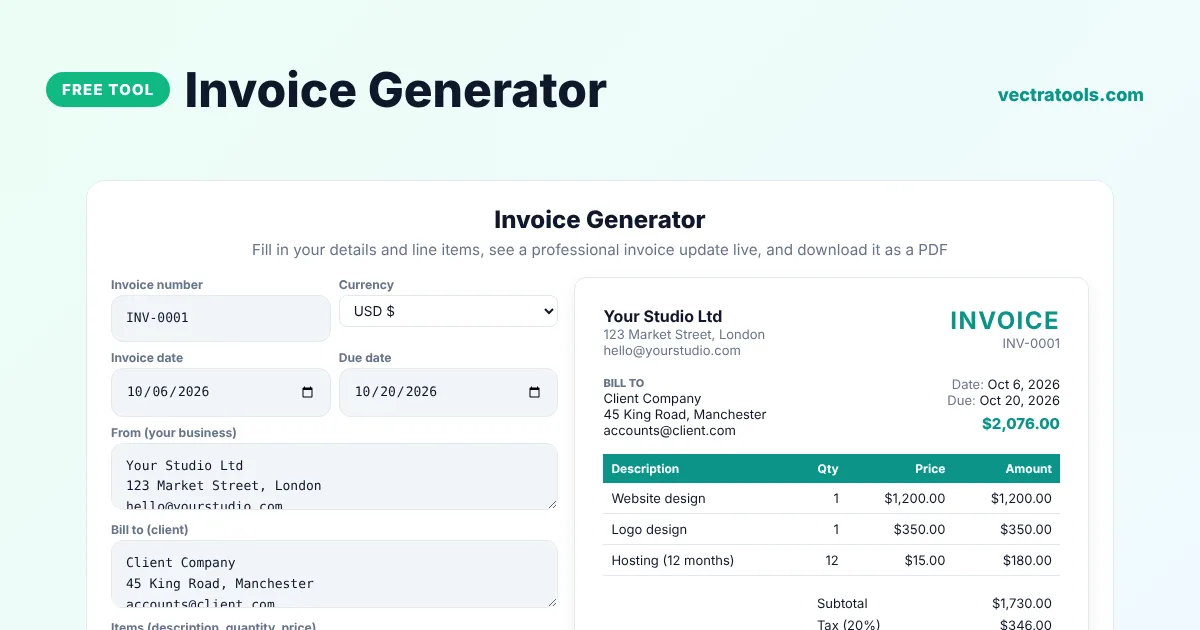
Fill in your details and line items, see a professional invoice update live, and download it as a PDF
Quick answer
An invoice generator creates a professional bill you can send to a client. Enter your business and client details, add line items with quantity and price, set tax, discount and currency, and the invoice is calculated for you. Click Download PDF to save it, then email it to your client. No account or watermark.
Our free invoice generator is made for freelancers, consultants, small businesses and side projects. It supports eight currencies including USD, GBP, EUR and PKR, calculates subtotal, discount, tax, shipping and total automatically, lets you pick an accent colour and exports the invoice as a PDF, an HTML file or a CSV of the line items.
What to Include on an Invoice
| Field | Why it matters |
|---|---|
| Invoice number | A unique reference for your records and your client's |
| Invoice and due date | Shows when payment is expected |
| Your details | Business name, address and contact |
| Client details | Who you are billing |
| Line items | What you delivered, the quantity and the price |
| Tax and total | The amount due, with any VAT or sales tax shown separately |
| Payment terms | How and when to pay, such as bank details |
Invoice Generator Features
- Unlimited line items with live totals.
- Tax and discount as percentages, plus a shipping or extra fee.
- Eight currencies with the right symbol.
- Accent colour to match your brand.
- PDF download through your browser's Save as PDF option.
- HTML download and CSV export of items.
How to Use the Invoice Generator
Step 1: Enter Invoice Number, Dates and Parties
Type the invoice number, choose the currency and dates, and add your business details and your client's details.

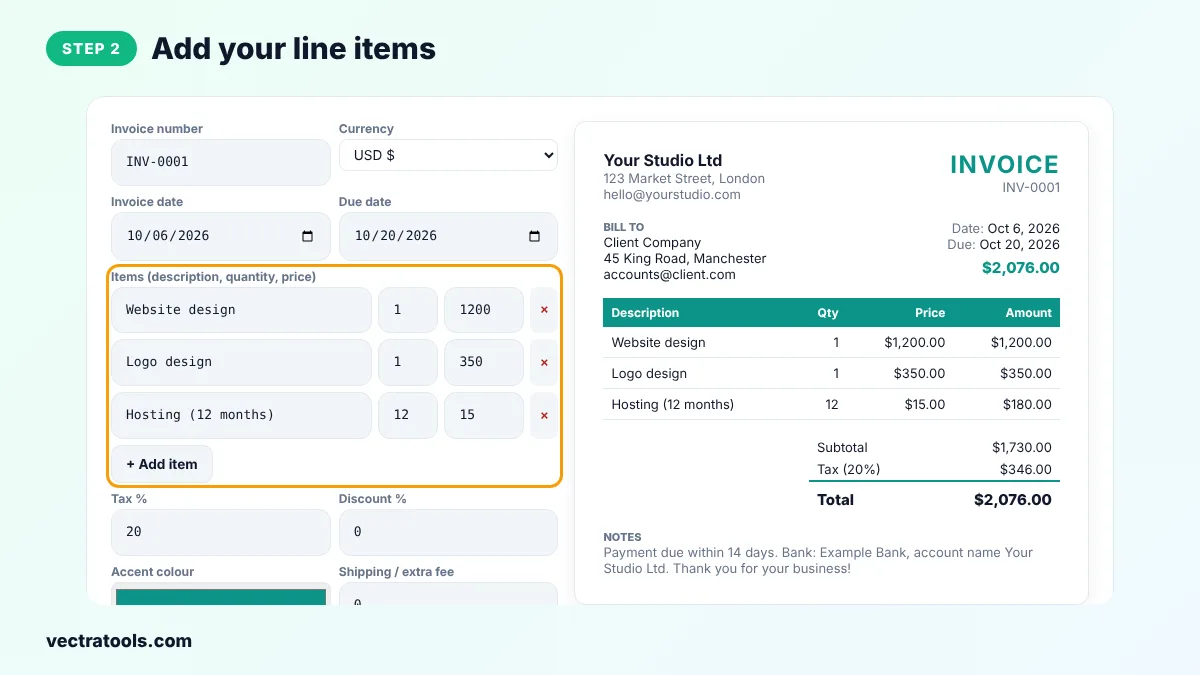
Step 2: Add Your Line Items
Enter a description, quantity and price for each item. Click Add item for more lines or × to remove one. Amounts update instantly.
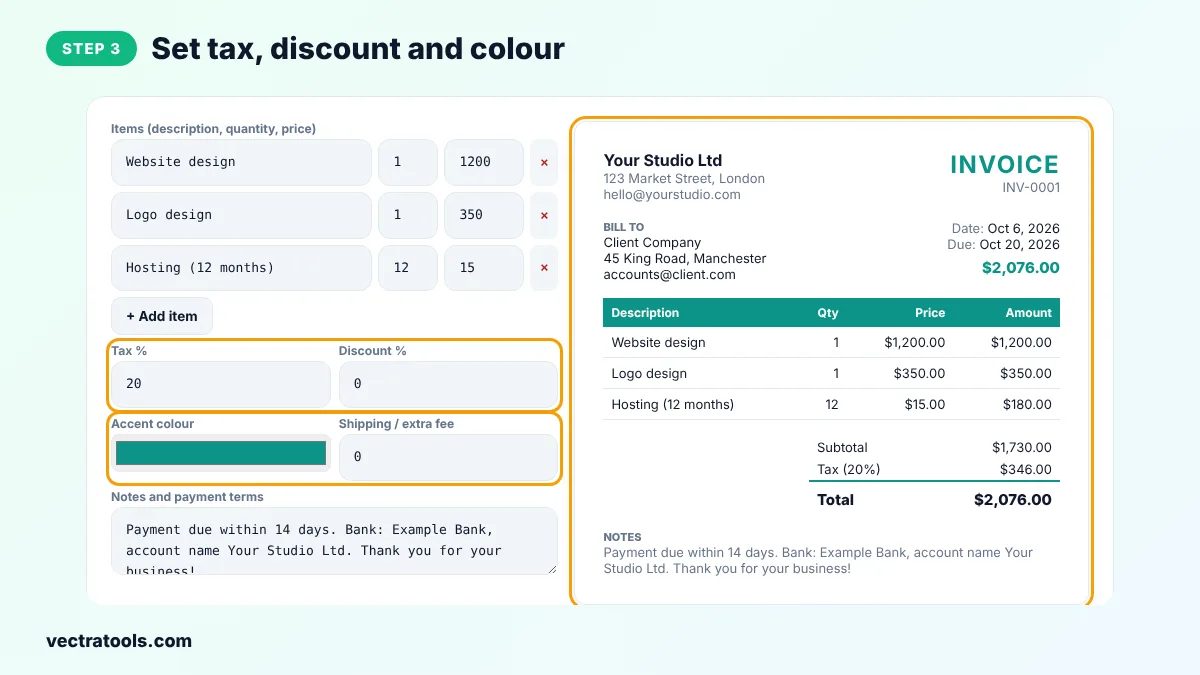
Step 3: Set Tax, Discount and Colour
Enter the tax and discount percentages, any shipping or extra fee, and choose an accent colour. Add notes such as payment terms or bank details.
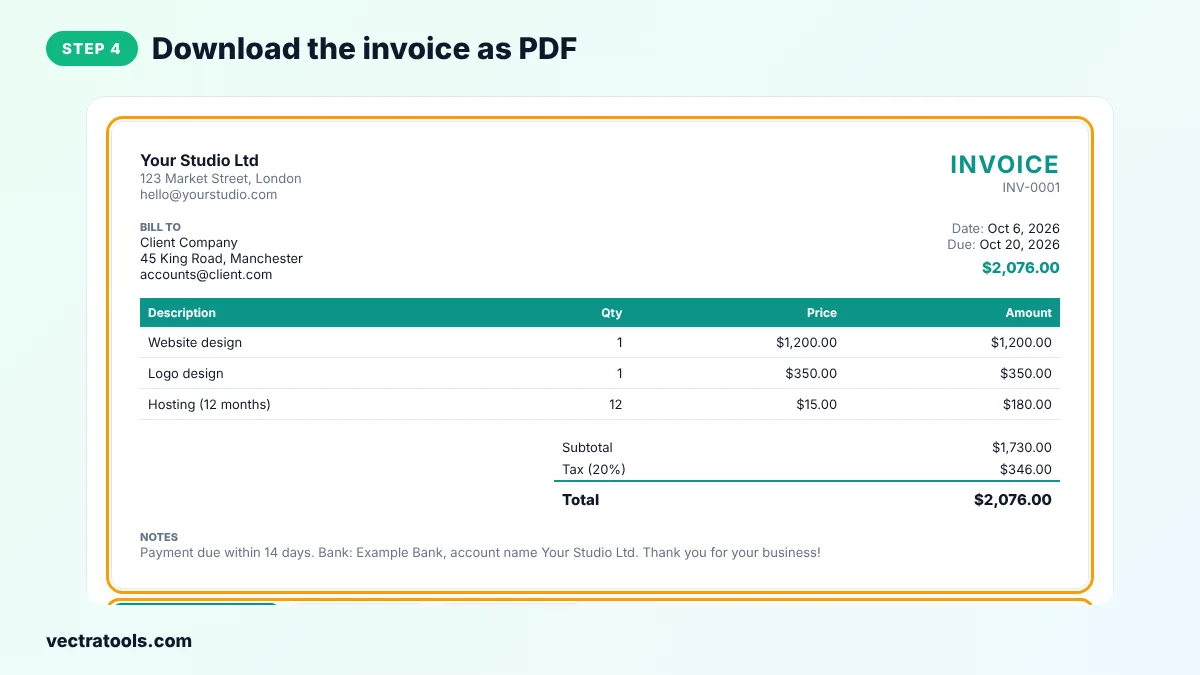
Step 4: Download the Invoice as PDF
Click Download PDF / Print and choose Save as PDF in the print window. You can also download the invoice as HTML or export the items as CSV.
The invoice generator works in your browser, so client names and prices are never uploaded to a server. Save a copy of each invoice you send, because the invoice generator does not store your history.
Invoice Generator Tips for Freelancers
- Use a consistent numbering system, such as INV-2026-001, and never reuse a number.
- Send the invoice as soon as the work is delivered.
- State clear payment terms, such as Net 14 or Net 30, and late fees if you charge them.
- Check whether you must show your tax or VAT number on invoices in your country.
- Follow up politely on the due date if payment has not arrived.
Invoice vs Receipt vs Quote
A quote or estimate is sent before work starts. An invoice requests payment after work is delivered. A receipt confirms that payment has been received. This tool creates invoices.
Frequently Asked Questions
Is this invoice generator free?
Yes. You can create and download unlimited invoices for free, with no sign-up and no watermark.
How do I save the invoice as a PDF?
Click Download PDF / Print, then choose Save as PDF as the printer. Only the invoice is printed.
Can I use my own currency?
Yes. Choose from USD, EUR, GBP, PKR, INR, AED, CAD and AUD.
How is tax calculated?
Tax is applied after any discount: (subtotal minus discount) x tax rate. Shipping is added after tax.
Does it save my invoices?
No. Everything stays in your browser. Download each invoice and keep your own records.
Can I add my logo?
The current version shows your business name as text. Download the HTML file if you want to add a logo by hand.
Is an invoice legally binding?
An invoice is a request for payment based on an agreement. Check your local rules for what an invoice must contain, especially for VAT.