

Barcode Generator Online – Code 128, EAN-13, UPC-A and Code 39
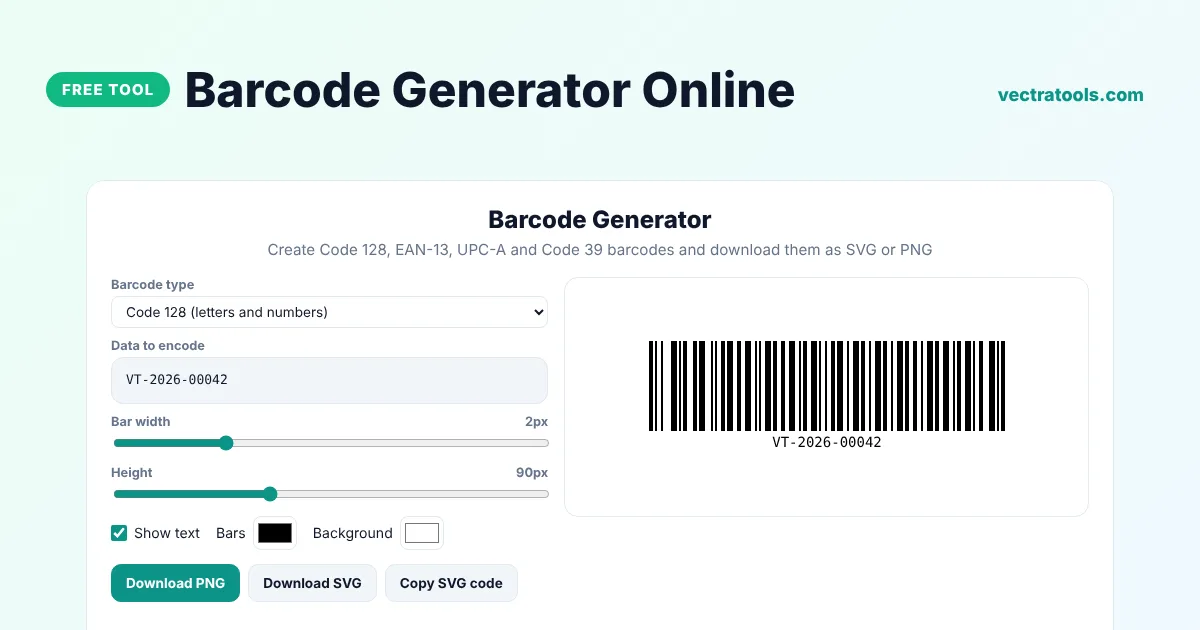
Barcode Generator
Create Code 128, EAN-13, UPC-A and Code 39 barcodes and download them as SVG or PNG
Quick answer
A barcode generator turns numbers or text into a scannable barcode image. Choose the barcode type, such as Code 128, EAN-13, UPC-A or Code 39, enter your data and download the barcode as a PNG or SVG file. For EAN-13 and UPC-A the tool calculates the check digit for you.
Our free barcode generator online works in your browser and creates sharp vector barcodes that print cleanly at any size. Every barcode type was tested with a real barcode scanner library. You can change the bar width, height and colours, show or hide the human-readable text and copy the SVG code for websites and labels.
Which Barcode Type Should You Use?
| Type | Encodes | Common use |
|---|---|---|
| Code 128 | Letters, numbers and symbols | Shipping labels, inventory, asset tags |
| EAN-13 | 13 digits | Retail products sold worldwide |
| UPC-A | 12 digits | Retail products in the USA and Canada |
| Code 39 | A-Z, 0-9 and a few symbols | ID badges, industry and government |
What the Barcode Generator Does
- Creates Code 128 barcodes for any printable text, and switches to compact number mode for even-length numbers.
- Adds the EAN-13 and UPC-A check digit automatically, or tells you if the one you typed is wrong.
- Lets you set the bar width, height and colours.
- Shows or hides the text under the barcode.
- Downloads a high-resolution PNG or a vector SVG.
How to Use the Barcode Generator
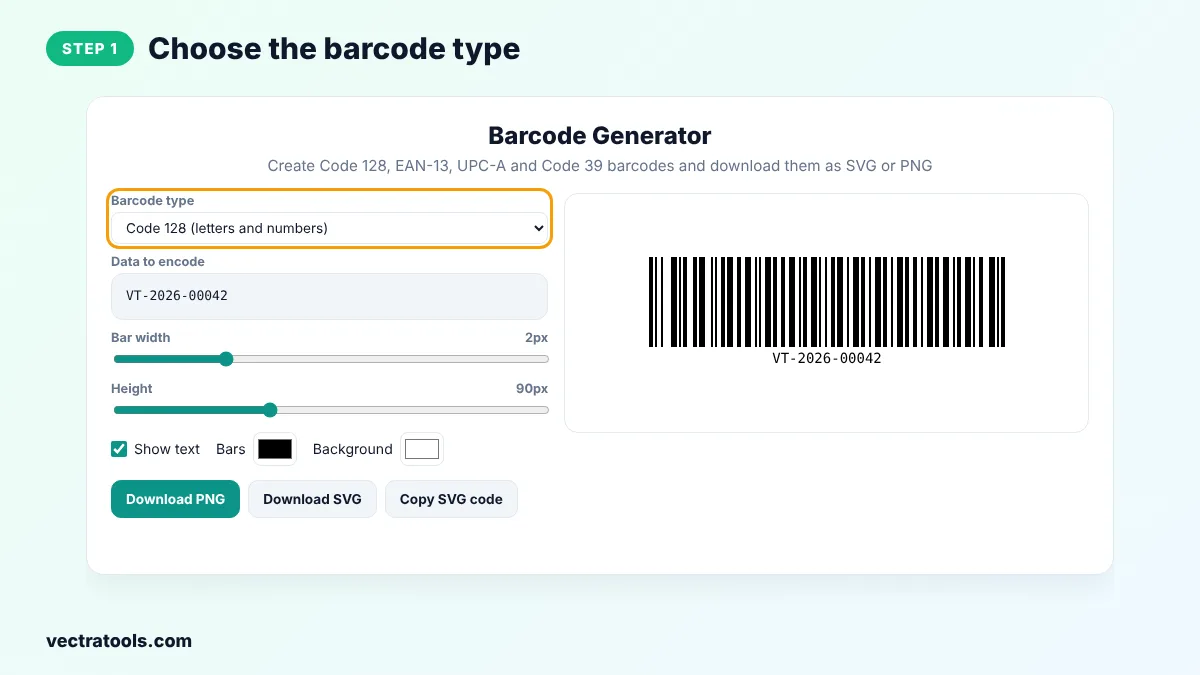
Step 1: Choose the Barcode Type
Open the Barcode type menu and pick Code 128, EAN-13, UPC-A or Code 39. A sample value for that type is filled in for you.
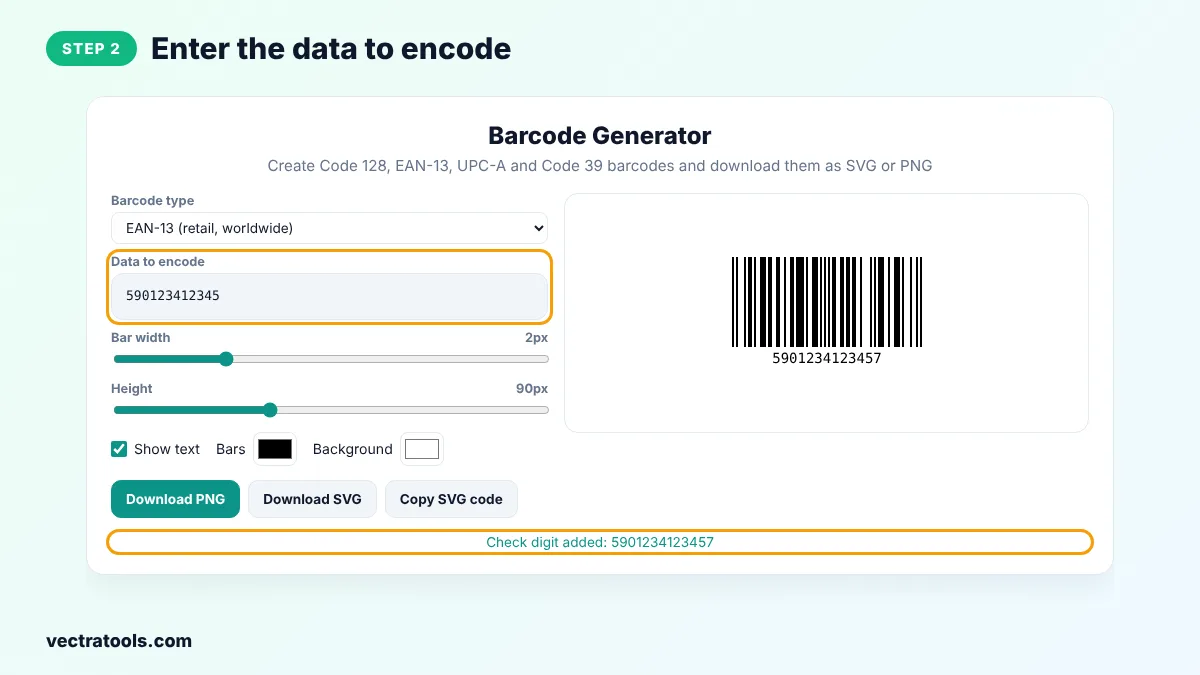
Step 2: Enter the Data to Encode
Type your product number, SKU or text. For EAN-13 enter 12 digits and for UPC-A enter 11 digits. The barcode generator adds the check digit and shows the full number.
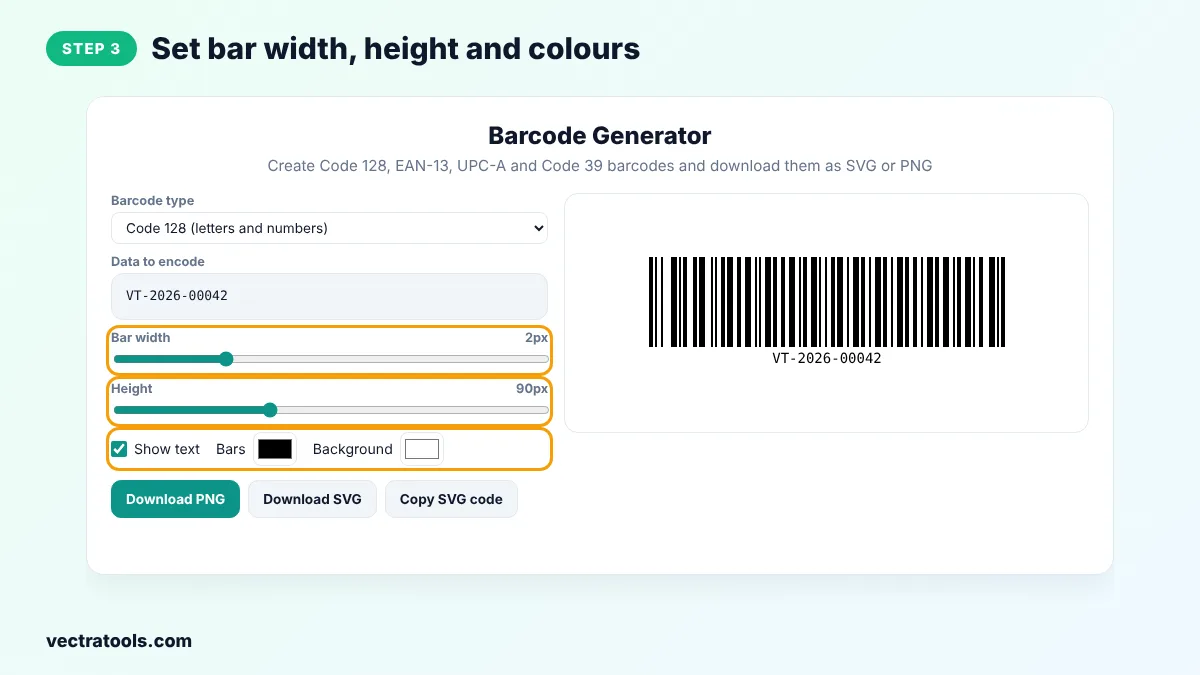
Step 3: Set Bar Width, Height and Colours
Drag the Bar width and Height sliders to fit your label. Keep dark bars on a light background so scanners can read the code.
Step 4: Download the Barcode as PNG or SVG
Click Download PNG for documents and labels, or Download SVG for printing at any size and for design apps. Copy SVG code lets you paste it straight into a web page.

Small businesses use the barcode generator for stock labels, librarians for book IDs and event organisers for tickets. Because the barcode generator runs in your browser, your product data is never uploaded.
Do I Need to Buy Barcode Numbers?
For your own stock, shelves or internal assets you can use any number or text with Code 128. To sell products in shops or on marketplaces such as Amazon, you usually need official EAN or UPC numbers from GS1, the organisation that manages product barcodes. The barcode generator creates the image, but it cannot register a number for you.
Barcode Printing Tips
- Leave a white margin, called the quiet zone, on both sides of the barcode. The generator adds one automatically.
- Print at 300 dpi or higher, or use the SVG file, so the bars stay sharp.
- Do not stretch the barcode unevenly. Change the bar width instead.
- Test the printed label with a phone scanner app before printing a large batch.
- Black bars on white give the best results. Red bars are hard for many scanners to read.
Frequently Asked Questions
Is this barcode generator free?
Yes. You can create and download as many barcodes as you like for free, with no sign-up and no watermark.
What is a check digit?
It is the last digit of an EAN or UPC number, calculated from the other digits. Scanners use it to detect reading errors. The tool adds it for you.
What is the difference between EAN-13 and UPC-A?
UPC-A has 12 digits and is used mainly in North America. EAN-13 has 13 digits and is used worldwide. A UPC-A code is the same as an EAN-13 code that starts with 0.
Can I put letters in a barcode?
Yes, with Code 128 or Code 39. EAN-13 and UPC-A only accept digits.
Which file format is best for printing?
SVG, because it is a vector format that stays sharp at any size. PNG is fine for documents and labels at normal sizes.
Will my barcodes work in shops?
They will scan correctly, but for retail you need an official EAN or UPC number registered with GS1.
Is my data uploaded?
No. The barcode generator runs entirely in your browser.