

MD5 Hash Generator – Create MD5 Hash of Text or File
MD5 Hash Generator
Generate the MD5 hash of any text or file instantly, compare it with a known hash, all inside your browser
MD5 hash
—

Quick answer
An MD5 hash generator turns any text or file into a fixed 32-character hexadecimal code called an MD5 hash or checksum. The same input always gives the same hash, so you can use it to check whether a file or string has changed. Type your text or pick a file and the MD5 hash appears instantly.
Our free MD5 hash generator works on text and files of any size, hashes multiple lines in one go and compares the result with a checksum you already have. The hash is calculated in your browser, so your data is never uploaded. The text is encoded as UTF-8 first, the same way most programming languages do it.
What Is an MD5 Hash?
MD5 (Message Digest 5) is a hash function that maps any input to a 128-bit value, written as 32 hexadecimal characters. Even a one-letter change in the input produces a completely different hash, but the hash cannot be turned back into the original text.
| Input | MD5 hash |
|---|---|
Hello, VectraTools! | 198f0a1bf091b22cb8a32f1fca21bc31 |
| (empty string) | d41d8cd98f00b204e9800998ecf8427e |
password | 5f4dcc3b5aa765d61d8327deb882cf99 |
What You Can Do with the MD5 Hash Generator
- Hash text as you type. The md5 hash generator updates the result live.
- Hash a file such as an ISO, ZIP or installer to check it against the publisher's MD5 checksum.
- Hash a list of values, one per line, to build lookup keys or test data.
- Switch between lowercase and uppercase output to match the format you need.
- Paste a known hash and click Compare to see whether the two are identical.
How to Use the MD5 Hash Generator
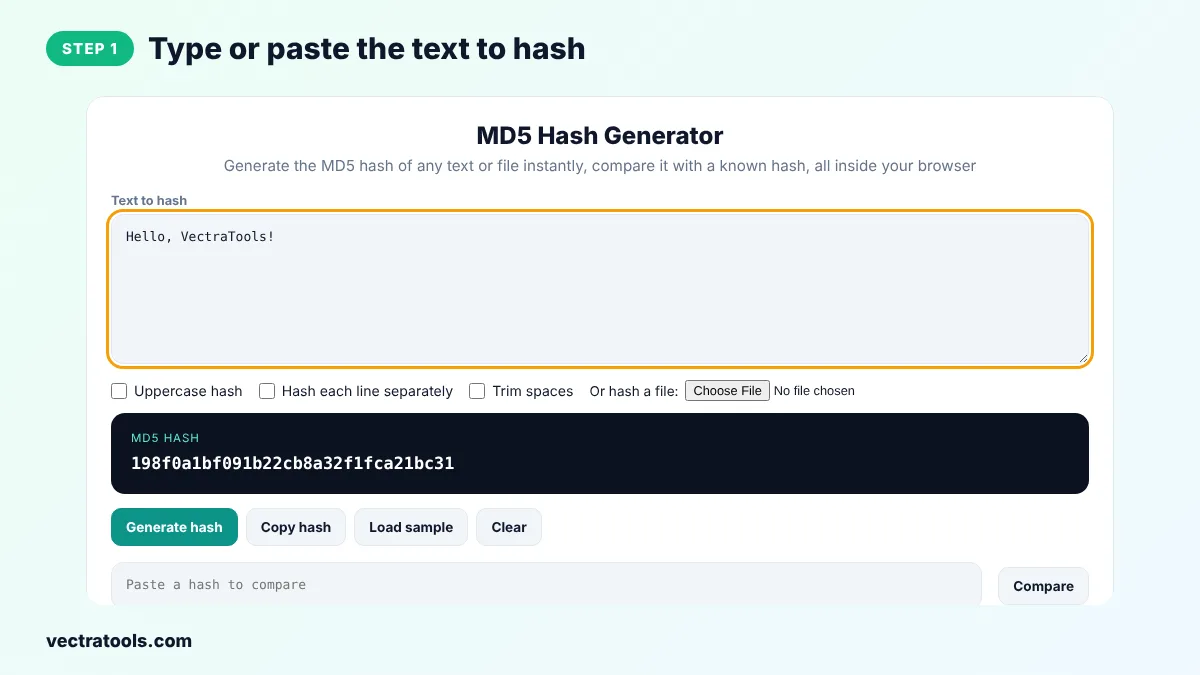
Step 1: Type or Paste the Text to Hash
Enter your text in Text to hash, or click Load sample. The MD5 hash is calculated as you type, so you do not need to press a button.
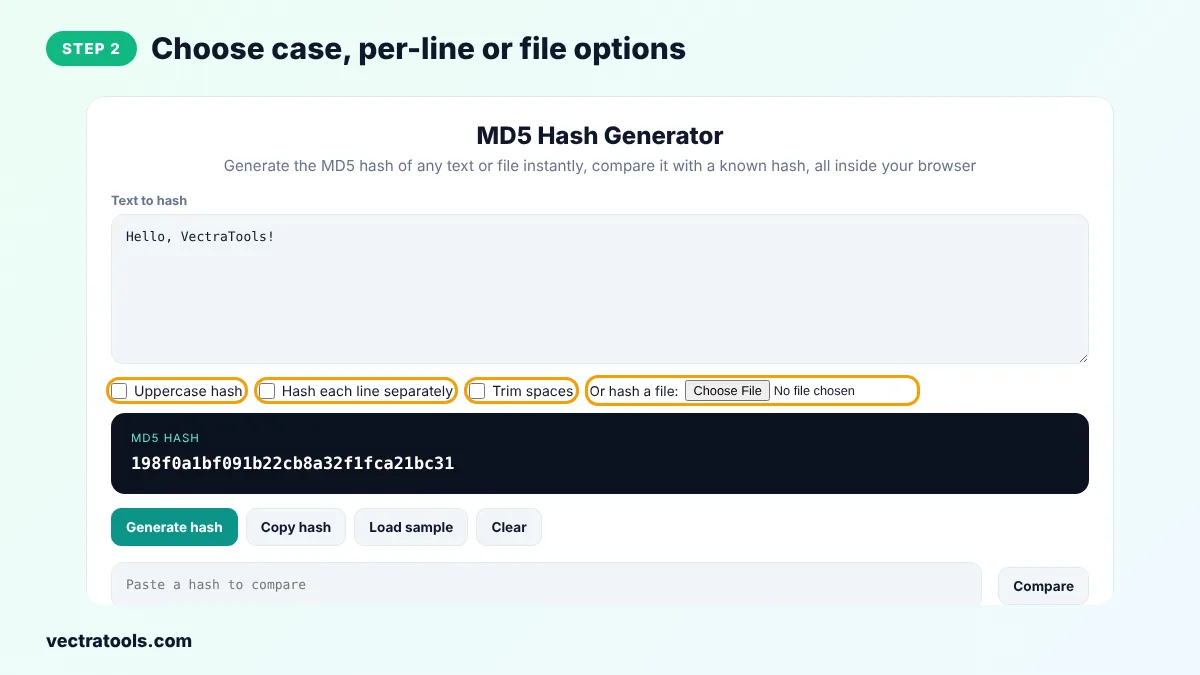
Step 2: Choose Case, Per-Line or File Options
Tick Uppercase hash for capital letters, Hash each line separately to get one MD5 per line, or Trim spaces to ignore spaces at the start and end. To hash a file, click Choose File and pick it from your device.
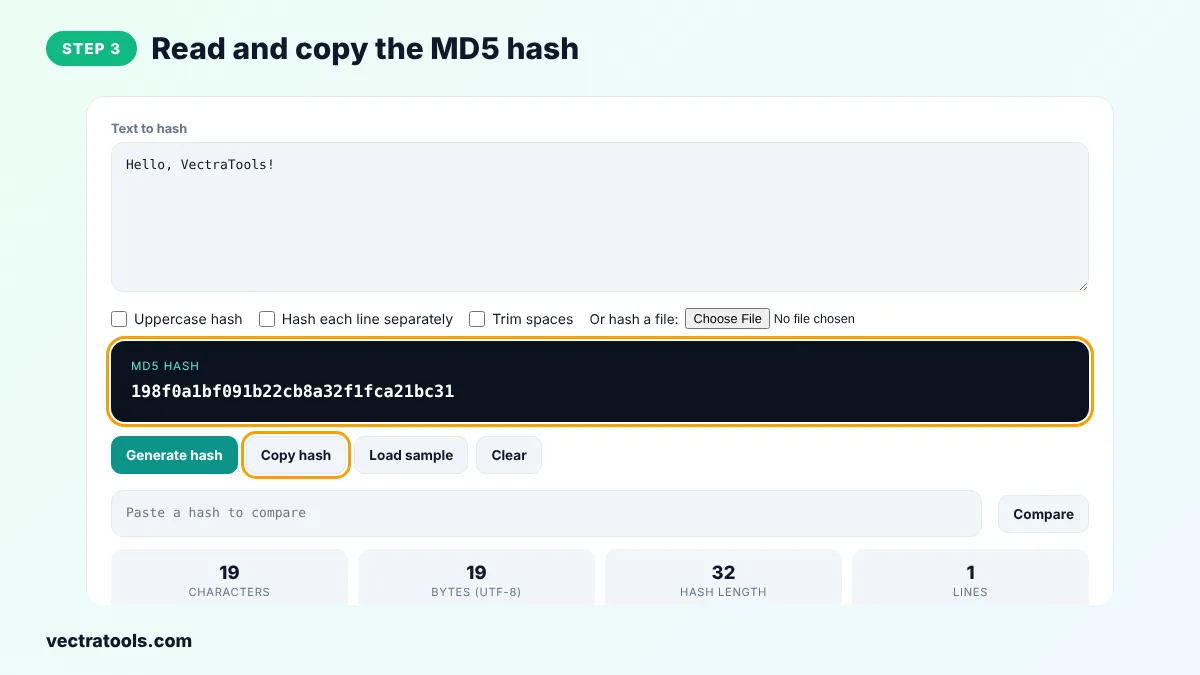
Step 3: Read and Copy the MD5 Hash
The 32-character MD5 hash appears in the dark box. Click Copy hash to copy it, and check the cards for the number of characters, bytes and lines.
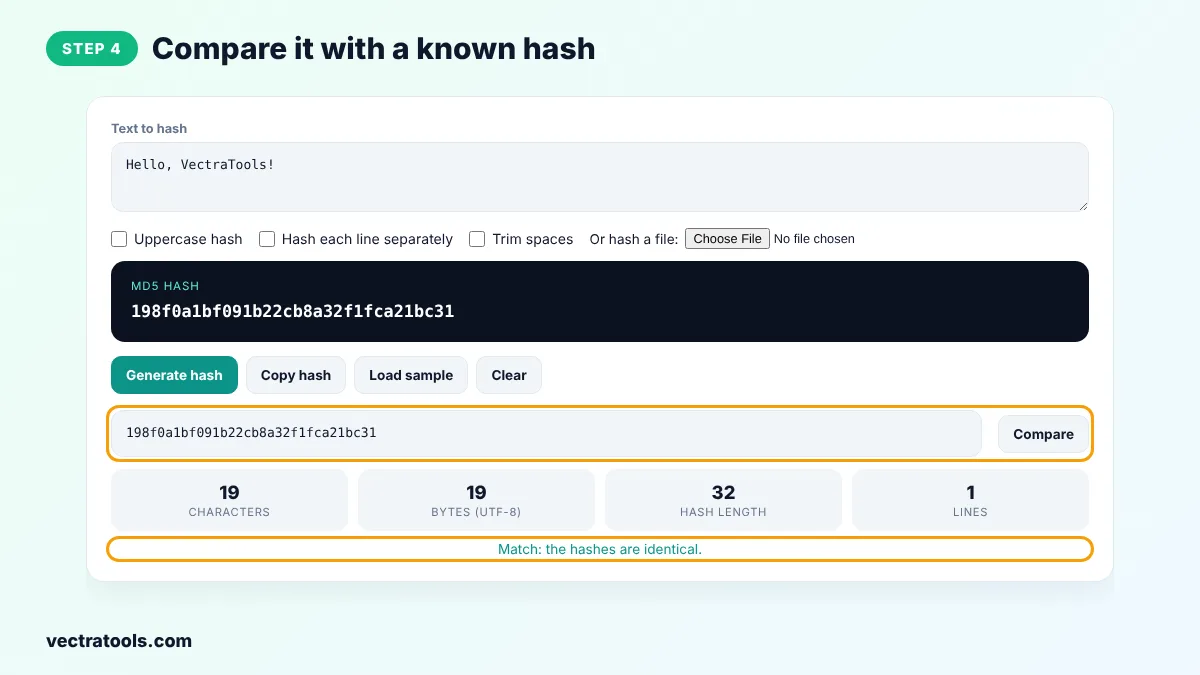
Step 4: Compare It with a Known Hash
Paste an MD5 checksum, for example one from a download page, into the compare box and click Compare. The tool tells you whether the two hashes match.
Who Uses an MD5 Hash Generator?
Developers use an MD5 hash generator to create cache keys, ETags and short IDs for strings and files. System administrators use it to confirm that a backup or a copied file is identical to the original. Testers use it to build sample data, and students use it to see how a hash function reacts to small changes in the input.
Because this MD5 hash generator runs in the browser, it works offline once the page has loaded and it is safe to use with internal file names, IDs or configuration values. For anything related to security, switch to the SHA256 hash generator instead, which uses a much stronger algorithm.
Is MD5 Still Safe?
MD5 is fine for checksums, cache keys and spotting accidental changes in files. It is not safe for passwords or digital signatures, because researchers can create two different inputs with the same MD5 hash. For security use SHA-256, and for passwords use a slow password hash such as bcrypt or Argon2.
MD5 Hash Generator Tips
- Hashes are case-insensitive when you compare them. 198F0A1B and 198f0a1b are the same value.
- A space or line break at the end of the text changes the hash. Tick Trim spaces if the hash does not match what you expect.
- When you check a download, hash the file itself, not its file name.
- Use the per-line option to hash email addresses or IDs in bulk, one per line.
Frequently Asked Questions
What is an MD5 hash used for?
MD5 hashes are used as checksums to verify that files downloaded or copied correctly, as cache keys, and to detect duplicate data. They give every input a short, fixed-length fingerprint.
Can an MD5 hash be decrypted?
No. MD5 is a one-way function, so there is no way to decrypt a hash back to the original text. Short or common inputs can sometimes be found in lookup tables, which is one reason MD5 should not be used for passwords.
How long is an MD5 hash?
An MD5 hash is 128 bits long. It is usually written as 32 hexadecimal characters, using the digits 0 to 9 and the letters a to f.
Why is my MD5 hash different from another tool?
The input is probably different. Check for an extra space, a line break at the end, or a different text encoding. This tool encodes text as UTF-8.
Can I generate the MD5 hash of a file?
Yes. Click Choose File next to Or hash a file. The file is read and hashed in your browser and is never uploaded.
Is MD5 secure for passwords?
No. MD5 is fast and has known collision attacks, so it is not suitable for storing passwords. Use bcrypt, scrypt or Argon2 instead.
Is my data sent to a server?
No. The MD5 hash generator runs entirely in your browser, so your text and files stay on your device.