

Slope Calculator – Instantly Find y = mx + b From 2 Points (Easy)
Slope of a Line Calculator
Free slope calculator – find the slope, y-intercept, and the exact equation (y = mx + b) of a line between two points.
Point A (x₁, y₁)
Point B (x₂, y₂)
Use this free slope calculator to get the slope and the full y = mx + b equation from any two points.
Quick answer
Slope m = (y₂ − y₁) ÷ (x₂ − x₁) and the y-intercept b = y₁ − m·x₁. Example: points (−2, 3) and (4, 0) give m = (0 − 3) ÷ (4 − (−2)) = −0.5, b = 3 − (−0.5)(−2) = 2, so the line is y = −0.5x + 2. This slope calculator also shows the distance between the points (6.7082) and the angle of the line.
Table of Contents
Slope tells you how steep a line is and in which direction it goes. It appears everywhere: algebra homework, physics graphs, road gradients, roof pitch, and rates of change in business data.
Our free slope calculator takes two points and returns the slope, the y-intercept, the equation in slope-intercept form, the distance between the points and the angle from the x-axis. It also handles vertical lines (undefined slope) and horizontal lines (slope 0).
Slope Formulas
| Value | Formula |
|---|---|
| Slope (m) | (y₂ − y₁) ÷ (x₂ − x₁) |
| y-intercept (b) | y₁ − m·x₁ |
| Equation | y = mx + b |
| Distance | √[(x₂ − x₁)² + (y₂ − y₁)²] |
| Angle | tan⁻¹(m), in degrees |
Types of Slope
| Slope | Line looks like | Example points |
|---|---|---|
| Positive | Rises left to right | (1, 2) and (4, 8) → m = 2, y = 2x |
| Negative | Falls left to right | (−2, 3) and (4, 0) → m = −0.5 |
| Zero | Horizontal | (2, 5) and (6, 5) → y = 5 |
| Undefined | Vertical | (3, 1) and (3, 7) → x = 3 |
How to Use the Slope Calculator
Get the line equation in two steps.
Step 1: Enter Two Points
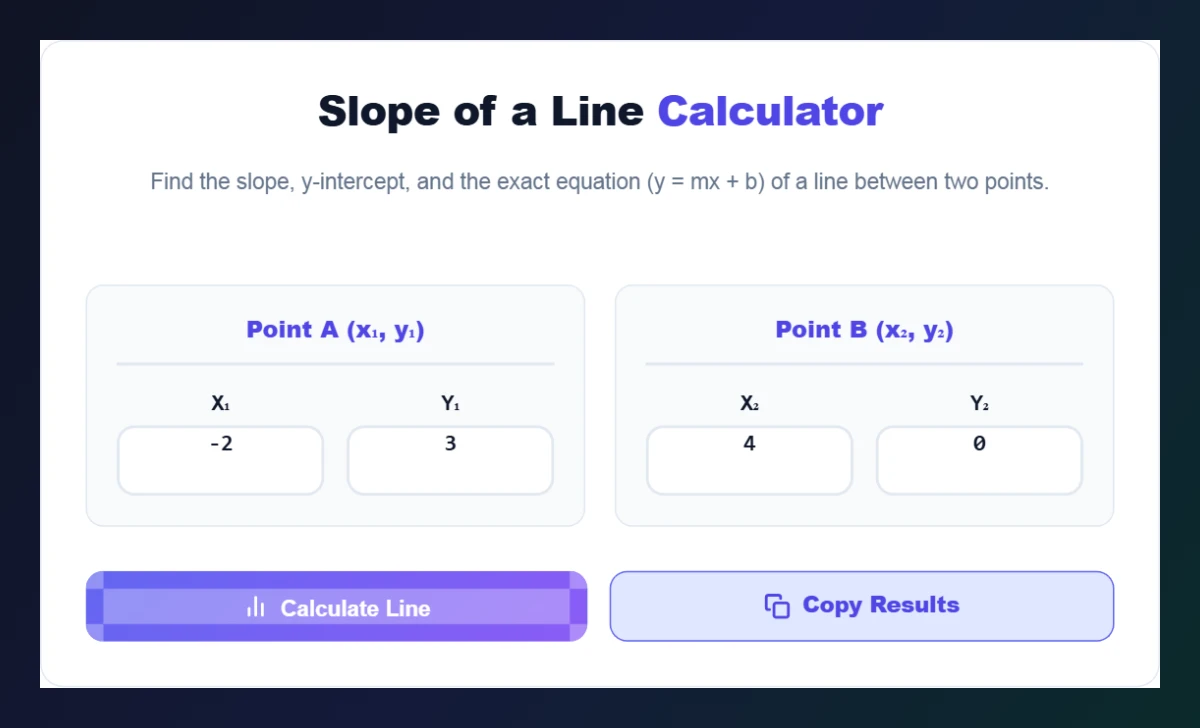
Type the coordinates of Point A (x₁, y₁) and Point B (x₂, y₂) – for example (−2, 3) and (4, 0) – and click Calculate Line.
Step 2: Read the Line Geometry Report
The report shows the equation of the line, the slope (gradient), the y-intercept, the distance between the points and the angle from the x-axis. Click Copy Results to paste them into your work.

Slope in Real Life
- Roads and ramps: a 1:12 wheelchair ramp has a slope of about 0.083 (8.3%).
- Roofs: a 6/12 pitch roof rises 6 units for every 12 across – slope 0.5.
- Business: slope of a sales trend line = growth per month.
- Physics: slope of a distance–time graph is speed.
Common Slope Mistakes
- Mixing the order: always subtract in the same order for y and x.
- Dividing by zero: if x₁ = x₂ the line is vertical and the slope is undefined.
- Forgetting negative signs when a coordinate is negative.
Need lines through a point instead? Try the Parallel & Perpendicular Line Finder, or find the middle of a segment with the Midpoint Calculator.
How to Find Slope by Hand (Then Check With the Slope Calculator)
- Label the points: (x₁, y₁) = (1, 2) and (x₂, y₂) = (4, 8).
- Rise: y₂ − y₁ = 8 − 2 = 6.
- Run: x₂ − x₁ = 4 − 1 = 3.
- Slope: 6 ÷ 3 = 2.
- Intercept: b = 2 − 2·1 = 0, so y = 2x.
Typing the same points into the slope calculator gives y = 2x, a distance of 6.7082 and an angle of 63.43°, confirming the hand calculation.
Frequently Asked Questions
How do you calculate slope from two points?
Subtract the y-values and divide by the difference in x-values: m = (y₂ − y₁) ÷ (x₂ − x₁).
What is b in y = mx + b?
b is the y-intercept – where the line crosses the y-axis. It equals y₁ − m·x₁.
What is the slope of a horizontal line?
Zero. The equation is simply y = constant, for example y = 5.
What is the slope of a vertical line?
It is undefined, because x₂ − x₁ = 0. The equation is x = constant.
Can the slope calculator handle negative and decimal numbers?
Yes. Enter any real numbers for the coordinates.
Is the slope calculator free?
Yes. It is free, runs in your browser and needs no sign-up.