

3D Coordinate Distance Calculator – Distance & Midpoint in 2 Easy Steps
3D Distance Calculator
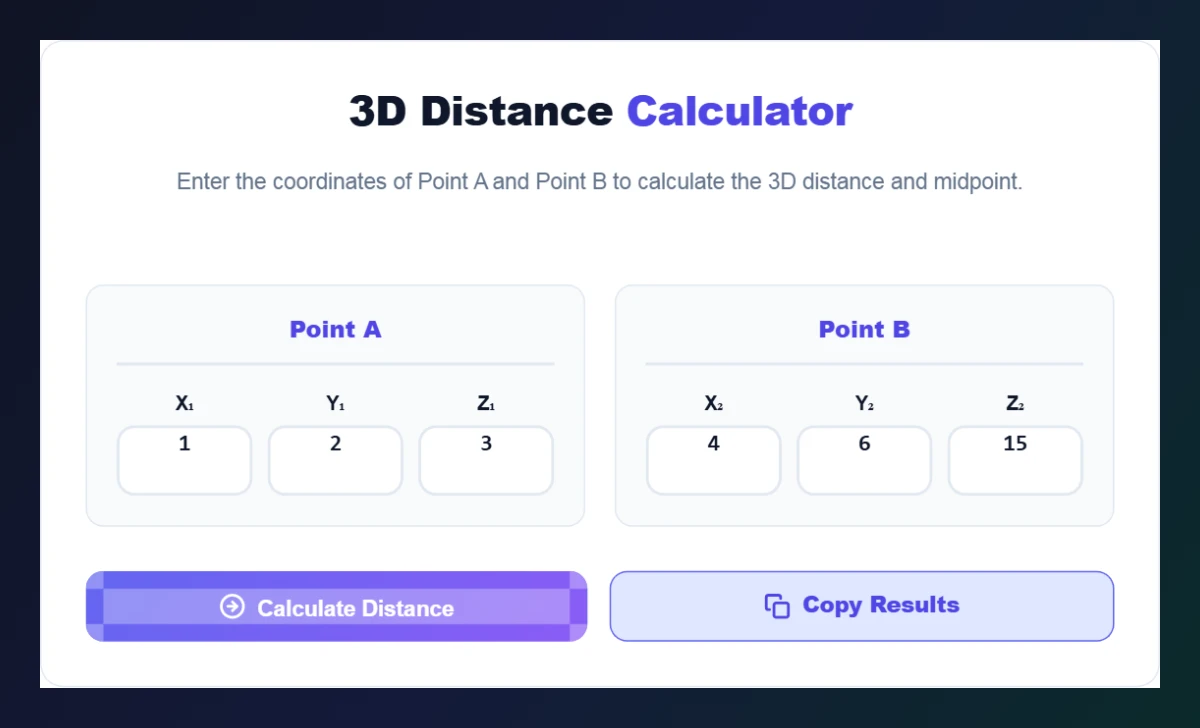
Free 3D coordinate distance calculator – enter the coordinates of Point A and Point B to calculate the 3D distance and midpoint.
Point A
Point B
Use this free 3D coordinate distance calculator to find the straight-line distance and midpoint between two points in space.
Quick answer
The 3D distance between (x₁, y₁, z₁) and (x₂, y₂, z₂) is d = √[(x₂ − x₁)² + (y₂ − y₁)² + (z₂ − z₁)²]. Example: (1, 2, 3) and (4, 6, 15) → d = √(3² + 4² + 12²) = √169 = 13. The midpoint is the average of each coordinate: (2.5, 4, 9). This coordinate distance calculator shows both, plus the exact square-root form.
Table of Contents
Two-dimensional distance is familiar from school, but many real problems live in 3D: positions in a game engine, points in a CAD model, atoms in a molecule, drones in the air or GPS points with altitude.
Our free 3D coordinate distance calculator extends the Pythagorean theorem to three axes. Enter two points and get the distance, the exact √ value and the midpoint in one click.
3D Distance and Midpoint Formulas
| Value | Formula |
|---|---|
| Distance | √[(x₂ − x₁)² + (y₂ − y₁)² + (z₂ − z₁)²] |
| Midpoint | ((x₁ + x₂)/2, (y₁ + y₂)/2, (z₁ + z₂)/2) |
| 2D special case | Set z₁ = z₂ = 0 |
Worked Example
- Differences: Δx = 4 − 1 = 3, Δy = 6 − 2 = 4, Δz = 15 − 3 = 12.
- Squares: 9 + 16 + 144 = 169.
- Distance: √169 = 13.
- Midpoint: ((1 + 4)/2, (2 + 6)/2, (3 + 15)/2) = (2.5, 4, 9).
How to Use the 3D Coordinate Distance Calculator
Get distance and midpoint in two steps.
Step 1: Enter Both Points
Type the X, Y and Z values for Point A and Point B – for example (1, 2, 3) and (4, 6, 15) – and click Calculate Distance.
Step 2: Read the Distance and Midpoint
The Coordinate Analysis Report shows the distance (13), its exact form (√169) and the midpoint (2.5, 4, 9). Click Copy Results to save them.

Where 3D Distance Is Used
- Game development: range checks, AI distance to the player, collision radius.
- 3D printing and CAD: measuring between features in a model.
- Physics and engineering: displacement vectors and cable or beam lengths.
- Chemistry: bond lengths from atomic coordinates.
- Drones and aviation: distance including altitude difference.
More 3D Distance Examples
| Point A | Point B | Distance | Midpoint |
|---|---|---|---|
| (0, 0, 0) | (1, 1, 1) | √3 ≈ 1.7321 | (0.5, 0.5, 0.5) |
| (2, −1, 5) | (8, 1, 2) | √49 = 7 | (5, 0, 3.5) |
| (−3, 4, 0) | (0, 0, 0) | 5 | (−1.5, 2, 0) |
Each row can be checked in the coordinate distance calculator. The last example shows that a 2D problem (z = 0) gives the familiar 3-4-5 triangle.
Tips for Accurate Results
- Keep all coordinates in the same unit (all metres or all feet).
- The order of points does not matter – squaring removes the sign.
- For very large numbers, round only the final answer.
Working with vectors? Use the Vector Dot & Cross Product Calculator. For 2D problems try the Midpoint Endpoint Calculator and the Slope Calculator.
Frequently Asked Questions
How do you find the distance between two points in 3D?
Subtract each coordinate, square the differences, add them and take the square root: d = √(Δx² + Δy² + Δz²).
What is the 3D midpoint formula?
Average each coordinate: ((x₁ + x₂)/2, (y₁ + y₂)/2, (z₁ + z₂)/2).
Can I use it for 2D points?
Yes. Enter 0 for both z-values and the result is the normal 2D distance.
Why does it show √169?
The exact form helps with homework that asks for simplified radicals before decimals.
Does the order of the points matter?
No. Distance is the same whichever point you call A or B.
Is the coordinate distance calculator free?
Yes. It is free, runs in your browser and needs no sign-up.