

Placeholder Image Generator – Dummy Images in Any Size
Placeholder Image Generator
Create placeholder images in any size, colour and format for mock-ups, wireframes and testing, and download them instantly

Quick answer
A placeholder image generator makes simple dummy images that hold the place of real photos while you design or build a page. Enter the width and height, choose colours and text, and download the image as PNG, JPG, WebP or SVG. By default the image shows its own size, such as 1200 x 630, so everyone knows what the final image should be.
Our free placeholder image generator includes presets for Open Graph images, Full HD, Instagram posts and stories, banners, thumbnails and avatars. It shows the aspect ratio, can draw cross lines like a classic wireframe and gives you a data URL you can paste straight into HTML without hosting a file.
Common Placeholder Sizes
| Use | Size | Ratio |
|---|---|---|
| Open Graph and social share | 1200 x 630 | 40:21 |
| Full HD hero or video | 1920 x 1080 | 16:9 |
| Instagram post | 1080 x 1080 | 1:1 |
| Instagram story or reel cover | 1080 x 1920 | 9:16 |
| Leaderboard ad banner | 728 x 90 | 364:45 |
| Blog thumbnail | 300 x 200 | 3:2 |
Why Use Placeholder Images?
- Test layouts before you have final photos.
- Show clients where images will go in a mock-up.
- Check how a design handles different image sizes.
- Fill demo data in apps and themes.
- Avoid using copyrighted images in drafts.
How to Use the Placeholder Image Generator
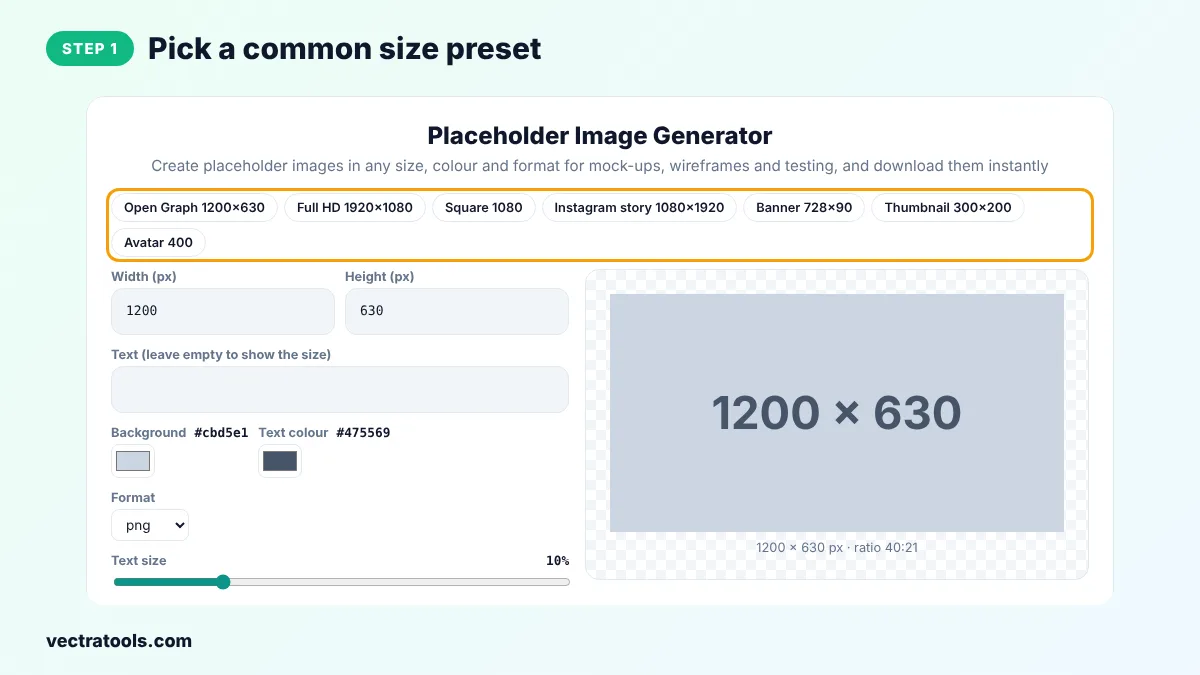
Step 1: Pick a Common Size Preset
Click a preset such as Open Graph 1200 x 630 or Square 1080, or skip this step to use your own size.
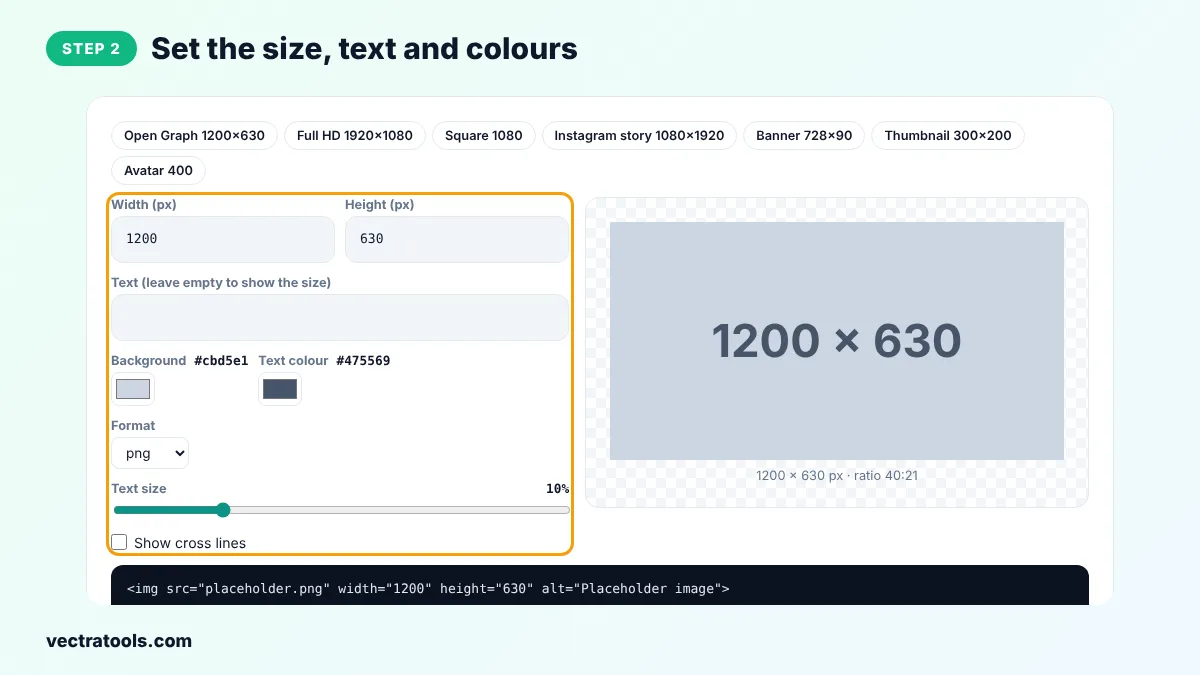
Step 2: Set the Size, Text and Colours
Type the width and height, add your own text or leave it empty to show the size, and choose background and text colours, the format and the text size.
Step 3: Preview the Placeholder Image
The preview shows the image with its size and aspect ratio, scaled to fit the screen.

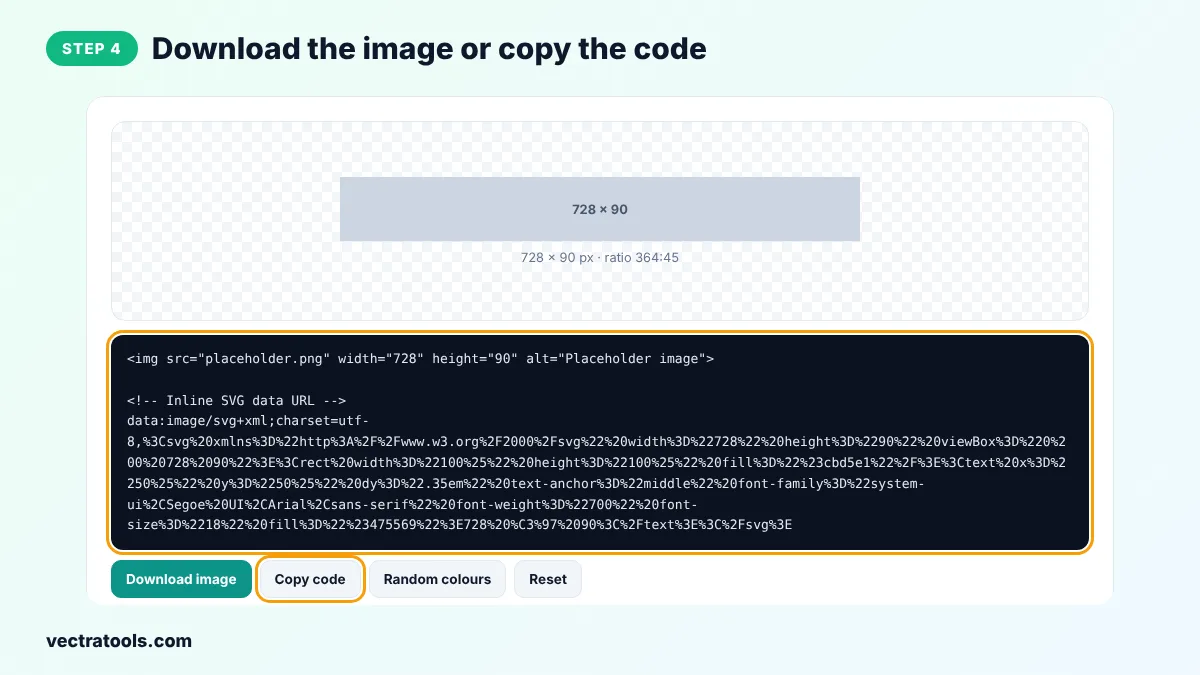
Step 4: Download the Image or Copy the Code
Click Download image to save it in the chosen format, or Copy code to get an img tag and an inline SVG data URL.
Every file from the placeholder image generator is created on your device, so it is fast and private. You can come back to the placeholder image generator at any time, change a single setting and download a new version in seconds, which makes it easy to keep a consistent style across a whole project.
Web designers, developers and theme builders use a placeholder image generator every day. Because this placeholder image generator creates files in your browser, you do not depend on an external placeholder service that might go offline or slow down your page.
Placeholder Image Generator Tips
- Use the real final size, so the layout does not change when you swap in the photo.
- Pick a neutral grey so placeholders do not distract from the design.
- Use the SVG data URL in prototypes. It has no network request at all.
- Write the purpose in the text, such as Hero image, to help clients understand the mock-up.
Frequently Asked Questions
Is this placeholder image generator free?
Yes. It is free, with no sign-up and no limits.
What is the maximum size?
Up to 4000 x 4000 pixels.
Which format should I choose?
PNG for sharp text, JPG or WebP for smaller files, and SVG for a tiny vector file that scales to any size.
Can I use the images in commercial projects?
Yes. The images are plain shapes and text that you create yourself.
How do I use the data URL?
Copy the code and paste the data URL into the src attribute of an img tag. The image loads without a separate file.
Can I add my own text?
Yes. Type it in the Text box. Leave it empty to show the image size.
Are images uploaded anywhere?
No. They are created in your browser.