

Open Graph Tag Generator – OG and Twitter Card Meta Tags
Open Graph Tag Generator
Create Open Graph and Twitter Card meta tags so your links look great on Facebook, LinkedIn, X and WhatsApp
Share preview
Checks
Quick answer
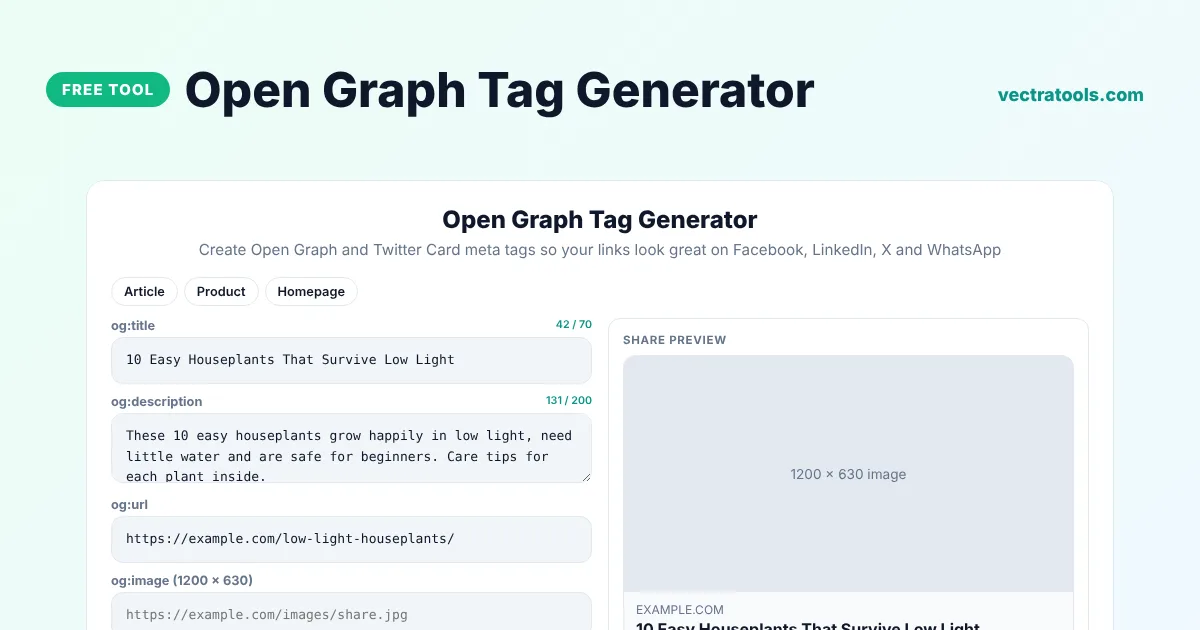
An Open Graph tag generator creates the meta tags that control how a link looks when it is shared on Facebook, LinkedIn, WhatsApp, X and other apps. Enter the title, description, URL and image, pick the content type and copy the og: and twitter: tags into the <head> of your page. The preview shows the share card before you post.
Our free Open Graph tag generator writes Open Graph and Twitter Card tags together, adds the image size and alt text, and checks for common mistakes such as a missing image or a relative image URL. It is useful for blog posts, product pages, landing pages and homepages.
What Are Open Graph Tags?
Open Graph is a protocol created by Facebook that lets a web page describe itself to social networks. When someone shares your link, the app reads the og: tags to choose the title, text and picture of the card. Without them, the app guesses and often picks the wrong image or text.
| Tag | Purpose |
|---|---|
| og:title | Headline of the share card |
| og:description | Short text under the headline |
| og:image | Picture of the card, ideally 1200 x 630 pixels |
| og:url | Canonical address of the page |
| og:type | website, article, product and so on |
| twitter:card | Large image or small summary card on X |
What the Open Graph Generator Creates
- All core og: tags, plus og:image width, height and alt text.
- og:site_name and og:locale for brand and language.
- Twitter Card tags that reuse your title, description and image.
- A share preview with your domain, title and description.
- Checks for missing or badly formatted values.
How to Use the Open Graph Tag Generator
Step 1: Pick an Article, Product or Homepage Preset
Click Article, Product or Homepage to load example values with the right og:type, or start with empty fields.

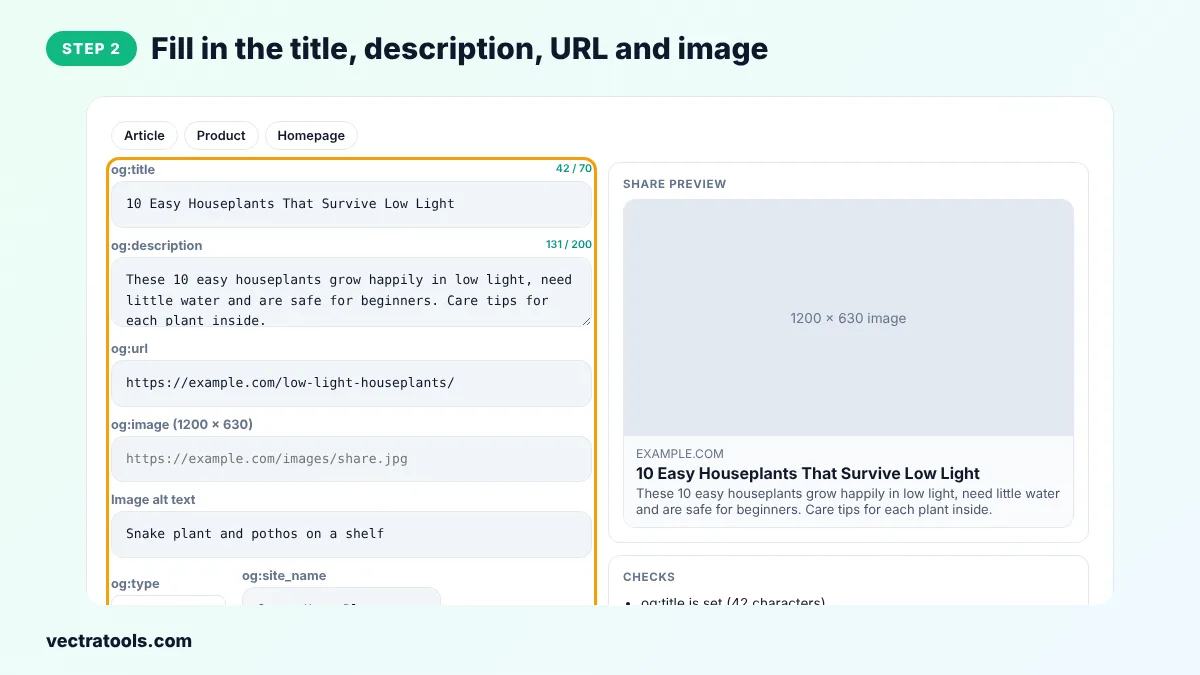
Step 2: Fill in the Title, Description, URL and Image
Type the share title and description, the page URL and the full https address of a 1200 x 630 image. Add image alt text, your site name and your Twitter username.
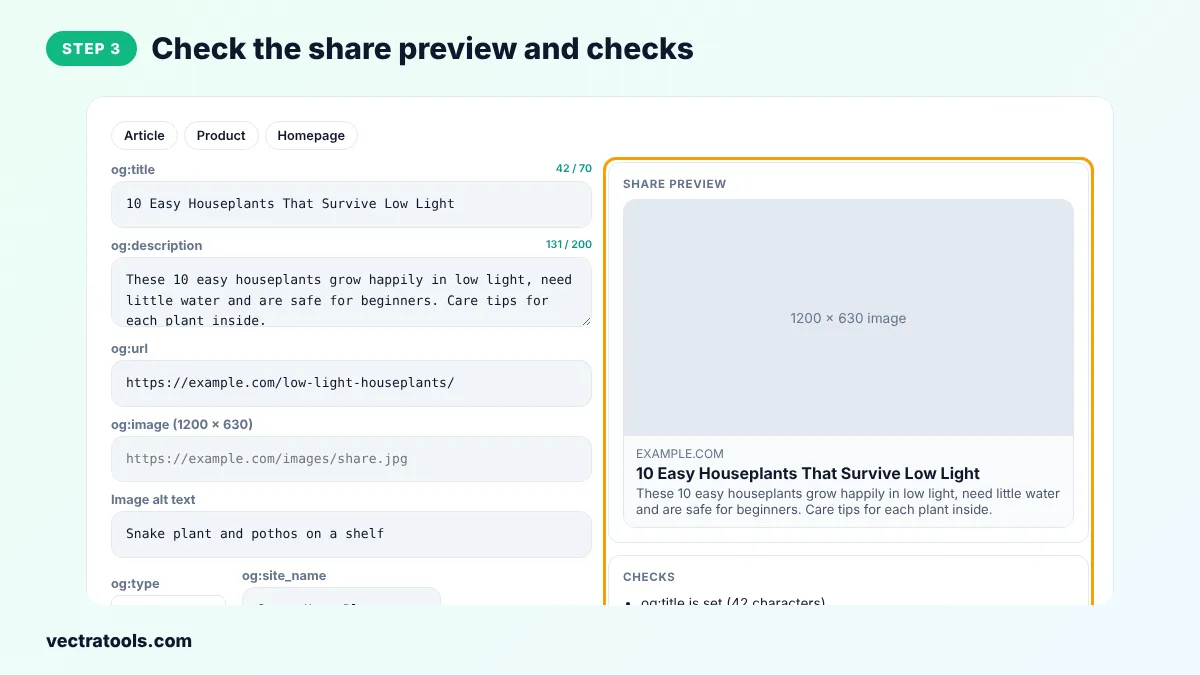
Step 3: Check the Share Preview and Checks
The preview card shows the image, domain, title and description as a social app would. The Checks box lists anything that is missing.
Step 4: Copy the Open Graph Tags
Click Copy OG tags and paste the code into the <head> of your page. Then test the link in the Facebook Sharing Debugger or LinkedIn Post Inspector.

Best Image Size for Open Graph
- Use 1200 x 630 pixels, a 1.91:1 ratio, for large cards on Facebook, LinkedIn and X.
- Keep the file under 5 MB and use JPG, PNG or WebP.
- Keep important text away from the edges, because some apps crop the image.
- Use an absolute https URL. Relative paths such as /images/share.jpg do not work.
Open Graph Generator Tips
- Write a share title that is more conversational than your SEO title. People see it in a feed, not a search result.
- Use a different og:image for each important page so shared links stand out.
- Social apps cache previews. After you change the tags, ask the app to scrape the URL again in its debugger tool.
- WordPress SEO plugins such as Rank Math add Open Graph tags for you. Use the Open Graph tag generator for static sites, landing pages and custom apps.
The Open Graph tag generator creates standard tags that every major social network and messaging app understands.
Frequently Asked Questions
What is an Open Graph tag generator?
An Open Graph tag generator is a tool that writes og: and twitter: meta tags from details you enter, so shared links show the right title, description and image.
What size should og:image be?
1200 x 630 pixels is the best size for large share cards on most networks.
Does X (Twitter) use Open Graph tags?
X reads its own twitter: tags first and falls back to Open Graph tags. The Open Graph tag generator adds both.
Why is my old image still showing when I share?
Social networks cache previews. Use the Facebook Sharing Debugger or LinkedIn Post Inspector to refresh it.
Do Open Graph tags help SEO?
They do not change Google rankings directly, but better share cards get more clicks and shares, which brings more visitors.
Where do I paste the tags?
Inside the <head> section of the page, along with your other meta tags.
Is this Open Graph tag generator free?
Yes. It is free, needs no account and runs in your browser.