

Meme Creator Online – Add Top and Bottom Text, Download PNG
Meme Creator
Generate viral memes with classic impact text. Upload an image, add your captions, and download the perfect meme without any watermarks.
Meme Text

Quick answer
To use this meme creator online, press Upload Base Image and choose a JPG, PNG or WebP picture. Type your top text and bottom text, and drag the Text Size slider until the caption fits. The tool writes the text in bold white capitals with a black outline and wraps long lines automatically. Press Download Meme to save a PNG at the same size as your image, with no watermark.
Memes work because the format is instantly familiar: a picture, a line of bold text at the top and a punchline at the bottom. This free meme creator online gives you exactly that format in a few seconds. Upload any image, type your captions and download the finished meme, with no app to install, no account and no watermark stamped across your joke.
I built it to be the fastest way from an idea to a shareable image. Everything happens in your browser, so your photos are never uploaded to a server and the download keeps the full resolution of the picture you started with.
Meme Creator Online Features
| Feature | How it works |
|---|---|
| Any image | Upload JPG, PNG or WebP pictures from your phone or computer |
| Classic meme text | Bold white capitals with a thick black outline, readable on any background |
| Top and bottom captions | Separate fields for the setup line and the punchline |
| Adjustable size | A slider sets the text from 5% to 25% of the image height |
| Automatic line wrap | Long captions break onto extra lines instead of running off the edge |
| Full resolution | The download matches the size of the image you uploaded |
| No watermark | The PNG is clean, with no logo or branding added |
| Private | Your image is processed in the browser and never uploaded |
How to Use the Meme Creator Online
Step 1: Upload the image for your meme
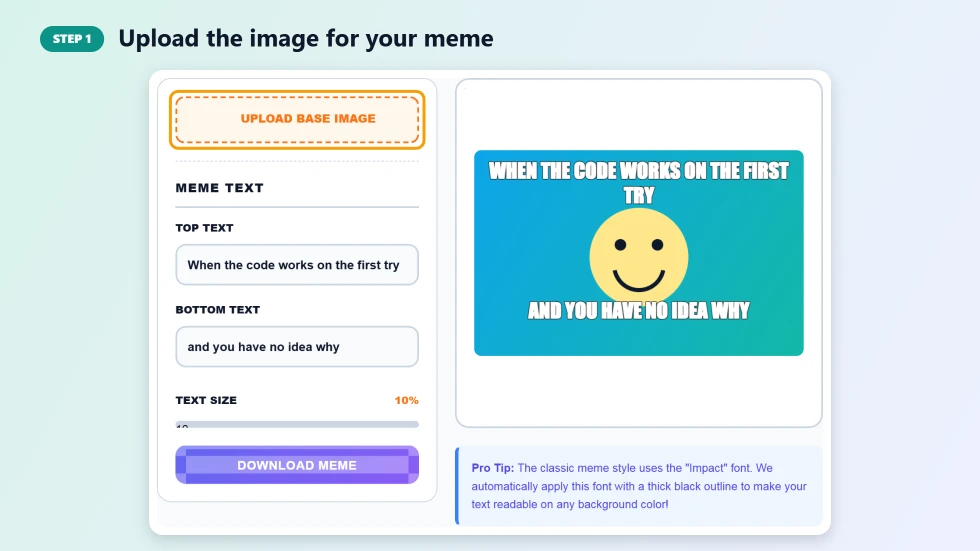
Press Upload Base Image and pick a JPG, PNG or WebP file. The preview resizes to match your picture, so wide, tall and square images all keep their shape. Before you upload, the tool shows a plain sample canvas so you can try the text straight away.
Step 2: Type the top and bottom text and set the size
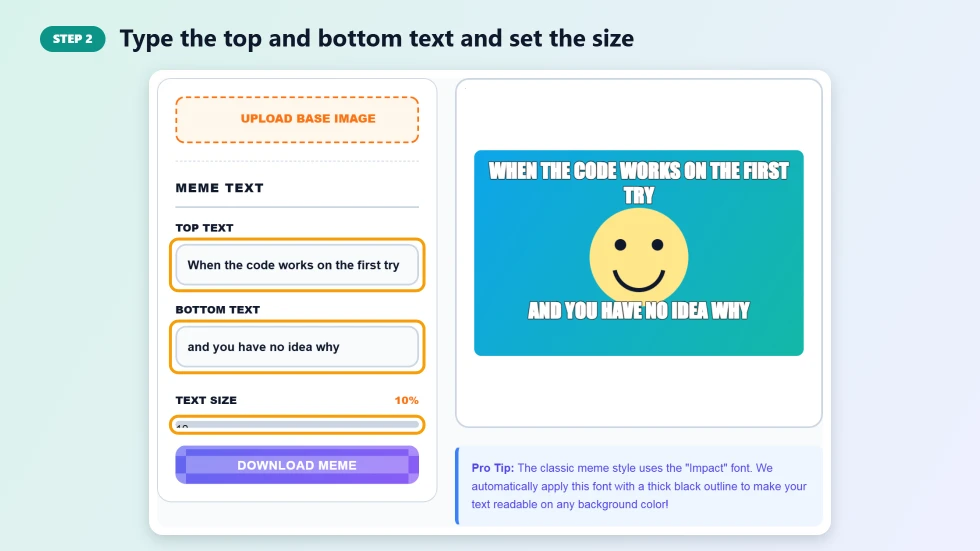
Type the setup line in Top Text and the punchline in Bottom Text. The text turns into capitals and updates as you type. Drag the Text Size slider to make the captions bigger or smaller. Long captions wrap onto two or more lines automatically.
Step 3: Download your meme as a PNG
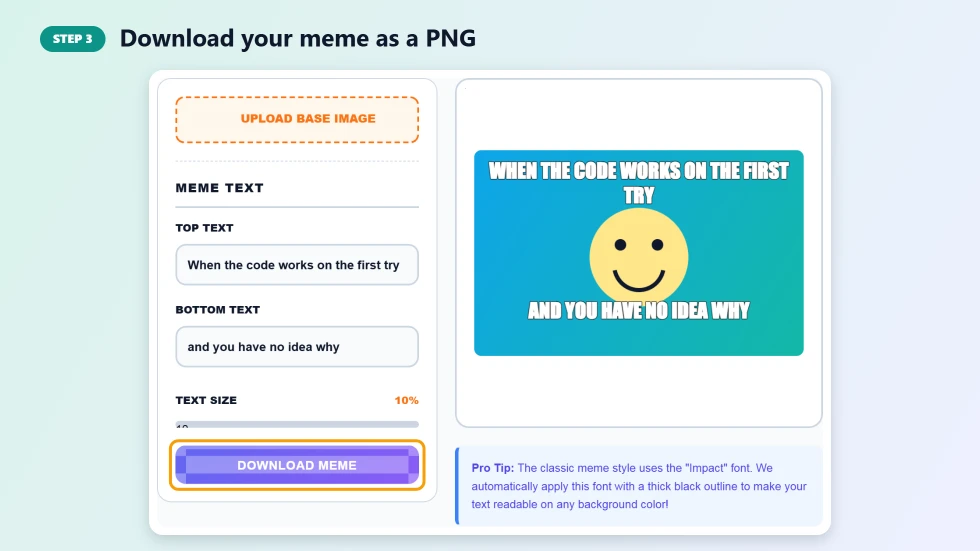
Press Download Meme to save the finished image as a PNG. The file keeps the full size of your original picture and has no watermark, so it is ready to post on social media, send in a group chat or add to a slide.
What You Can Make with a Meme Creator Online
- Reaction memes: pair a familiar face or photo with a caption about everyday life.
- Work and study jokes: make light of deadlines, exams, code bugs or meetings.
- Social media posts: create quick, shareable images for Instagram, X, Facebook or Reddit.
- Group chats: turn a photo from a trip or party into an inside joke.
- Presentations and lessons: add a moment of humour to a slide deck or classroom.
Tips for a Funny, Readable Meme
- Keep each caption short. Most strong memes use fewer than ten words per line.
- Put the setup at the top and the punchline at the bottom, so people read the joke in order.
- Choose an image with plain areas near the top and bottom, where the text will sit.
- Use a smaller text size for long captions so they fit on two lines instead of four.
- Only use images you have the right to share, especially for business or brand accounts.
Why the Classic Meme Style Works
The white text with a black outline became the standard meme look because it stays readable on light photos, dark photos and busy scenes alike. This meme creator online applies that style automatically, with rounded outlines so the letters stay clean, and uses the Impact typeface where your device has it, with a bold system font as the fallback.
Frequently Asked Questions
Is this meme creator online free?
Yes. It is free with no sign-up, no download limit and no watermark on your memes.
What image formats can I upload?
You can upload JPG, JPEG, PNG and WebP images from your computer or phone.
Will my meme have a watermark?
No. The downloaded PNG is clean, with no logo or branding added.
Can I change the text size?
Yes. The Text Size slider sets the captions from 5% to 25% of the image height, and long text wraps onto extra lines.
What size is the downloaded meme?
The PNG is the same width and height as the image you uploaded, so it keeps its original quality.
Are my images uploaded anywhere?
No. The meme is drawn in your browser and your image never leaves your device.