

Background Remover Online – Remove Image Backgrounds with AI, Free
AI Background Remover
This free background remover online erases backgrounds automatically. 100% Private • Browser-based AI

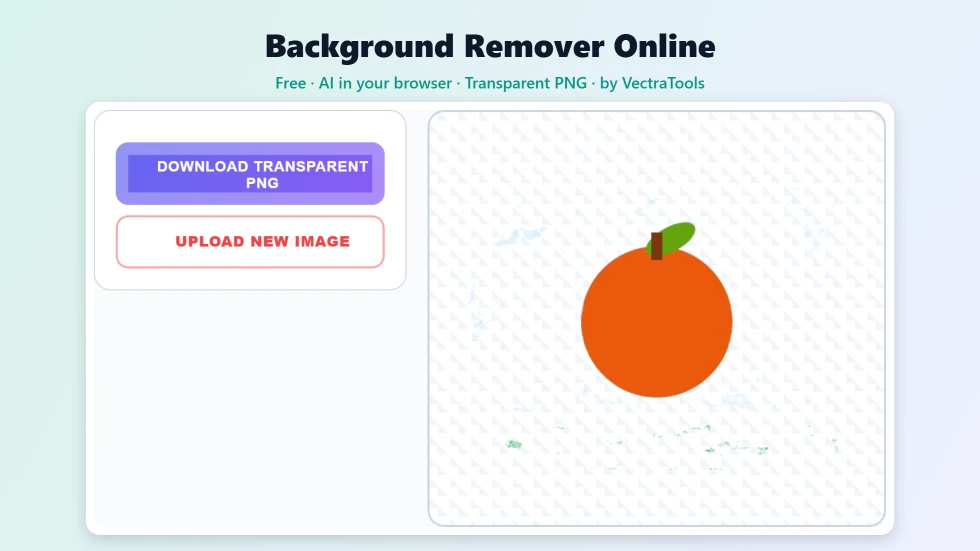
Quick answer
To use this background remover online, click the upload area and choose a PNG, JPG or WebP photo up to 5 MB. Press Remove Background and the AI model separates the main subject from the background, right in your browser. When it finishes, press Download Transparent PNG to save the cut-out at the same size as your photo. The first run downloads the AI model (about 40 MB), and later runs are faster.
Cutting a person, product or pet out of a photo used to mean careful work with a selection tool. This free background remover online does it automatically with an AI segmentation model. Upload a photo, press one button and download a PNG with a transparent background that you can drop onto any design, slide or product page.
What makes this tool different is privacy. The AI runs on your own device inside the browser, so your photo is never uploaded to a server. I chose that approach because many people remove backgrounds from personal photos, ID-style portraits and unreleased product shots.
Background Remover Online Features
| Feature | How it works |
|---|---|
| AI subject detection | An image segmentation model finds people, products, animals and objects automatically |
| Runs in your browser | Your photo is processed on your device and never uploaded |
| Common formats | Accepts PNG, JPG and WebP images up to 5 MB |
| Transparent PNG | Downloads a PNG with a fully transparent background |
| Original size | The cut-out keeps the width and height of your photo |
| Progress status | Shows progress while the model loads and the image is processed |
| Faster repeat use | The model is cached by your browser after the first run |
| Free, no account | No sign-up, no credits and no watermark |
How to Use the Background Remover Online
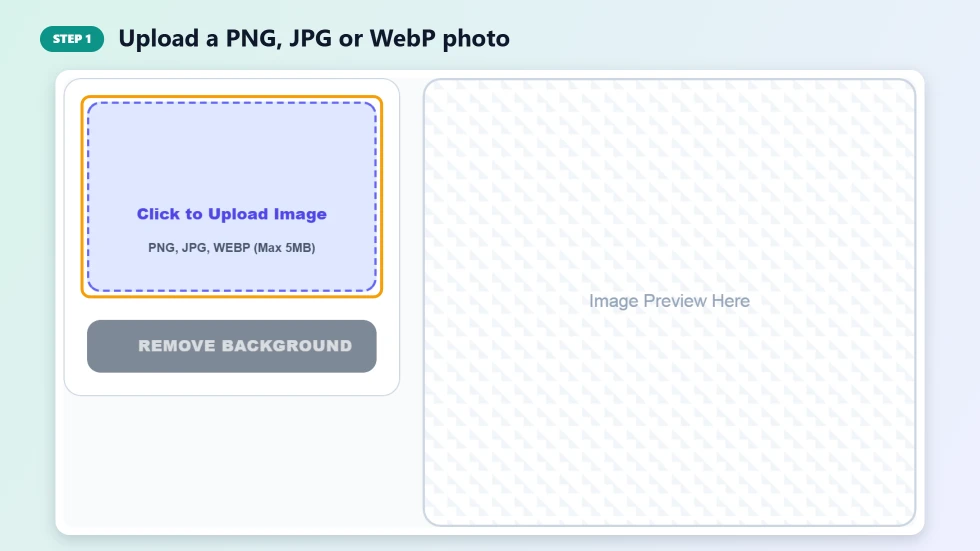
Step 1: Upload a PNG, JPG or WebP photo
Click the upload area and pick a photo from your computer or phone. PNG, JPG and WebP files up to 5 MB are supported. A preview appears on the right so you can check you chose the right image. Photos with a clear main subject give the cleanest results.
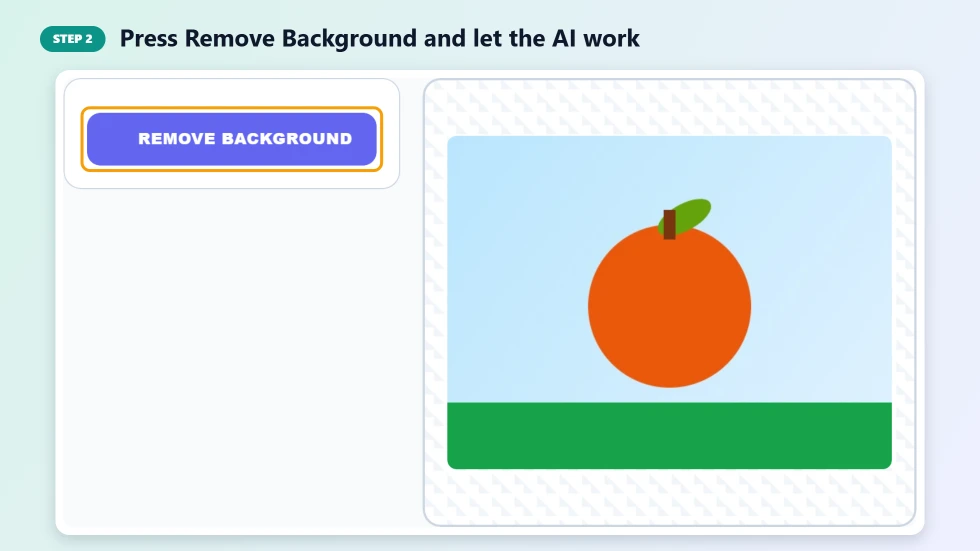
Step 2: Press Remove Background and let the AI work
Press Remove Background. The first time, the tool downloads its AI model, which is about 40 MB, so it can take a minute on a slow connection. After that the model is cached and later images are processed in a few seconds. A progress bar shows what is happening.
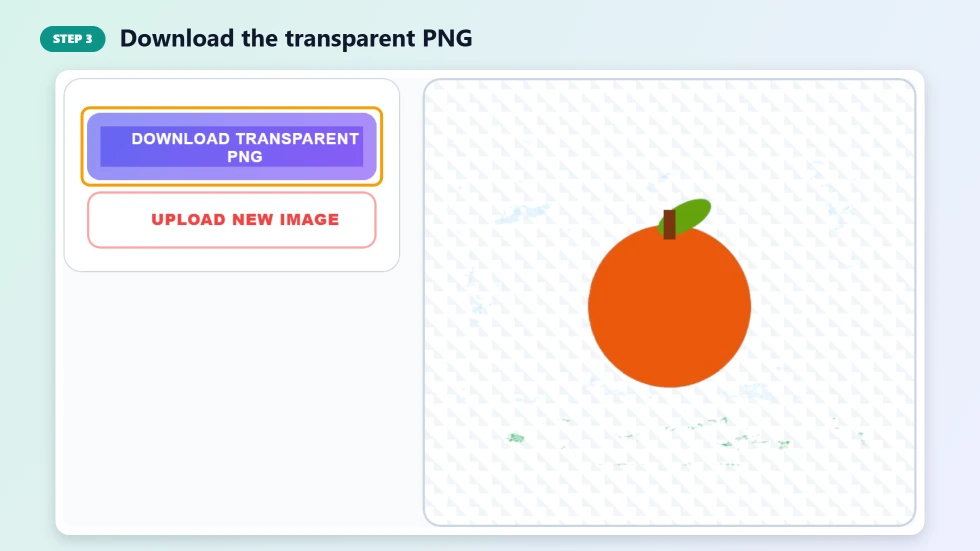
Step 3: Download the transparent PNG
When the background is gone, the preview shows your subject on a checkerboard, which means transparent. Press Download Transparent PNG to save it. Press Upload New Image to start again with another photo.
What You Can Do with a Background Remover Online
- Product photos: create clean cut-outs for online shops, marketplaces and catalogues.
- Profile pictures: remove a messy background and place yourself on a solid colour.
- Thumbnails and banners: add a cut-out face or object to YouTube thumbnails and social graphics.
- Presentations: drop transparent images onto slides without ugly white boxes.
- Stickers and collages: cut out pets, people or objects for fun edits.
Tips for the Cleanest Cut-Out
- Use a photo where the subject is in focus and clearly separated from the background.
- Good, even lighting helps the AI find edges, especially around hair.
- Avoid backgrounds that are the same colour as the subject.
- Crop large photos close to the subject before uploading to stay under 5 MB and speed things up.
- Check fine details such as hair and transparent objects, which are the hardest for any AI tool.
Why Process Images in the Browser?
Most background removal websites upload your photo to their servers. This background remover online downloads an open-source AI model to your browser instead and does the work on your device. That keeps your images private, removes upload limits tied to server costs and means the tool keeps working quickly once the model is cached.
Frequently Asked Questions
Is this background remover online free?
Yes. It is free with no sign-up, no credits and no watermark on the transparent PNG.
Are my photos uploaded to a server?
No. The AI model runs inside your browser, so your photo stays on your device the whole time.
Why is the first run slow?
The first time, your browser downloads the AI model, which is about 40 MB. It is cached afterwards, so later images are much faster.
What file types and sizes are supported?
You can upload PNG, JPG and WebP images up to 5 MB.
What size is the downloaded image?
The transparent PNG has the same width and height as the photo you uploaded.
Does it work on a phone?
Yes, in modern mobile browsers. Processing is faster on a laptop or desktop, especially for large photos.