

Event Countdown Timer – Live Countdown to Any Date
Event Countdown Timer

Quick answer
An event countdown timer shows how much time is left until a date and time, updating every second. Enter the event name, date and time and it shows days, hours, minutes and seconds left. On 6 October 2026 at about 7 PM, a launch on 1 December 2026 at 9:00 AM is 55 days and 14 hours away. You can share the countdown with a link or add the event to your calendar.
Use this free event countdown timer for launches, exams, weddings, trips, sales, holidays or any deadline. It runs in your browser, keeps counting when the event has passed, and needs no sign-up.
How the Countdown Is Calculated
The timer takes the event date and time in your own time zone and subtracts the current time from your device clock. The difference is split into whole days, then hours, minutes and seconds. It also shows the total in weeks and hours, the weekdays left (Monday to Friday, not counting today or the event day) and the number of sleeps, which is the number of nights until the event date.
| From 6 Oct 2026 to | Days left | Weeks | Sleeps |
|---|---|---|---|
| Product launch, 1 Dec 2026 | 55 and a bit | 7.9 | 56 |
| Christmas, 25 Dec 2026 | 79 and a bit | 11.3 | 80 |
| New Year, 1 Jan 2027 | 86 and a bit | 12.3 | 87 |
| Ramadan (expected), 8 Feb 2027 | 124 and a bit | 17.7 | 125 |
How to Use the Event Countdown Timer
Step 1: Name Your Event and Set the Date
Open the event countdown timer, type a name such as Product Launch, then choose the date and time. Here we use 1 December 2026 at 09:00.

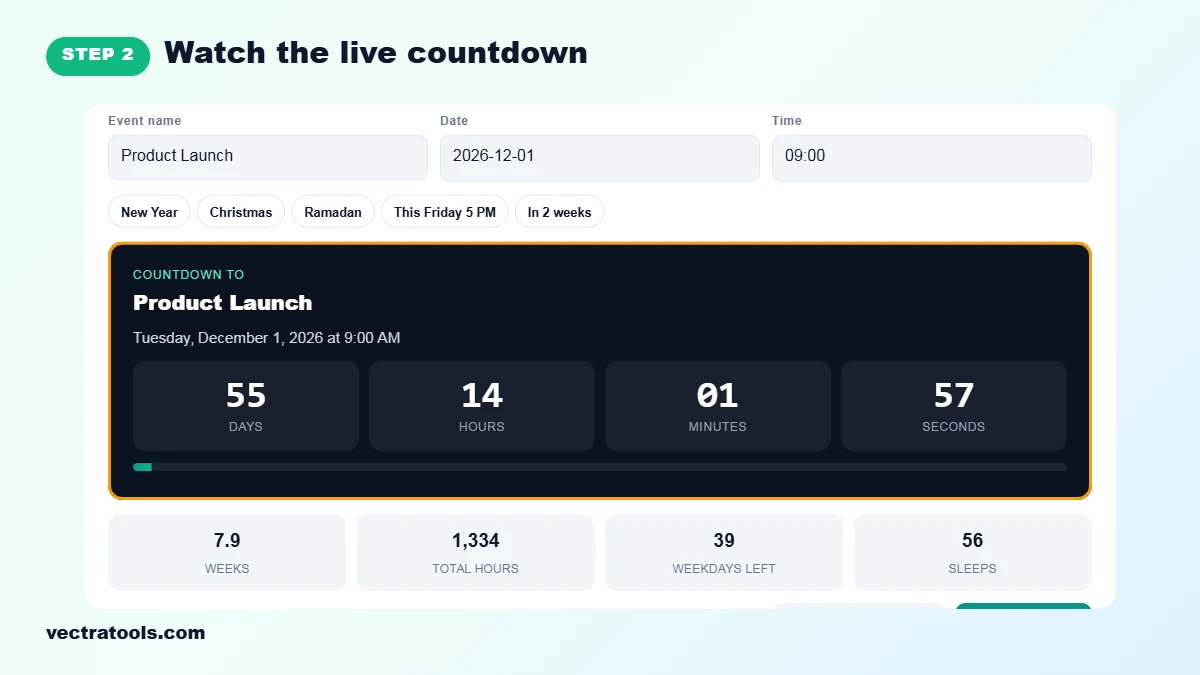
Step 2: Watch the Live Countdown
The dark panel counts down the days, hours, minutes and seconds in real time. The bar fills up as the event gets closer. When the time passes, the timer switches to counting up and tells you the event has passed.
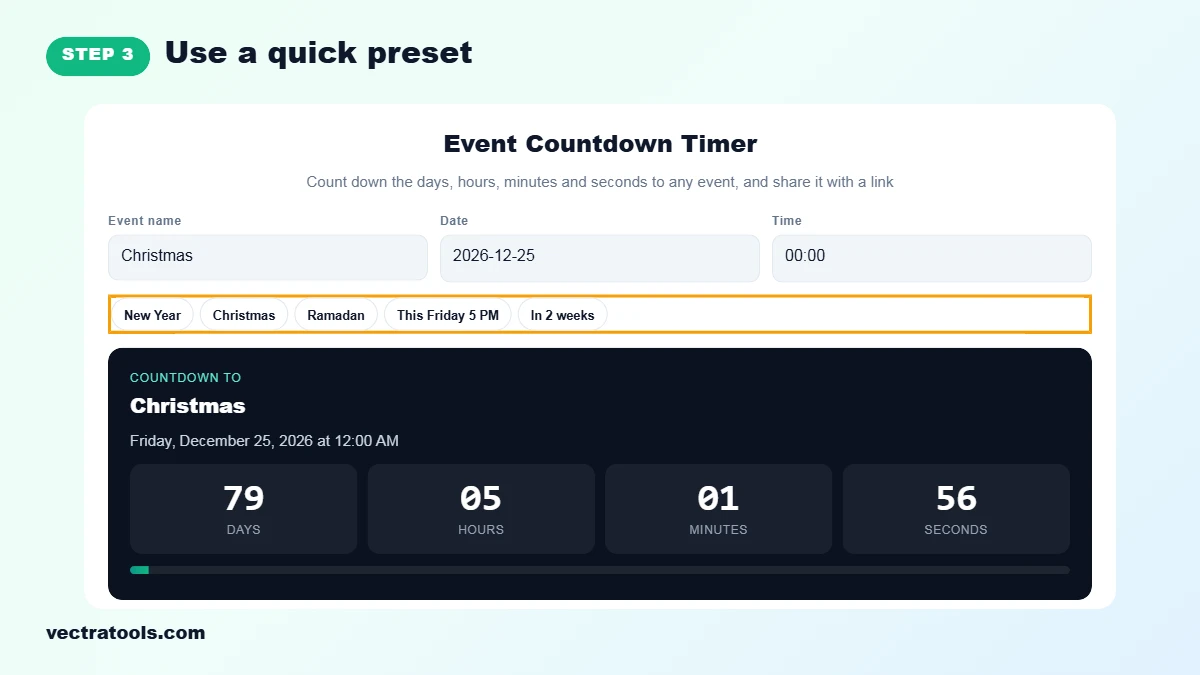
Step 3: Use a Quick Preset
Click a preset to fill everything in at once: New Year, Christmas, Ramadan (expected date from the Umm al-Qura calendar), This Friday 5 PM or In 2 weeks. Christmas 2026 is 79 days away from 6 October.
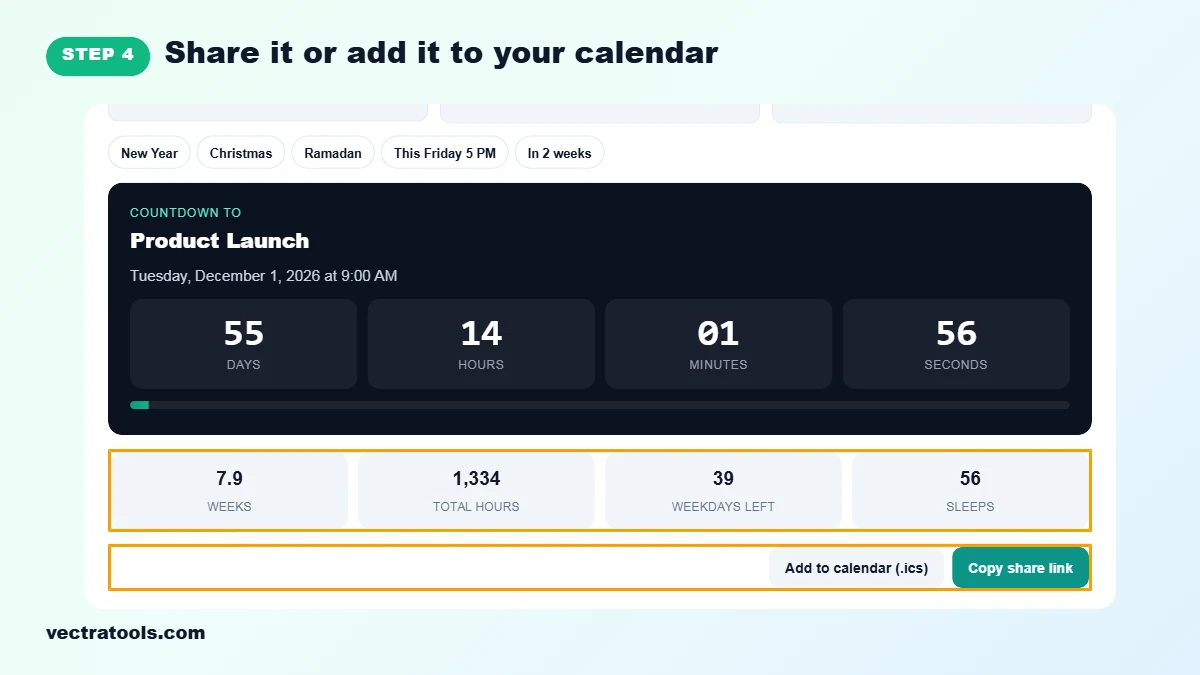
Step 4: Share It or Add It to Your Calendar
The cards show weeks, total hours, weekdays left and sleeps. Click Copy share link to send the countdown to friends, or Add to calendar to download an .ics file for Google Calendar, Outlook or Apple Calendar.
Ideas for Using a Countdown
- Launches and sales: count down to a product release or a Black Friday deal.
- Exams and deadlines: see how many weekdays you have left to study or finish a project.
- Trips and holidays: build excitement for a holiday, Eid, Christmas or New Year.
- Weddings and parties: share the link with guests so everyone sees the same countdown.
- Classroom and events: put the timer on a screen before a talk or ceremony.
Countdown Tips
- The countdown uses each viewer’s own clock and time zone. If you share a link with someone in another country, they see the time left in their local time for the same date and time you entered.
- Keep the tab open to watch it live. Nothing is saved, so use the share link to come back later.
- For counting whole days only, the days between two dates calculator gives a simpler result.
Frequently Asked Questions
How do I make a countdown to a date?
Enter the event name, date and time. The countdown starts immediately and updates every second.
Can I share my countdown?
Yes. Click Copy share link. The link opens this page with your event name, date and time filled in.
What happens when the event date passes?
The timer keeps running and counts up, showing how long ago the event happened.
Does the countdown use my time zone?
Yes. It uses the time zone and clock of the device you are viewing it on.
Can I add the event to Google Calendar or Outlook?
Yes. Click Add to calendar to download an .ics file, then open it with your calendar app.
What are sleeps?
Sleeps are the number of nights until the event date. Children often count down to birthdays and holidays this way.
Is this countdown timer free?
Yes. It is free, needs no sign-up and works on any device.