

Cookie Policy Generator – Free Cookie Policy for Your Website
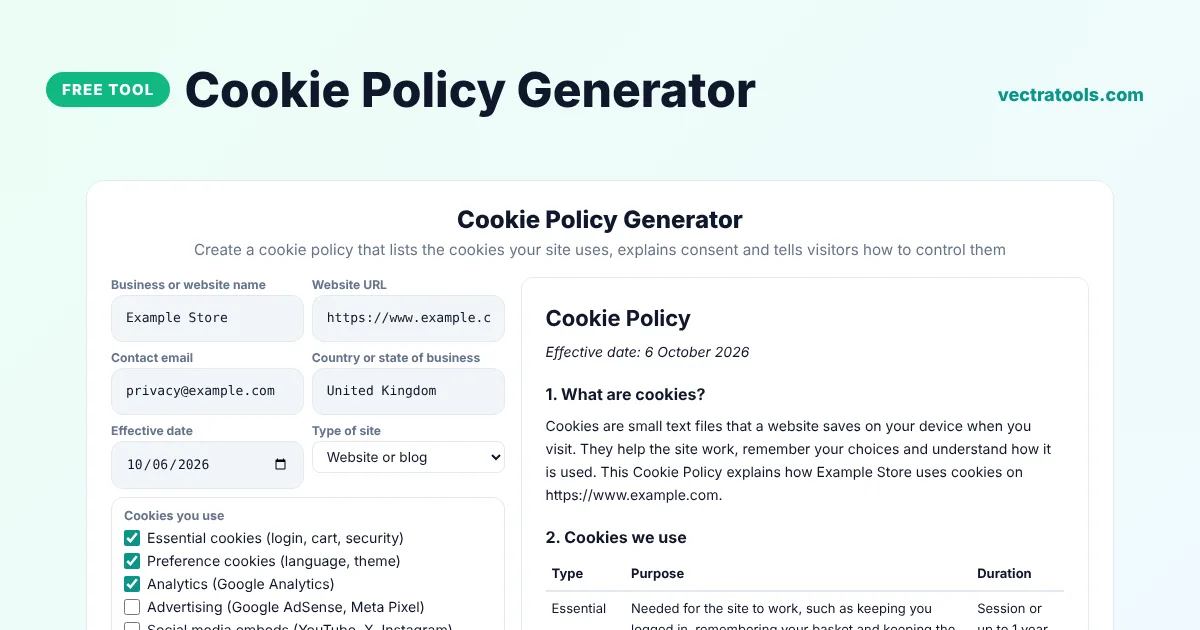
Cookie Policy Generator
Create a cookie policy that lists the cookies your site uses, explains consent and tells visitors how to control them
This template is a starting point, not legal advice. Laws differ by country and business. Review it, and ask a lawyer if you handle sensitive data or operate in several countries.
Quick answer
A cookie policy generator creates the page that tells visitors which cookies your website uses and how they can control them. Enter your business details, tick the cookie types you use, such as essential, analytics or advertising, say whether you show a consent banner, and copy the finished cookie policy with a clear table of cookie types, purposes and durations.
Our free cookie policy generator is made for blogs, online stores and apps that use tools such as Google Analytics, AdSense, the Meta Pixel or YouTube embeds. It explains cookies in plain English, includes browser instructions and can mention UK and EU ePrivacy rules.
Types of Cookies
| Type | Example | Needs consent in the UK and EU? |
|---|---|---|
| Essential | Login, shopping basket, security | No |
| Preference | Language or dark mode | Usually yes |
| Analytics | Google Analytics | Yes |
| Advertising | AdSense, Meta Pixel | Yes |
| Social media | YouTube or X embeds | Yes |
What the Cookie Policy Includes
- A short explanation of what cookies are.
- A table of the cookie types you use, their purpose and how long they last.
- A note about third-party cookies.
- How visitors can change consent and manage cookies in their browser.
- An optional legal basis section for UK and EU rules.
How to Use the Cookie Policy Generator
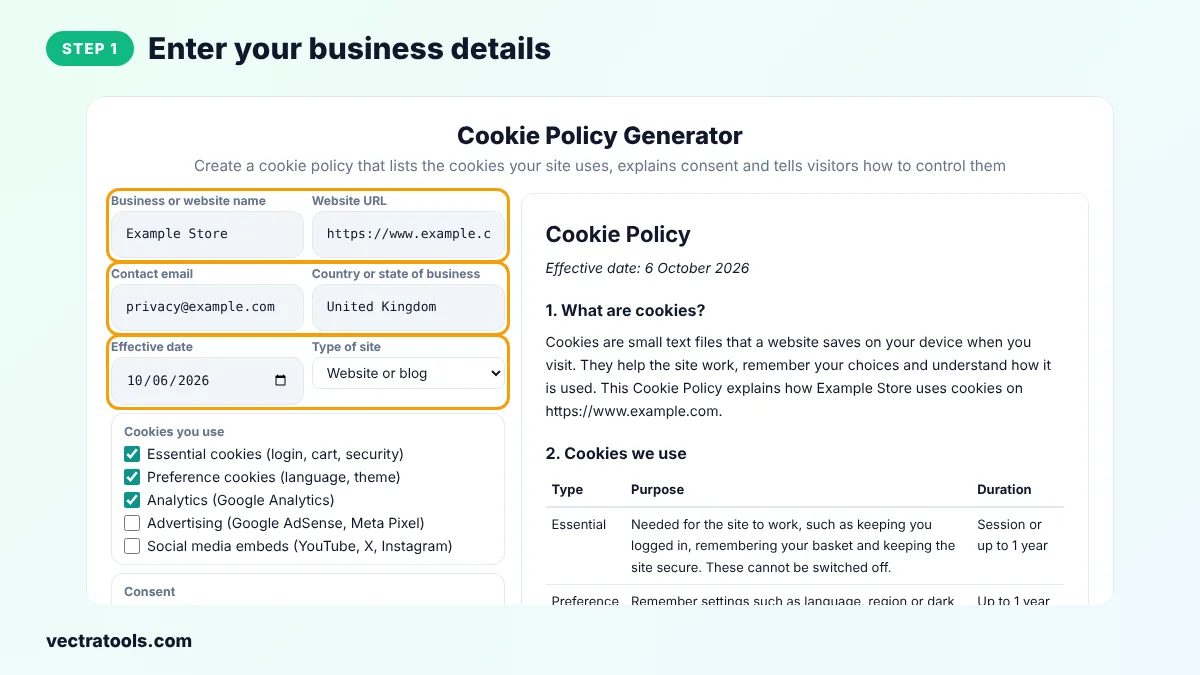
Step 1: Enter Your Business Details
Type your business name, website, contact email and country and choose the effective date.
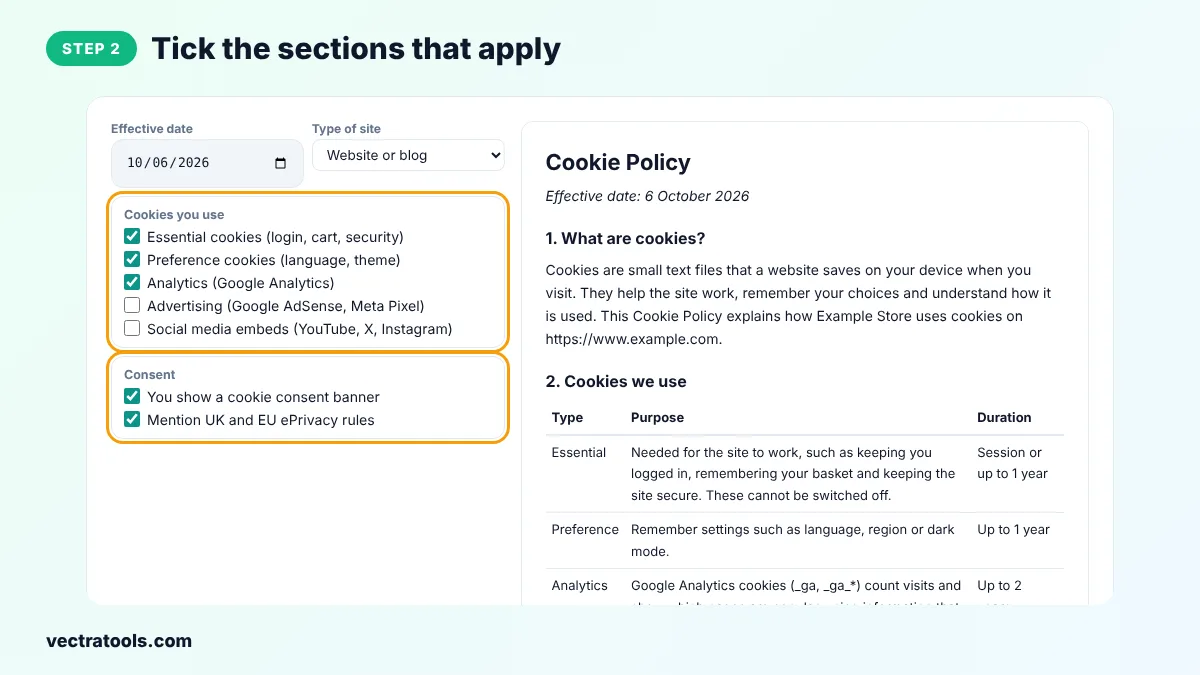
Step 2: Tick the Sections That Apply
Tick the cookie types your site uses and whether you show a consent banner and want to mention UK and EU ePrivacy rules.
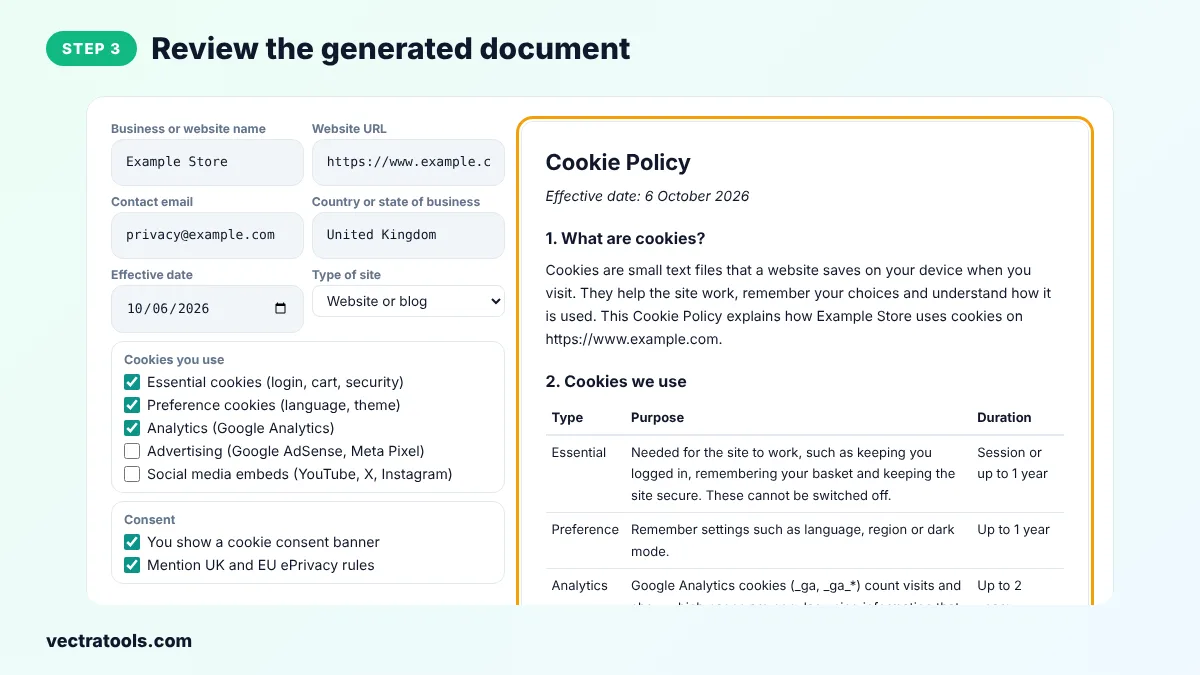
Step 3: Review the Generated Document
Read the cookie policy on the right, including the table of cookie types, purposes and durations.
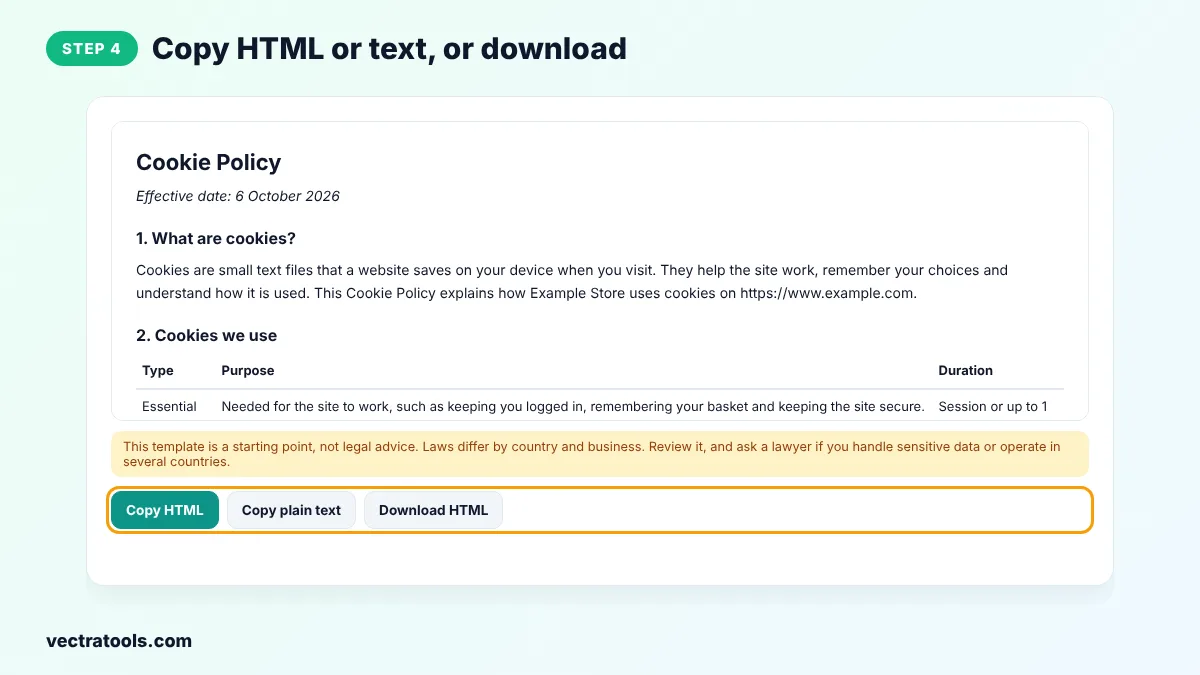
Step 4: Copy HTML or Text, or Download
Click Copy HTML and paste the policy into a Cookie Policy page, or copy plain text or download an HTML file.
Using a cookie policy generator is faster and safer than copying a policy from another website, which may describe practices you do not follow. This cookie policy generator builds the text from your own answers, so it fits your site. Come back to the cookie policy generator whenever your site changes.
Site owners who run analytics or ads use a cookie policy generator to explain those cookies honestly. A cookie policy from this cookie policy generator works best together with a consent banner that lets visitors accept or reject non-essential cookies.
Cookie Banner Basics
- Do not set analytics or ad cookies before the visitor agrees, if UK or EU rules apply.
- Make Reject as easy to find as Accept.
- Let visitors change their choice later, for example from a footer link.
- Use a consent tool that supports Google Consent Mode if you use Google Analytics or AdSense.
Cookie Policy Tips
- Check which cookies your site really sets using your browser's developer tools.
- Update the policy when you add a new plugin, widget or tracking tool.
- Link to the cookie policy from your consent banner and footer.
Frequently Asked Questions
Is this cookie policy generator free?
Yes. It is free with no sign-up.
Do I need a cookie policy?
If you use cookies that are not strictly necessary and have visitors from the UK or EU, you must tell them about cookies and get consent. A cookie policy is the usual way to explain them.
Is a cookie policy the same as a privacy policy?
No. A privacy policy covers all personal data. A cookie policy focuses on cookies. Many sites have both.
Do essential cookies need consent?
No. Strictly necessary cookies, such as login or basket cookies, can be used without consent, but you should still explain them.
Does Google Analytics need consent?
Under UK and EU rules, analytics cookies usually need consent before they are set.
Is this legal advice?
No. It is a template. Ask a lawyer if you are unsure about your obligations.
How do I find which cookies my site uses?
Open your site, press F12 in Chrome, go to Application, then Cookies, and review the list.