

Privacy Policy Generator – Free Privacy Policy for Websites and Apps
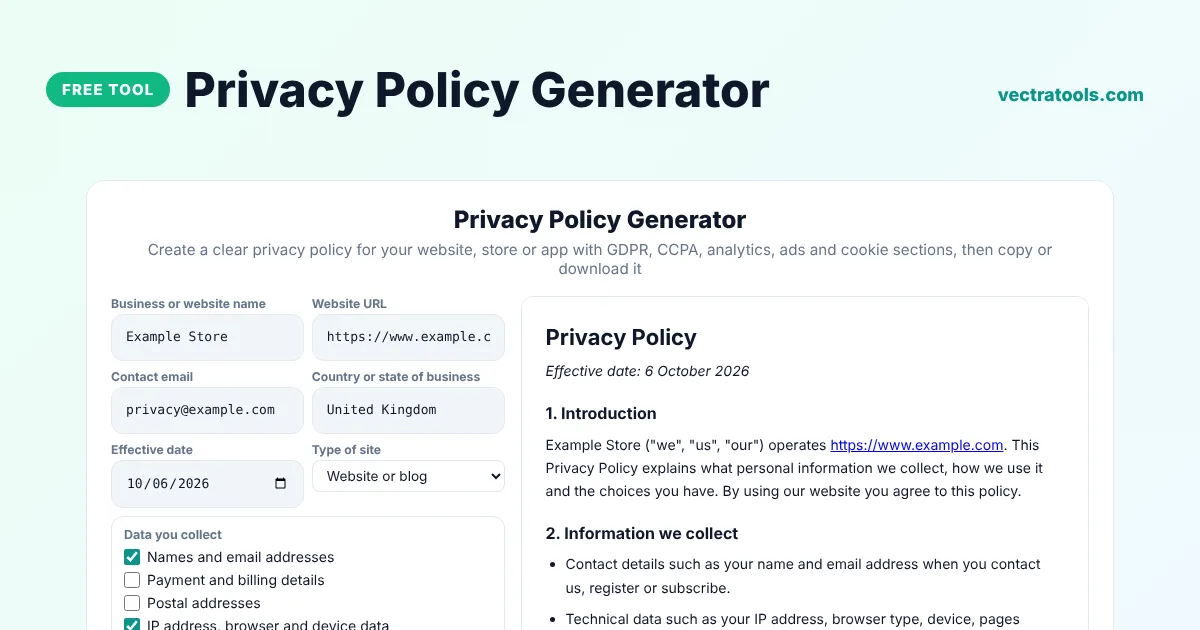
Privacy Policy Generator
Create a clear privacy policy for your website, store or app with GDPR, CCPA, analytics, ads and cookie sections, then copy or download it
This template is a starting point, not legal advice. Laws differ by country and business. Review it, and ask a lawyer if you handle sensitive data or operate in several countries.
Quick answer
A privacy policy generator creates the page that explains what personal data your website collects and how you use it. Enter your business name, website, email and country, tick the data you collect and the services you use, such as Google Analytics or AdSense, choose whether to include GDPR and CCPA sections, and copy the finished policy into your site.
Our free privacy policy generator writes plain-English policies that cover the most common situations for blogs, online stores and apps. Each section updates as you tick options, and you can copy the result as HTML for WordPress or as plain text, or download it as an HTML file.
Do I Need a Privacy Policy?
Almost certainly. If your site collects any personal data, such as email addresses, contact form messages, IP addresses through analytics or cookies for ads, laws such as the GDPR in the UK and EU and the CCPA in California expect a privacy policy. Services such as Google AdSense, Google Analytics, app stores and payment providers also require one.
What the Privacy Policy Covers
| Section | What it tells visitors |
|---|---|
| Information we collect | Which personal data you collect |
| How we use it | Why you collect it |
| Legal bases (GDPR) | The lawful reason for processing |
| Cookies | How cookies and similar tools are used |
| Third-party services | Analytics, ads, email and payment providers |
| Your rights | How to access, correct or delete data |
| California rights | CCPA and CPRA rights |
| Children | That the site is not for children under 13 |
How to Use the Privacy Policy Generator
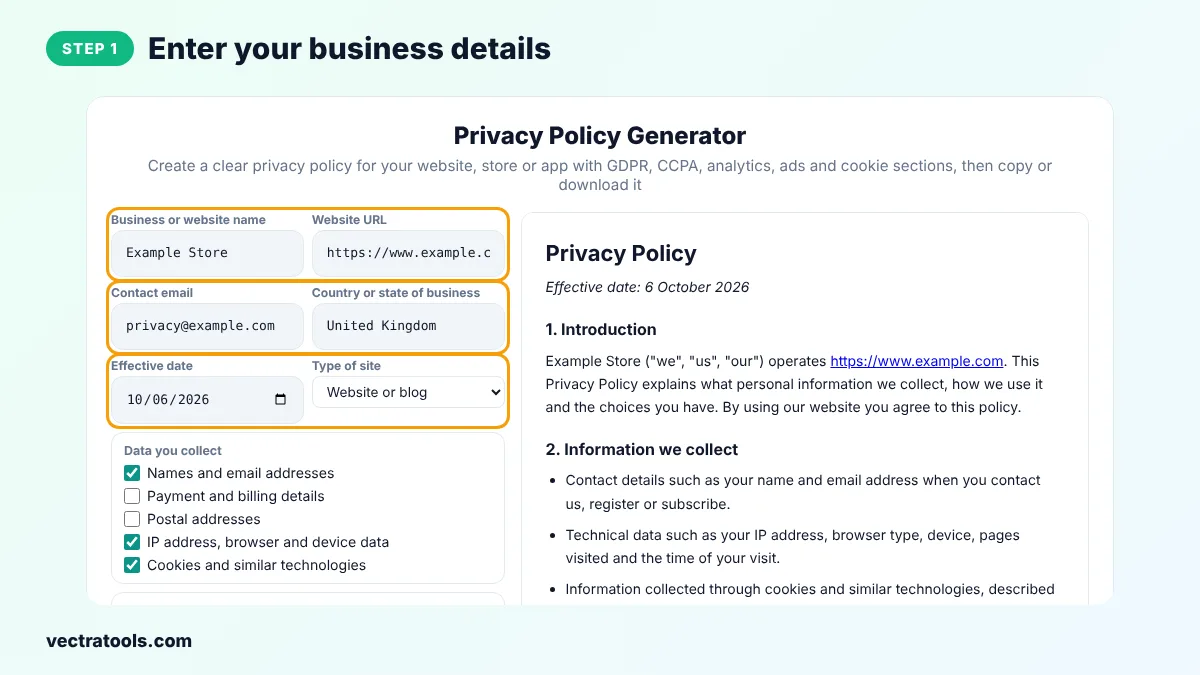
Step 1: Enter Your Business Details
Type your business or website name, URL, contact email and country, choose the effective date and the type of site.
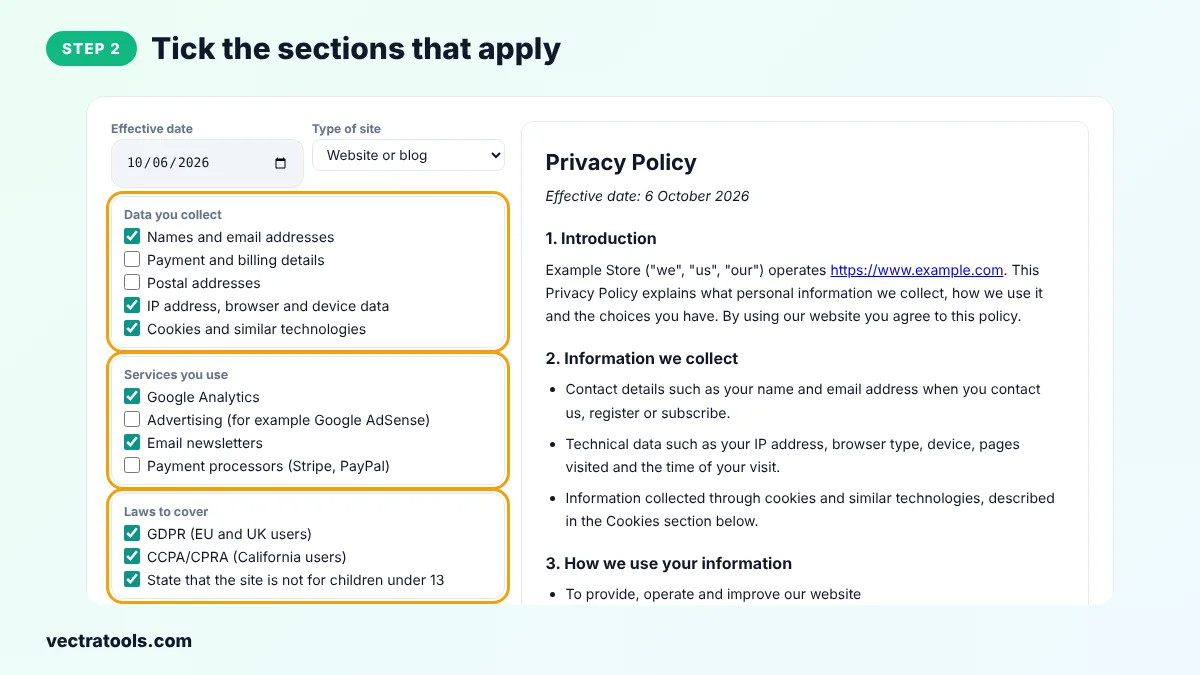
Step 2: Tick the Sections That Apply
Tick the data you collect, the services you use and the laws you want to cover, such as GDPR and CCPA.
Step 3: Review the Generated Document
Read the policy on the right. It updates instantly with every change, with numbered sections.

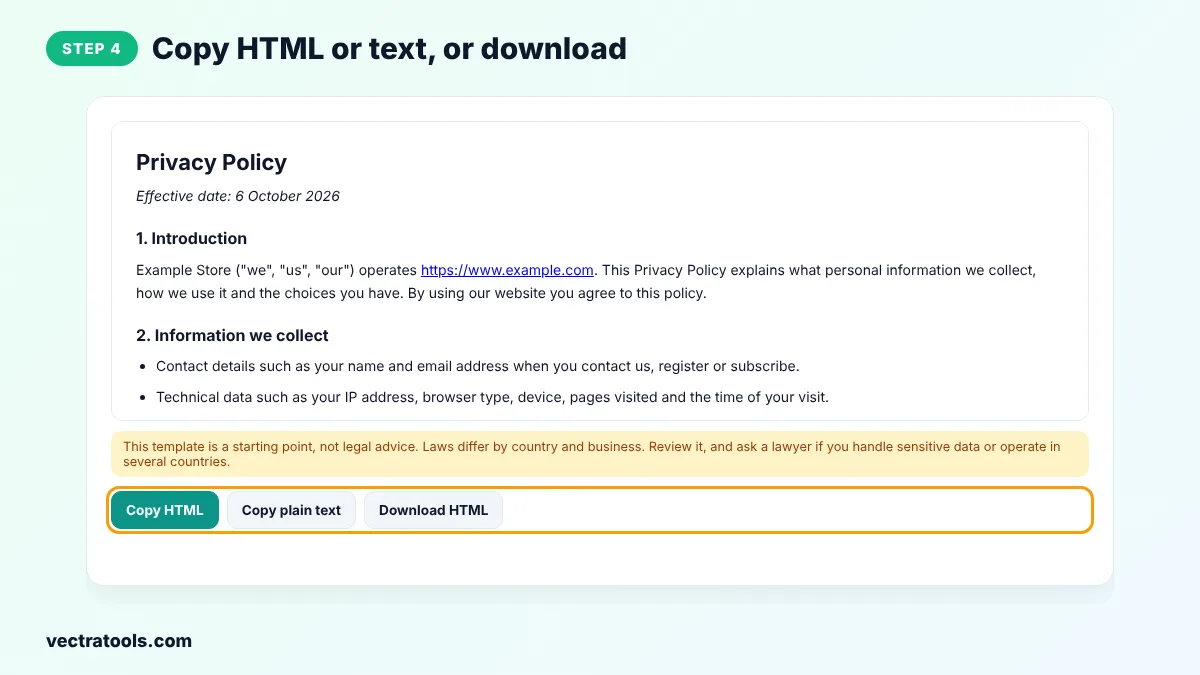
Step 4: Copy HTML or Text, or Download
Click Copy HTML and paste it into a Custom HTML block or a page in WordPress, or copy plain text. You can also download an HTML file.
Using a privacy policy generator is faster and safer than copying a policy from another website, which may describe practices you do not follow. This privacy policy generator builds the text from your own answers, so it fits your site. Come back to the privacy policy generator whenever your site changes.
Bloggers applying for Google AdSense, shop owners and app developers use a privacy policy generator to get a solid first draft in minutes. Review the result from the privacy policy generator carefully and make sure it matches what your site really does.
Where to Put Your Privacy Policy
- Create a page called Privacy Policy and link to it in your website footer.
- Link to it near sign-up forms, contact forms and newsletter boxes.
- In WordPress, set it under Settings, Privacy so WordPress links to it automatically.
- Add the URL in Google AdSense, Google Play or the App Store when they ask for it.
Privacy Policy Tips
- Update the policy when you add a new tool, such as a chat widget or a new ad network.
- Use the same email in the policy that you really check.
- Do not copy another company's policy. It may describe things you do not do.
- If you collect health, financial or children's data, get advice from a lawyer.
Frequently Asked Questions
Is this privacy policy generator free?
Yes. It is free to use, with no sign-up and no link back required.
Does a privacy policy make my site GDPR compliant?
A policy is one part of compliance. You must also handle data as the policy says, get consent where needed and respond to user requests.
Do I need a privacy policy for Google AdSense?
Yes. AdSense requires a privacy policy that explains the use of cookies for advertising. Tick the advertising option to include it.
What is the difference between GDPR and CCPA?
GDPR protects people in the EU and UK. CCPA and CPRA protect residents of California. Both give people rights over their personal data.
Can I edit the policy after copying it?
Yes. Paste it into your page editor and change anything you need.
Is this legal advice?
No. It is a template to help you get started. For complex situations, ask a qualified lawyer.
Do I also need a cookie policy?
The privacy policy includes a short cookies section. If you use many cookies, add a separate cookie policy too.