

Robots.txt Generator – Create a Robots.txt File for Your Site
Robots.txt Generator
Build a valid robots.txt file, block AI crawlers or SEO bots, add your sitemap and test which paths are allowed
Summary
Test a URL path

Quick answer
A robots.txt generator creates the small text file that tells search engine crawlers which parts of your website they may visit. Choose a default rule, list the paths to block, add your sitemap URL and, if you like, block AI crawlers and SEO bots. Download the file and upload it to the root of your domain, for example example.com/robots.txt.
Our free robots.txt generator includes presets for WordPress, online shops, staging sites and blocking AI bots. It writes valid syntax, summarises what your rules do and lets you test any URL path to see whether it is allowed or blocked before you go live.
Robots.txt Rules Explained
| Directive | Meaning | Example |
|---|---|---|
| User-agent | Which crawler the rules apply to. * means all | User-agent: * |
| Disallow | A path the crawler should not visit | Disallow: /wp-admin/ |
| Allow | An exception inside a blocked folder | Allow: /wp-admin/admin-ajax.php |
| Sitemap | Full URL of your XML sitemap | Sitemap: https://example.com/sitemap.xml |
| Crawl-delay | Seconds between requests. Ignored by Google | Crawl-delay: 10 |
What the Robots.txt Generator Can Do
- Allow all crawlers or block the whole site with one choice.
- Block private folders, search result pages, carts and checkouts.
- Add allow exceptions inside blocked folders.
- Block AI crawlers such as GPTBot, CCBot, Google-Extended, ClaudeBot and PerplexityBot.
- Block SEO crawlers such as AhrefsBot, SemrushBot and MJ12bot.
- Test a path against your rules and download the finished file.
How to Use the Robots.txt Generator
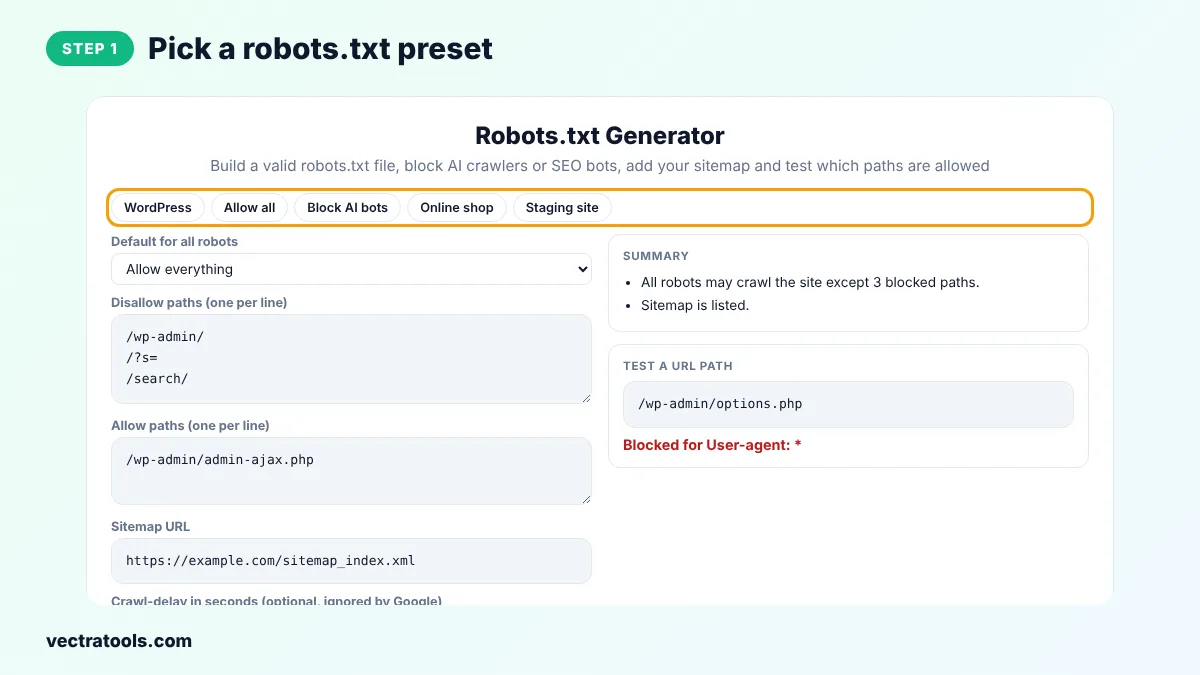
Step 1: Pick a Robots.txt Preset
Click WordPress, Allow all, Block AI bots, Online shop or Staging site to load a ready-made set of rules.
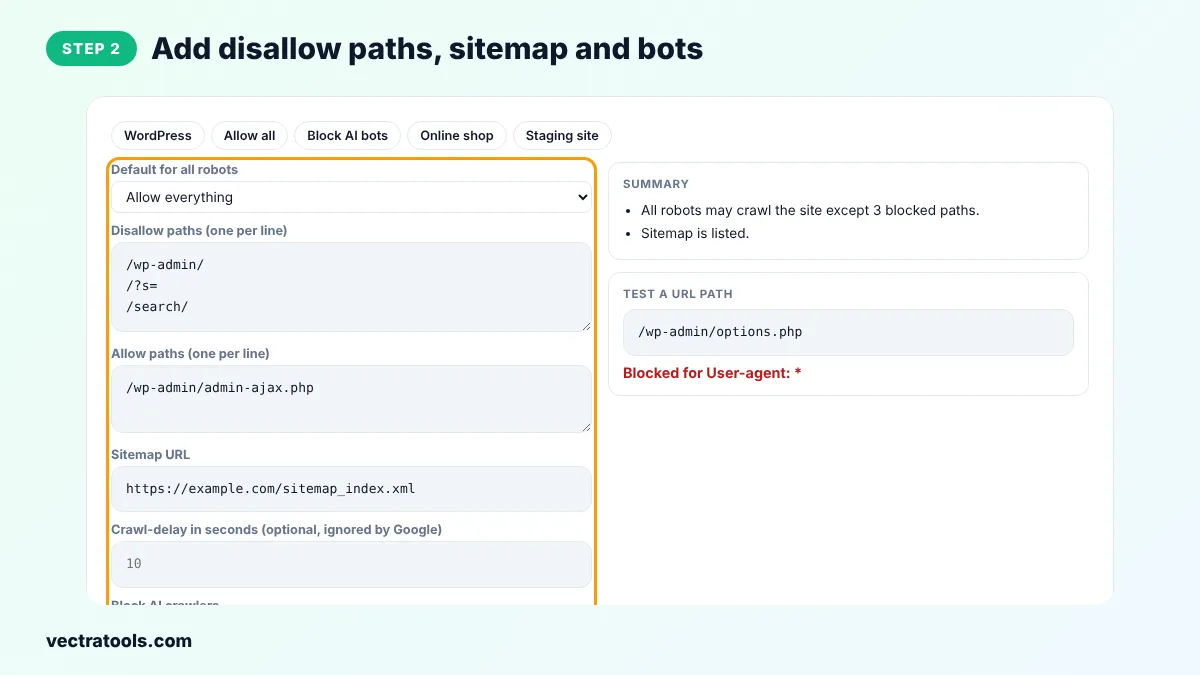
Step 2: Add Disallow Paths, Sitemap and Bots
Choose the default, type one path per line in Disallow and Allow, add your sitemap URL and tick any AI crawlers or SEO bots you want to block.
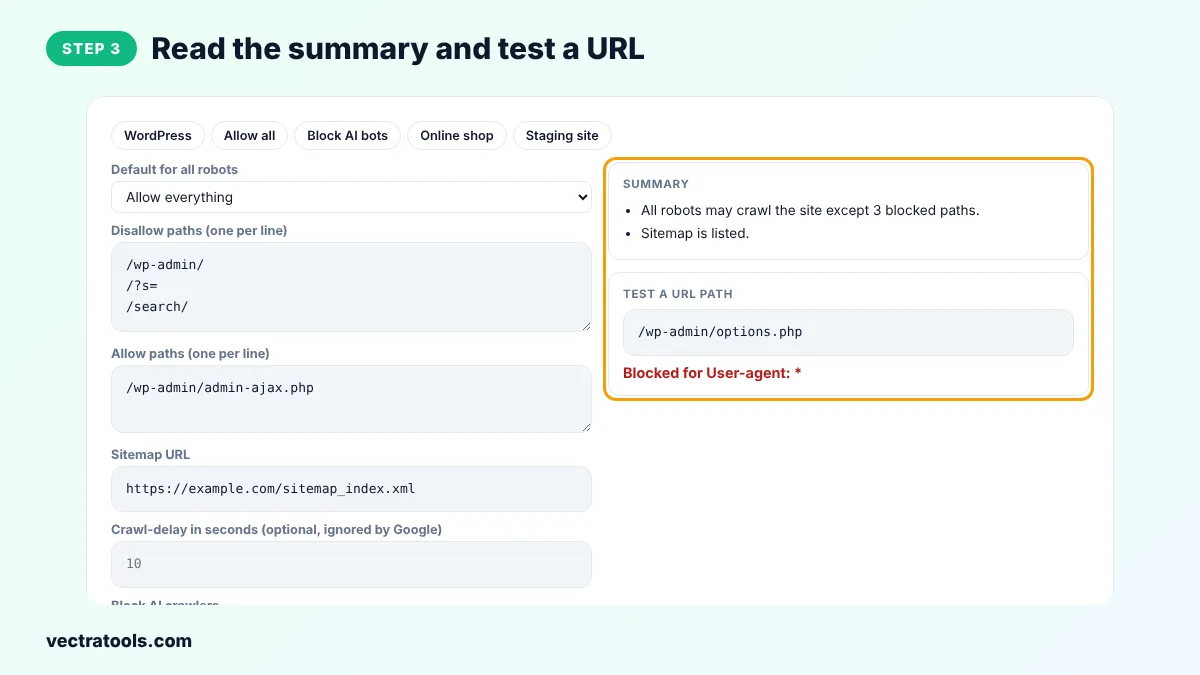
Step 3: Read the Summary and Test a URL
The Summary explains your rules in plain English. Type a path such as /wp-admin/options.php in the test box to see whether it is allowed or blocked.
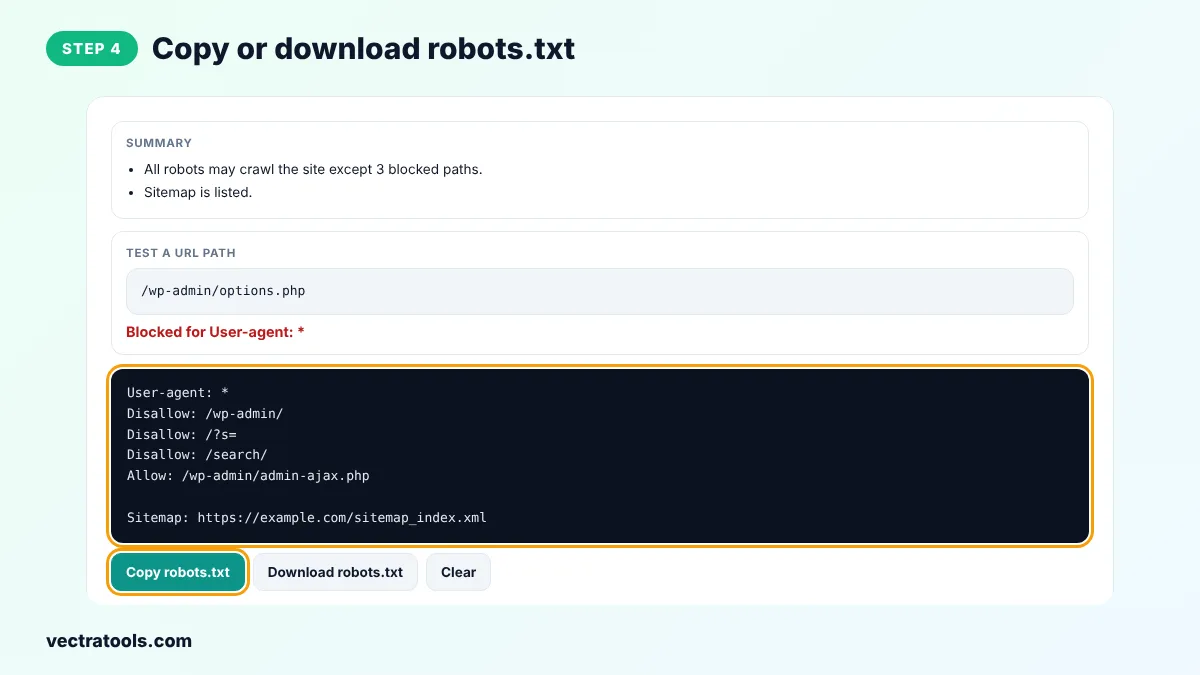
Step 4: Copy or Download robots.txt
Click Copy robots.txt or Download robots.txt. Upload the file to the root folder of your site so it opens at yourdomain.com/robots.txt.
What Robots.txt Does Not Do
Robots.txt is a request, not a lock. Well-behaved crawlers such as Googlebot follow it, but bad bots can ignore it. It also does not remove pages from Google. A blocked page can still appear in results if other sites link to it. To keep a page out of search, use a noindex meta tag and let Google crawl the page so it can see that tag. Never use robots.txt to hide private data. Use a password instead.
Robots.txt Generator Tips
- Do not block CSS and JavaScript files. Google needs them to render your pages.
- Paths are case-sensitive. /Private/ and /private/ are different.
- Use * as a wildcard and $ to mark the end of a URL, for example Disallow: /*.pdf$.
- After uploading, check the file in the robots.txt report in Google Search Console.
- Use the robots.txt generator Staging site preset only on test copies. Uploading it to a live site blocks all search engines.
The robots.txt generator follows the Robots Exclusion Protocol (RFC 9309) used by Google, Bing and other major search engines.
Frequently Asked Questions
What is a robots.txt file?
A robots.txt file is a plain text file at the root of a website that tells crawlers which pages or folders they should not visit.
Where do I upload robots.txt?
To the root of your domain, so it opens at https://yourdomain.com/robots.txt. It does not work in a subfolder.
How do I block AI crawlers like GPTBot?
Add a User-agent: GPTBot line followed by Disallow: /. Tick the AI crawler boxes in the robots.txt generator to add these rules for GPTBot, CCBot, Google-Extended, ClaudeBot and PerplexityBot.
Does robots.txt remove pages from Google?
No. It stops crawling, not indexing. Use a noindex meta tag to remove a page from search results.
What does Disallow with an empty value mean?
Disallow: with nothing after it means nothing is blocked, so every page may be crawled.
Does Google support Crawl-delay?
No. Google ignores Crawl-delay. Bing and some other crawlers respect it.
Is this robots.txt generator free?
Yes. It is free, needs no sign-up and runs in your browser.