

Regex Tester Online – Test Regular Expressions Live
Regex Tester
Test JavaScript regular expressions live, see every match and capture group highlighted, and try replacements
Quick answer
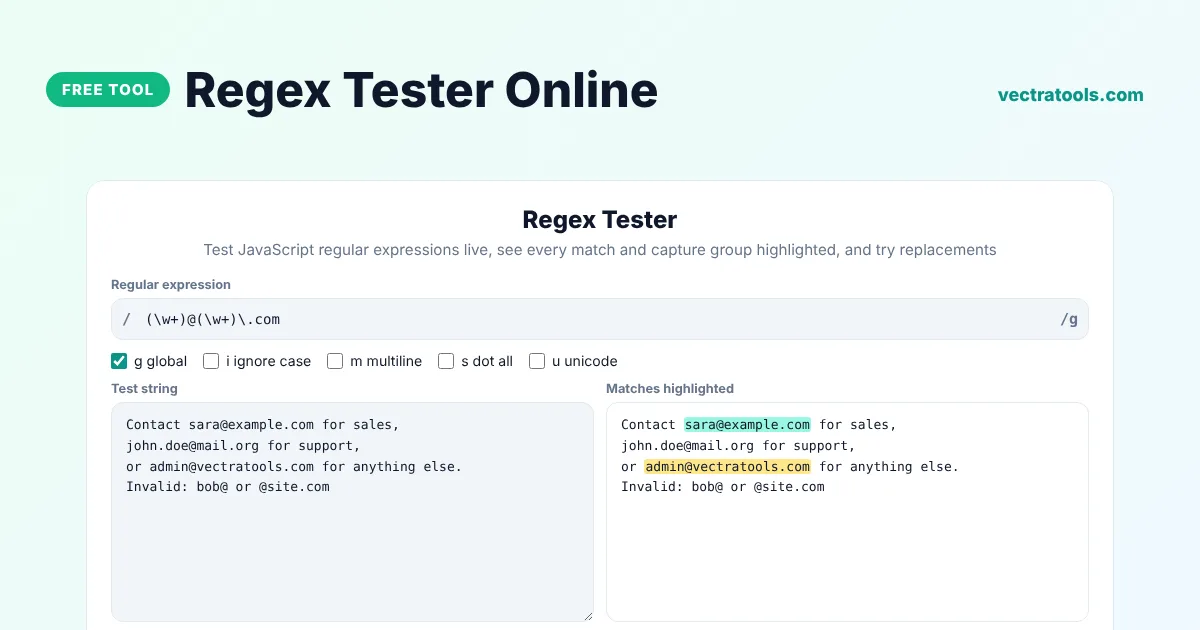
A regex tester lets you type a regular expression and instantly see which parts of a text it matches. Enter your pattern, choose flags such as g or i, paste a test string and every match is highlighted, with capture groups listed in a table. You can also test a replacement using $1 and $2.
Our free regex tester online uses the same JavaScript regex engine as your browser, so the results match what your code will do in Chrome, Node.js and other modern runtimes. It is useful for building validation rules, extracting data from logs, cleaning text and learning regular expressions step by step.
What the Regex Tester Shows
- Every match in the test string, highlighted in alternating colours so neighbouring matches are easy to tell apart.
- A table with each match, its start index and the value of every capture group.
- The number of matches, the number of groups, the time the search took and the length of the text.
- A clear error message when the pattern is invalid, such as an unclosed bracket or a bad escape.
- The result of a replace, so you can check $1 and $2 references before you use them in code.
Common Regex Patterns
| Pattern | Matches |
|---|---|
\d+ | One or more digits, such as 42 or 2026 |
^\w+@\w+\.\w+$ | A simple email address on its own line (use the m flag for many lines) |
\b[A-Z][a-z]+\b | Capitalised words such as London or Monday |
#[0-9a-fA-F]{6}\b | Six-digit hex colour codes such as #0d9488 |
(\d{4})-(\d{2})-(\d{2}) | Dates in YYYY-MM-DD format, with year, month and day as groups |
\s{2,} | Two or more spaces in a row |
How to Use the Regex Tester
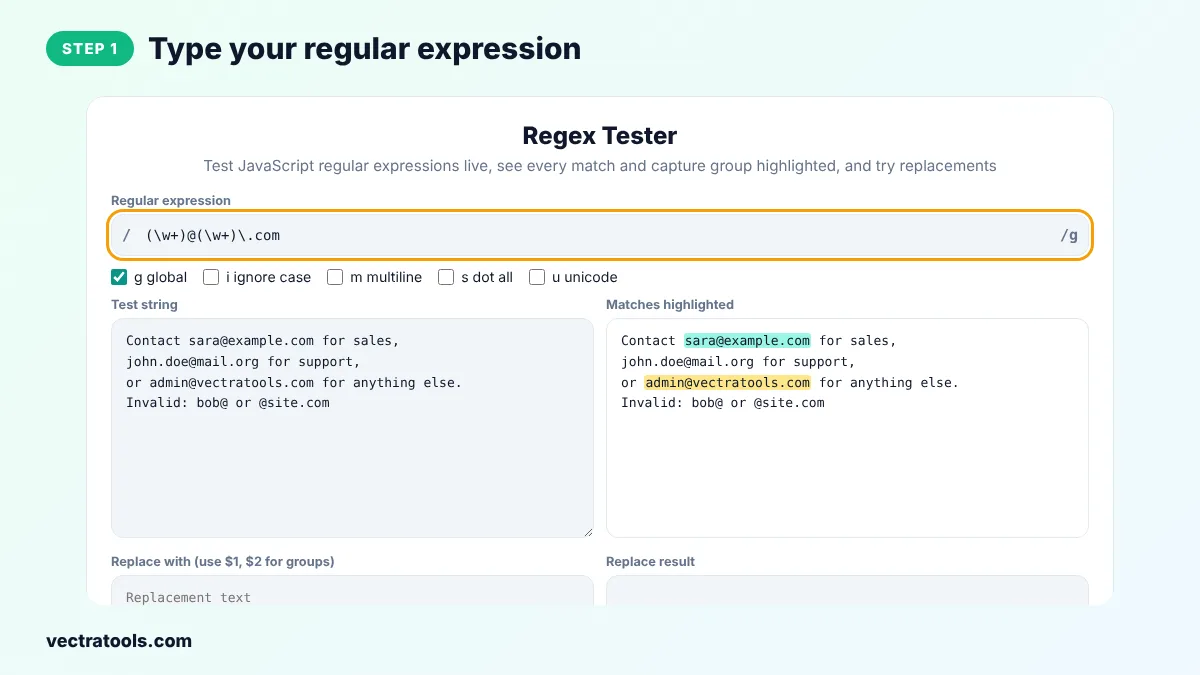
Step 1: Type Your Regular Expression
Enter the pattern between the slashes, without the slashes themselves. The regex tester checks it as you type and tells you straight away if the syntax is wrong.
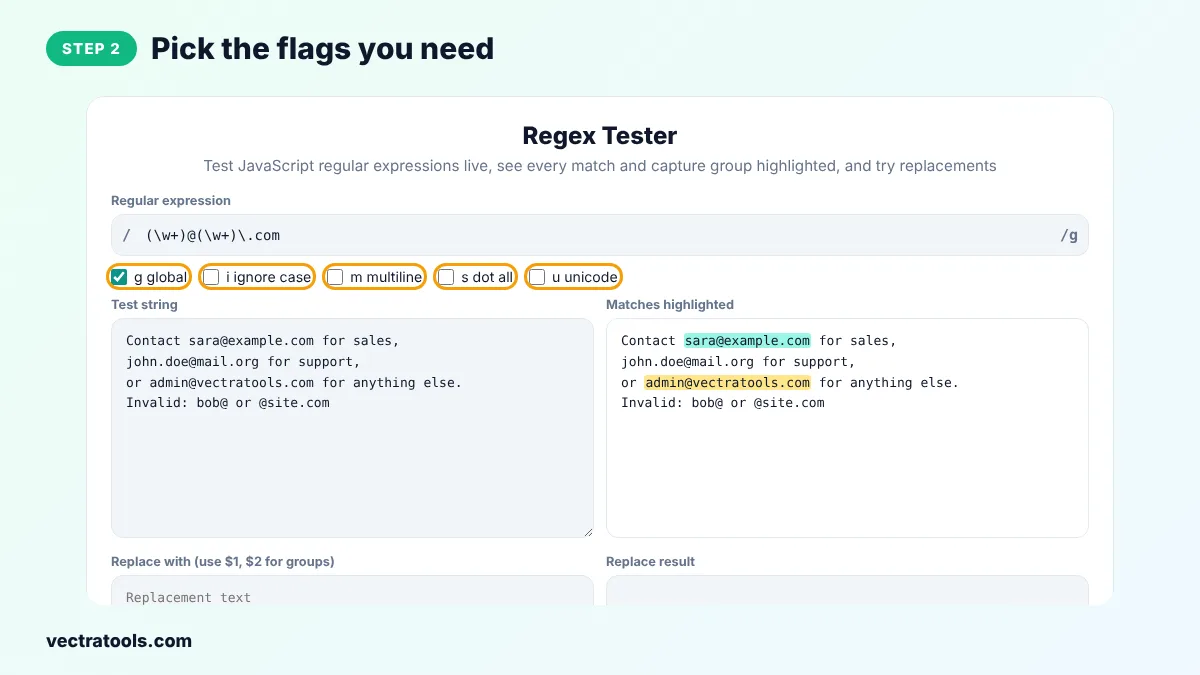
Step 2: Pick the Flags You Need
Tick g to find all matches instead of only the first, i to ignore case, m so ^ and $ work on every line, s so the dot also matches line breaks, and u for full Unicode support.
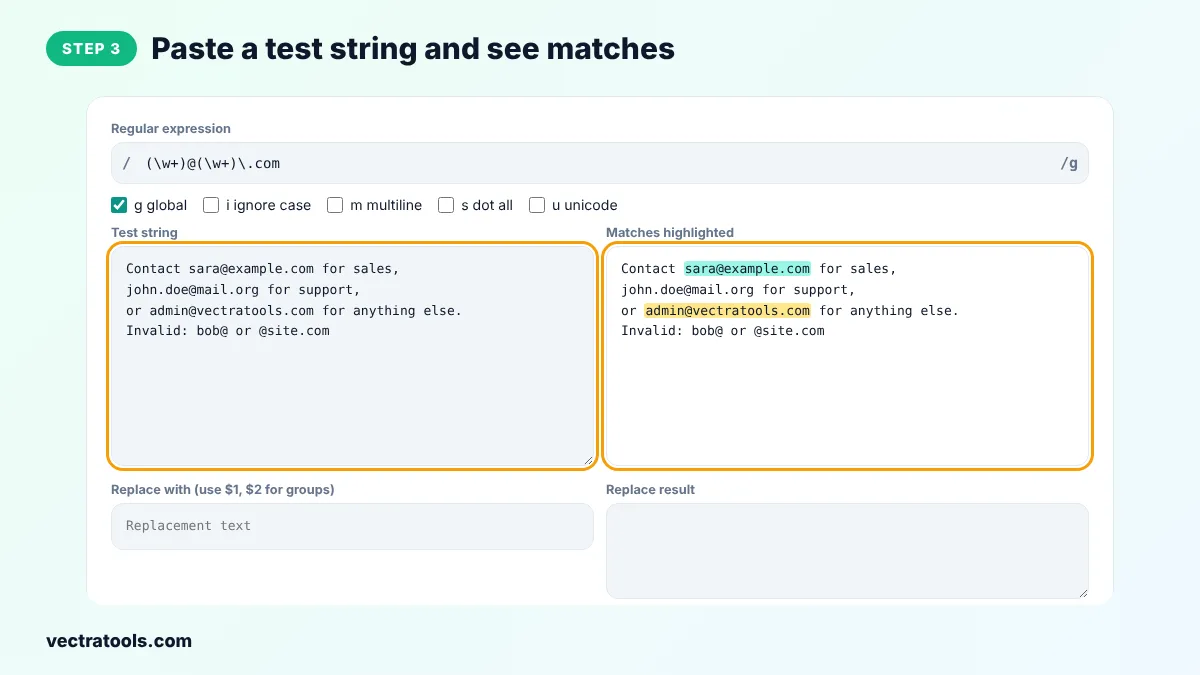
Step 3: Paste a Test String and See the Matches
Paste the text you want to search into Test string. Matches are highlighted on the right as you type, and the stats show how many were found.
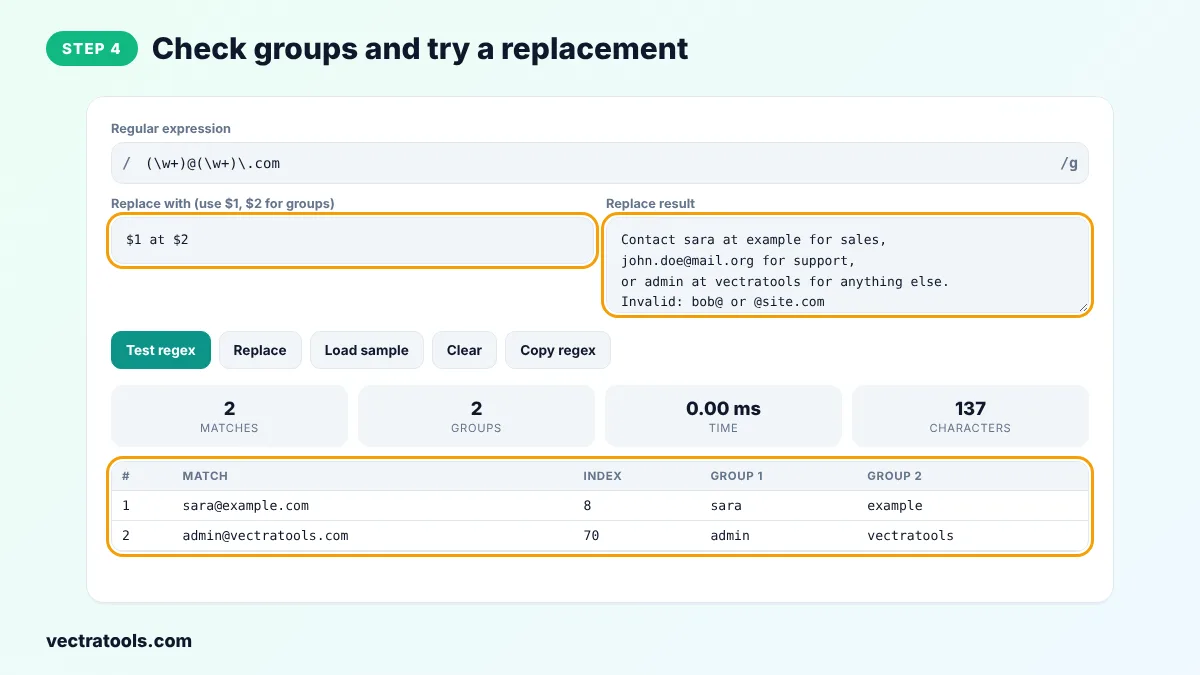
Step 4: Check Groups and Try a Replacement
Scroll to the match table to see the index and each capture group. Type a replacement such as $1 at $2 and click Replace to preview the new text. Click Copy regex to copy the pattern with its flags.
Regex Cheat Sheet
| Token | Meaning |
|---|---|
. | Any character except a line break |
\d \w \s | Digit, word character, whitespace |
\D \W \S | Not a digit, not a word character, not whitespace |
* + ? | 0 or more, 1 or more, 0 or 1 |
{2,5} | Between 2 and 5 times |
^ $ | Start and end of the text, or of each line with the m flag |
[abc] [^abc] | One of a, b or c, or any character except those |
( ) (?: ) | Capture group and non-capturing group |
a|b | a or b |
\b | Word boundary |
Regex Tester Tips
- Start with a small pattern that matches one example, then make it stricter step by step.
- Add ^ and $ when the whole input must match, for example in form validation. Without them the pattern can match part of a longer string.
- Use lazy quantifiers such as .*? when a greedy .* grabs too much text.
- Escape special characters such as . ? + ( ) [ ] with a backslash when you mean the literal character.
Frequently Asked Questions
What is a regex tester?
A regex tester is a tool where you type a regular expression and a sample text and see exactly what the pattern matches. It saves you from running your code again and again to debug a pattern.
Which regex flavour does this tool use?
It uses the JavaScript (ECMAScript) regex engine built into your browser. Results match JavaScript and Node.js. Most simple patterns also work the same in Python, PHP and Java, but some advanced features differ.
Why does my regex only find one match?
The g (global) flag is off. Without g the search stops after the first match. Tick g global to find every match.
What do $1 and $2 mean in the replacement?
They insert the text captured by the first and second groups in brackets. For example, (\w+)@(\w+) with the replacement $2:$1 turns sara@example into example:sara.
How do I match a dot or a bracket literally?
Put a backslash in front of it, for example \. for a dot or \( for an opening bracket. Without the backslash these characters have a special meaning.
Why does the tester say my pattern is invalid?
The pattern has a syntax error, such as an unclosed bracket, a quantifier with nothing before it, or an unsupported escape. The error message from the browser tells you what went wrong.
Is my text sent to a server?
No. The regex tester runs entirely in your browser, so your patterns and test data stay on your device.