

Work Hours Calculator – Weekly Timesheet with Breaks and Overtime
Work Hours Calculator
| Day | Start | End | Break (min) | Hours |
|---|

Quick answer
A work hours calculator adds up the time you worked each day: end time minus start time minus unpaid breaks. 9:00 AM to 5:30 PM with a 30 minute break is 8 hours, so five such days make 40 hours. Add a 4 hour Saturday shift and the week is 44 hours, with 4 hours of overtime if overtime starts after 40.
Our free work hours calculator works as a simple weekly timesheet. Fill in each day, and it totals your hours, converts them to decimal hours for payroll, splits regular hours from overtime and, if you add your hourly rate, estimates your gross pay.
How to Calculate Hours Worked
For each day, subtract the start time from the end time, then subtract unpaid breaks. Add the days together for the weekly total. If a shift ends after midnight, add 24 hours to the end time first. The table shows a typical week.
| Day | Start | End | Break | Hours |
|---|---|---|---|---|
| Mon to Fri | 9:00 AM | 5:30 PM | 30 min | 8:00 each, 40:00 total |
| Saturday | 10:00 AM | 2:00 PM | 0 min | 4:00 |
| Night shift | 10:00 PM | 2:00 AM | 0 min | 4:00 |
| Week total | 44:00 (or 48:00 with the night shift) |
How to Use the Work Hours Calculator
Step 1: Enter Start, End and Break Times
Open the work hours calculator. Monday to Friday are filled in with 09:00 to 17:30 and a 30 minute break as an example. Change the times to match your week, and tick or untick the box at the start of each row for days you did or did not work.

Step 2: Add Extra Days, Your Rate and Overtime Rule
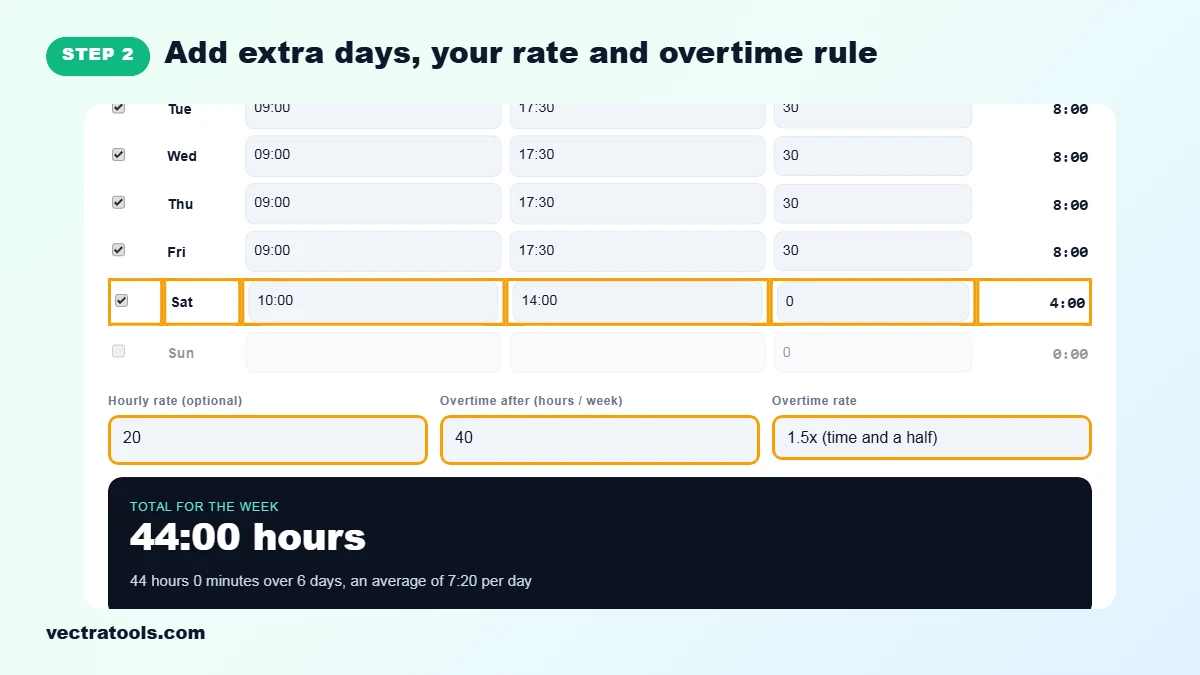
Tick Saturday or Sunday if you worked them, for example 10:00 to 14:00. Enter your hourly rate, the number of hours after which overtime starts (40 by default) and the overtime rate, such as 1.5x.
Step 3: Read Total Hours, Overtime and Pay
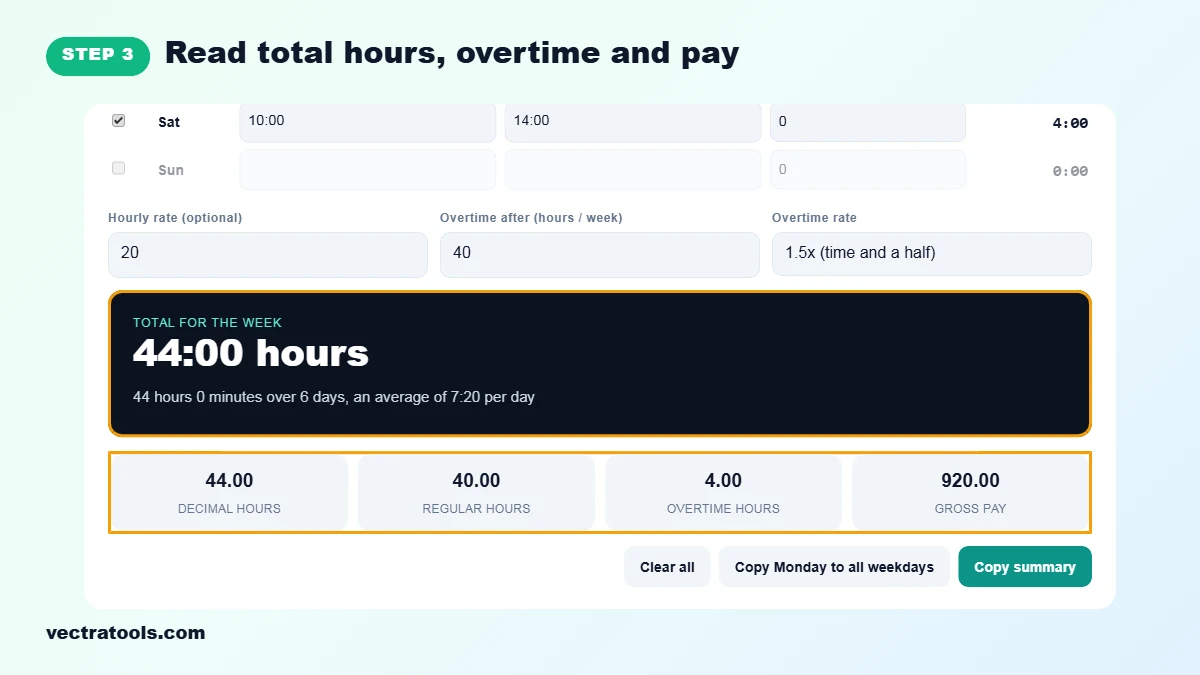
The dark panel shows the weekly total in hours and minutes and the average per day. The cards give decimal hours, regular hours, overtime hours and gross pay. In the example: 44.00 hours, 40.00 regular, 4.00 overtime and 920.00 pay at 20 per hour.
Step 4: Copy the Summary for Your Timesheet
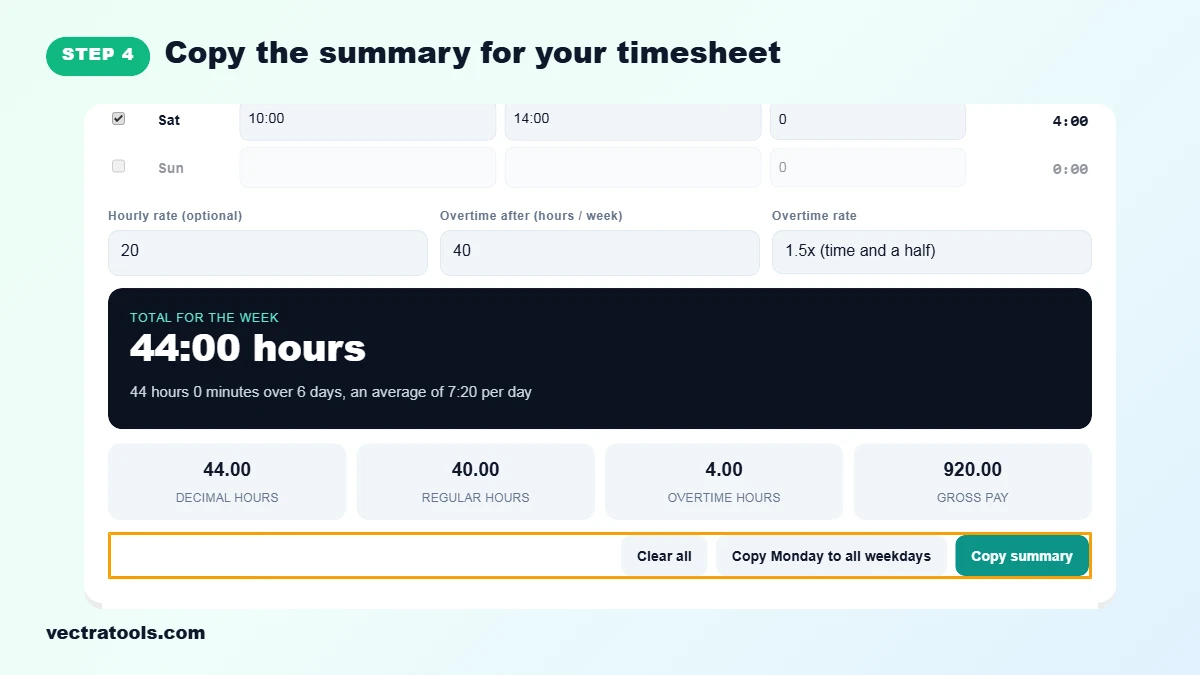
Click Copy summary to copy the totals, then paste them into an email, invoice or payroll system. Copy Monday to all weekdays fills the week from Monday, and Clear all starts a new week.
Hours and Minutes vs Decimal Hours
Timesheets often show 7:45, meaning 7 hours 45 minutes, while payroll needs 7.75 hours. Divide the minutes by 60 to convert: 15 minutes is 0.25, 30 minutes is 0.50 and 45 minutes is 0.75. The calculator shows both, so you never pay or bill 7.45 hours by mistake.
How Overtime Is Worked Out
Overtime here is weekly: every hour above the limit you set is overtime. With a 40 hour limit, a 44 hour week has 40 regular hours and 4 overtime hours. Pay is regular hours times your rate plus overtime hours times your rate times the overtime multiplier. Rules differ by country, contract and state, and some count overtime per day, so check what applies to you.
Work Hours Tips
- Only subtract unpaid breaks. Paid rest breaks count as working time.
- Record times as you go rather than at the end of the week, it is far more accurate.
- For night shifts, enter the real end time, such as 02:00. The calculator knows it is the next day.
- Gross pay is before tax and deductions. Your payslip will show the net amount.
Frequently Asked Questions
How do I calculate my work hours?
For each day, subtract your start time from your end time and take off unpaid breaks. Add up the days for the weekly total. The calculator does this for every day at once.
How many hours is 9 to 5:30 with a 30 minute break?
8 hours. 9:00 to 17:30 is 8 hours 30 minutes, minus the 30 minute break.
How do I convert work hours to decimal?
Divide the minutes by 60. 8 hours 15 minutes is 8.25 hours and 7 hours 45 minutes is 7.75 hours.
How is overtime calculated?
Hours above your weekly limit, 40 by default, are overtime and are paid at your overtime rate, such as 1.5 times your hourly rate.
Can I enter a night shift?
Yes. If the end time is earlier than the start time, the shift is counted into the next day, so 22:00 to 02:00 is 4 hours.
Does it save my timesheet?
No. Nothing is stored or uploaded. Use Copy summary to keep your totals.
Is this work hours calculator free?
Yes. It is free, needs no sign-up and works on phones and computers.