

Vigenere Cipher Decoder – Decode and Encode Messages with a Keyword
Vigenère Cipher Decoder
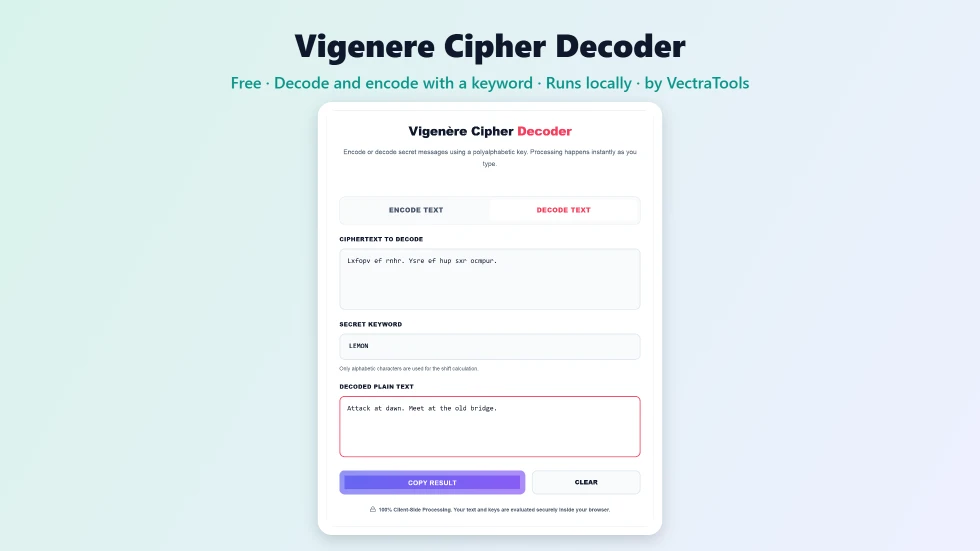
Use this free Vigenere cipher decoder to decode or encode secret messages with a keyword. Processing happens instantly as you type.
Quick answer
To use this Vigenere cipher decoder, stay on Decode Text, paste the ciphertext and type the secret keyword, such as LEMON. The plain text appears instantly as you type. Only letters are shifted, so spaces, numbers and punctuation stay as they are, and upper and lower case are preserved. Switch to Encode Text to turn your own message into Vigenere ciphertext, then press Copy Result.
The Vigenere cipher improves on the Caesar cipher by using a keyword instead of a single shift. Each letter of the keyword sets a different shift, so the same plain letter can turn into different cipher letters. For centuries it was known as le chiffre indéchiffrable, the unbreakable cipher. This free Vigenere cipher decoder decodes and encodes it instantly.
I set the tool to open in Decode mode, since most visitors arrive with a coded message and a keyword. It works in real time, so you can see the message appear as you type the key.
Vigenere Cipher Decoder Features
| Feature | How it works |
|---|---|
| Decode and encode | Decode Text and Encode Text tabs |
| Any keyword | Use any word or phrase as the key; non-letters in the key are ignored |
| Real-time output | The result updates as you type the text or the keyword |
| Keeps case | Upper and lower case letters stay as they were |
| Keeps punctuation | Spaces, numbers and symbols pass through unchanged |
| Opens in Decode mode | Ready for the most common task straight away |
| Copy and clear | Copy the result or clear all fields in one click |
| Private | Runs locally in your browser |
How to Use the Vigenere Cipher Decoder
Step 1: Choose Decode or Encode and paste your text
The tool opens on Decode Text. Paste the ciphertext into Ciphertext to Decode. To create a coded message instead, click Encode Text and type your plain text.

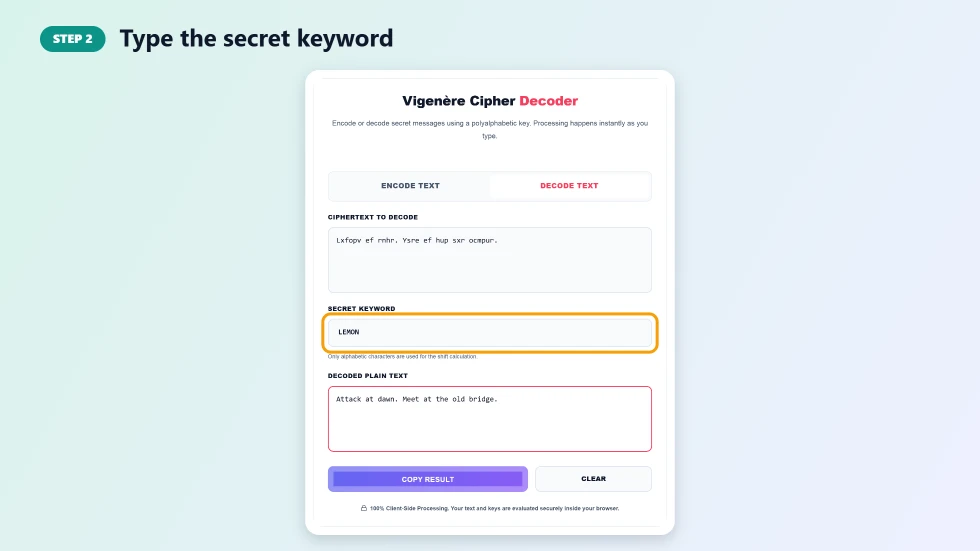
Step 2: Type the secret keyword
Enter the keyword in Secret Keyword. Only letters are used, and capitals do not matter, so LEMON and lemon give the same result. The keyword repeats along the message, skipping spaces and punctuation.
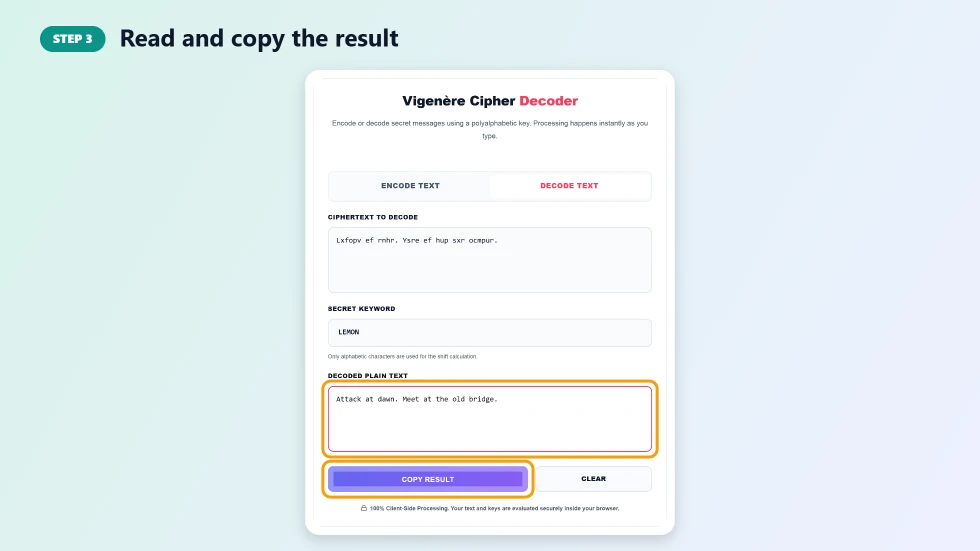
Step 3: Read and copy the result
The decoded or encoded text appears in the result box straight away. Press Copy Result to copy it, or Clear to start again. If the result still looks scrambled, double-check the keyword spelling.
How the Vigenere Cipher Works
Write the keyword above the message, repeating it as often as needed. Each keyword letter tells you how far to shift the letter below it: A means 0, B means 1, up to Z which means 25. With the keyword LEMON, the A in ATTACK is shifted by 11 (L) to become L, the first T is shifted by 4 (E) to become X, and so on. Decoding simply shifts each letter back by the same amounts.
Vigenere vs Caesar Cipher
- Caesar: one fixed shift for every letter, only 25 possible keys.
- Vigenere: a keyword gives a sequence of shifts, so there are far more possible keys.
- Frequency analysis: easy against Caesar, much harder against Vigenere with a long key.
- Breaking it: Vigenere can still be cracked with methods like the Kasiski test, so it is not secure today.
Vigenere Cipher Decoder Tips
- Longer, random keywords make the cipher much harder to break than short dictionary words.
- Make sure both people use exactly the same keyword spelling.
- If the first few words decode correctly but the rest do not, the ciphertext may have missing or extra letters.
- For real privacy, use modern encryption such as the AES text encryptor.
Frequently Asked Questions
Is this Vigenere cipher decoder free?
Yes. It is free with no sign-up and runs in any modern browser.
Can I decode a Vigenere cipher without the keyword?
This tool needs the keyword. Without it, the cipher has to be broken with statistical methods such as the Kasiski examination, which work best on long messages.
Does the keyword have to be in capitals?
No. LEMON, Lemon and lemon all give the same result. Any spaces or numbers in the keyword are ignored.
Are spaces and punctuation encrypted?
No. Only letters are shifted. Spaces, numbers and punctuation stay in place, and the keyword is not used up on them.
Is the Vigenere cipher secure?
Not by modern standards. It is great for puzzles, escape rooms and learning, but should not be used for real secrets.
What is a famous Vigenere example?
The textbook example is ATTACK AT DAWN with the keyword LEMON, which encodes to LXFOPV EF RNHR.