

Time Tracker Online – One-Click Timer and Work Log
Time Tracker Online
Log your work hours effortlessly. Type what you are working on, hit play, and your time is securely saved in your browser.
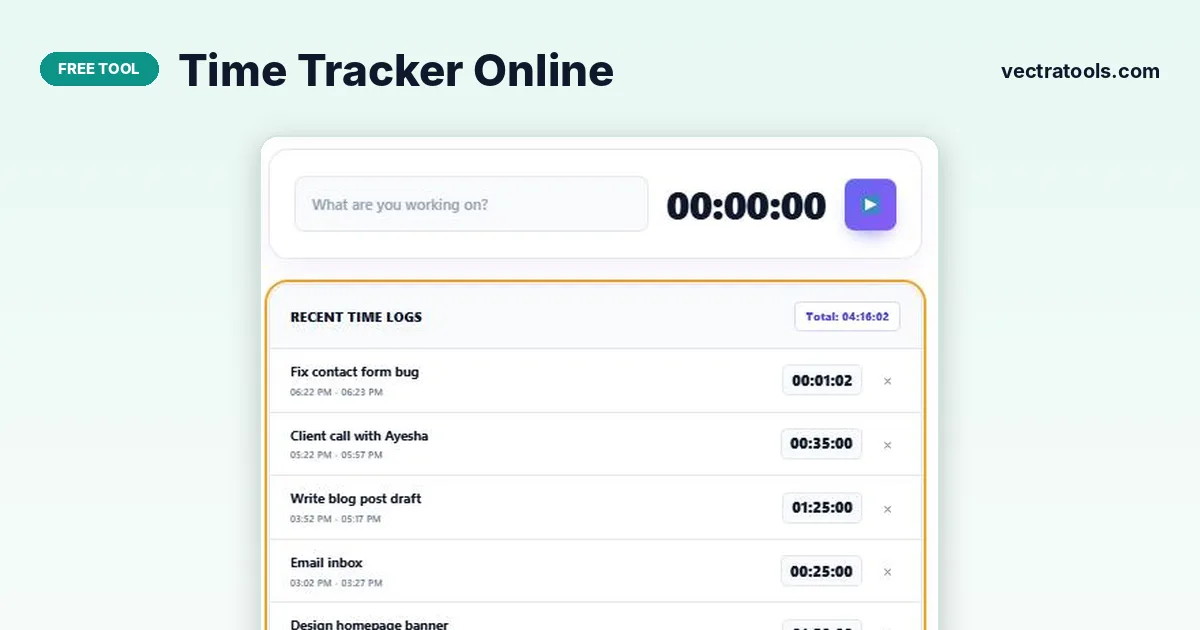
Quick answer
Type what you are working on and press the play button. The time tracker online counts up in hours, minutes and seconds; press stop and the session is added to Recent Time Logs with its start time, end time and duration. The total at the top adds up every log, and an active timer keeps running even if you close the tab.
Knowing where your hours really go is the first step to using them better. Freelancers need it for invoices, students for study plans and everyone for spotting time sinks.
This time tracker online is built around a single button. There are no projects or settings to configure: name the task, start the clock and stop it when you are done. Every session is saved in your browser with its times and duration.
Example Timesheet
| Task | Time | Duration |
|---|---|---|
| Design homepage banner | 1:02 – 2:52 PM | 1:50:00 |
| Email inbox | 3:02 – 3:27 PM | 0:25:00 |
| Write blog post draft | 3:52 – 5:17 PM | 1:25:00 |
| Client call with Ayesha | 5:22 – 5:57 PM | 0:35:00 |
| Total | 4:15:00 |
How to Use the Time Tracker Online
Start the timer every time you switch tasks; it only takes a second.
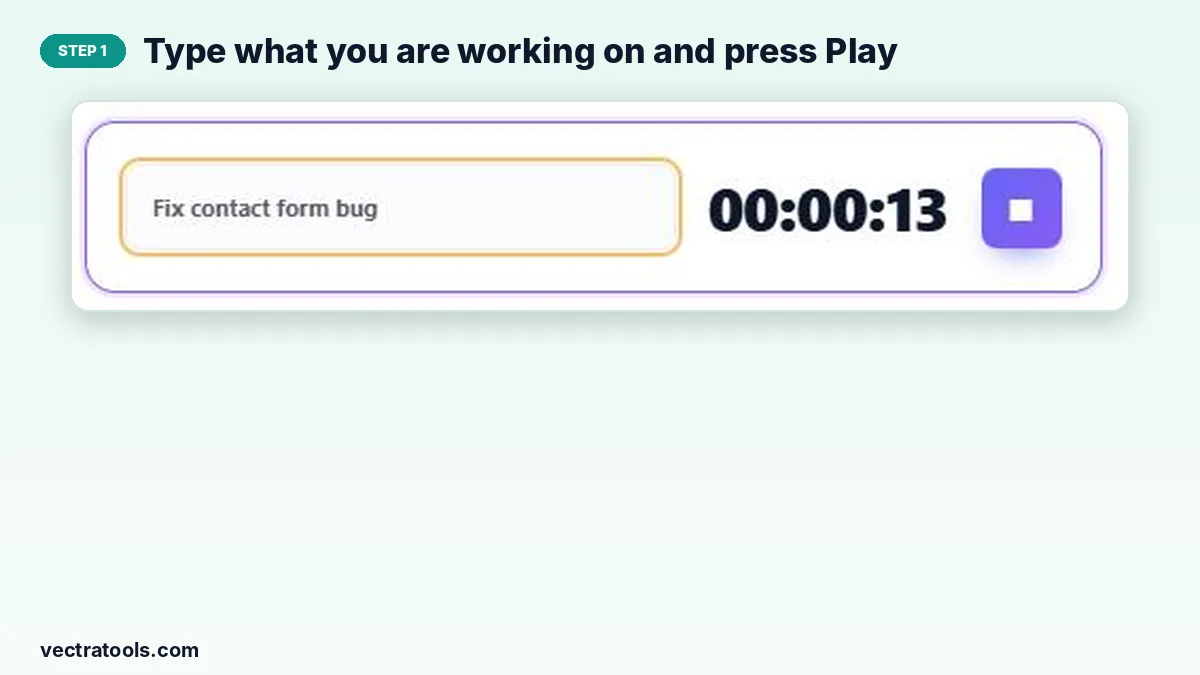
Step 1: Type what you are working on and press Play
Write the task in “What are you working on?” and press the purple play button. If you leave the name empty, the session is saved as “Untitled Task”.
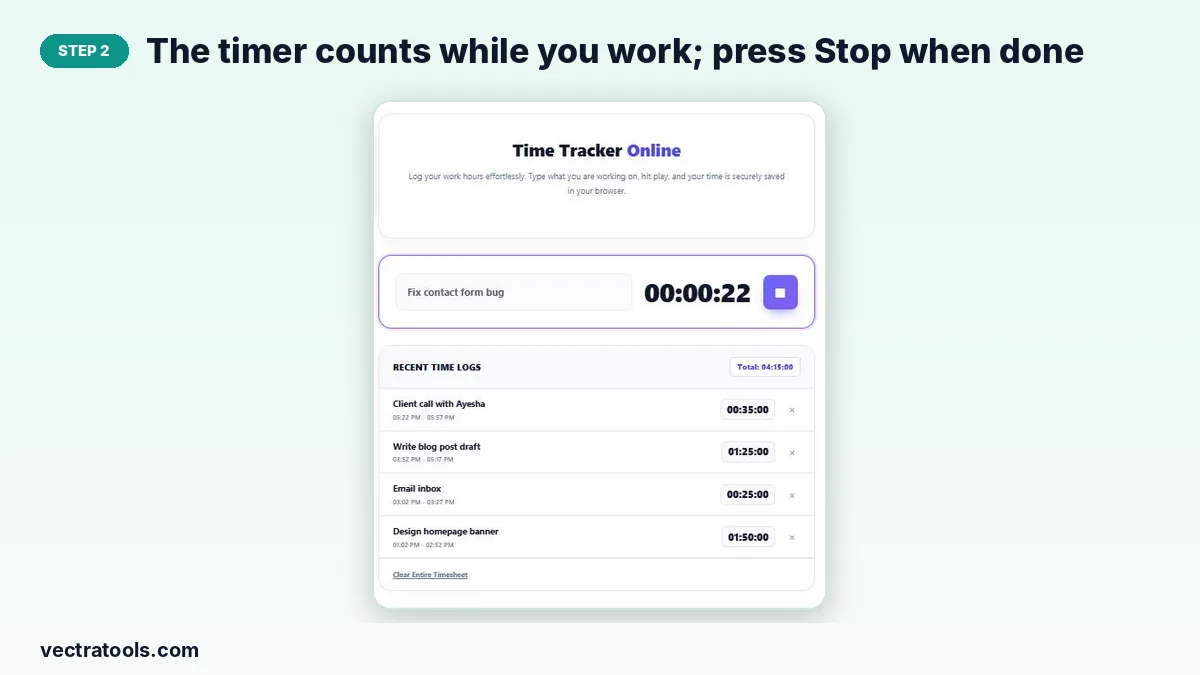
Step 2: The timer counts while you work; press Stop when done
The clock shows hours, minutes and seconds. Press the square stop button when you finish or switch to something else. If you close the tab, the timer carries on and resumes when you come back.
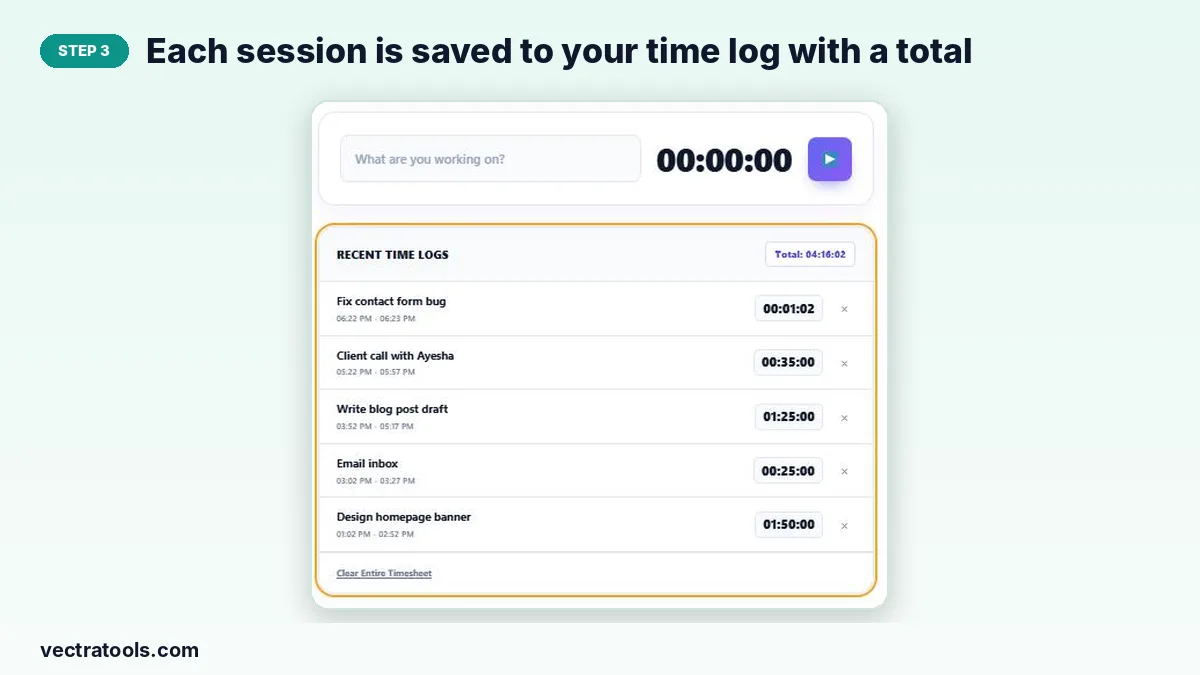
Step 3: Each session is saved to your time log with a total
Recent Time Logs lists each session, newest first, with its start and end time and duration. The total badge adds them all up. Remove an entry with × or start fresh with Clear Entire Timesheet.
Ideas for Tracking Your Time
- Freelance work: log each client task and add the hours to your invoice.
- Study: track revision sessions per subject.
- Time audit: track everything for one week to see where your day goes.
- Focus: combine with the Pomodoro Timer for 25-minute work blocks.
Privacy
All logs are stored in your browser’s local storage only. Nothing is uploaded, so your work patterns stay private. Logs do not sync between devices, so track on the computer you work on.
Why Use a Time Tracker Online
Estimating your hours from memory at the end of the week is almost always wrong. A time tracker online records the real start and end of every session as it happens. Because this time tracker online runs in the browser with one button, there is nothing to install and almost no effort to keep it going all day.
Frequently Asked Questions
Is this time tracker online free?
Yes. It is free with no account and no limit on logs.
What happens if I close the tab while the timer is running?
The start time is saved, so when you reopen the page the timer shows the correct elapsed time and keeps running.
Can I edit a time log?
Logs cannot be edited. Delete a wrong entry with × and track it again.
Does it calculate earnings?
No. For hourly rates and invoice totals use the Billable Hours Tracker.
Can I track two tasks at once?
No. One timer runs at a time, which keeps your log accurate.
How do I reset everything?
Press Clear Entire Timesheet to delete all logs.