

Sticky Notes Online – Colourful Notes Saved in Your Browser
Sticky Notes Online
Jot down your ideas, reminders, and quick thoughts. Your notes are automatically saved securely in your browser.

Quick answer
Pick one of the five note colours, press “+ Add Note” and type straight into the new note. Every note is timestamped and saved automatically in your browser. Hover a note to change its colour or delete it, or use Clear All to start a fresh board. Sticky notes online need no account.
Sticky notes are perfect for thoughts that are too small for a document but too important to forget: a phone number, an idea for later, a reminder for this afternoon.
This sticky notes online board puts colourful notes in a grid on your screen. Colour-code them by topic, type as much as you like, and come back later to find them exactly where you left them.
Features
| Feature | Details |
|---|---|
| Five colours | Yellow, blue, green, pink and purple |
| Timestamps | Each note shows the date and time it was created |
| Auto-save | Notes are saved to your browser’s local storage as you type |
| Change colour | The colour button on a note switches it to another colour |
| Delete | The × on a note removes that note; Clear All removes every note |
A simple colour code helps: yellow for ideas, blue for work, green for personal, pink for urgent, purple for later.
How to Use the Sticky Notes Online
Open the board, add notes as thoughts come up, and leave the tab open or return to it later.
Step 1: Choose a note colour
Click one of the coloured circles next to Note Color. The selected colour gets a dark ring and is used for the next note you add.

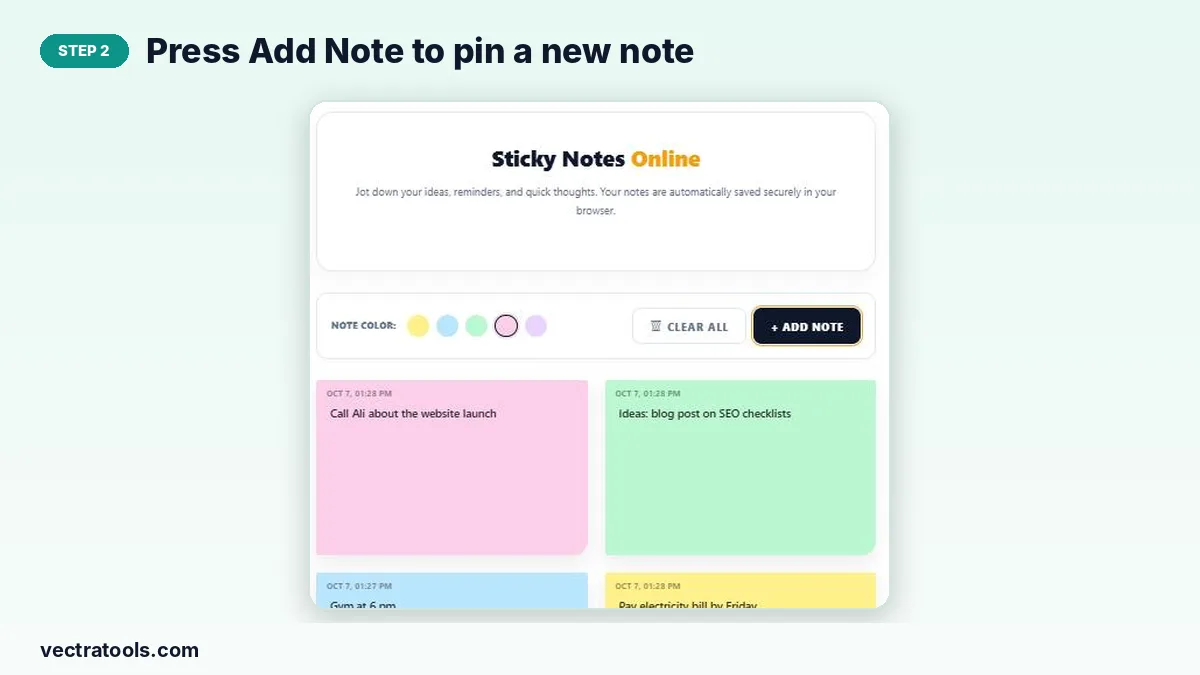
Step 2: Press Add Note to pin a new note
Click “+ Add Note”. A new note appears at the top of the board with today’s date and time.
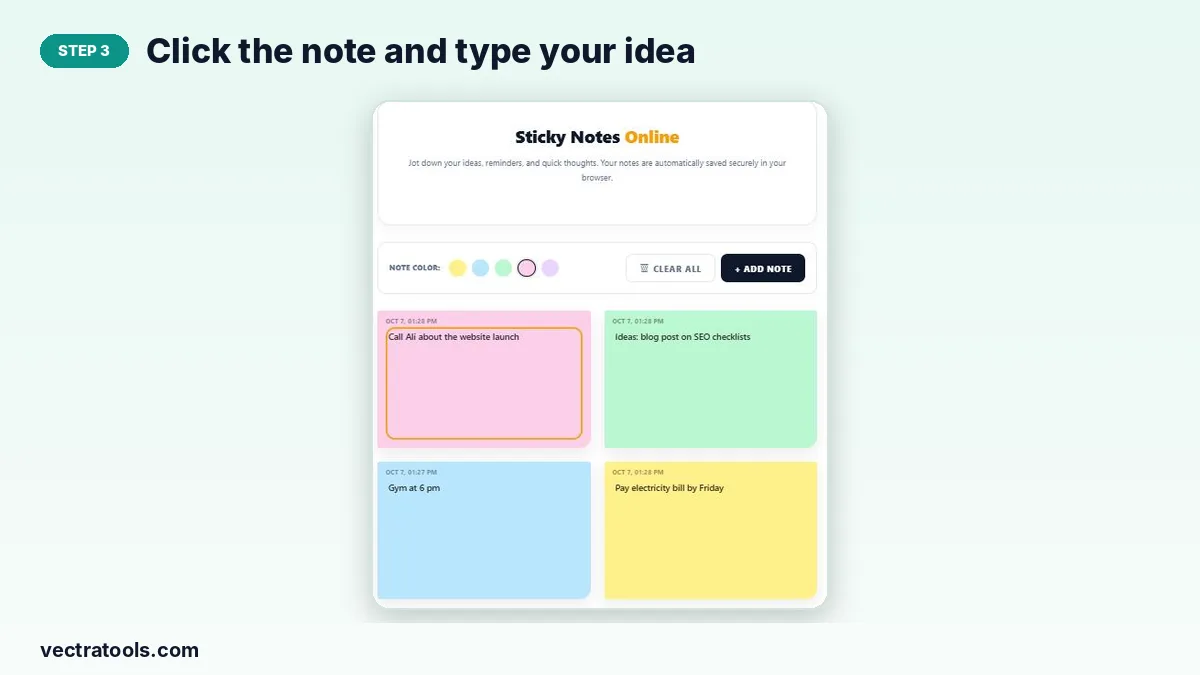
Step 3: Click the note and type your idea
Click inside the note and type. There is no save button: the text is stored automatically in your browser as you write.
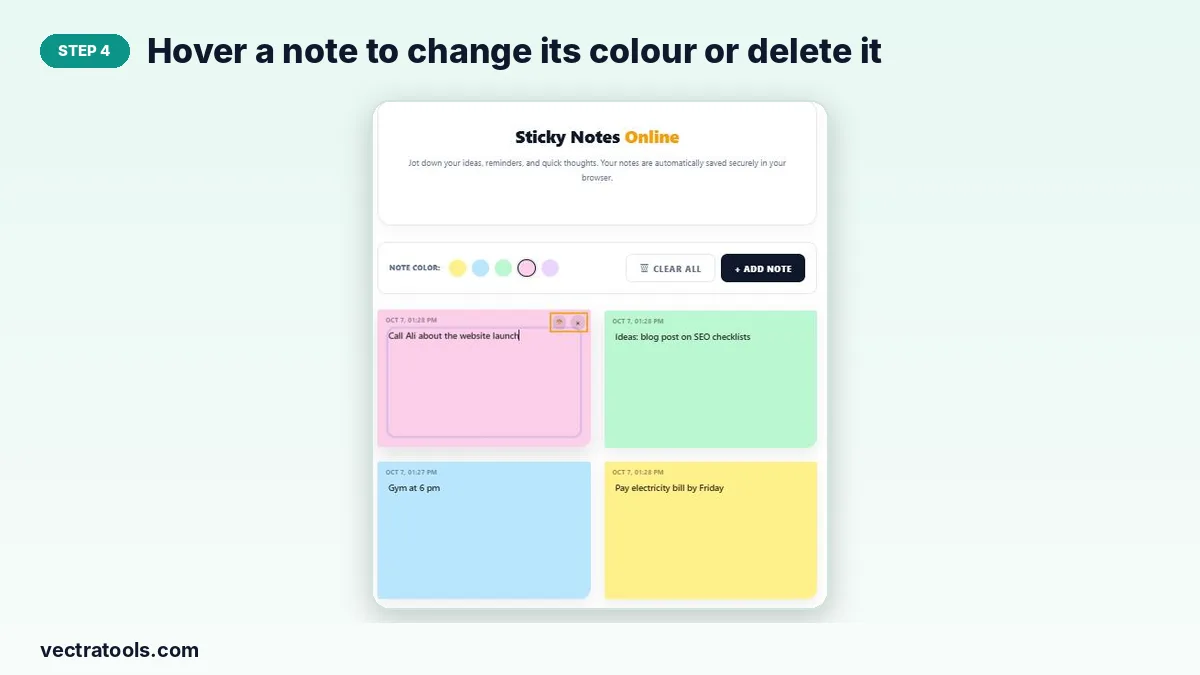
Step 4: Hover a note to change its colour or delete it
Move the pointer over a note to show its two small buttons: change colour, and × to delete. Clear All at the top removes every note at once.
Ways to Use Sticky Notes
- A quick brain dump at the start of the day.
- Reminders you need to see while you work in other tabs.
- Collecting ideas for a blog post, video or project.
- Phone numbers, order numbers or addresses you need for an hour or two.
Where Are My Notes Stored?
Only in your browser’s local storage. They are never uploaded, which keeps them private. Notes do not sync between devices, and clearing your browser data or using a private window removes them, so move anything important to a permanent place.
Why Use Sticky Notes Online
Paper notes fall off monitors and get lost under keyboards. Sticky notes online stay on your screen, can be colour-coded in a click and never run out. Because these sticky notes online save automatically, you can close the tab and find every note waiting when you return.
Frequently Asked Questions
Are sticky notes online free to use?
Yes. The board is free with no sign-up and no limit on notes.
Do my notes save automatically?
Yes. Each note is saved in your browser while you type, and the board reloads with your notes next time.
Can I see my notes on another device?
No. Notes are stored locally in one browser and do not sync.
How do I change a note’s colour?
Hover the note and click the colour button in its corner to switch it to another colour.
How do I delete all notes?
Press Clear All and confirm. This cannot be undone.
Is there a limit on note length?
No practical limit, but short notes are easier to scan on the board.