

Reading List Manager Online – Track Books and Articles
Reading List Manager
Curate your personal library. Track books, research papers, and articles from your wishlist all the way to completion.

Quick answer
Enter the title, author or source, choose a type (Book, Article, Research Paper or Newsletter) and a status (To Read, Reading or Finished), then press + Add to List. The reading list manager sorts items into three columns and shows totals for saved, currently reading and finished. Change an item’s status on its card as you go.
Recommendations come from everywhere: friends, podcasts, newsletters, colleagues. Without one list, most of them are forgotten. A reading list keeps your “to read” ideas safe and shows your progress.
This reading list manager organises everything into To Read, Reading and Finished columns. It handles books, articles, research papers and newsletters, and saves your library in your browser with no sign-up.
Statuses and Types
| Status | Use it for |
|---|---|
| To Read | Books and articles you want to read next |
| Reading | What you are reading right now |
| Finished | Everything you have completed |
Types (Book, Article, Research Paper, Newsletter) appear as a small tag on each card, so you can see the mix of your reading at a glance.
How to Use the Reading List Manager
Add items the moment you hear about them; it takes a few seconds.
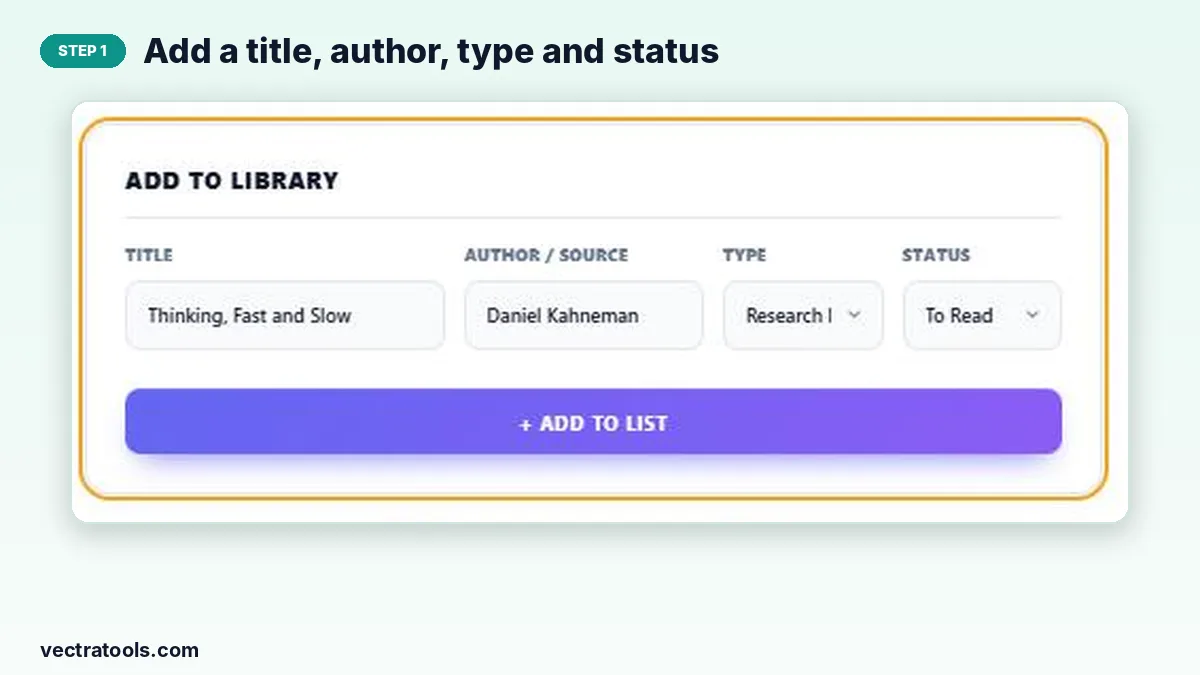
Step 1: Add a title, author, type and status
Fill in Title and Author / Source, pick the Type and Status and press + Add to List. The item appears in the matching column.
Step 2: Change the status as you start and finish reading
Use the status menu on a card to move it from To Read to Reading, and from Reading to Finished. The card jumps to the right column. Remove an item with ×.

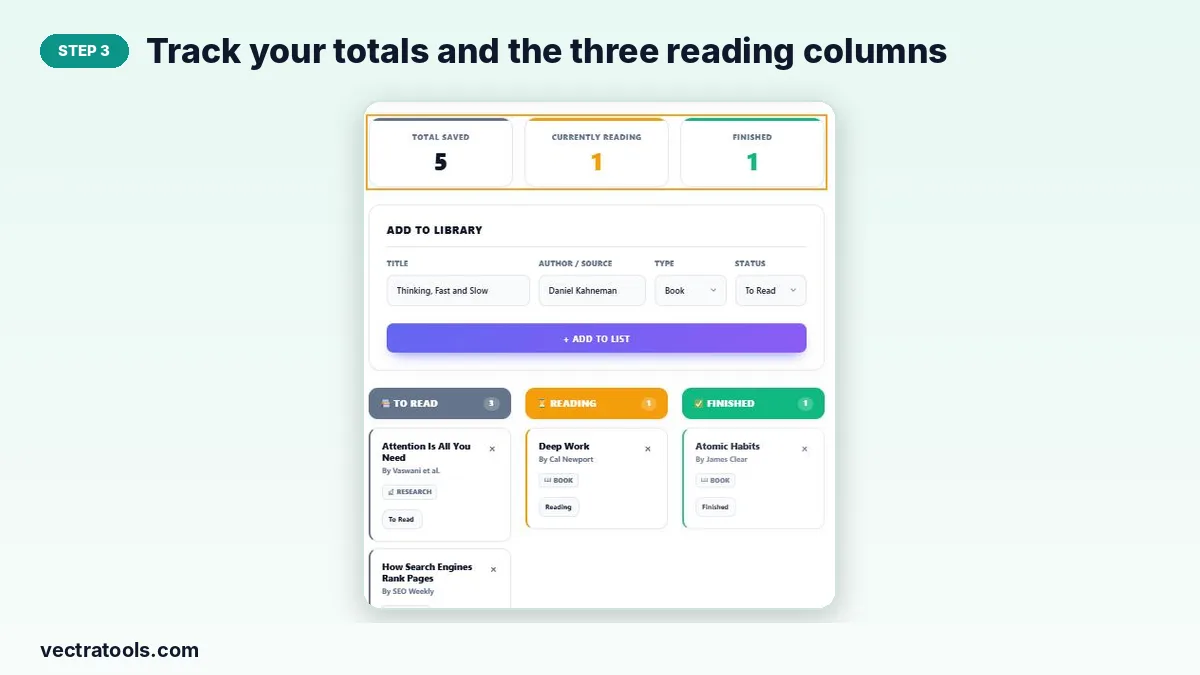
Step 3: Track your totals and the three reading columns
The counters show how many items you have saved, how many you are reading now and how many you have finished.
Tips for Reading More
- Keep only one or two items in Reading at a time so you actually finish them.
- Mix long books with short articles to keep momentum.
- Review the To Read column monthly and remove items you are no longer interested in.
- Set a yearly goal in the Goal Tracker and use Finished as your record.
Why Use a Reading List Manager
Browser bookmarks and screenshots of book covers quickly pile up. A reading list manager gives every recommendation a home and shows what you are reading now. This reading list manager is private, quick to update and works for students, researchers and anyone who wants to read more deliberately.
Frequently Asked Questions
Is this reading list manager free?
Yes. It is free with no account and no limit on items.
Can I track articles as well as books?
Yes. Choose Book, Article, Research Paper or Newsletter as the type.
Is my list saved?
Yes. Your library is stored in your browser and reloads when you return on the same device.
How do I mark a book as finished?
Change the status on its card to Finished; it moves to the Finished column and the counter updates.
Can I rate or review books?
Not in this tool. Use the Online Notepad to keep notes or reviews.
How do I start over?
Press Delete Entire Library. This removes every item and cannot be undone.