

Goal Tracker Online – Break Big Goals into Milestones
Goal Tracker
Set your big goals, break them down into smaller actionable milestones, and track your progress to success.

Quick answer
Enter a goal title and target date and press Create Goal. In the goal card, add each milestone and press Add, then tick milestones as you finish them. The goal tracker online shows a progress bar and percentage, for example 75% (3/4), and saves everything in your browser.
Big goals feel overwhelming until you split them into steps. A goal with clear milestones and a deadline is far more likely to get done than a vague wish.
This goal tracker online gives each goal its own card with a target date, a list of milestones and a progress bar. As you tick milestones off, the percentage updates, so you always know how close you are.
How Progress Is Calculated
Progress is the share of milestones you have ticked. A goal with four milestones and three done shows 75% (3/4). Adding a new milestone lowers the percentage, because there is more left to do.
| Milestones done | Total milestones | Progress |
|---|---|---|
| 1 | 4 | 25% |
| 2 | 4 | 50% |
| 3 | 4 | 75% |
| 4 | 4 | 100% |
How to Use the Goal Tracker Online
Write goals as outcomes you can check, such as “Run a half marathon”, rather than general intentions.
Step 1: Enter a goal and target date, then Create Goal
Type the goal in Goal Title, pick a Target Date and press Create Goal. A new card appears with the target date shown under the title.

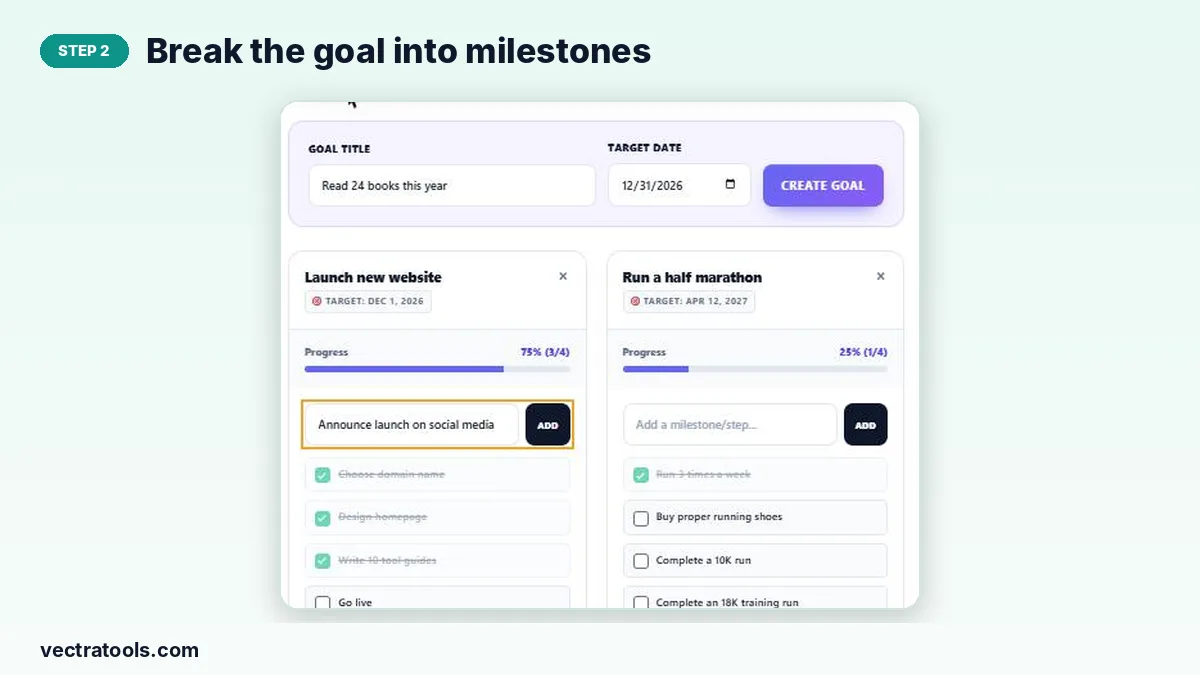
Step 2: Break the goal into milestones
In the goal card, type a milestone in “Add a milestone/step…” and press Add. Repeat until the path to the goal is clear; four to eight steps works well.
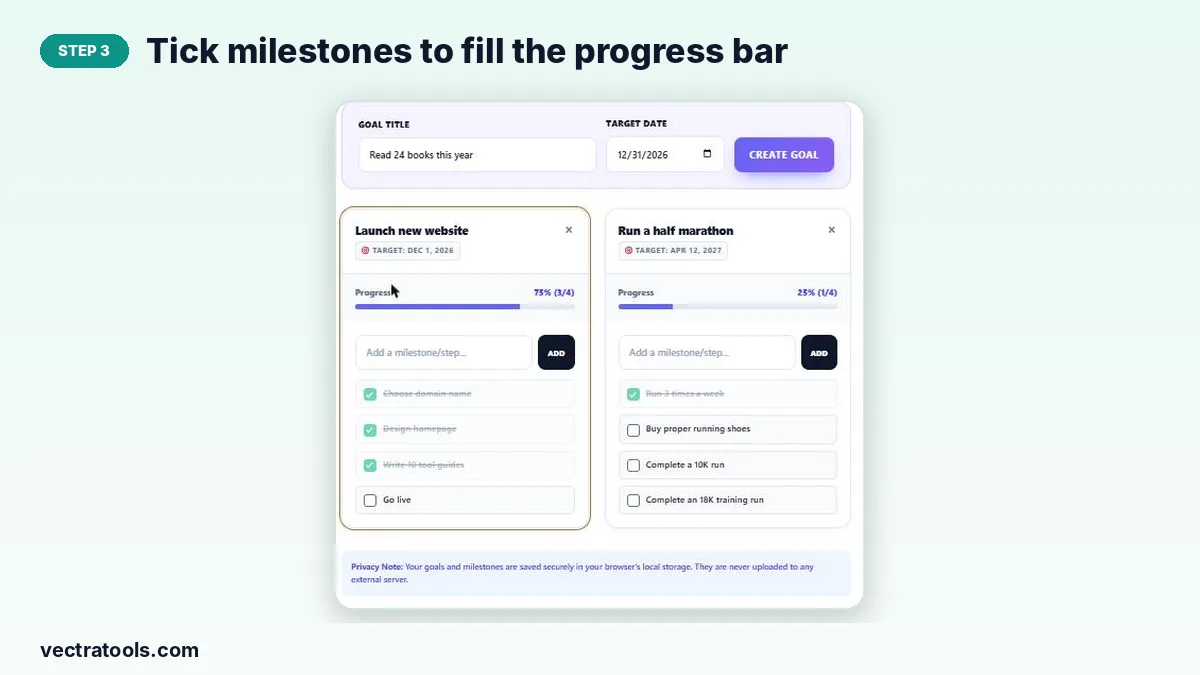
Step 3: Tick milestones to fill the progress bar
Tick the box next to a milestone when it is done. It is crossed out and the progress bar and percentage update. Remove a milestone or a whole goal with its ×.
Tips for Setting Goals You Will Reach
- Specific: “Read 24 books this year” beats “read more”.
- Dated: a target date creates urgency and helps you plan.
- Small first step: make the first milestone something you can do this week.
- Review weekly: check each card once a week and add or adjust milestones.
Goal Tracker vs Habit Tracker
Use a goal tracker for outcomes with an end point, such as launching a website or running a race. Use the Habit Tracker for things you repeat every day, such as reading or exercise. Many goals combine both: a weekly running habit is a milestone towards a half marathon.
Why Use a Goal Tracker Online
Goals written in a notebook are easy to forget. A goal tracker online keeps every goal, deadline and milestone on one screen, and the progress bar gives you a quick boost each time it moves. This goal tracker online is private, needs no login and works in any modern browser.
Frequently Asked Questions
Is this goal tracker online free?
Yes. It is free, with no sign-up and no limit on goals or milestones.
Are my goals saved?
Yes. Goals and milestones are saved in your browser’s local storage and reload when you return on the same device.
Can I delete a goal or milestone?
Yes. Use the × on a goal card to delete the goal, or the × on a milestone to remove that step.
What happens when I reach 100%?
The progress bar fills completely. Keep the card as a record or delete it to make room for new goals.
Do I have to set a target date?
A date is recommended because deadlines help you plan, and it is shown on the goal card.
Can I track team goals?
The tracker is personal and stored in one browser. For team objectives, try the OKR Goal Tracker.