

OKR Goal Tracker Online – Objectives and Key Results Made Simple
OKR Goal Tracker
Align your strategy and measure what matters. Set your high-level Objectives and track quantifiable Key Results.
Quick answer
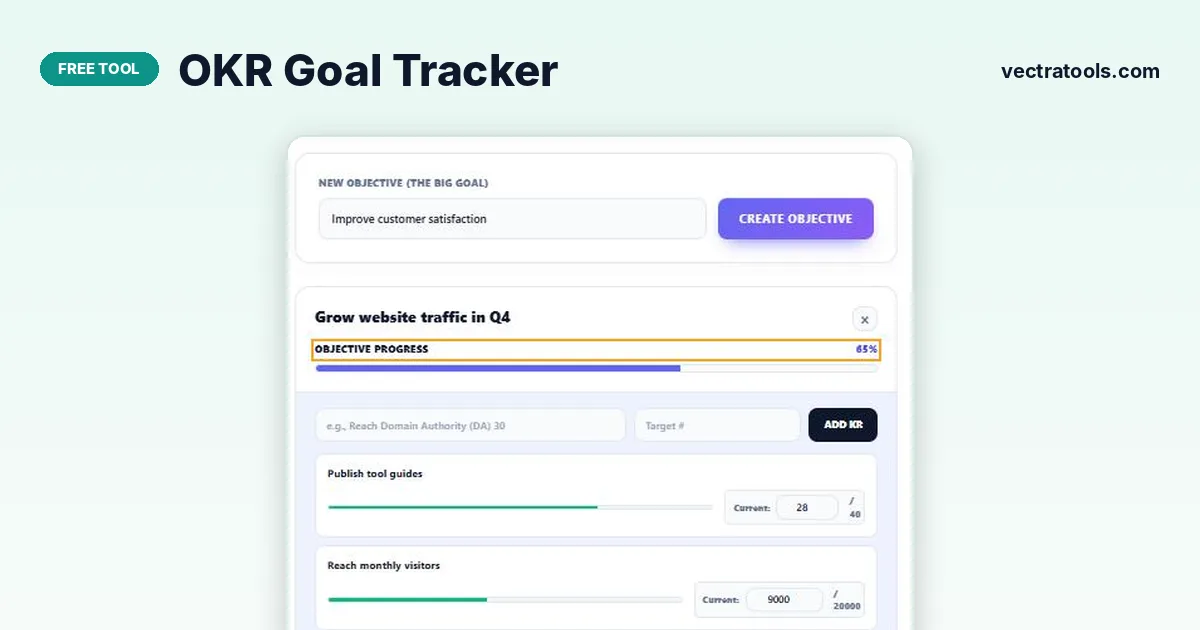
Type an objective (the big goal) and press Create Objective. Inside it, add key results with a name and a target number, then type your current value as you make progress. The OKR goal tracker shows a bar for each key result and averages them into an Objective Progress percentage, for example 70%, 45% and 80% give 65%.
OKRs (Objectives and Key Results) are a goal-setting method used by companies like Google and Intel and by many small teams. The objective says what you want to achieve; the key results say how you will measure it.
This OKR goal tracker makes the method practical without a paid platform. Each objective is a card with its own measurable key results, progress bars and an overall percentage, all saved privately in your browser.
How Objective Progress Is Calculated
Each key result’s progress is current value ÷ target. The objective’s progress is the average of its key results.
| Key result | Current / target | Progress |
|---|---|---|
| Publish tool guides | 28 / 40 | 70% |
| Reach monthly visitors | 9,000 / 20,000 | 45% |
| Earn backlinks | 20 / 25 | 80% |
| Objective: Grow website traffic in Q4 | 65% |
Many teams consider 60–70% a good result for ambitious OKRs: if you always hit 100%, the targets may be too easy.
How to Use the OKR Goal Tracker
Pick one to three objectives per quarter, each with two to five key results.
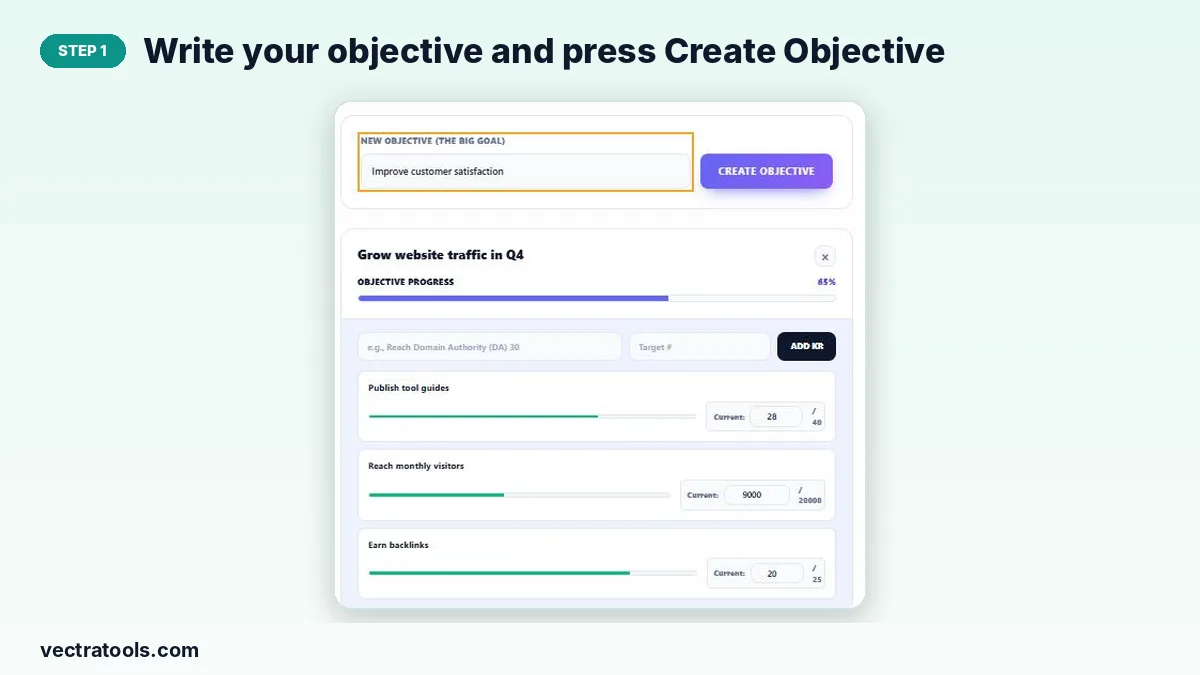
Step 1: Write your objective and press Create Objective
Type a clear, inspiring goal in New Objective, such as “Grow website traffic in Q4”, and press Create Objective. A new objective card appears.
Step 2: Add measurable key results with a target number
In the objective card, type a key result and its target number, then press Add KR. Key results should be numbers you can count, such as visitors, sales or articles.

Step 3: Update current values to see objective progress
Type the current value next to each key result as you make progress. The key result bars and the Objective Progress percentage update instantly. Use × to delete a key result or objective.

Writing Good OKRs
| Part | Good example | Weak example |
|---|---|---|
| Objective | Grow website traffic in Q4 | Do SEO |
| Key result | Reach 20,000 monthly visitors | Get more visitors |
| Key result | Publish 40 tool guides | Write some content |
Objectives should be qualitative and motivating; key results must be specific and measurable.
Tips for Using OKRs
- Set OKRs at the start of each quarter and review them weekly.
- Keep tasks out of key results: “launch blog” is a task, “reach 5,000 blog readers” is a result.
- Score honestly at the end of the quarter and carry lessons into the next set.
Why Use an OKR Goal Tracker
OKR software is often built for large companies and priced to match. An OKR goal tracker in the browser gives founders, freelancers, students and small teams the same structure for free. Use this OKR goal tracker to set quarterly objectives, update key results each week and see at a glance which goals need attention.
Frequently Asked Questions
What is an OKR?
An Objective and Key Results: one qualitative goal plus a few measurable results that show whether you achieved it.
How does the OKR goal tracker calculate progress?
Each key result is current ÷ target, and the objective progress is the average of its key results.
How many key results should an objective have?
Usually two to five. Too many make the objective hard to focus on.
Is my OKR data saved?
Yes. Objectives and key results are stored in your browser and reload on the same device.
Can I print my OKRs?
Yes. Press Print / Save as PDF to print them or share a PDF with your team.
Is the OKR goal tracker free?
Yes. It is free and needs no account.