

PUBG KD Ratio Calculator – Kills, Deaths and Kills per Match
Gaming KD Calculator
Use this free PUBG KD ratio calculator to find your true battle royale kill/death ratio and kills per match.
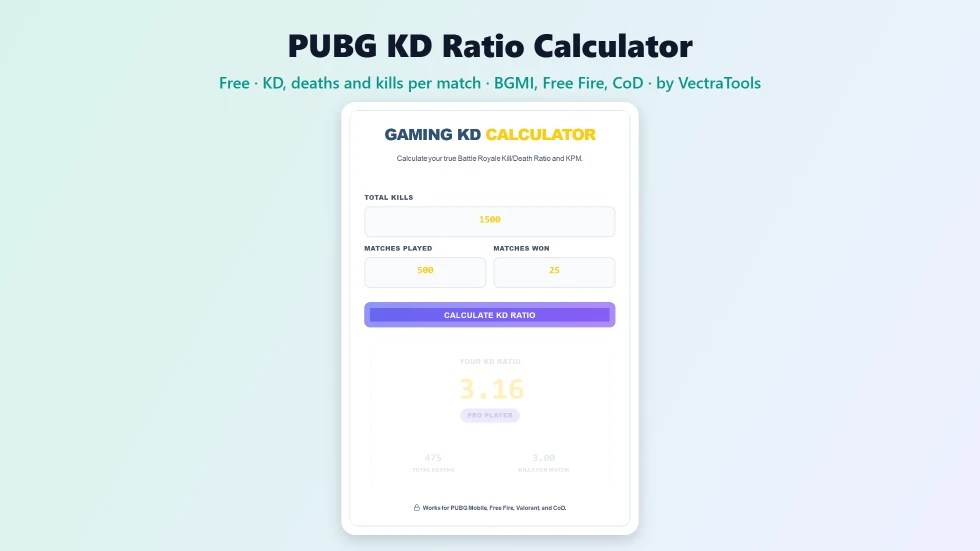
Quick answer
To use this PUBG KD ratio calculator, enter your total kills, matches played and matches won, then press Calculate KD Ratio. In battle royale games you only die in matches you do not win, so KD = kills ÷ (matches − wins). For example, 1,500 kills in 500 matches with 25 wins is 1,500 ÷ 475 = 3.16 KD. The tool also shows total deaths, kills per match and a rank from Beginner to Elite / Conqueror.
Your KD (kill/death) ratio is the number every PUBG and BGMI player checks first. In battle royale games it is calculated differently from shooters like Valorant, because a match you win ends without a death. This free PUBG KD ratio calculator uses the battle royale formula, so the result matches what your in-game stats show.
Enter the numbers from your career or season stats page and you get your KD, deaths, kills per match (KPM) and a simple rank. I replaced the old Camper / Noob and Hacker labels with friendlier Beginner and Elite ranks.
PUBG KD Ratio Calculator Features
| Feature | How it works |
|---|---|
| Battle royale formula | KD = kills ÷ (matches − wins) |
| Total deaths | Matches played minus matches won |
| Kills per match | Average kills in every game you play |
| Player rank | Beginner, Average, Pro or Elite / Conqueror |
| Win check | Warns you if wins are higher than matches played |
| 100% win rate safe | Handles zero deaths without errors |
| Works across games | PUBG Mobile, BGMI, PUBG PC, Free Fire, Warzone and Fortnite |
| Private | Runs in your browser with no account |
How to Use the PUBG KD Ratio Calculator
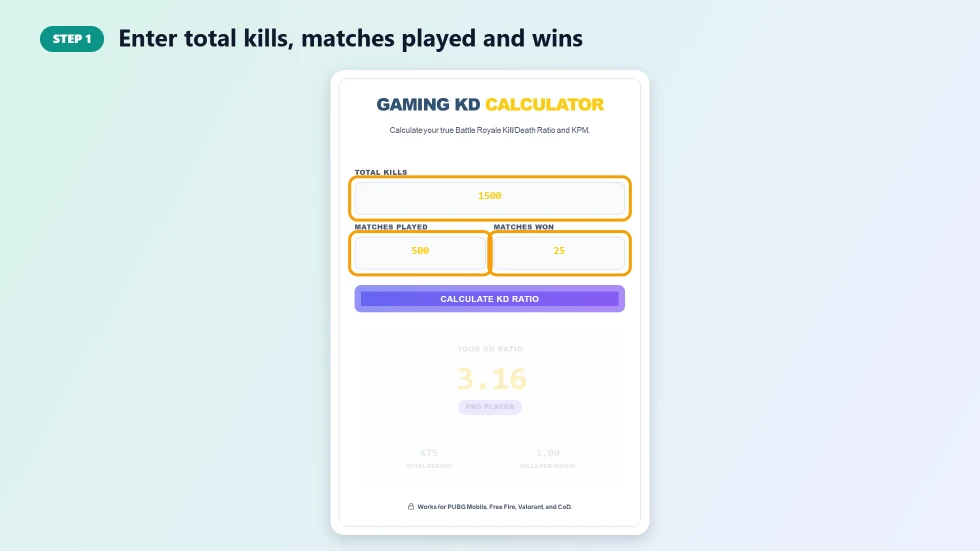
Step 1: Enter total kills, matches played and wins
Open your stats page in PUBG Mobile, BGMI or another battle royale game and copy the total kills, matches played and wins (chicken dinners or Booyahs) for the season or mode you want to check.
Step 2: Press Calculate KD Ratio
Press Calculate KD Ratio. The tool works out deaths as matches minus wins, divides kills by deaths and also divides kills by matches to get your kills per match.

Step 3: Read your KD, deaths, kills per match and rank
The result shows your KD ratio, a rank badge, total deaths and kills per match. Below 1.0 is Beginner, 1.0 to 2.5 Average, 2.5 to 4.5 Pro and above 4.5 Elite / Conqueror.

KD Ratio vs Kills per Match
- KD ratio: kills divided by deaths. It rewards both fragging and surviving to win.
- Kills per match (KPM): kills divided by all matches, including wins. It shows how aggressive you are.
- A high KD with low KPM usually means careful play and lots of wins; high KPM with lower KD means aggressive play with more early deaths.
PUBG KD Ratio Calculator Tips to Improve Your KD
- Land at medium-loot spots instead of hot drops while you build consistency.
- Play the zone: good rotations keep you alive and add wins, which raises KD.
- Practise recoil control and sensitivity settings in training mode.
- Play with a regular squad and use voice chat for better team fights.
- Track your KD after each season with this calculator to see real progress.
Why Your KD May Look Different In-Game
Some games count deaths differently in squads when you are knocked and revived, and many show KD per mode (solo, duo, squad) or per season. Make sure you use kills, matches and wins from the same mode and season for an accurate comparison.
Frequently Asked Questions
Is this PUBG KD ratio calculator free?
Yes. It is free with no sign-up and works on mobile.
How is KD calculated in PUBG?
KD = total kills ÷ (matches played − matches won), because you do not die in matches you win.
What is a good KD in PUBG Mobile or BGMI?
Around 1 to 2.5 is average, 2.5 to 4.5 is very good and above 4.5 is elite level.
Does it work for Free Fire and Call of Duty?
Yes, for battle royale modes. For respawn modes like Team Deathmatch, divide kills by deaths directly.
What happens if I won every match?
With zero deaths, the calculator shows your KD as equal to your total kills, the same way most games do.
Is my data saved?
No. The calculation happens in your browser and nothing is stored.