

Engagement Rate Calculator – Instagram, TikTok and X Engagement in Seconds
Engagement Rate Calculator
Use this free engagement rate calculator to find the true engagement rate of any Instagram, TikTok or X profile or post.
Quick answer
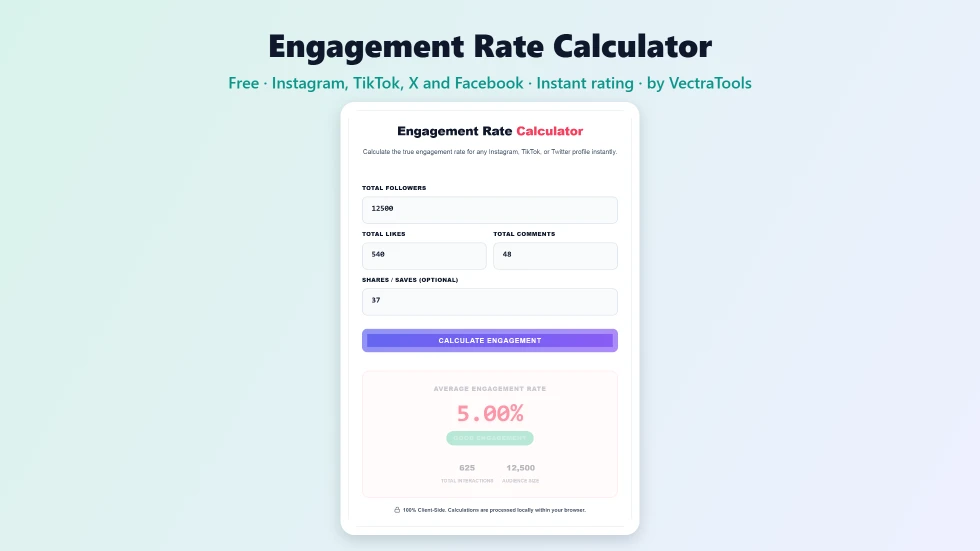
To use this engagement rate calculator, enter the number of followers and the likes, comments and (optionally) shares or saves for a post or period, then press Calculate Engagement. The formula is (likes + comments + shares) ÷ followers × 100. For example, 625 interactions on an account with 12,500 followers is a 5% engagement rate. The tool also shows total interactions and rates the result from Low to Excellent / Viral.
Follower counts can be bought or inflated, but engagement shows whether people actually care about the content. Brands look at engagement rate before paying influencers, and creators use it to see which posts work. This free engagement rate calculator gives you the number in seconds for Instagram, TikTok, X (Twitter), Facebook or any other platform.
The calculator uses the standard engagement-by-followers formula and rates the result against common industry benchmarks. It runs in your browser, so you can check competitors and influencer profiles privately.
Engagement Rate Calculator Features
| Feature | How it works |
|---|---|
| Standard formula | (Likes + comments + shares) ÷ followers × 100 |
| Works on any platform | Instagram, TikTok, X, Facebook, YouTube Community and more |
| Optional shares and saves | Include them when the platform shows them |
| Instant rating | Low, Average, Good or Excellent / Viral |
| Total interactions | Adds up all engagement for you |
| Audience size | Shows the follower count used in the calculation |
| Input checks | Warns you if followers is missing or zero |
| Private | Calculations run locally with no sign-up |
How to Use the Engagement Rate Calculator
Step 1: Enter followers, likes, comments and shares
Type the account's follower count, then the likes and comments for one post, or the totals across several posts. Add shares or saves if the platform shows them; leave the box empty if not.

Step 2: Press Calculate Engagement
Press Calculate Engagement. The tool adds up all interactions and divides them by the number of followers, then multiplies by 100 to give a percentage.

Step 3: Read your engagement rate and rating
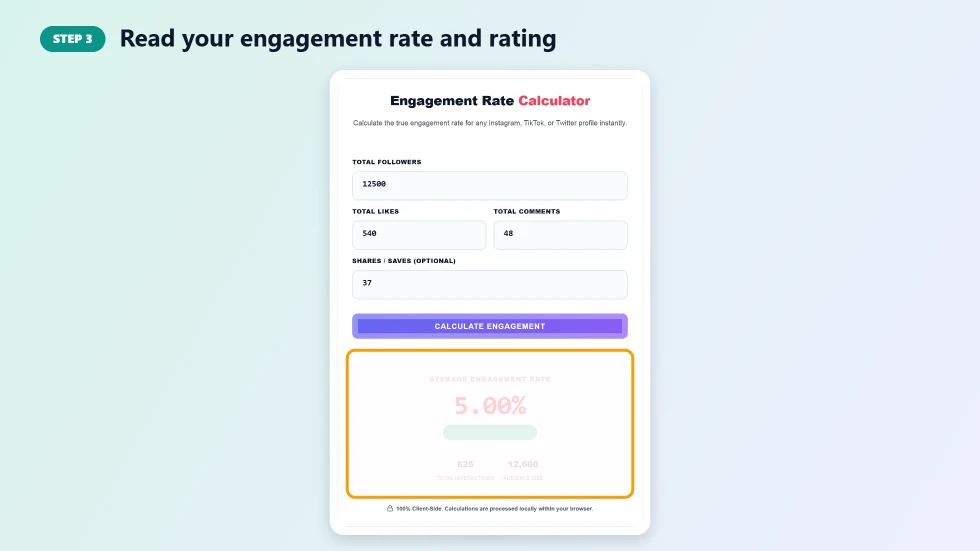
The result shows the average engagement rate, a rating badge, total interactions and audience size. Below 1% is rated Low, 1% to 3.5% Average, 3.5% to 6% Good and above 6% Excellent / Viral.
What Is a Good Engagement Rate?
- Below 1%: low; common for very large accounts or inactive audiences.
- 1% to 3.5%: average for most brands and creators.
- 3.5% to 6%: good; the audience is clearly interested.
- Above 6%: excellent, often seen on smaller niche accounts or viral posts.
- Smaller accounts usually have higher rates than accounts with millions of followers.
How to Measure Accurately
- For a profile average, add the likes and comments of the last 10 to 12 posts and divide by the number of posts first.
- Use the same time frame when comparing accounts.
- Exclude giveaway posts, which inflate comments.
- On TikTok, engagement by views is also common; this calculator uses followers for consistency.
Engagement Rate Calculator Tips to Improve Engagement
- Ask a clear question in your caption to invite comments.
- Post when your audience is most active, using your platform insights.
- Use Reels, short videos and carousels, which often get more interactions.
- Reply to comments quickly to keep conversations going.
- Track your rate monthly with this engagement rate calculator to see what works.
Frequently Asked Questions
Is this engagement rate calculator free?
Yes. It is free with no sign-up and no limits.
How is engagement rate calculated?
Engagement rate = (likes + comments + shares) ÷ followers × 100. Shares or saves are optional.
What is a good engagement rate on Instagram?
Around 1% to 3.5% is average, 3.5% to 6% is good and anything above 6% is excellent.
Can I use it for TikTok and X?
Yes. Enter the followers and interactions from any platform. The formula is the same.
Should I use one post or several?
One post gives that post's rate. For a fairer profile average, use the totals or averages from your last 10 to 12 posts.
Is my data saved?
No. Everything is calculated in your browser and nothing is stored.