

Instagram Bio Generator – Catchy Bio Ideas for Your Profile
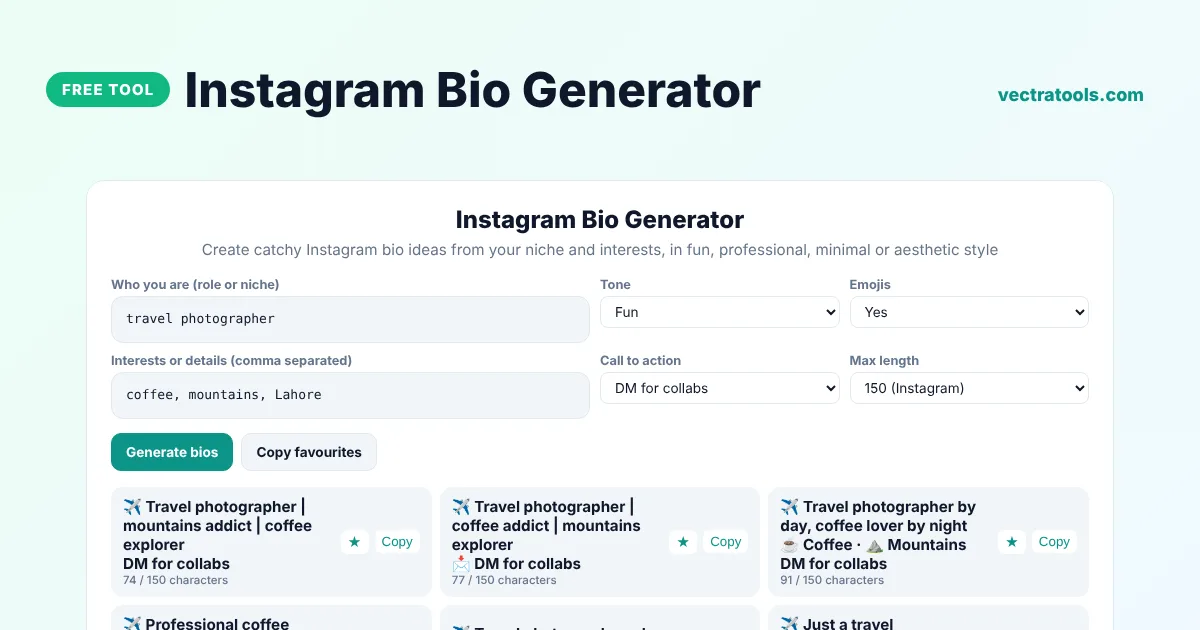
Instagram Bio Generator
Create catchy Instagram bio ideas from your niche and interests, in fun, professional, minimal or aesthetic style
Favourites
Quick answer
An bio generator for Instagram writes short profile descriptions for you. Enter who you are, such as travel photographer, add a few interests, pick a tone and a call to action, and the tool creates 20 bio ideas that fit Instagram's 150-character limit. Star the ones you like, tweak them and paste your favourite into your profile.
Our free bio generator for Instagram is made for creators, small businesses, freelancers and personal accounts. It can add matching emojis, break your bio into neat lines, include a call to action such as DM for collabs and show the character count for every idea, so you never go over the limit.
What Makes a Great Instagram Bio?
- Who you are: your role or niche, so visitors know what to expect.
- What you post: two or three topics or interests.
- Personality: a tone and a few emojis that match your brand.
- A call to action: what to do next, such as DM, shop or tap the link.
- Short lines: easy to scan on a phone screen.
Bio Tones
| Tone | Example |
|---|---|
| Fun | Travel photographer by day, coffee lover by night |
| Professional | Travel photographer based in Lahore |
| Minimal | Travel photographer. Coffee. Mountains. |
| Aesthetic | chasing mountains, collecting coffee |
| Inspirational | Living for mountains and coffee |
How to Use the Instagram Bio Generator
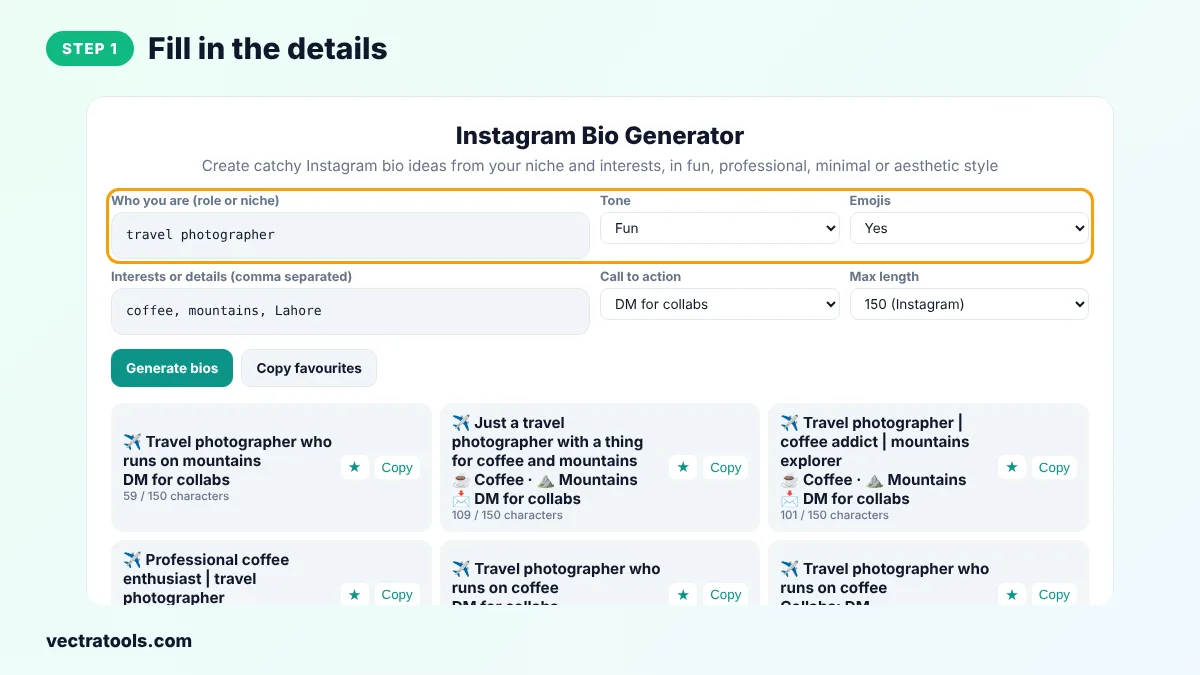
Step 1: Fill In the Details
Type who you are, such as home baker or fitness coach, and list a few interests or details separated by commas, such as your city or favourite things.
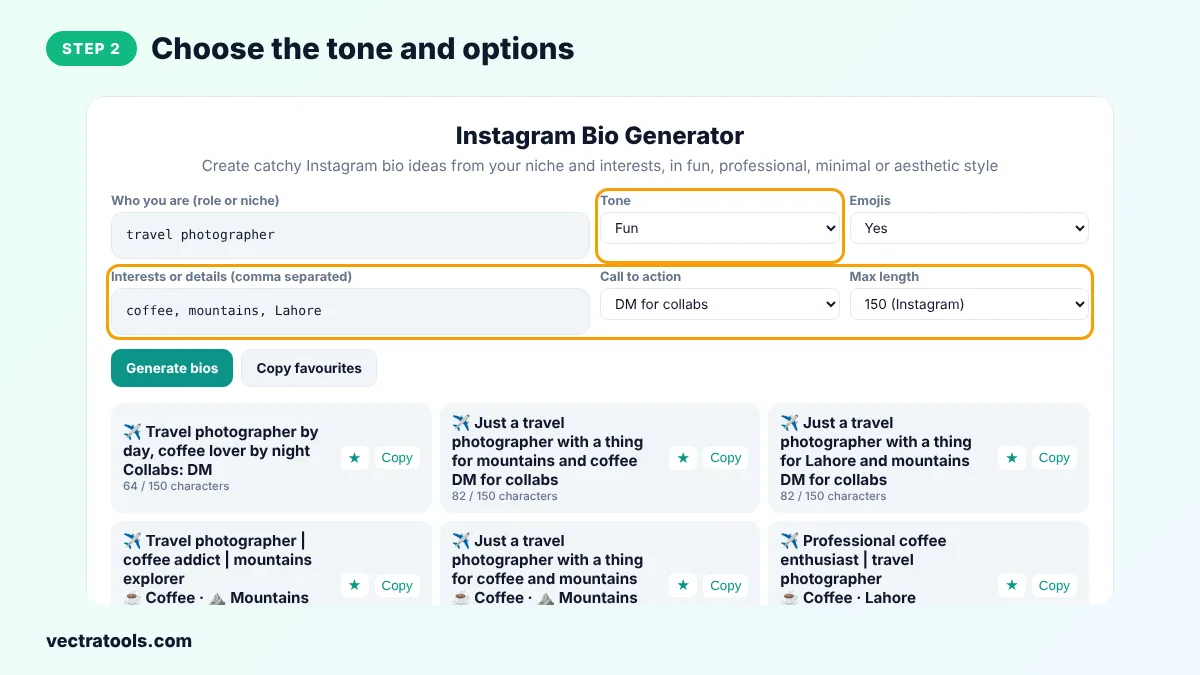
Step 2: Choose the Tone and Options
Pick a tone, choose whether to add emojis, select a call to action and set the maximum length to 150 for Instagram or 80 for TikTok.
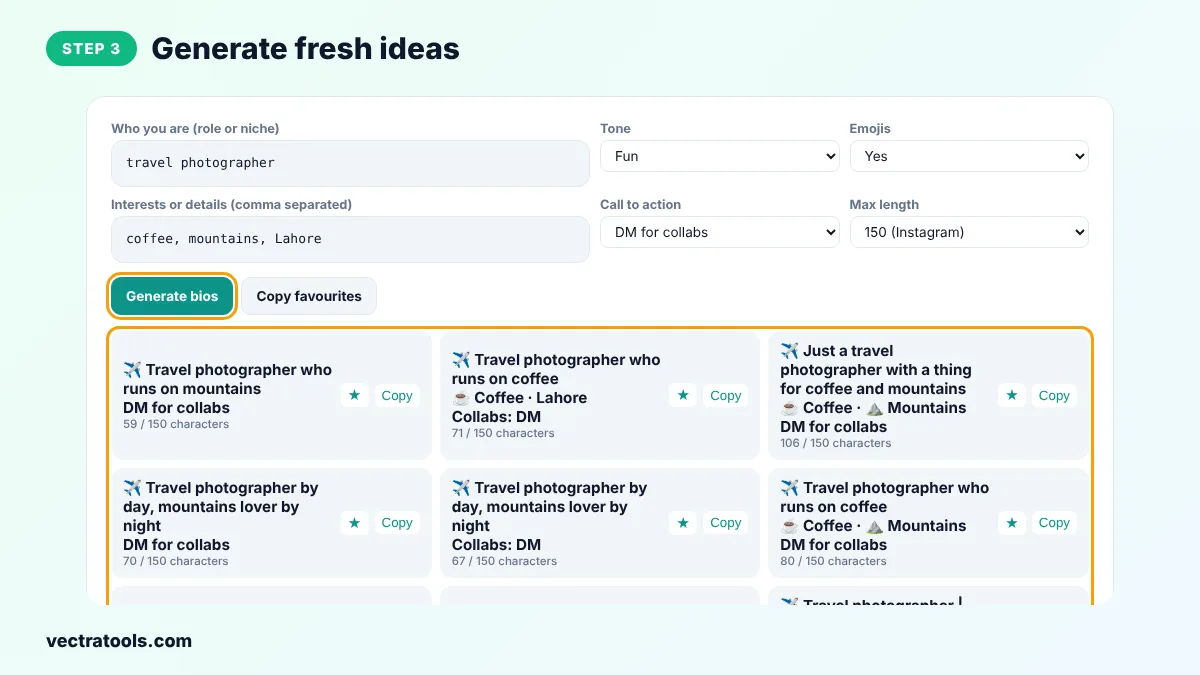
Step 3: Generate Fresh Ideas
Click Generate bios to get 20 new ideas. Each card shows the bio on separate lines and its character count.
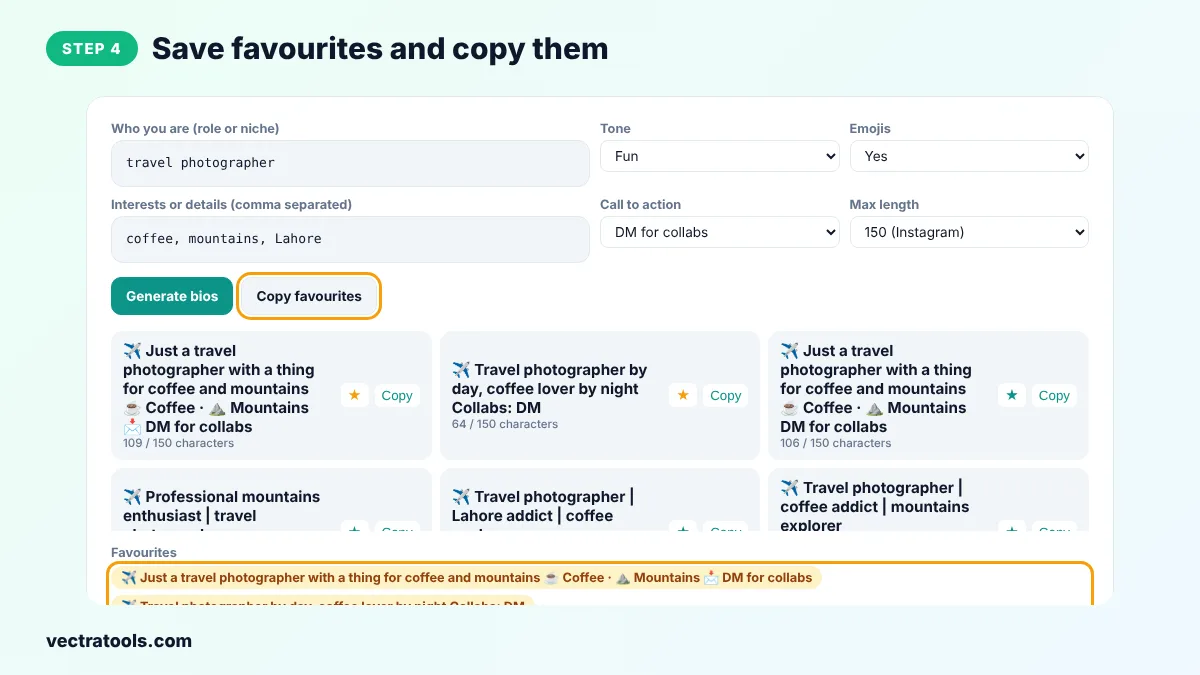
Step 4: Save Favourites and Copy Them
Click the star on bios you like to add them to Favourites, then copy a single bio or all favourites and paste one into Edit profile on Instagram.
Writing a bio from scratch is hard because you have to sum yourself up in a few words. The bio generator for Instagram does the first draft for you, so you only need to choose and personalise. Try the bio generator for Instagram again whenever your content changes.
Creators often update their bio when they change niche or launch something new. Use the bio generator for Instagram for fresh ideas each time, then add your own personal touch so the bio sounds like you.
Because this bio generator for Instagram runs in your browser, you can try as many versions as you like without signing in. A bio generator for Instagram is also handy when you manage several accounts and need a different bio for each.
Instagram Bio Tips
- Put your main keyword, such as photographer or baker, in your Name field too, because Instagram search reads it.
- Use line breaks to make the bio easier to read.
- Add your link in the Links section and point to it with your call to action.
- Update the bio when you have a new product, event or offer.
- Keep emojis to three or four so the bio stays clean.
Bio Generator for Instagram Business Accounts
For a business account, choose the Professional tone, add your location and services as interests and pick Shop below or Book a session as the call to action. Then add opening hours, contact buttons and a link to your website in the profile settings.
Frequently Asked Questions
What is an Instagram bio generator?
It is a tool that writes Instagram bio ideas from a few details about you, such as your niche, interests and the tone you want.
How long can an Instagram bio be?
Instagram bios can be up to 150 characters. The tool counts characters for every idea.
How do I add line breaks to my Instagram bio?
Copy a bio from the tool with its line breaks and paste it into the Bio field in Edit profile. The breaks are kept.
Should I use emojis in my bio?
A few emojis add personality and make the bio easier to scan. Choose No in the Emojis menu if you prefer plain text.
Can I use these bios on TikTok?
Yes. Set Max length to 80, which is TikTok's limit.
Are the bios unique?
Each list is generated from your own words and random patterns, so you get different ideas every time.
Is the bio generator for Instagram free?
Yes. It is free, needs no login and never connects to your Instagram account.