

Twitter Bio Generator – X Bio Ideas in Seconds
Twitter Bio Generator
Write a sharp X (Twitter) bio in seconds from your role, topics and a fun fact, in professional, witty or minimal style
Favourites

Quick answer
A Twitter bio generator writes short profile bios for X (formerly Twitter). Enter your role, the topics you post about, an optional company and a fun fact, choose a tone and click Generate bios. You get 20 ideas that fit the 160-character limit, each with a character count, ready to copy into your profile.
Our free Twitter bio generator helps professionals, founders, developers, writers and creators explain who they are in one or two lines. It also works for LinkedIn headlines and Threads bios with their own length limits, and it never connects to your account.
What to Put in a Twitter Bio
- Your role or what you do, in plain words.
- Two or three topics people can expect you to post about.
- Your company, project or handle if it helps credibility.
- A small human detail, such as a hobby or a fun fact.
- Optional: a disclaimer such as Views my own for work accounts.
Bio Styles
| Style | Example |
|---|---|
| Professional | Product designer. Writing about UX, accessibility and side projects. |
| Witty | Part product designer, part UX nerd, full-time side projects fan. |
| Minimal | Product designer · UX · Accessibility |
| Founder | Building @VectraTools. Posting lessons on UX and growth. |
How to Use the Twitter Bio Generator
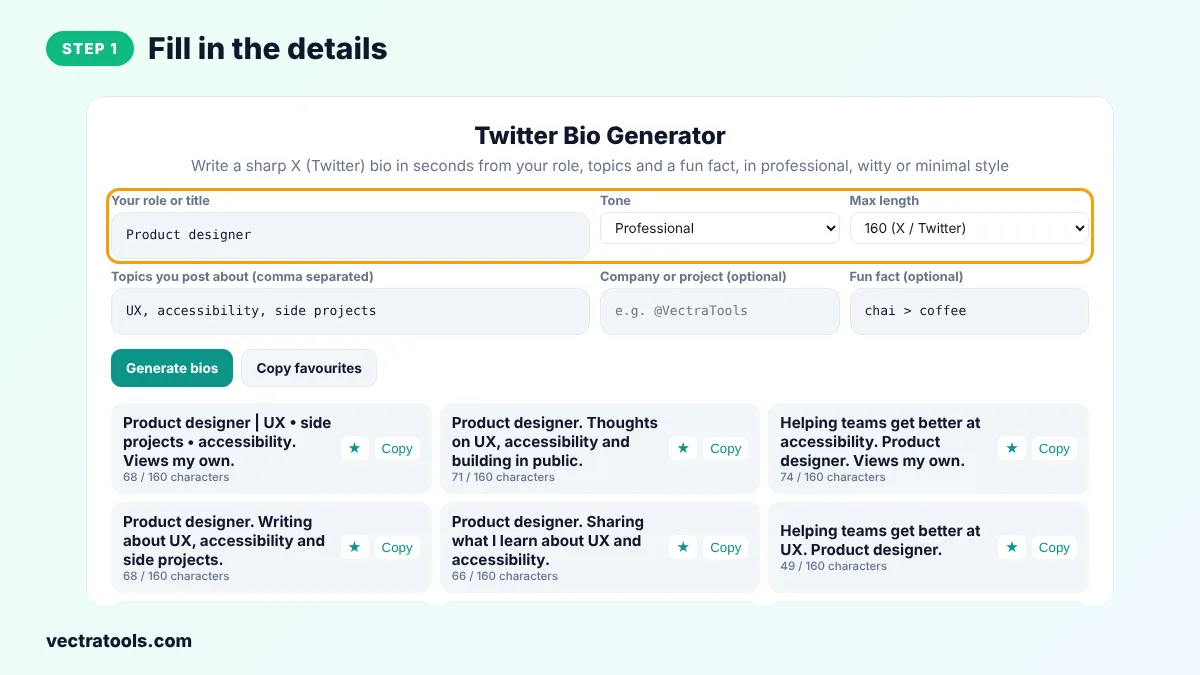
Step 1: Fill In the Details
Type your role or title and list the topics you post about, separated by commas.
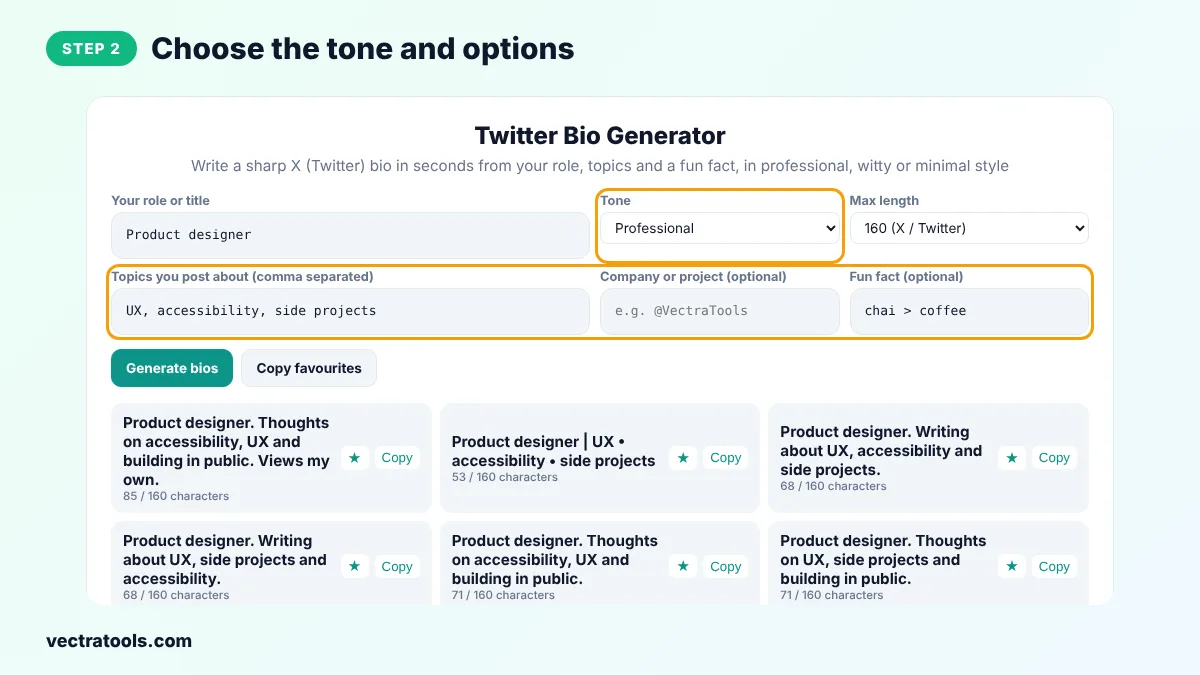
Step 2: Choose the Tone and Options
Pick Professional, Witty, Minimal or Founder, set the length limit and add your company and a fun fact if you like.
Step 3: Generate Fresh Ideas
Click Generate bios to get 20 ideas with character counts. Click again for a new set.

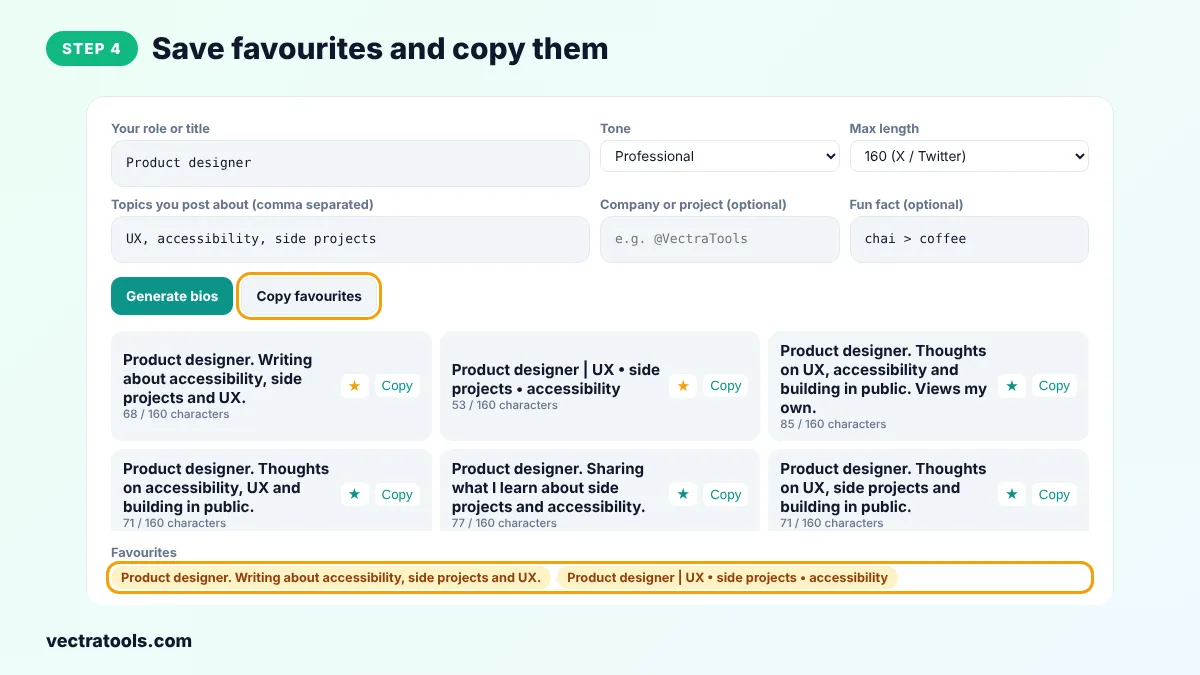
Step 4: Save Favourites and Copy Them
Star the bios you like, then copy one and paste it into Edit profile on X.
Your bio appears on your profile, in search results and when people hover over your name, so it works hard for a few words. The Twitter bio generator gives you many angles to try. Run the Twitter bio generator again after a career change or a new project launch.
A clear bio helps the right people decide to follow you in a second. Use the Twitter bio generator as a starting point and edit the result so it sounds like your own voice.
Twitter Bio Tips
- Lead with what you do, not with your job title alone.
- Use keywords people search for, such as product designer or React developer.
- Tag your company handle, for example @VectraTools, so people can find it.
- Pin a tweet that shows your best work or explains what you post.
- Refresh your bio every few months as your focus changes.
Twitter Bio Generator for LinkedIn and Threads
Choose 220 characters to write a LinkedIn headline, or 200 for Threads. Professional and Founder styles usually work best on LinkedIn.
Frequently Asked Questions
What is a Twitter bio generator?
It is a tool that writes short bios for X (Twitter) from your role, topics and other details.
How long can a Twitter bio be?
Up to 160 characters on X. The tool shows the count for every bio.
Is X the same as Twitter?
Yes. Twitter was renamed X in 2023, and bios work the same way.
Should I add Views my own?
Many employees add it to show their posts are personal opinions. The tool sometimes adds it when there is room.
Can I use emojis?
Yes. Add them by hand after copying, but keep the bio easy to read.
Can I use it for LinkedIn?
Yes. Set Max length to 220 for a LinkedIn headline.
Is the Twitter bio generator free?
Yes. It is free, needs no login and never connects to your account.