

Packing List Generator – Travel Checklists for Any Trip
Packing List Generator
Create a master checklist for your next trip. Select a template to auto-fill essentials, or build your own from scratch.
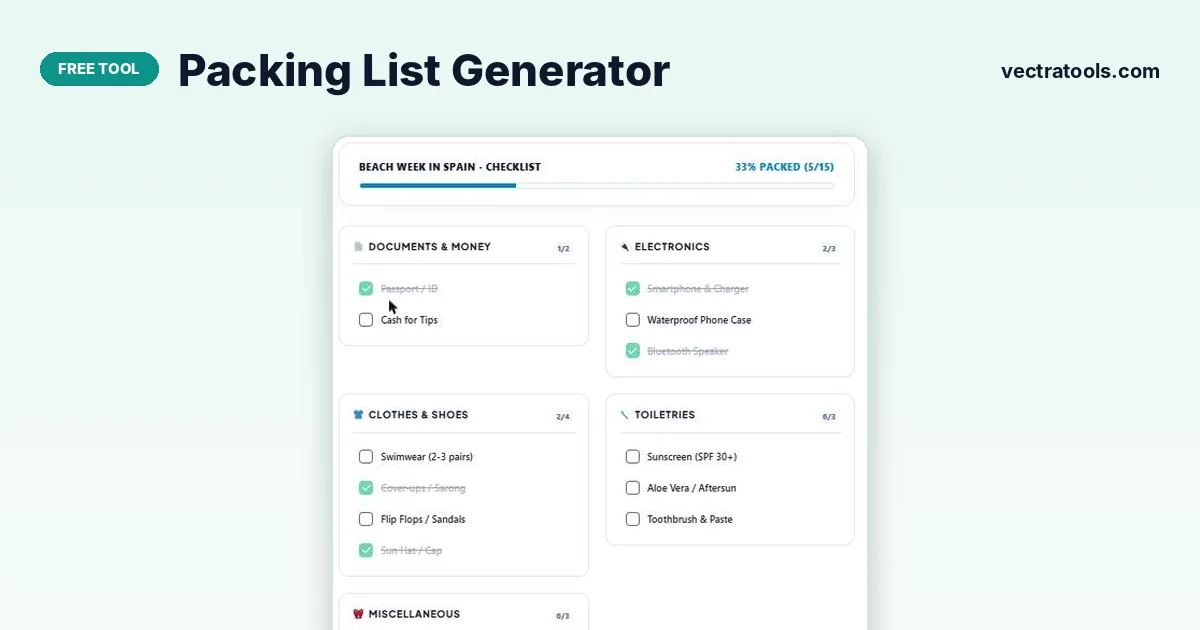
Quick answer
Type your trip name, choose a smart template (General Travel, Business Trip, Beach Vacation or Winter / Ski Trip) and press Load Items. Add anything else with Add Custom Item, tick items as they go into your bag, and watch the “% packed” bar fill. The packing list generator saves your list in the browser and can print it.
Forgetting a charger, a passport or sunscreen can spoil the first day of a trip. A written checklist is the simplest way to make sure everything makes it into the bag.
This packing list generator starts you off with a template for the kind of trip you are taking, then lets you add your own items. Items are grouped into five categories, each with its own counter, and an overall progress bar shows how much is packed.
Smart Templates
| Template | Examples of items included |
|---|---|
| 🌍 General Travel | Passport/ID, phone charger, clothes, toiletries |
| 💼 Business Trip | Laptop, business clothes, documents |
| 🏖️ Beach Vacation | Swimwear, sunscreen (SPF 30+), beach towel, sunglasses, waterproof phone case |
| ❄️ Winter / Ski Trip | Warm layers, gloves, hat, winter boots |
Items are sorted into Clothes & Shoes, Electronics, Toiletries, Documents & Money, and Miscellaneous.
How to Use the Packing List Generator
Start a few days before you leave so you have time to buy anything missing.
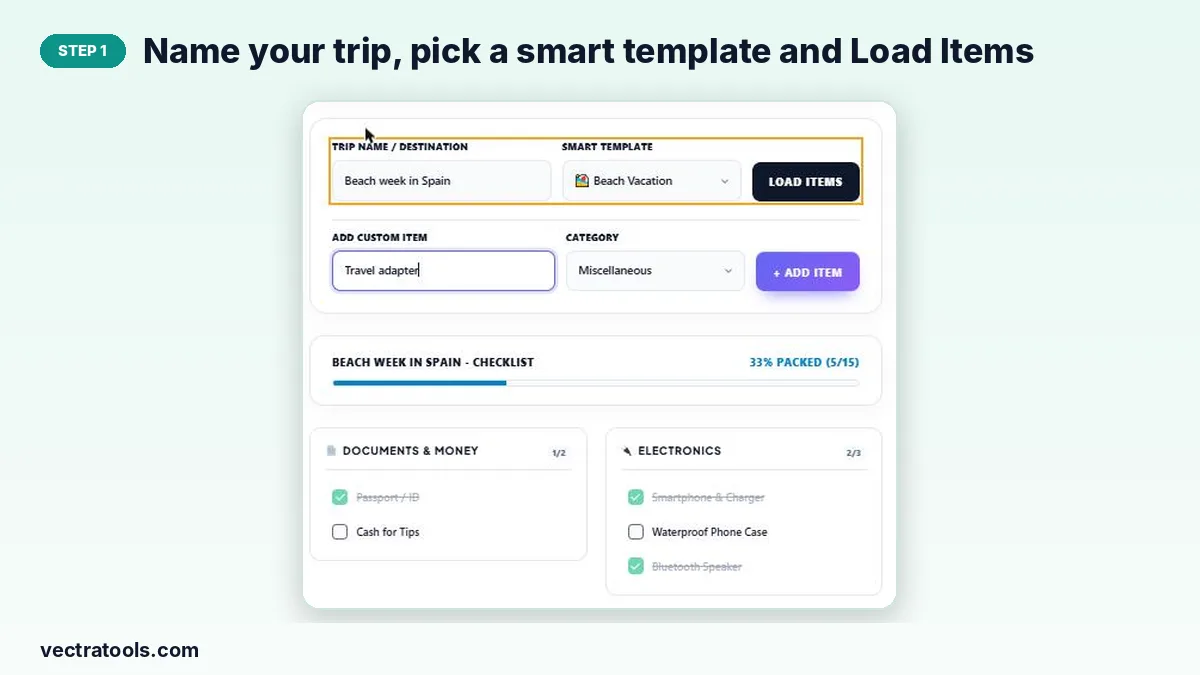
Step 1: Name your trip, pick a smart template and Load Items
Type a trip name or destination, choose the template that best matches your trip and press Load Items. The checklist fills with typical items for that kind of trip.
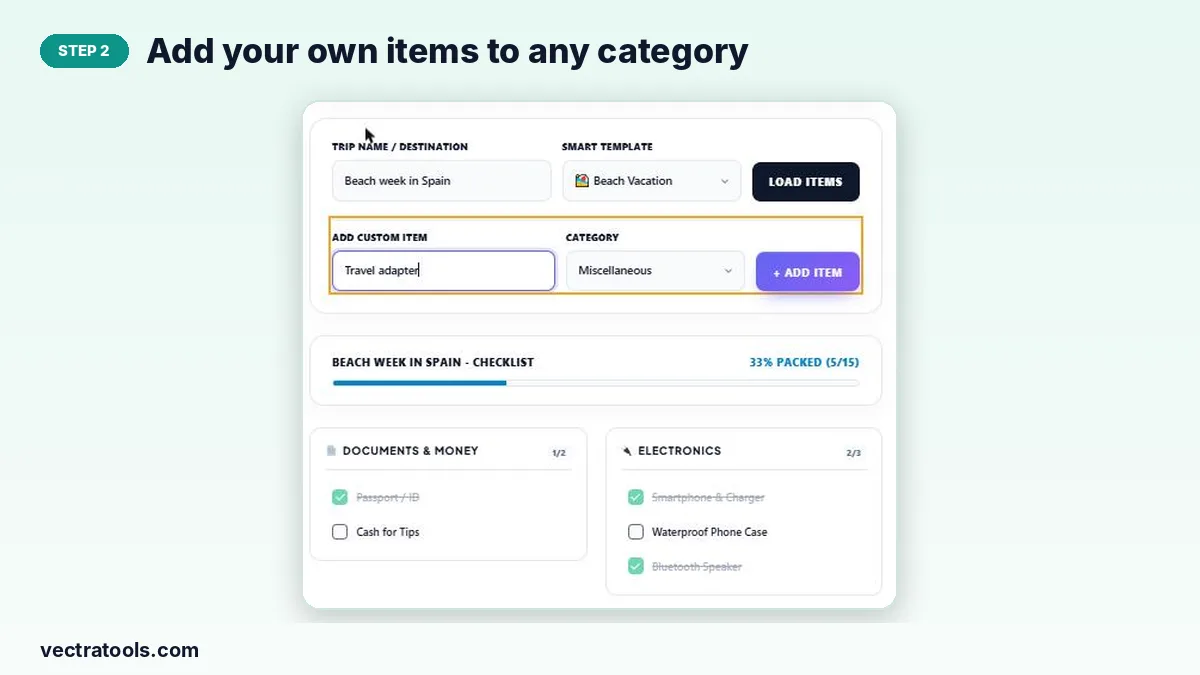
Step 2: Add your own items to any category
Type an item in Add Custom Item, choose its category and press + Add Item. Use it for anything personal, such as medicines, a camera or a travel adapter.
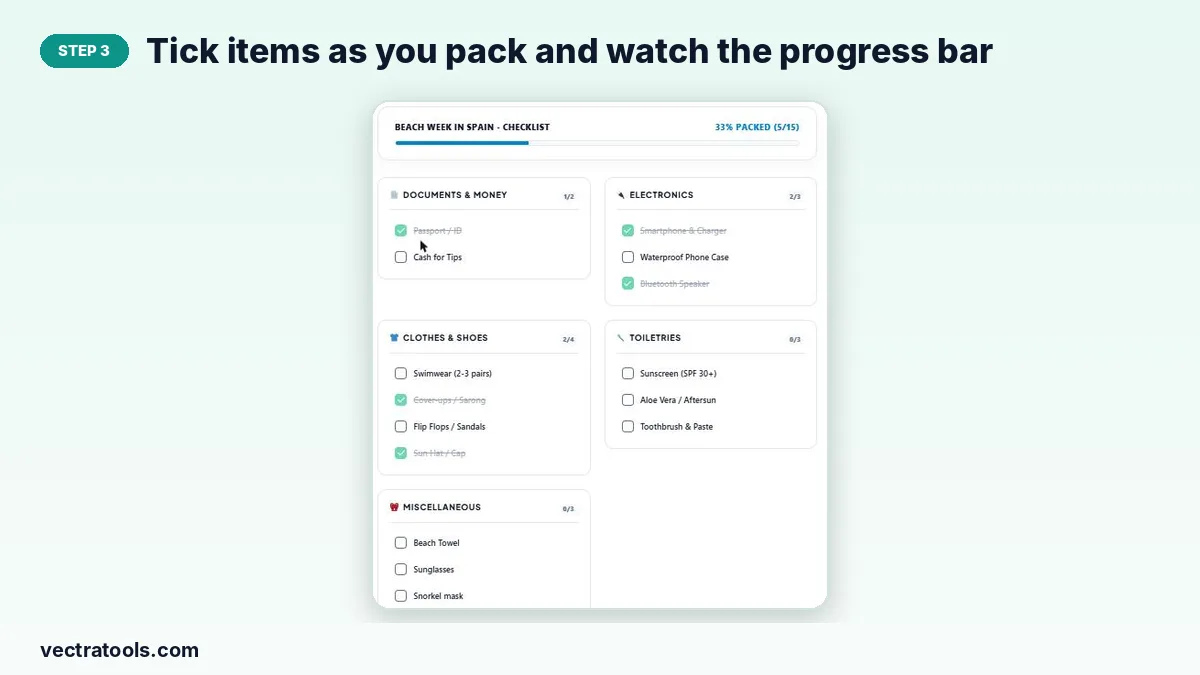
Step 3: Tick items as you pack and watch the progress bar
Tick each item as it goes into your bag. It is crossed out, the category counter goes up (for example 2/4) and the overall bar shows the percentage packed.
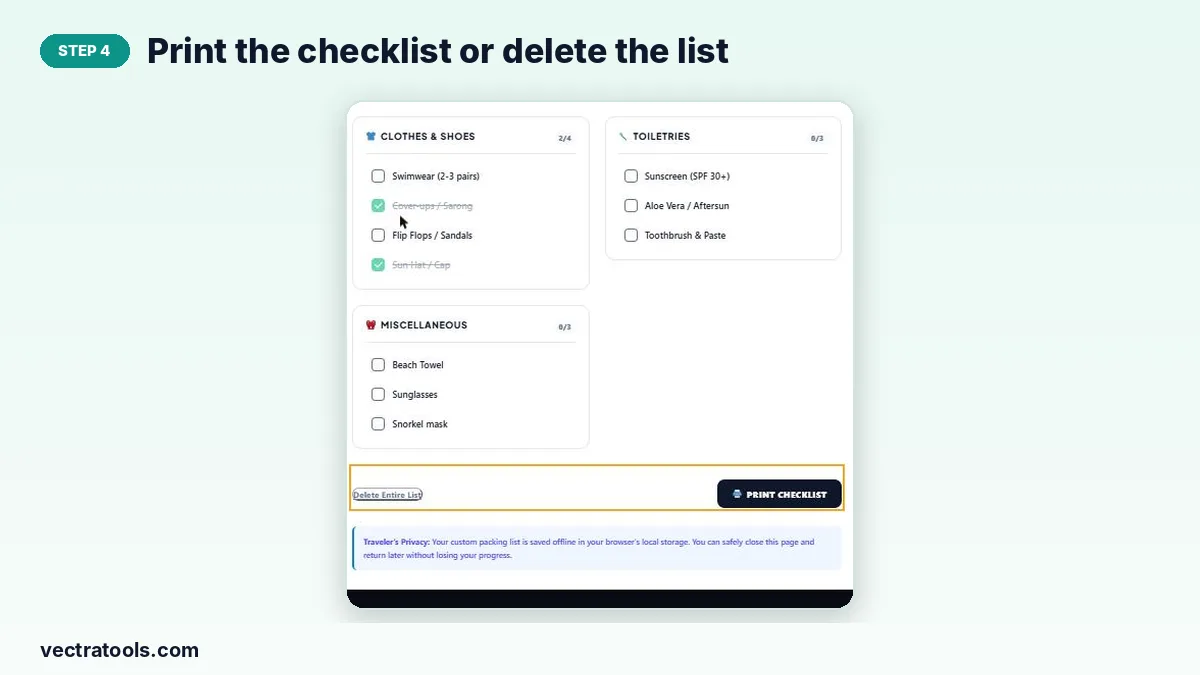
Step 4: Print the checklist or delete the list
Print Checklist gives a paper copy to tick off by hand. Remove single items with ×, or press Delete Entire List to start again for a new trip.
Packing Tips
- Pack documents and money first; they are the hardest to replace.
- Lay everything out before it goes in the bag and tick as you pack.
- Roll clothes to save space and reduce creases.
- Keep chargers, medicines and a change of clothes in your hand luggage.
Why Use a Packing List Generator
Writing a packing list from memory means you only remember what you forgot after you leave. A packing list generator starts from a proven template, so the essentials are already there and you only add your extras. Loading a second template adds only new items and skips duplicates, so this packing list generator also works well for mixed trips, such as a business trip with a beach weekend.
Frequently Asked Questions
Is this packing list generator free?
Yes. It is free to use with no sign-up.
Will my list be saved if I close the page?
Yes. The list and trip name are saved in your browser’s local storage, so you can come back and keep packing.
Can I combine templates?
Loading a template adds its items to your list, so you can load one and then add items from your own ideas.
How do I add something that is not in the template?
Type it in Add Custom Item, pick a category and press + Add Item.
Can I print the list?
Yes. Press Print Checklist to print it or save it as a PDF.
How do I start a new trip?
Press Delete Entire List, enter the new trip name and load a template.