

GPA Calculator (4.0 Scale) – Semester and Cumulative GPA
GPA Calculator (4.0 Scale)
Calculate your semester or cumulative GPA easily. Add your courses, enter the credits, and select your letter grades.
A+ / A = 4.0 | A- = 3.7
B+ = 3.3 | B = 3.0 | B- = 2.7
C+ = 2.3 | C = 2.0 | C- = 1.7
D+ = 1.3 | D = 1.0 | F = 0.0
Quick answer
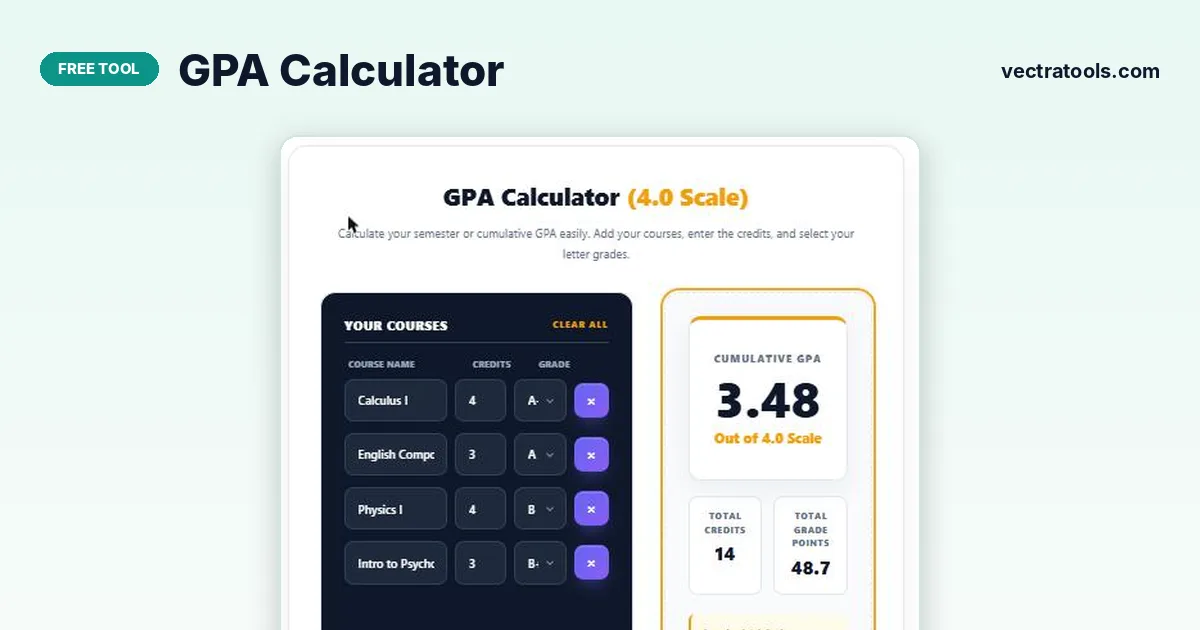
A GPA calculator works out your grade point average from your courses. Enter each course, its credit hours and the letter grade you received, then click Calculate GPA. The tool multiplies each grade’s points (A = 4.0, B = 3.0 and so on) by the course credits, adds them up and divides by total credits; for example, 48.7 grade points over 14 credits gives a GPA of 3.48.
Our free GPA calculator uses the standard 4.0 scale used by most US colleges and many universities worldwide. Add as many courses as you need, name them if you like, and remove any with one click.
Some schools use slightly different scales, such as A+ = 4.3 or no minus grades. Check your institution’s grading policy if your official GPA differs from this GPA calculator.
GPA Formula
- Grade points for a course = grade value × credit hours
- GPA = total grade points ÷ total credit hours
Example: Calculus I (4 credits, A− = 3.7), English Composition (3 credits, A = 4.0), Physics I (4 credits, B = 3.0) and Intro to Psychology (3 credits, B+ = 3.3) give 14.8 + 12 + 12 + 9.9 = 48.7 grade points. 48.7 ÷ 14 credits = 3.48 GPA.
4.0 GPA Scale Used
| Letter grade | Grade points | Letter grade | Grade points |
|---|---|---|---|
| A+ / A | 4.0 | C+ | 2.3 |
| A− | 3.7 | C | 2.0 |
| B+ | 3.3 | C− | 1.7 |
| B | 3.0 | D+ | 1.3 |
| B− | 2.7 | D | 1.0 |
| F | 0.0 |
How to Use the GPA Calculator
Use the GPA calculator in four steps.
Step 1: Enter Each Course Name and Its Credits
Type the course name (optional) and its credit hours, such as 3 or 4, in each row.

Step 2: Pick the Letter Grade for Every Course
Select the grade you received, from A+ to F, in the Grade dropdown for each course.

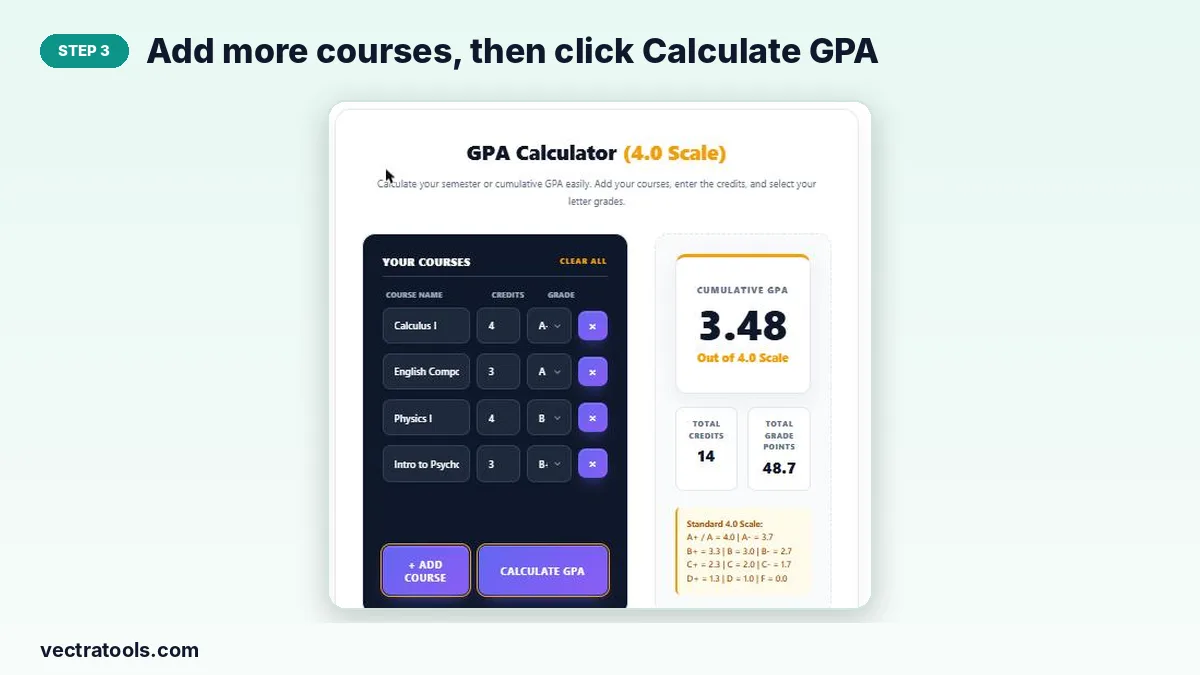
Step 3: Add More Courses, Then Click Calculate GPA
Use + Add Course for extra rows or × to remove one, then click Calculate GPA.
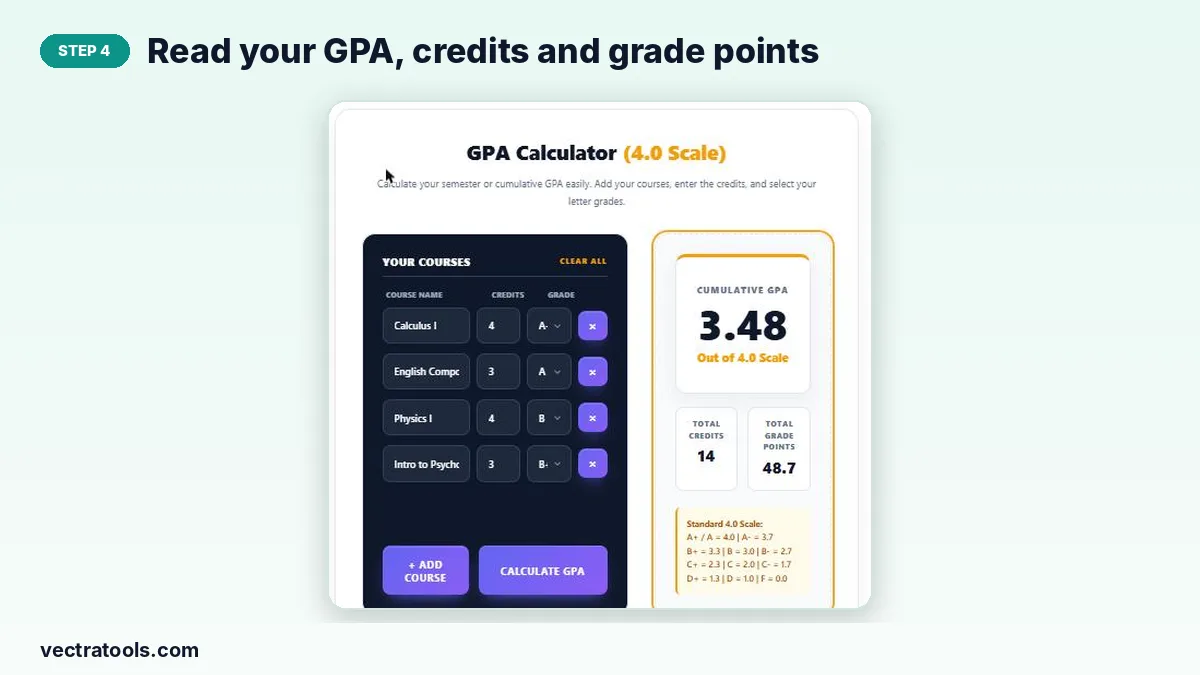
Step 4: Read Your GPA, Credits and Grade Points
The result shows your GPA out of 4.0, total credits and total grade points.
What Is a Good GPA?
| GPA | What it usually means |
|---|---|
| 3.7 to 4.0 | Excellent; Dean’s list range at many colleges |
| 3.3 to 3.6 | Very good |
| 3.0 to 3.2 | Good; meets many scholarship and graduate school minimums |
| 2.0 to 2.9 | Satisfactory; above most academic probation limits |
| Below 2.0 | At risk; may lead to academic probation |
Tips to Raise Your GPA
- Focus effort on high-credit courses; they affect GPA the most.
- Ask about grade replacement policies for retaken courses.
- Use office hours and study groups early in the term.
- Plan a balanced course load each semester.
Why Use a GPA Calculator?
A GPA calculator lets you check where you stand before official transcripts arrive and test what-if scenarios, such as how an A in one course would change your average. It is useful for scholarship, internship and graduate school applications that ask for a minimum GPA.
Frequently Asked Questions
Is this GPA calculator free?
Yes. It is free with no sign-up.
How is GPA calculated?
Multiply each grade’s points by the course credits, add them up and divide by total credits.
Does A+ count as 4.3?
In this GPA calculator A+ counts as 4.0, the most common practice. Some schools use 4.3.
Can I calculate cumulative GPA?
Yes. Enter every course from all semesters, or use our CGPA calculator to combine semester GPAs.
Do pass/fail courses count?
Usually not. Leave pass/fail courses out unless your school includes them.
What is a 3.5 GPA as a letter grade?
A 3.5 GPA is roughly between a B+ and an A−.