

CGPA Calculator – Find Your Cumulative GPA Across Semesters
CGPA Calculator
Combine your past semesters to find your overall Cumulative GPA. Enter the total credits and GPA for each semester below.
Quick answer
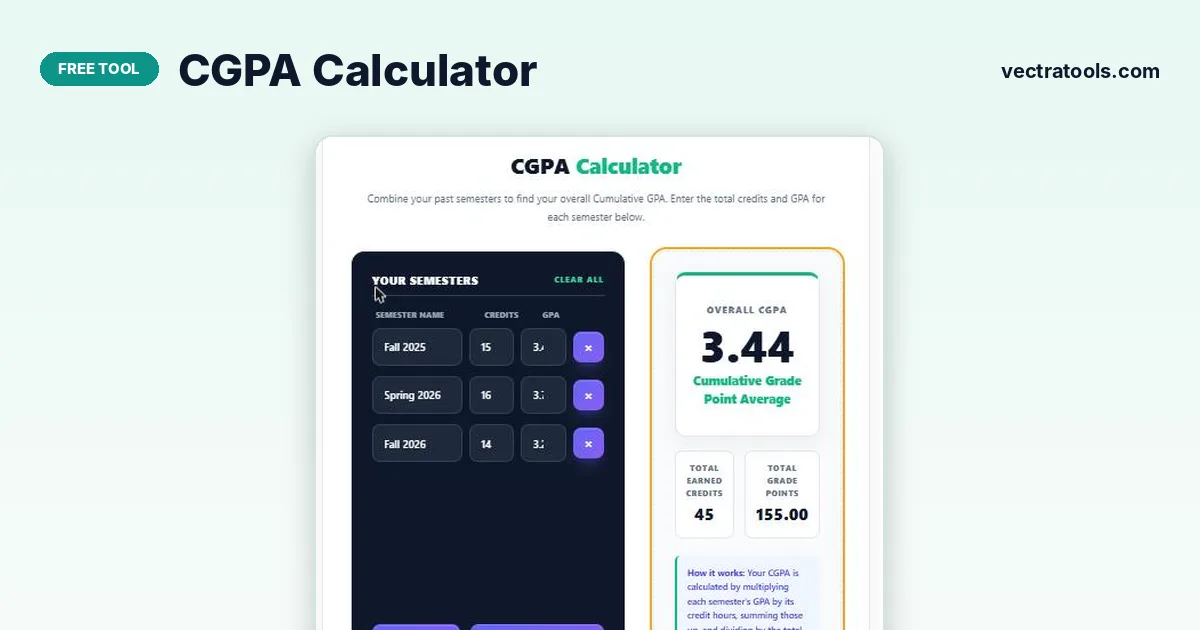
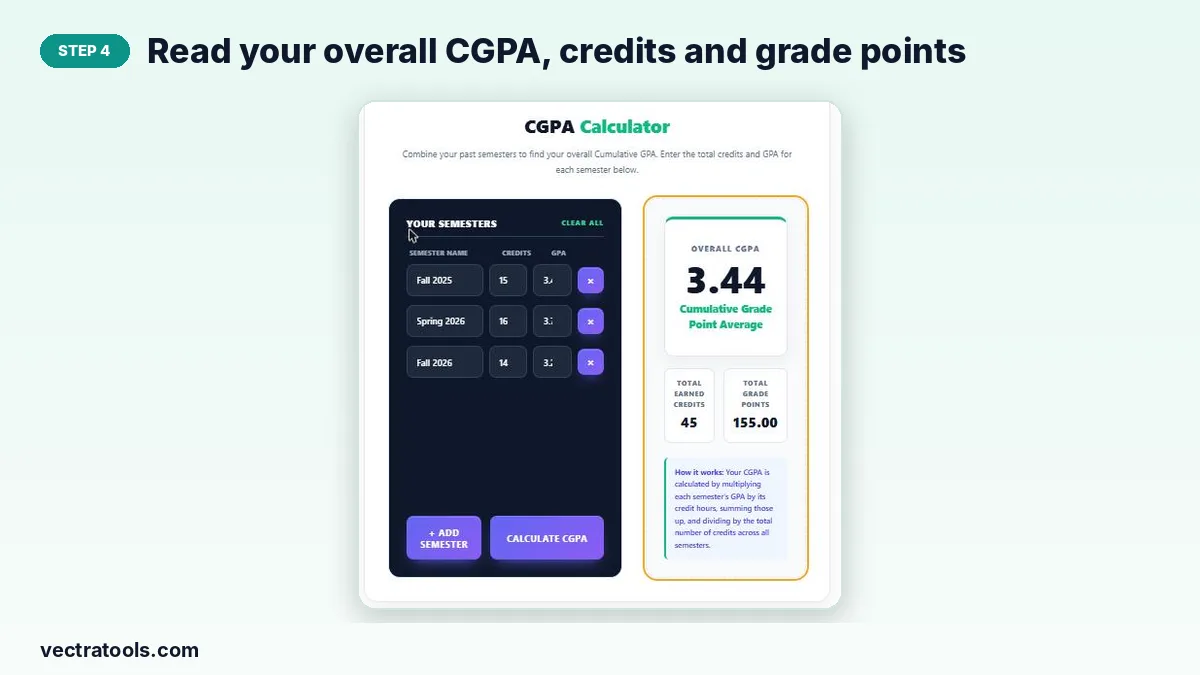
A CGPA calculator multiplies each semester’s GPA by its credit hours, adds those grade points together, and divides by the total credits. For example, 15 credits at 3.4, 16 at 3.7 and 14 at 3.2 give 155 grade points over 45 credits, which is a CGPA of 3.44.
Your CGPA (Cumulative Grade Point Average) is the single number that sums up your whole degree so far. Universities use it for scholarships, probation rules, honours and transfer decisions, and employers often ask for it on applications.
This CGPA calculator works from semester results, not individual courses. You enter the credits and GPA printed on each semester transcript and it returns your cumulative GPA, total earned credits and total grade points. Everything runs in your browser, so nothing you type is sent anywhere.
How CGPA Is Calculated
CGPA is a weighted average. A heavy 18-credit semester should count more than a light 12-credit one, so each GPA is weighted by its credit hours:
- Grade points for a semester = semester GPA × credits
- Total grade points = sum of all semester grade points
- CGPA = total grade points ÷ total credits
A simple average of semester GPAs is only correct when every semester has the same credit load. Whenever loads differ, the weighted figure from this tool is the one your registrar will show.
Worked Example
| Semester | Credits | GPA | Grade points |
|---|---|---|---|
| Fall 2025 | 15 | 3.4 | 51.0 |
| Spring 2026 | 16 | 3.7 | 59.2 |
| Fall 2026 | 14 | 3.2 | 44.8 |
| Total | 45 | – | 155.0 |
155 ÷ 45 = 3.44. A plain average of 3.4, 3.7 and 3.2 would give 3.43, slightly off because the strongest semester also carried the most credits.
How to Use the CGPA Calculator
You only need your semester transcripts. The calculator starts with three rows and you can add as many semesters as you have completed.
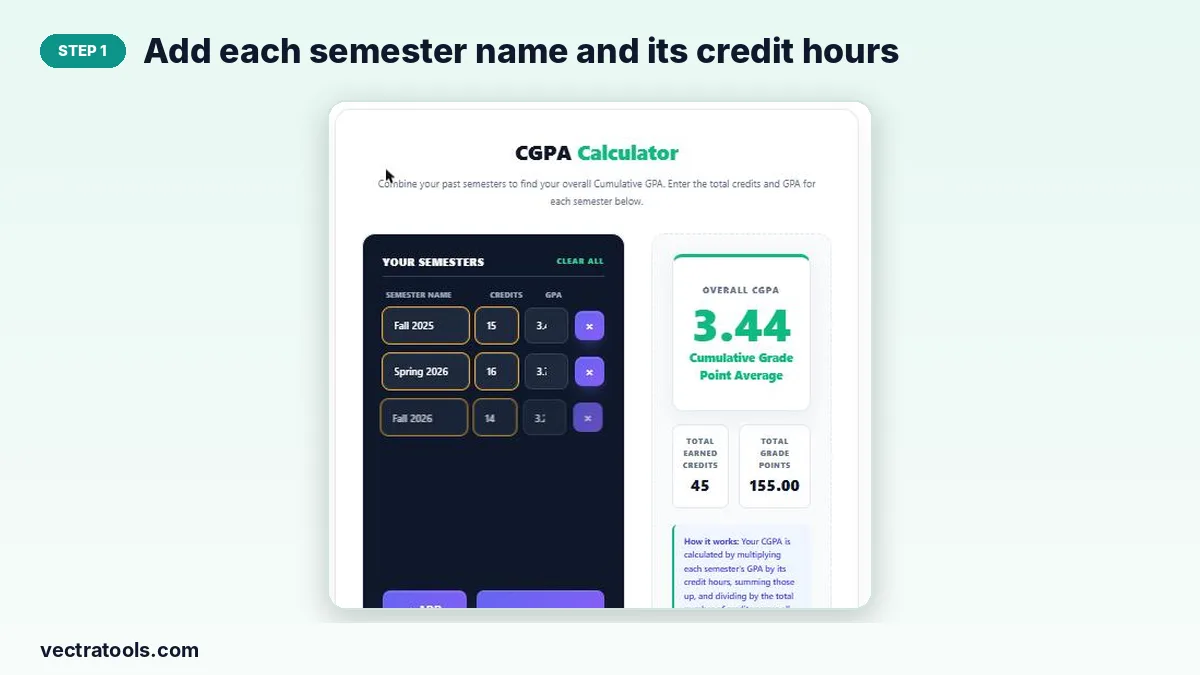
Step 1: Add each semester name and its credit hours
Type a label such as “Fall 2025” in the semester name box (optional) and enter the total credit hours you took that term in the Credits field.
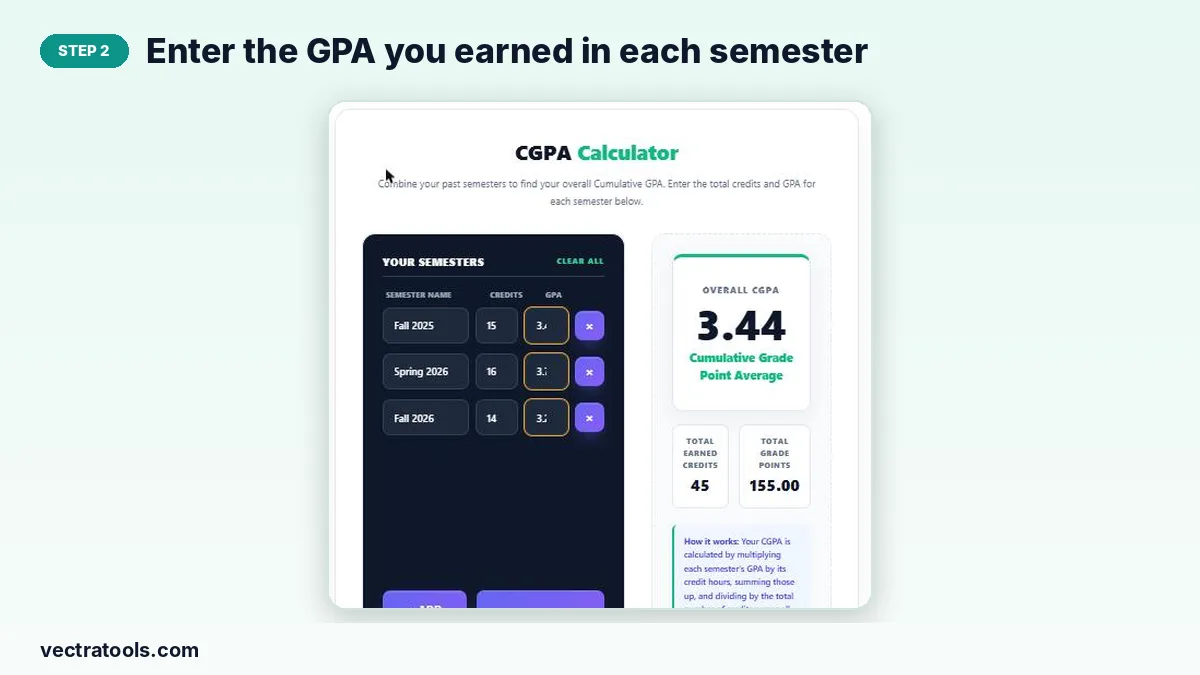
Step 2: Enter the GPA you earned in each semester
Put the semester GPA from your transcript in the GPA box on the same row. Use the scale your university uses, for example 4.0. Remove a row with the × button.
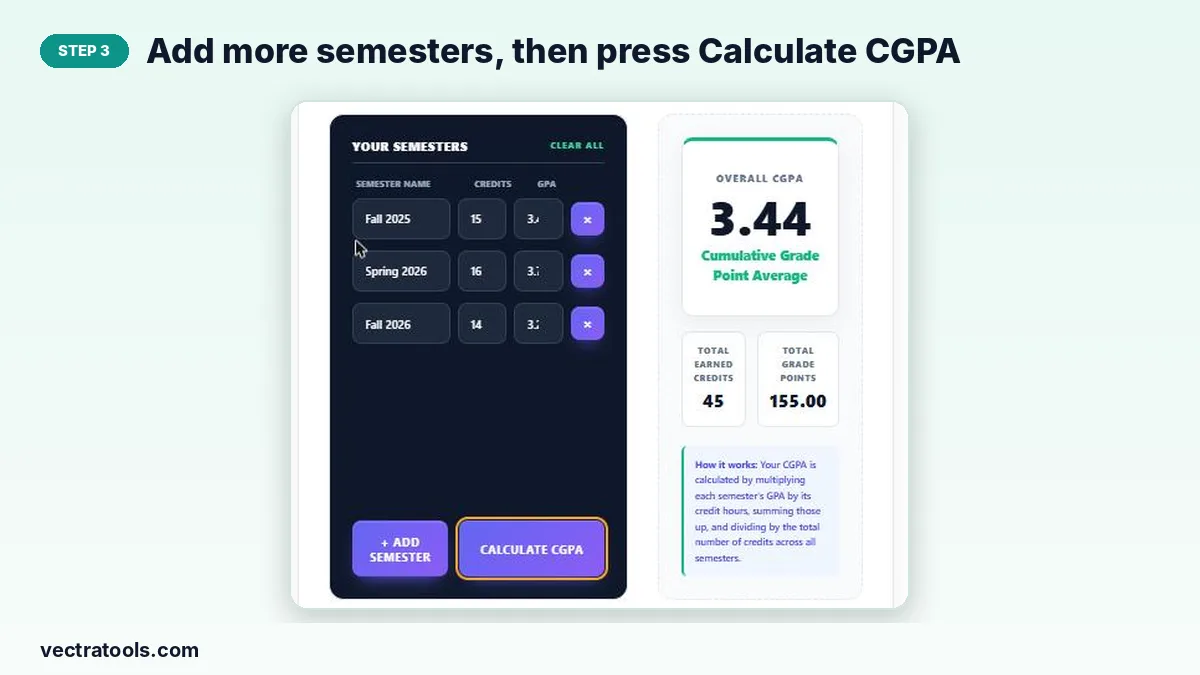
Step 3: Add more semesters, then press Calculate CGPA
Click “+ Add Semester” for every extra term you have finished, then press “Calculate CGPA”. “Clear All” resets the list if you want to start again.
Step 4: Read your overall CGPA, credits and grade points
The result card shows your cumulative GPA to two decimals, the total earned credits and the total grade points, so you can check the maths against your transcript.
GPA vs CGPA vs SGPA
| Term | Covers | Typical use |
|---|---|---|
| SGPA / semester GPA | One semester only | Term results, dean’s list |
| GPA | Often used for one term or one year | Course reports |
| CGPA | All completed semesters | Degree classification, scholarships, job applications |
Tips for Accurate Results
- Use credits attempted for GPA; leave out pass/fail or audit courses that your university excludes.
- If you repeated a course, follow your university’s rule (many replace the old grade), and adjust that semester’s GPA first.
- Do not mix scales. Convert a 10-point or percentage semester before combining it with 4.0-scale semesters.
- To plan ahead, add a future semester with your target GPA and see how far your CGPA moves.
Converting CGPA to Percentage
There is no single universal formula. Some Indian universities multiply a 10-point CGPA by 9.5, while many Pakistani and US institutions publish their own tables. Always check your university handbook before quoting a percentage on an application.
When to Use a CGPA Calculator
Use the CGPA calculator at the end of every semester to keep your cumulative figure up to date, before applying for scholarships or internships that set a minimum CGPA, and when deciding how many credits to take next term. A CGPA calculator also helps you check that the cumulative figure on your portal matches your own records.
Frequently Asked Questions
How do I calculate my CGPA?
Multiply each semester GPA by its credit hours, add the results, and divide by your total credits. The CGPA calculator above does this for you once you enter credits and GPA for each semester.
Is CGPA the average of all semester GPAs?
Only when every semester has the same credit load. Otherwise CGPA is a credit-weighted average, so semesters with more credits count more.
Can I use this for a 5.0 or 10.0 scale?
Yes. The maths is the same on any scale, as long as every semester you enter uses the same scale.
Does the CGPA calculator save my data?
No. The calculation runs in your browser and nothing is uploaded or stored on a server.
How many semesters can I add?
As many as you need. Press “+ Add Semester” for each extra term.
What is a good CGPA?
On a 4.0 scale, 3.0 and above is generally considered good and 3.5 and above is strong, but scholarship and graduate-school cut-offs vary by institution.