

JSON Validator Online – Check JSON Syntax and Find Errors
JSON Validator
Quick answer
A JSON validator checks whether text follows the JSON syntax rules. Paste your JSON and the tool either confirms it is valid or shows the exact line and column of the first error, with a tip such as removing a trailing comma or replacing single quotes with double quotes. Valid JSON can then be formatted with 2 or 4 spaces or minified to one line.
Our free JSON validator online is built for developers, testers and anyone working with APIs, config files or data exports. Everything runs in your browser, so private API responses and keys are never uploaded.
What Makes JSON Valid?
JSON (JavaScript Object Notation) is stricter than JavaScript. A file that works in your code can still fail a JSON validator. These are the rules most errors break:
| Rule | Invalid | Valid |
|---|---|---|
| Keys use double quotes | {name: "Ali"} | {"name": "Ali"} |
| Strings use double quotes | {"name": 'Ali'} | {"name": "Ali"} |
| No trailing commas | ["a", "b",] | ["a", "b"] |
| No comments | {"a": 1 // id} | {"a": 1} |
| Only valid values | {"a": undefined} | {"a": null} |
| Commas between items | {"a": 1 "b": 2} | {"a": 1, "b": 2} |
Valid values are strings, numbers, true, false, null, objects and arrays. NaN, Infinity, dates and functions are not allowed and must be stored as strings or numbers.
How to Use the JSON Validator
Step 1: Paste Your JSON into the Box
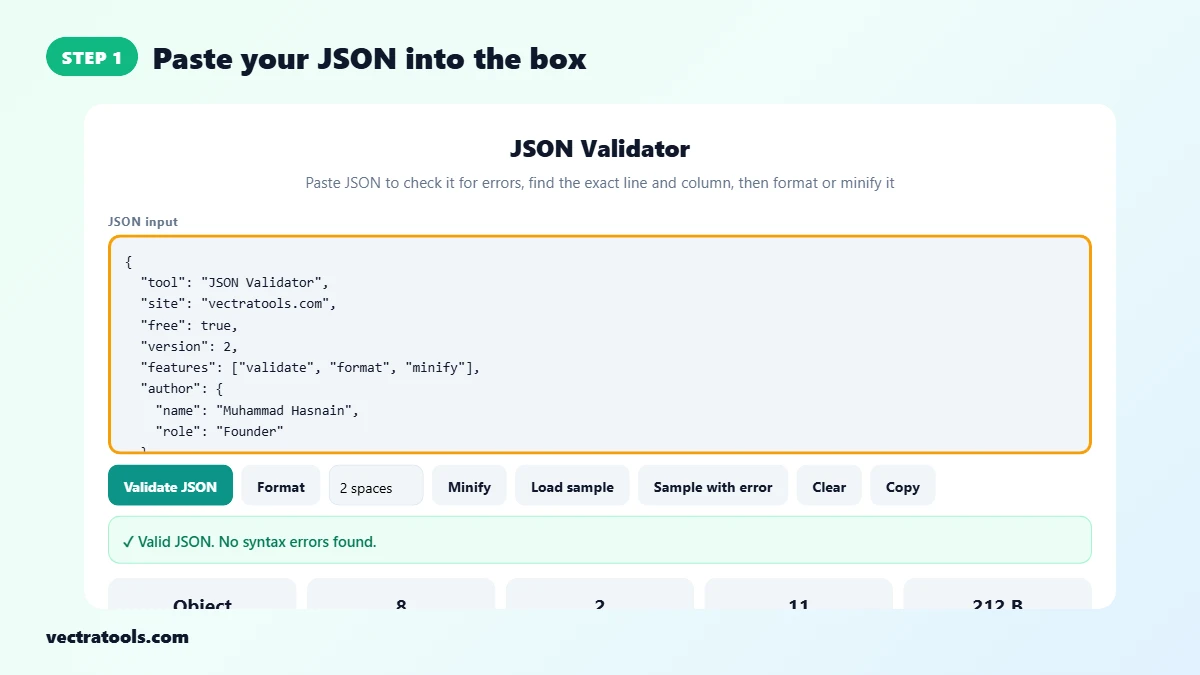
Open the JSON validator and paste your JSON into the input box, or click Load sample to try it. The tool checks the text automatically as you type.
Step 2: Validate and Read the Result
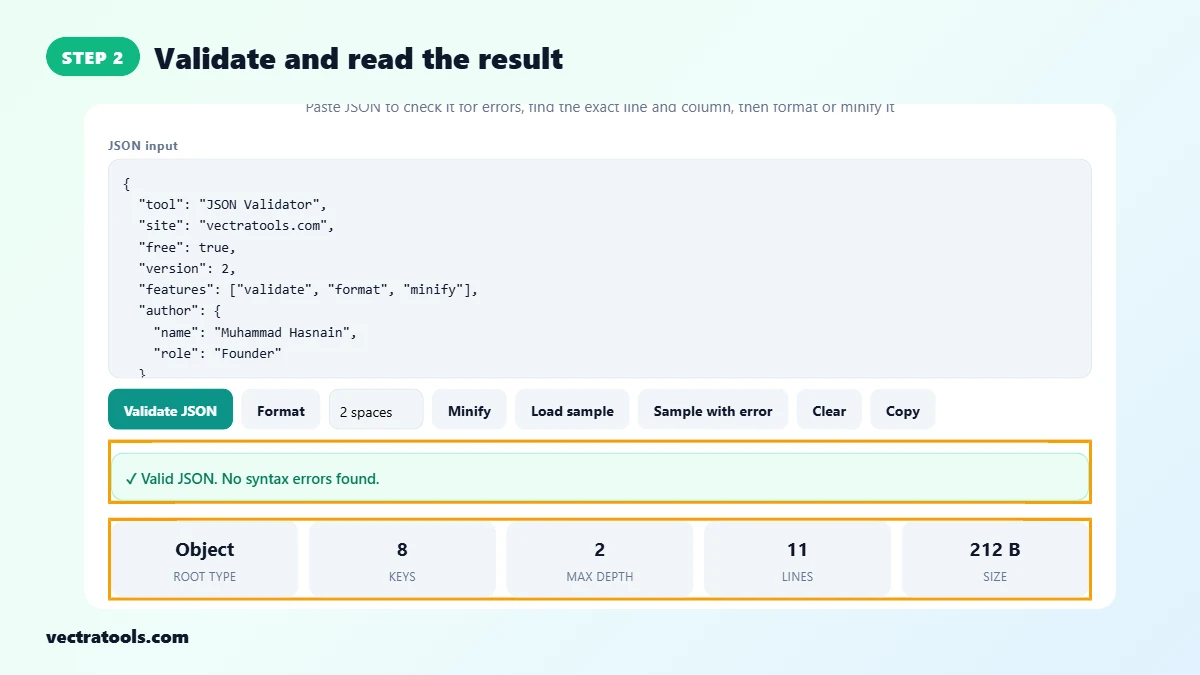
Click Validate JSON. A green message means the JSON is valid. The cards show the root type (Object or Array), the number of keys, the deepest nesting level, the number of lines and the size. The sample has 8 keys and a depth of 2.
Step 3: Find the Exact Line and Column of Errors
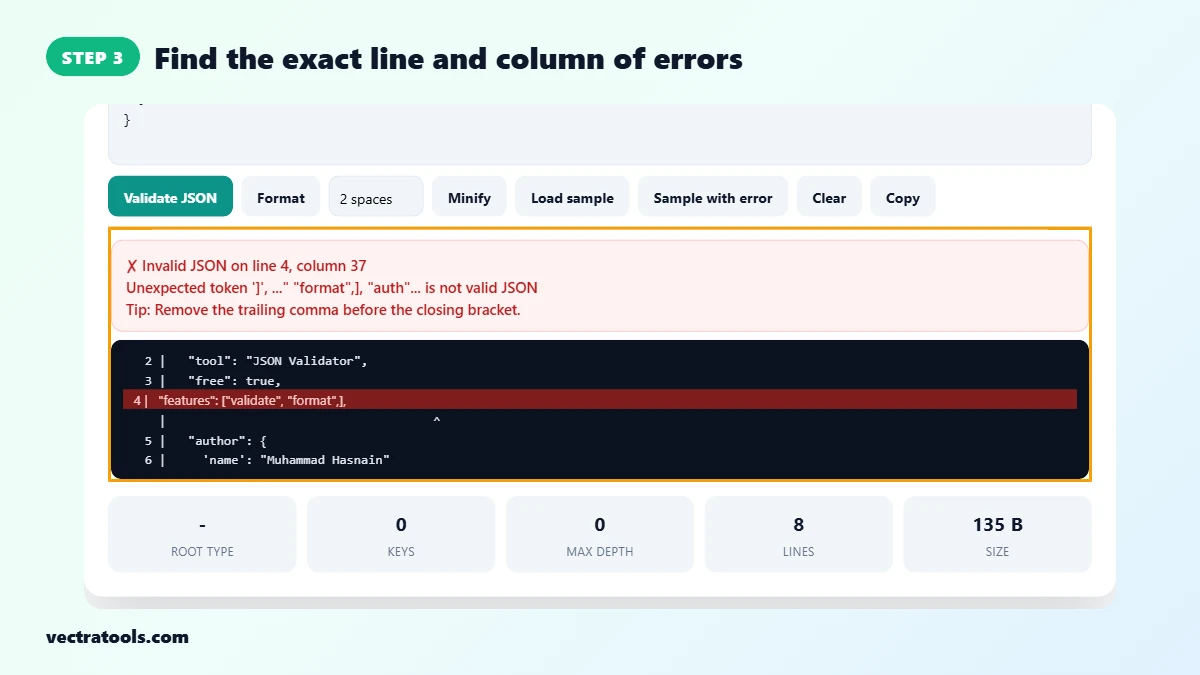
If the JSON is invalid, a red message shows the line and column of the first error, the browser’s error text and a tip. A code snippet highlights the line with a caret under the problem. In the error sample, line 4 column 37 is a trailing comma.
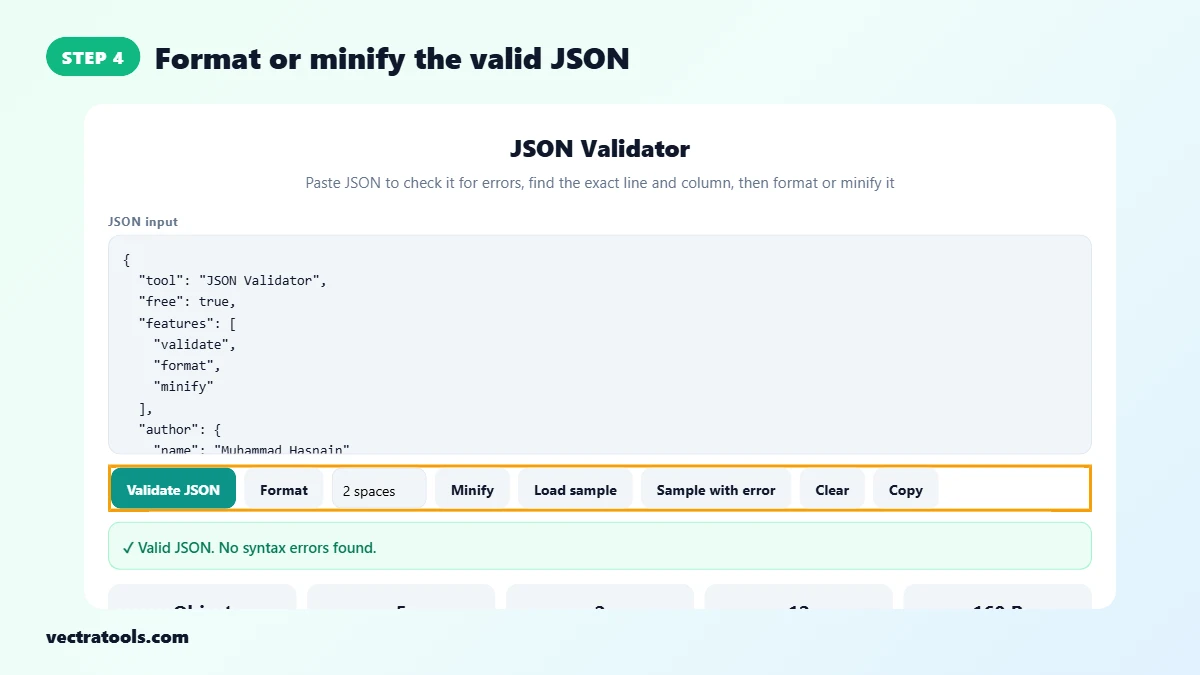
Step 4: Format or Minify the Valid JSON
Once the JSON is valid, click Format to indent it with 2 spaces, 4 spaces or tabs, or Minify to squeeze it onto one line. Click Copy to copy the result.
Common JSON Errors and How to Fix Them
- Unexpected token: usually a missing comma, an extra comma or a stray character. Look at the highlighted line.
- Expected double-quoted property name: a key has no quotes or single quotes, or there is a trailing comma before }.
- Unexpected end of JSON input: a closing bracket or quote is missing at the end.
- Bad control character in string: a real line break or tab inside a string. Use \n or \t instead.
JSON Validator Tips
- Fix the first error and validate again. One mistake often causes the errors after it.
- When copying JSON from a chat app or document, smart quotes such as “ ” break it. Replace them with straight quotes.
- For very large files, minify before sending to save bandwidth, and format before reading.
- Your data stays in your browser. Nothing is sent to a server.
Frequently Asked Questions
How do I check if JSON is valid?
Paste it into the JSON validator. It shows a green message for valid JSON, or the line and column of the first error.
Why does my JSON say unexpected token?
There is a character the parser did not expect, often a missing or extra comma, a single quote or a comment. The highlighted line shows where.
Are trailing commas allowed in JSON?
No. A comma after the last item in an object or array makes the JSON invalid.
Can JSON have comments?
No. Standard JSON does not allow comments. Remove them or move the note into a field.
Does the validator format JSON too?
Yes. After validating, click Format for indented JSON or Minify for a single line.
Is my JSON uploaded anywhere?
No. Validation runs entirely in your browser.
Is this JSON validator free?
Yes. It is free, has no limits for normal use and needs no sign-up.