

Favicon Viewer & Downloader – Grab Any Website’s Icon in 2 Easy Steps
Favicon Viewer & Downloader
Enter any website URL to instantly view, inspect, and download its high-resolution favicon.
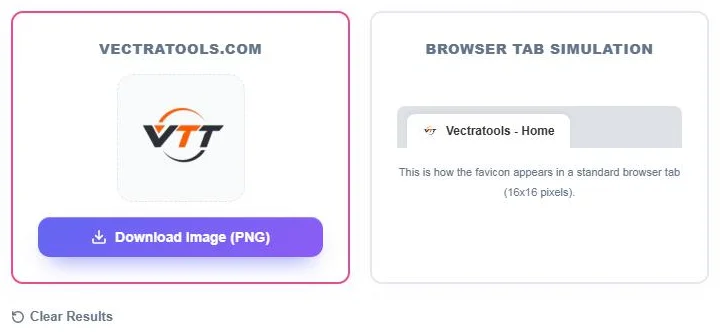
This is how the favicon appears in a standard browser tab (16x16 pixels).
Use this free favicon downloader to view and save the icon of any website just by entering its address.
Quick answer
A favicon downloader fetches the small icon a website shows in browser tabs and search results. Enter a URL such as https://vectratools.com, click Extract Favicon, and the tool shows the icon at a large size, previews it in a 16 × 16 browser tab and lets you save it with Download Image (PNG). The icon is requested through Google’s favicon service, which returns the largest version it has stored, up to 256 px.
Table of Contents
Designers, SEO specialists and developers often need a site’s favicon: to add logos to a client report, build a link directory, check a competitor’s branding or confirm that their own icon is set up correctly.
Digging through page source for the icon path, or finding that the file is an .ico with several sizes inside, takes time. This favicon viewer and downloader does it in one step from just the domain.
What the Tool Shows
| Section | What you get |
|---|---|
| Domain card | The site’s favicon displayed large, so you can check quality |
| Browser tab simulation | The same icon at 16 × 16 px beside a sample tab title |
| Download Image (PNG) | A PNG copy of the icon for reports or design work |
| SEO best practices | Recommended formats and sizes at a glance |
How to Use the Favicon Viewer & Downloader
Step 1: Enter the Website URL
Type or paste a website address, such as https://vectratools.com or just vectratools.com, into the URL box and click Extract Favicon.

Step 2: View and Download the Icon
The left card shows the domain and its favicon at full size, and the Browser Tab Simulation shows how it looks at 16 × 16 pixels. Click Download Image (PNG) to save it, or Clear Results to check another site.
Common Uses
- Client and SEO reports: add competitor or backlink-source icons next to their names.
- Link directories and resource pages: show a small icon beside each listed website.
- Favicon audits: confirm that your own site’s icon is detected and looks sharp.
- Design research: compare how brands in a niche design their icons.
- Bookmarks and dashboards: collect icons for a custom start page.
Why a Favicon Might Look Blurry or Missing
- The site only provides a small 16 × 16 or 32 × 32 icon, so it is scaled up.
- The site has no favicon or blocks crawling of its icon file, so a default globe icon is returned.
- The favicon was changed recently and the stored copy has not been refreshed yet.
- The URL has a typo, or you entered a subdomain that uses a different icon.
If your own site shows a blurry or generic icon, add a square PNG of at least 48 × 48 px (192 × 192 is a good choice) and link it in your homepage head with <link rel="icon" href="/favicon.png" sizes="192x192">.
Using Downloaded Favicons Responsibly
Favicons are part of a website’s brand and may be trademarks. Use them to identify the site, for example in a report, directory or comparison table, and do not present another company’s icon as your own or use it in a way that suggests endorsement.
Favicon Size Guide
| Size | Where it appears |
|---|---|
| 16 × 16 | Browser tabs |
| 32 × 32 | Taskbar shortcuts and high-density tabs |
| 48 × 48 and up | Google search results |
| 180 × 180 | Apple touch icon |
| 192 × 192 | Android home screen |
Frequently Asked Questions
What is a favicon downloader?
It is a tool that finds a website’s favicon from its URL and lets you view and save it as an image file.
Can I download the favicon of any website?
You can download the icon of most public websites. If a site has no favicon, a default icon is shown instead.
What size is the downloaded favicon?
The tool requests the largest version available, up to 256 px. Many sites provide 192 px or smaller.
Why does the tool show a globe icon?
The site has no favicon available, the icon could not be found, or the URL was mistyped.
Do I need to enter https:// or www?
No. A plain domain such as example.com works.
Is the favicon downloader free?
Yes. It is free with no sign-up.