

YouTube Thumbnail Downloader – HD Thumbnails in 3 Easy Steps
YouTube Thumbnail Downloader
Use this YouTube thumbnail downloader to extract, preview and download high-quality thumbnails instantly. Just paste the video URL and grab the image in your desired resolution.
- Use high contrast text (like Yellow on Black) to stand out on mobile screens.
- Faces with expressive emotions drastically increase CTR (Click-Through Rate).
- Always design for mobile first; avoid putting text in the bottom right corner (where the timestamp goes).
Use this free YouTube thumbnail downloader to grab the cover image of any YouTube video in HD (1280 × 720), standard, high, medium or default size. Paste a video link, pick the size and the thumbnail appears instantly. The bulk extractor handles several links at once and can export all image links as a CSV file.
Quick answer
Paste a YouTube link (watch, youtu.be, Shorts, live or embed), choose a size and press Extract Image. Then press View / Save to open the full image and save it, or Copy URL to copy the direct link. Every thumbnail lives at img.youtube.com/vi/VIDEO_ID/size.jpg, where maxresdefault is HD and hqdefault is 480 × 360.
Table of Contents
Thumbnails are the first thing viewers see. Creators download them to review their own designs, editors use them for blog embeds and presentations, and marketers collect them to study what works in a niche.
This YouTube thumbnail downloader runs in your browser, needs no account and works with regular videos and Shorts.
Thumbnail Sizes Available
| Option | File name | Size |
|---|---|---|
| HD Resolution (best) | maxresdefault.jpg | 1280 × 720 |
| Standard | sddefault.jpg | 640 × 480 |
| High | hqdefault.jpg | 480 × 360 |
| Medium | mqdefault.jpg | 320 × 180 |
| Default | default.jpg | 120 × 90 |
Not every video has an HD thumbnail, especially older uploads. When HD is missing, YouTube serves a small grey placeholder; the tool now spots this and automatically shows the next size that exists.
Supported Link Formats
- youtube.com/watch link with the v parameter
- youtu.be/VIDEO_ID short links, including share links with extra parameters
- youtube.com/shorts/VIDEO_ID
- youtube.com/live/VIDEO_ID
- youtube.com/embed/VIDEO_ID
- A bare 11-character video ID
How to Use the YouTube Thumbnail Downloader
Step 1: Paste the Video Link and Pick a Size
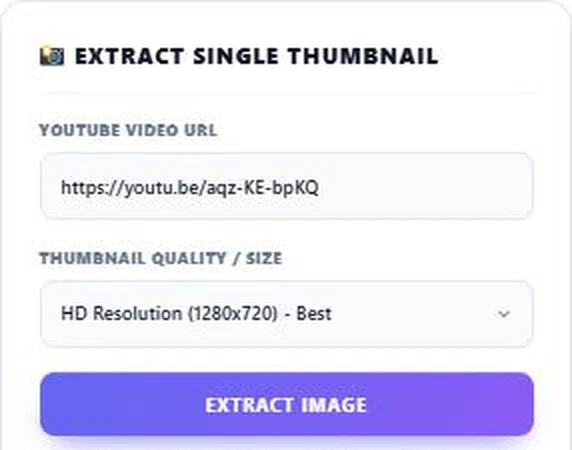
Copy the link from the address bar or the Share button and paste it into YouTube Video URL. Choose a size in Thumbnail Quality / Size; HD Resolution (1280x720) is selected by default.
Step 2: Extract and Save the Thumbnail
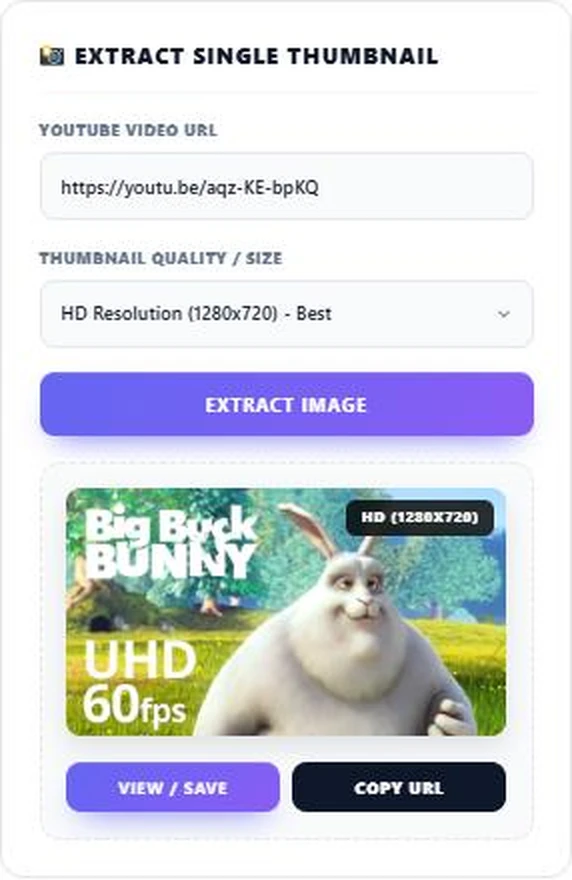
Press Extract Image. The preview shows the thumbnail with its size label. Press View / Save to open the full image in a new tab, then right-click (or long-press on mobile) and choose Save image. Copy URL copies the direct image link.
Step 3: Extract Many Thumbnails at Once
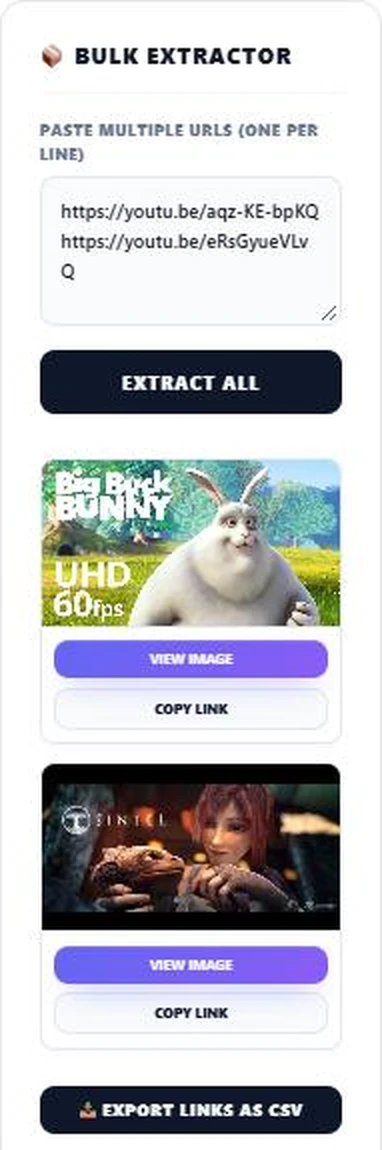
In Bulk Extractor, paste several links, one per line, and press Extract All. Each video gets its own preview with View Image and Copy Link buttons. Press Export Links as CSV to download every image link in a spreadsheet. Invalid lines are skipped.
Tips for Better Thumbnails
- Use high-contrast text that is readable on a small phone screen.
- Show a clear face or object; close-ups stand out in a busy feed.
- Keep important details away from the bottom-right corner, where YouTube shows the video length.
- Upload at 1280 × 720 or larger so your thumbnail looks sharp everywhere.
- Compare your thumbnail with top videos in your niche using the bulk extractor.
Using Thumbnails Responsibly
Thumbnails belong to the people who made them. Downloading your own thumbnails, or viewing others for research, is common practice. If you want to reuse someone else’s thumbnail in your own content, ask for permission or check the video’s licence. Videos marked Creative Commons, such as the open movie used in our screenshots, can be reused under their licence terms.
Why the Save Button Opens a New Tab
Browsers block websites from directly downloading images hosted on another domain without that server’s permission. Opening the image in a new tab lets you save the full-quality file safely in one more click.
Related tools: the Open Graph Preview Generator, the Image Alt Tag Checker and the Meme Generator.
Frequently Asked Questions
How do I download a YouTube thumbnail in HD?
Paste the video link, keep HD Resolution (1280x720) selected, press Extract Image, then View / Save and save the image.
Can I download thumbnails from YouTube Shorts?
Yes. Paste the youtube.com/shorts/ link and the tool finds the video ID.
Why does HD show a grey image for some videos?
Some videos do not have an HD thumbnail. The tool now falls back to the largest size available.
Can I download thumbnails in bulk?
Yes. Paste several links in Bulk Extractor, one per line, and press Extract All. You can export the links as CSV.
Is it legal to download YouTube thumbnails?
Viewing and saving is common, but thumbnails are protected by copyright. Ask the creator before reusing one.
Is this tool free?
Yes. The YouTube thumbnail downloader is free and needs no sign-up.