

UTM Tracking Link Builder – Campaign URLs in 3 Easy Steps
UTM Tracking Link Builder
Use this UTM tracking link builder to generate accurate tracking URLs and bulk export them to CSV for your campaign reports.
| Parameter | Required | Purpose / Example |
|---|---|---|
utm_source | Yes | Identifies the referrer (e.g., google, newsletter, twitter). |
utm_medium | No | Identifies the marketing medium (e.g., cpc, banner, email). |
utm_campaign | No | Identifies a specific product promotion or campaign (e.g., spring_sale). |
utm_term | No | Used for paid search to identify the keywords for this ad (e.g., running+shoes). |
utm_content | No | Differentiates ads or links pointing to the same URL (e.g., logolink or textlink). |
Use this free UTM tracking link builder to add campaign tags to any URL so Google Analytics can show exactly which email, ad or post sent each visitor. Enter your page URL and campaign details, copy the finished link, or add several links to a bulk list and export them as a CSV file.
Quick answer
A UTM link is your normal URL plus tags such as ?utm_source=newsletter&utm_medium=email&utm_campaign=spring_sale_2026. utm_source is required and names where the click came from. utm_medium, utm_campaign, utm_term and utm_content are optional but help you group and compare results in Google Analytics 4.
Table of Contents
Without UTM tags, a click from your newsletter may show up in analytics as "direct" traffic, and you lose the link between your effort and the results. With them, every campaign gets its own row in your reports.
This UTM tracking link builder writes the tags for you, keeps existing query strings and #anchors intact, and encodes spaces safely so the link never breaks.
UTM Parameters Explained
| Parameter | Required | What it tracks | Example |
|---|---|---|---|
| utm_source | Yes | Where the visitor came from | google, newsletter, facebook |
| utm_medium | No | The marketing channel | cpc, email, social, banner |
| utm_campaign | No | The campaign or promotion name | spring_sale_2026 |
| utm_term | No | Paid search keyword | pricing+plans |
| utm_content | No | Which ad or link was clicked | hero_button, carousel_ad |
How to Use the UTM Tracking Link Builder
Step 1: Enter Your URL and UTM Parameters
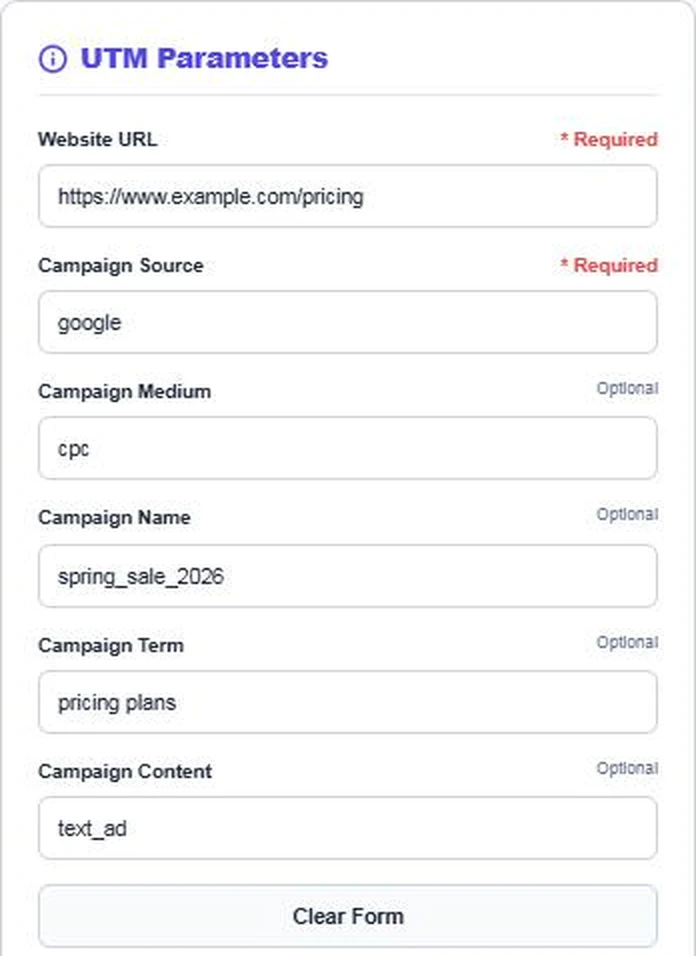
Paste the landing page into Website URL and type the Campaign Source. Then add the medium, campaign name, keyword term and content label if you need them. In our example the source is google, the medium is cpc and the campaign is spring_sale_2026.
Step 2: Copy the Generated Tracking Link
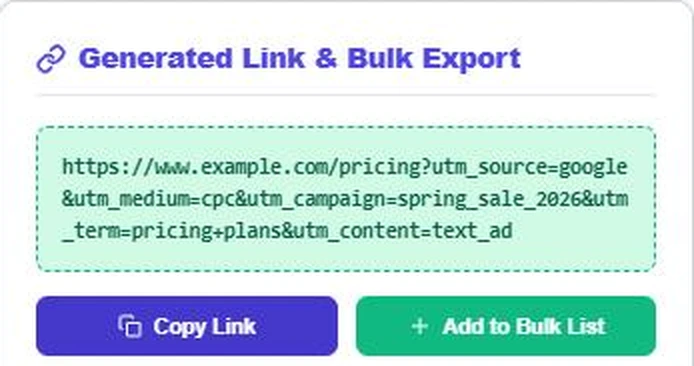
The finished link appears straight away in the green box. Press Copy Link and paste it into your ad, email or social post. If your URL already has a query string, the builder adds the UTM tags with &, and any #anchor stays at the end where browsers expect it.
Step 3: Build a Bulk List and Export CSV
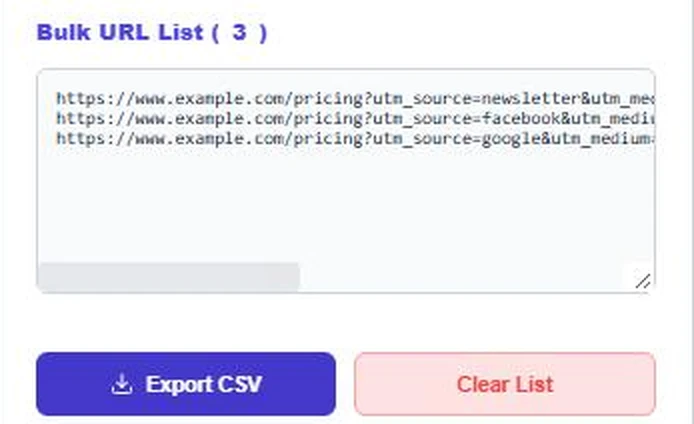
Press Add to Bulk List after each link to collect variations, such as one link for the newsletter, one for Facebook ads and one for Google Ads. The counter shows how many links you have. Press Export CSV to download them for your campaign tracker, or Clear List to start again.
UTM Naming Best Practices
- Use lowercase everywhere. Google Analytics treats Newsletter and newsletter as two different sources.
- Use underscores or hyphens instead of spaces. spring_sale_2026 is easier to read than Spring+Sale+2026.
- Keep a naming list. Decide once whether you use facebook or fb, and stick to it.
- Match GA4 default channels. Mediums such as cpc, email, social and referral help GA4 group traffic into the right channel.
- Never tag internal links. UTMs on links inside your own site start a new session and overwrite the original source.
Example UTM Links
- Newsletter: example.com/pricing?utm_source=newsletter&utm_medium=email&utm_campaign=spring_sale_2026&utm_content=hero_button
- Facebook ad: example.com/pricing?utm_source=facebook&utm_medium=cpc&utm_campaign=spring_sale_2026&utm_content=carousel_ad
- Google Ads: example.com/pricing?utm_source=google&utm_medium=cpc&utm_campaign=spring_sale_2026&utm_term=pricing+plans
Where to Find UTM Data in Google Analytics 4
In GA4, open Reports › Acquisition › Traffic acquisition and change the primary dimension to Session source / medium or Session campaign. You will see visits, engagement and conversions for every tag you created.
Common UTM Mistakes
- Mixing capital and small letters across campaigns, which splits one source into several rows.
- Leaving out utm_medium, so GA4 cannot place the visit in the right channel group.
- Using UTM links on your own navigation or buttons, which resets the session source.
- Sharing very long links in plain text. Use a link shortener for SMS or print, but keep the full UTM link behind it.
- Forgetting to note the links you made. The CSV export from this UTM tracking link builder is an easy campaign log.
UTM Tags and Paid Ads
Google Ads can tag links automatically with a gclid when auto-tagging is on, and GA4 reads it without manual UTMs. Many teams still add UTMs to Meta, LinkedIn, TikTok and email links, because those platforms do not send campaign details to GA4 on their own.
Measuring campaign results? Try the Email Open Rate Benchmarker, the Lead Conversion Funnel Calculator or the Bulk URL Slug Generator.
Frequently Asked Questions
What is a UTM tracking link?
It is a normal URL with extra tags such as utm_source and utm_campaign. Analytics tools read the tags to show where each visit came from.
Which UTM parameters are required?
Only utm_source is required in this builder. Adding utm_medium and utm_campaign is strongly recommended for clean reports.
Are UTM parameters case sensitive?
Yes. Google Analytics treats Email and email as different values, so use lowercase consistently.
Do UTM tags affect SEO?
No. They do not change rankings. Use them on external campaign links, not on internal links or your sitemap.
Can I add UTM tags to a URL that already has parameters?
Yes. The builder keeps existing parameters, adds the UTM tags with & and keeps any #anchor at the end.
Is my data stored?
No. The UTM tracking link builder runs in your browser and nothing is saved.