

Meme Generator Online – Make a Meme in 3 Easy Steps
🎭 MemeCraft Pro
Meme Generator Online • Dual Upload • 30+ SFW Templates
 Replace template background
 PNG with transparency best
Use this free meme generator online to make a meme in seconds. Pick one of 30+ popular templates or upload your own picture, add top and bottom text, choose the text and outline colours, place a sticker on top and download the finished meme as a PNG. Everything happens in your browser.
Quick answer
Choose a template or upload a background image, type your top and bottom captions, adjust the text colour or outline if you like, then press Download Meme to save a PNG. Long captions wrap onto extra lines and shrink automatically so they stay on the image. You can also add a transparent PNG sticker and resize it with the slider.
Table of Contents
Memes are a quick way to make a point or share a joke with friends, coworkers or followers. Most generators lock you into their templates or add a watermark. This meme generator online lets you use your own photos, adds no watermark and works without an account.
Meme Generator Features
- 30+ SFW templates in four categories: Comparison, Choices, Reaction and Classic.
- Upload your own background to replace any template.
- Overlay sticker with a size slider; transparent PNGs work best.
- Classic meme text in bold capitals with an outline, in any colour you choose.
- Auto-fit captions that wrap and shrink so long text stays inside the picture.
- Download as PNG at the full size of the image, with no watermark.
How to Use the Meme Generator Online
Step 1: Choose a Template or Upload a Background
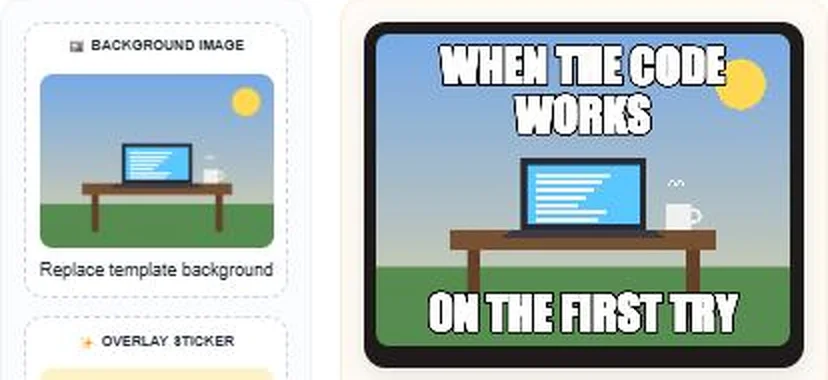
Pick a template from Select Template, or narrow the list with Filter by Category. To use your own picture, tap Background Image and choose a file. Here we uploaded our own desk illustration, and the preview updates straight away.
Step 2: Add Your Top and Bottom Text
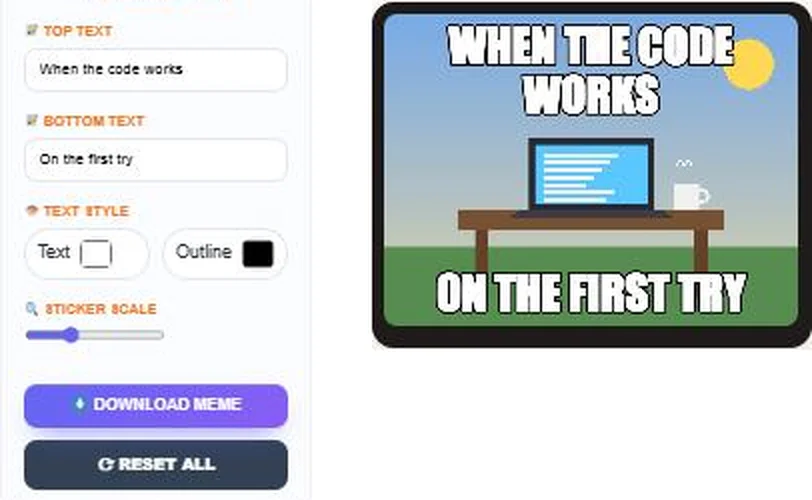
Type in Top Text and Bottom Text; here “When the code works” and “On the first try”. Text is shown in capitals with a black outline. Change the Text and Outline colours under Text Style. Notice how the longer top line wraps neatly onto two lines.
Step 3: Add a Sticker and Download
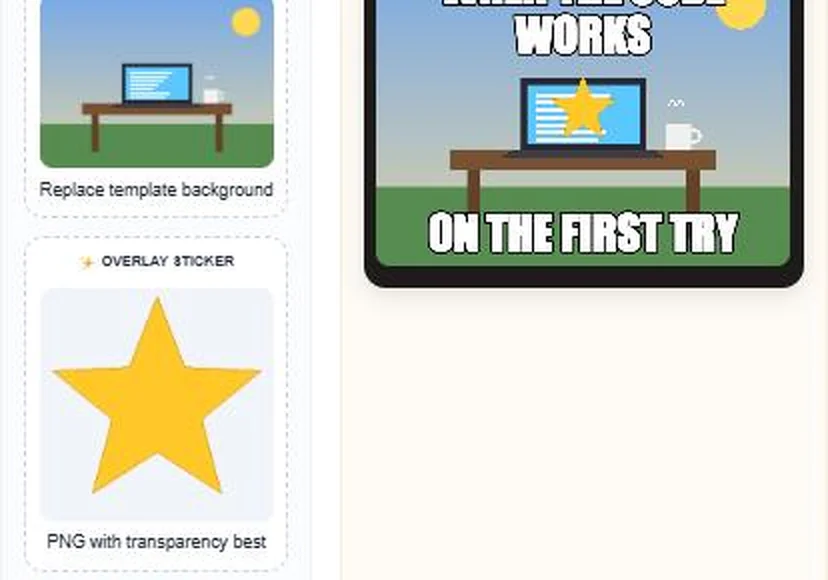
Tap Overlay Sticker and choose a PNG, such as this star. Use Sticker Scale to make it bigger or smaller. When you are happy, press Download Meme to save a PNG. Reset All clears everything.
Template Categories
| Category | Good for | Examples |
|---|---|---|
| Comparison | Better vs worse, before vs after | Drake Hotline Bling, Buff Doge vs Cheems, Expanding Brain |
| Choices | Hard decisions and trade-offs | Two Buttons, Left Exit 12 Off Ramp, Trade Offer |
| Reaction | Responding to news or a situation | Surprised Pikachu, This Is Fine, Hide the Pain Harold |
| Classic | Timeless one-liners | Success Kid, One Does Not Simply, Change My Mind |
Tips for Funnier Memes
- Keep each caption short; the joke should land in a couple of seconds.
- Set up the situation on top and deliver the punchline at the bottom.
- Pick a template whose usual meaning matches your joke.
- Use high-contrast colours, such as white text with a black outline.
- Check spelling before you share; typos distract from the joke.
Using Images Responsibly
Popular meme templates are widely shared, but the original photos still belong to their owners. Memes for personal fun and commentary are common. For ads, products or brand accounts, use your own images or pictures you have the rights to; the background upload makes that easy. Never use someone’s photo to mock or harass them.
Related tools: the YouTube Thumbnail Downloader, the Open Graph Preview Generator and Tic Tac Toe Online for a quick break.
Frequently Asked Questions
Is this meme generator free?
Yes. It is free, needs no account and adds no watermark.
Can I use my own picture?
Yes. Tap Background Image and upload any photo to replace the template.
How do I download my meme?
Press Download Meme. The meme is saved as a PNG file.
What happens if my caption is too long?
The text wraps onto extra lines and shrinks so it stays inside the image.
Can I add a sticker or logo?
Yes. Upload a PNG in Overlay Sticker and resize it with the slider.
Are my images uploaded to a server?
No. Your images are processed in your browser.