

Simple Contact Manager CRM – Free Online Address Book with Notes
Contact Manager CRM
A simple, private rolodex for your business leads and network. Save contact details and log interaction notes instantly.
Quick answer
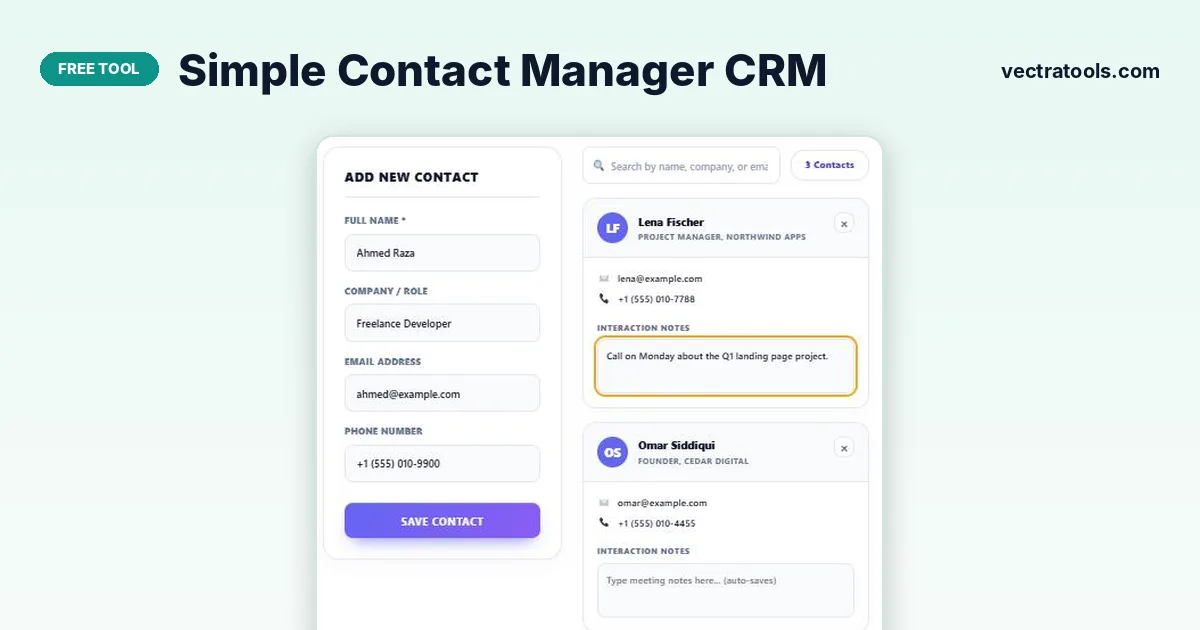
Enter a contact’s full name, company or role, email and phone number and press Save Contact. The contact manager creates a card for each person, sorted by name, with an Interaction Notes box that saves automatically. Use the search box to find anyone by name, company or email, and Print Directory to get a paper or PDF copy.
Freelancers and small businesses rarely need a full sales CRM, but they do need to remember who they spoke to, about what and when. A simple contact manager does exactly that.
This contact manager keeps every contact as a tidy card with initials, role, email, phone and a notes box for meeting details. Everything is stored privately in your browser, with no account or subscription.
What Each Contact Card Holds
| Field | Example |
|---|---|
| Full name (required) | Sara Malik |
| Company / role | Marketing Director, Brightline Studio |
| [email protected] | |
| Phone | +1 (555) 010-2233 |
| Interaction notes | Call on Monday about the Q1 landing page project. |
Notes save automatically as you type, so you can jot down details during or straight after a call.
How to Use the Simple Contact Manager CRM
Start with the people you contact most, then add others as you meet them.
Step 1: Add the name, company or role, email and phone
Fill in Add New Contact (only the full name is required) and press Save Contact. The card appears in the list with the person’s initials.

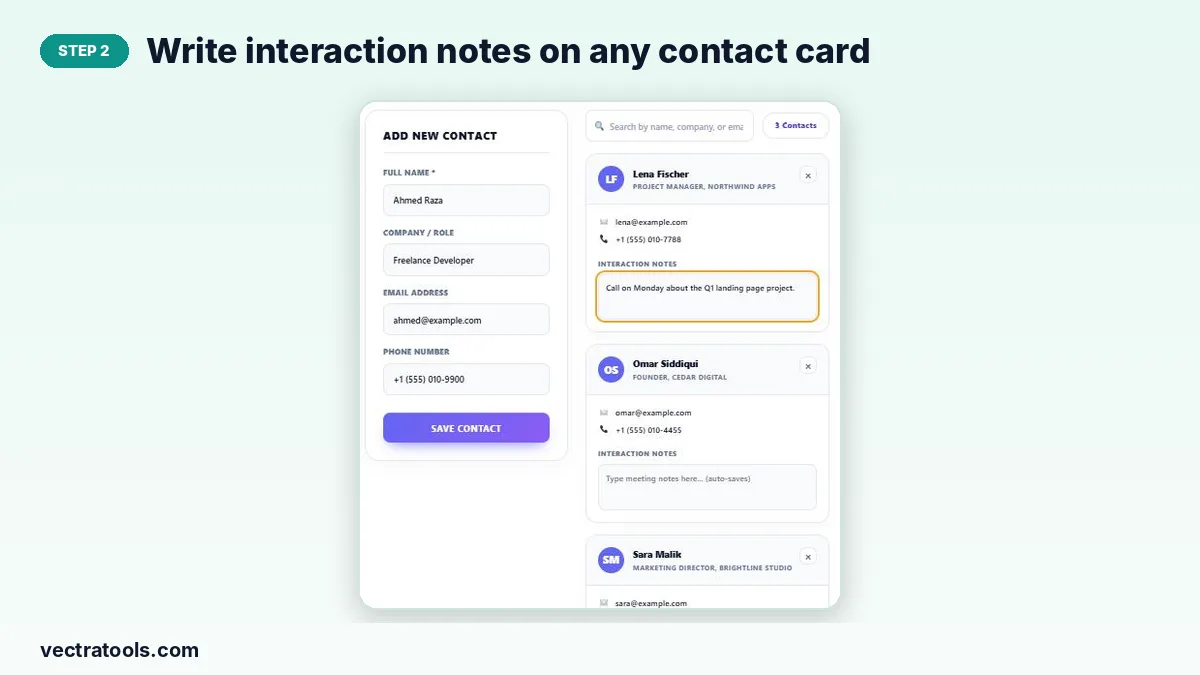
Step 2: Write interaction notes on any contact card
Click Interaction Notes on a card and type meeting notes, follow-ups or preferences. They save automatically.
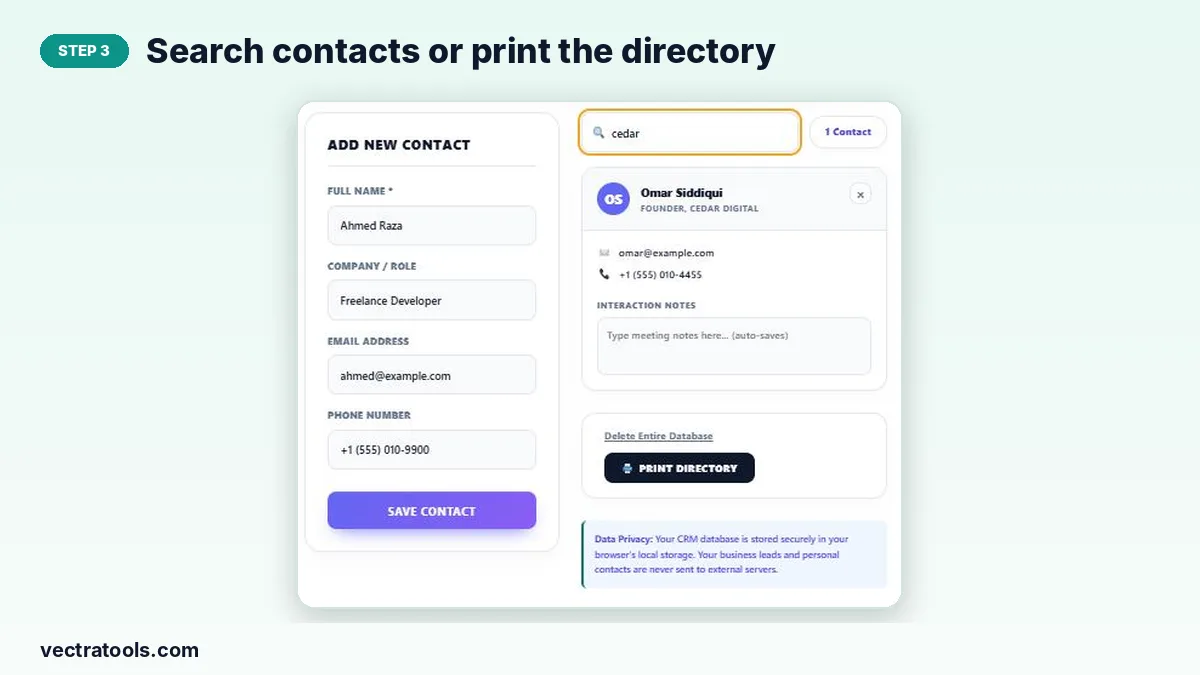
Step 3: Search contacts or print the directory
Type in the search box to filter by name, company or email; the counter shows how many match. Print Directory prints the list or saves it as a PDF. Remove a contact with ×.
Tips for Keeping Contacts Useful
- Add the company and role so you remember the context months later.
- Write the date at the start of each note, for example “7 Oct: sent proposal”.
- Note the next action and when, so every card shows what to do next.
- Print or export the directory regularly as a backup.
Why Use a Simple Contact Manager
Phone contacts hold numbers but not context, and big CRMs are overkill for a one-person business. A simple contact manager sits in between: names, details and notes in one searchable list. Use this contact manager for clients, leads, suppliers, recruiters or event contacts you want to follow up with.
Frequently Asked Questions
Is this contact manager free?
Yes. It is free with no sign-up and no contact limit.
Where are my contacts stored?
Only in your browser’s local storage. Nothing is uploaded to a server, which keeps your contacts private.
Do my notes save automatically?
Yes. Interaction notes are saved as you type.
Can I search my contacts?
Yes. The search box matches names, companies and email addresses.
Can I import contacts from my phone or email?
No. Contacts are added manually, which keeps the tool simple and private.
How do I back up my contacts?
Use Print Directory and save as PDF. Clearing browser data deletes the stored contacts.