

Passphrase Generator – Random Word Passwords That Are Easy to Remember
Passphrase Generator
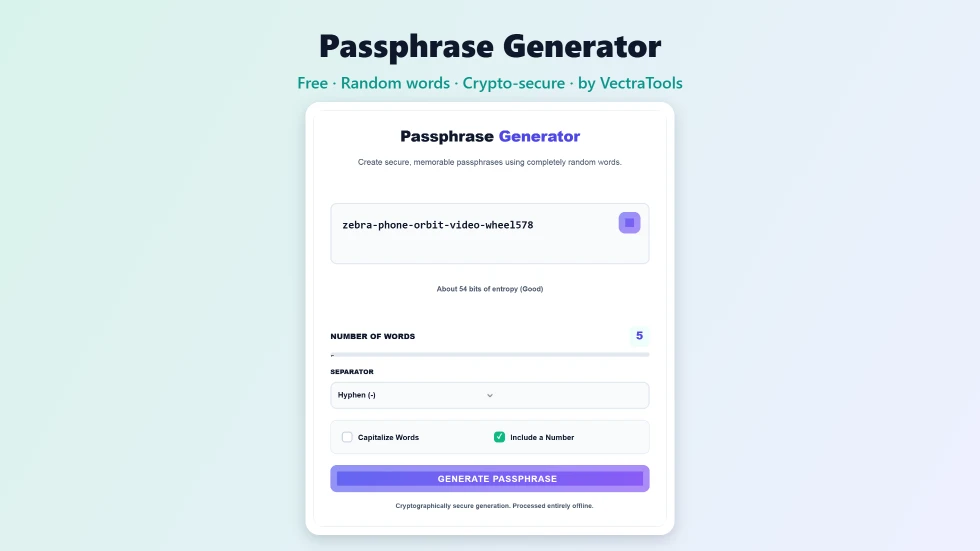
Use this free passphrase generator to create secure, memorable passphrases from random words.
Generating...
Quick answer
To use this passphrase generator, choose 3 to 8 words with the slider, pick a separator such as a hyphen or space, and tick Capitalize Words or Include a Number if a site needs them. A new passphrase appears straight away, built from random words using your browser's secure random number generator. The tool shows an entropy estimate, so you can see how strong it is. Press copy and save it in your password manager.
A passphrase is a password made of several random words, like blade-drink-input-oasis. It is long enough to resist cracking but far easier to remember and type than a jumble of symbols. This free passphrase generator builds one for you in a click, with options for word count, separators, capitals and numbers.
The words are picked with the browser's cryptographic random number generator, not a predictable formula, and nothing leaves your device. I also added an entropy readout under the passphrase so you can see the effect of adding one more word.
Passphrase Generator Features
| Feature | How it works |
|---|---|
| 3 to 8 words | A slider sets how many random words go into the passphrase |
| Six separators | Hyphen, space, underscore, period, comma or no separator |
| Capitalize Words | Starts each word with a capital letter for sites that require one |
| Include a Number | Adds a number from 10 to 999 to the end |
| Crypto-secure randomness | Words are chosen with window.crypto.getRandomValues |
| Entropy estimate | Shows the strength in bits for the current settings |
| Instant updates | A new passphrase appears whenever you change a setting |
| Private | Generated entirely in your browser and never stored |
How to Use the Passphrase Generator
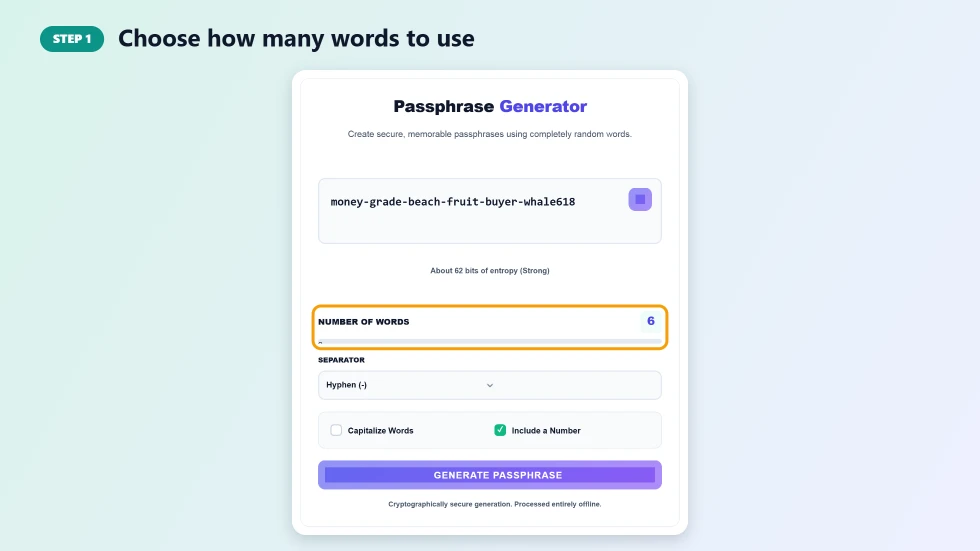
Step 1: Choose how many words to use
Drag the Number of Words slider anywhere from 3 to 8. Each extra word adds about 9 bits of entropy with this word list, so 5 or 6 words is a good choice for important accounts. The passphrase and the entropy line update straight away.
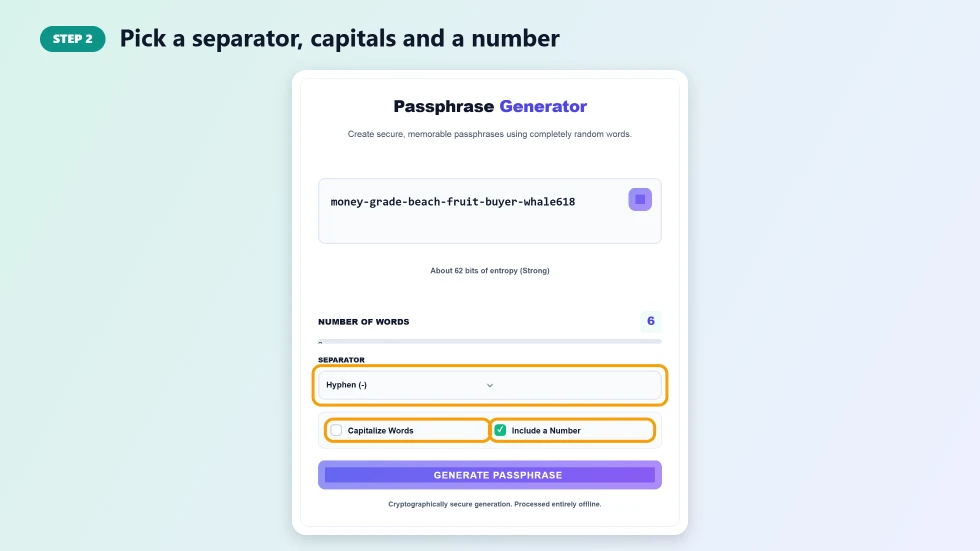
Step 2: Pick a separator, capitals and a number
Choose how the words are joined: hyphen, space, underscore, period, comma or nothing. Tick Capitalize Words if a site requires uppercase letters, and keep Include a Number on if it requires a digit. These options help you meet password rules without making the phrase hard to remember.
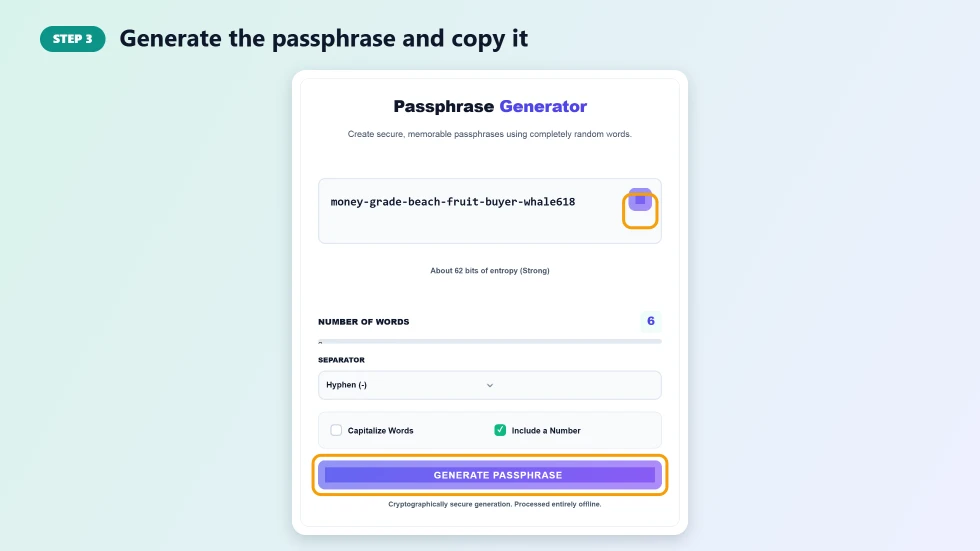
Step 3: Generate the passphrase and copy it
Press Generate Passphrase for a fresh set of random words until you get one you like. Press the copy button to put it on your clipboard, then paste it into the sign-up form and your password manager.
Why Use a Passphrase Generator
- Easy to remember: four to six real words are much easier to recall than a random 12-character string.
- Long by design: passphrases are usually 25 characters or more, which slows down cracking.
- Easy to type: handy on phones, TVs and game consoles where symbols are awkward.
- Truly random: words picked by a computer avoid the patterns people use when they make up phrases themselves.
How Strong Is a Passphrase?
Strength depends on how many words there are and how big the word list is. This passphrase generator draws from a list of 431 common, easy-to-spell words, which gives about 8.75 bits of entropy per word. Four words plus a number come to around 45 bits, five words to about 54 bits and six words to about 62 bits. For email, banking and your password manager master password, use at least six words.
Passphrase Tips
- Use a different passphrase for every account and store them in a password manager.
- Do not swap in your own favourite words; random choices are what make it secure.
- Avoid song lyrics, quotes and famous phrases, because attackers try them.
- Write your master passphrase down and keep it somewhere safe until you have memorised it.
- Turn on two-factor authentication for an extra layer of protection.
Frequently Asked Questions
Is this passphrase generator free?
Yes. It is free with no sign-up, and you can generate as many passphrases as you like.
Is a passphrase better than a password?
A long random passphrase is as strong as a complex password of similar entropy, and much easier to remember and type.
How many words should my passphrase have?
Use at least five words for normal accounts and six or more for important ones such as email, banking or a password manager.
Are the words truly random?
Yes. Each word is chosen with the browser's cryptographic random number generator, window.crypto.getRandomValues.
Can I use spaces between words?
Yes. Choose Space as the separator. If a site does not accept spaces, use a hyphen or underscore instead.
Are my passphrases saved anywhere?
No. They are created in your browser and are not sent to a server or stored.