

MLA Citation Generator – MLA 9th Edition Works Cited Entries
MLA Citation Generator
Instantly generate perfectly formatted MLA 9th Edition works cited entries for websites, books, and academic journals.

Quick answer
Pick the source type, enter the author’s first and last name, the title, the container (website, publisher or journal), the date and the URL or DOI, then press Create Citation. The MLA citation generator returns a Works Cited entry such as: Khan, Sarah. “How Solar Panels Work.” Energy Explained, 14 Mar. 2025, energyexplained.org/solar. Accessed 2 Oct. 2026.
MLA style is used across English, literature, languages and the humanities. Its Works Cited list follows the MLA 9th edition “core elements”: author, title of source, title of container, other contributors, version, number, publisher, date and location.
This MLA citation generator puts those elements in the right order with the right punctuation. It writes the author as Last, First, puts article titles in quotation marks, italicises the container and applies MLA title case automatically.
MLA 9th Edition Formats Used by the Generator
| Source | Example output |
|---|---|
| Web page | Khan, Sarah. “How Solar Panels Work.” Energy Explained, 14 Mar. 2025, energyexplained.org/solar. Accessed 2 Oct. 2026. |
| Book | Clear, James. Atomic Habits. Avery, 2018. |
| Journal article | Lopez, Maria Elena. “Sleep and Memory in Adolescents.” Journal of Sleep Research, vol. 32, no. 4, 2023, pp. 112-125. https://doi.org/10.1111/jsr.13800. |
Titles are converted to MLA title case: major words are capitalised, while articles, short prepositions and coordinating conjunctions (a, the, and, of, in, to…) stay lower case unless they come first or last. Words you type with internal capitals, such as NASA or iPhone, are left as they are.
How to Use the MLA Citation Generator
Have the source open. The form shows different fields for websites, books and journals.
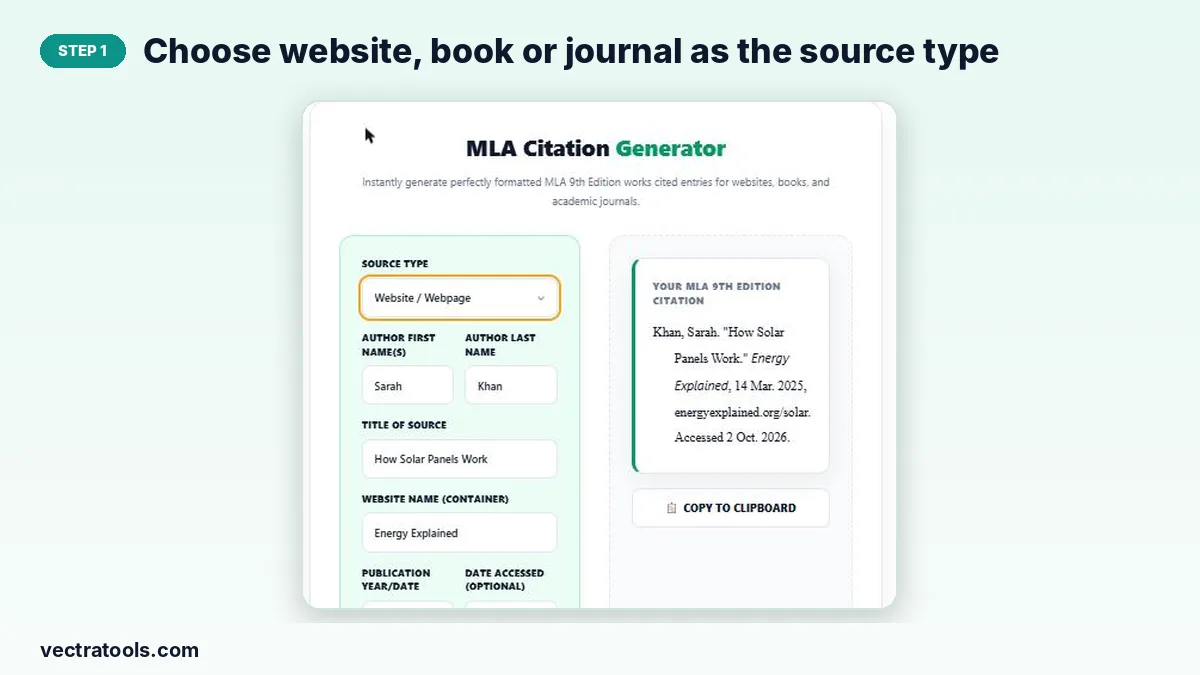
Step 1: Choose website, book or journal as the source type
Select Website / Webpage, Book or Academic Journal in the Source Type menu. The fields below update for that source.
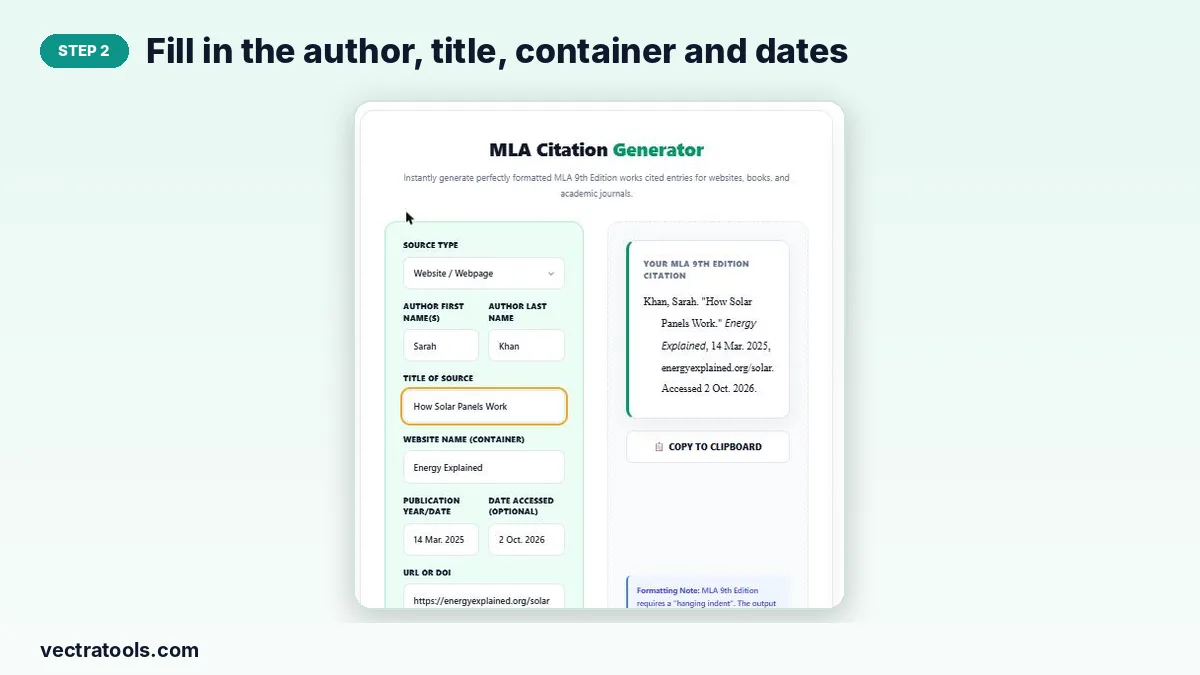
Step 2: Fill in the author, title, container and dates
Enter the author’s first and last name, the title of the page, book or article, and the container: the website name, publisher or journal. Add the publication date in day-month-year form (14 Mar. 2025) and, for web pages, the date you accessed it.
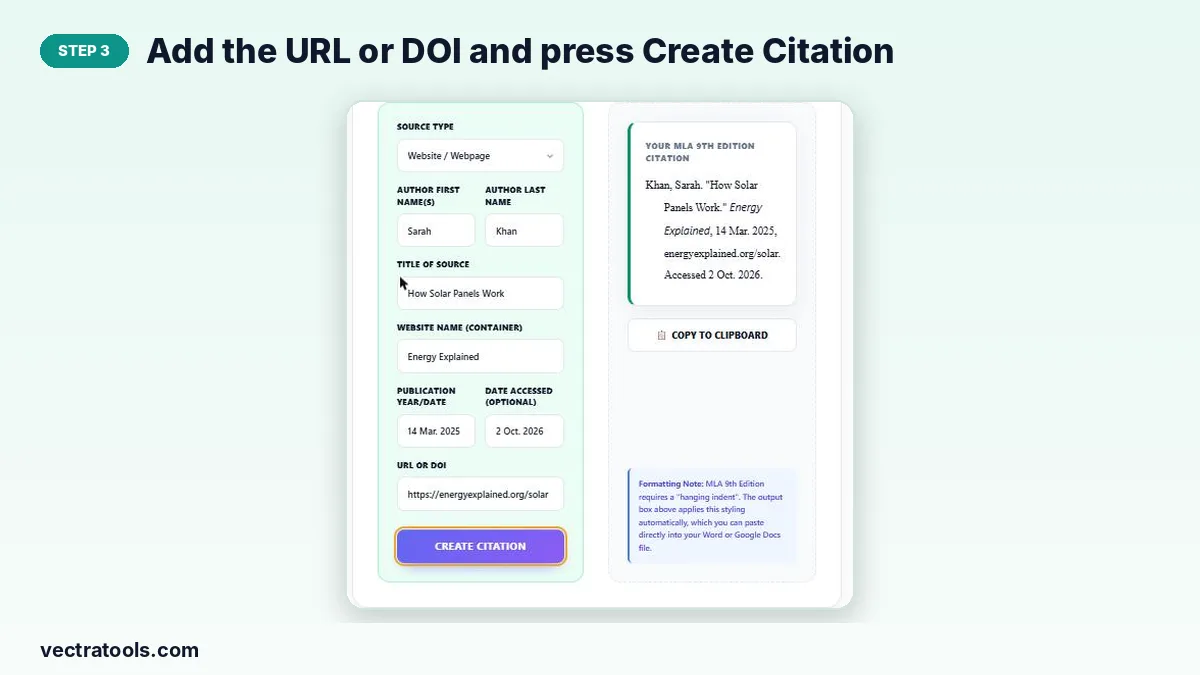
Step 3: Add the URL or DOI and press Create Citation
Paste the URL or DOI and press Create Citation. URLs are shown without https://, as MLA recommends, while DOIs keep the https://doi.org/ prefix.
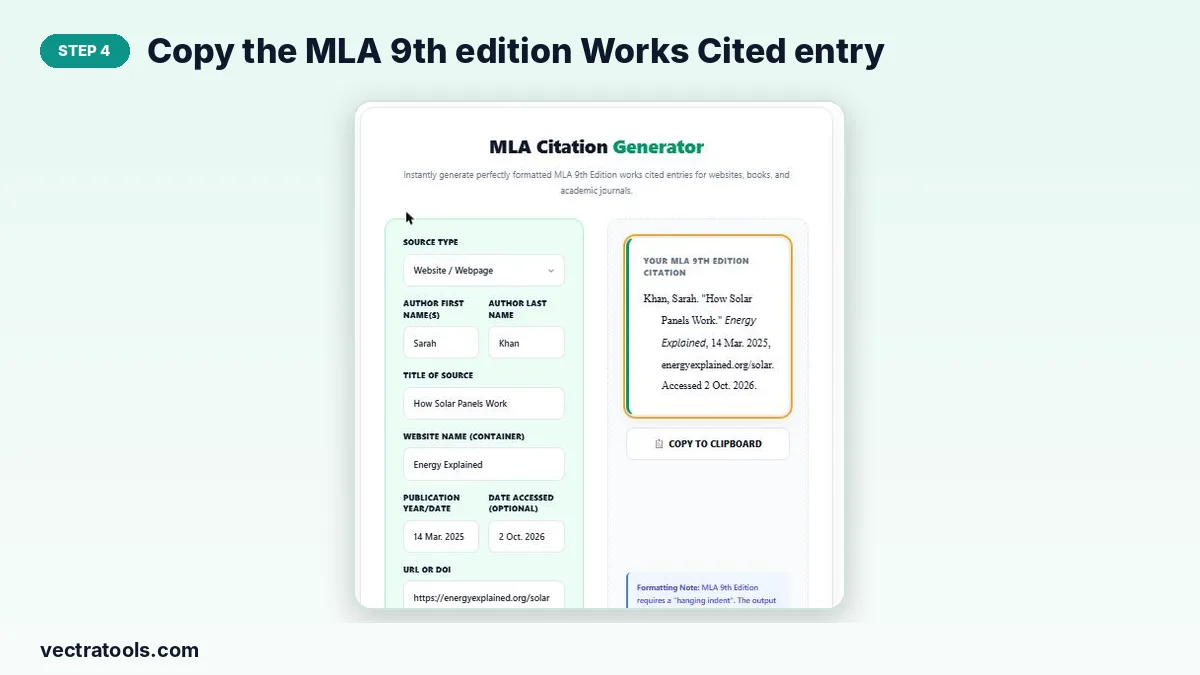
Step 4: Copy the MLA 9th edition Works Cited entry
The entry appears with a hanging indent and italics. Press Copy to Clipboard and paste it into your Works Cited page.
MLA Works Cited Tips
- Abbreviate months longer than four letters: Jan., Feb., Aug., Sept., Oct., Nov., Dec.
- The access date is optional in MLA 9 but recommended for web pages that may change or have no publication date.
- List entries alphabetically by author’s last name, double-spaced, with a 0.5-inch hanging indent.
- Title the page “Works Cited” (centred, not bold) when you have more than one source.
MLA In-Text Citations
MLA uses the author’s last name and page number with no comma: (Clear 27). For web pages with no page numbers, the name alone is enough: (Khan). If there is no author, use a shortened title in quotation marks: (“How Solar Panels”).
Why Use an MLA Citation Generator
MLA punctuation is easy to get wrong: a full stop after the author, a full stop inside the closing quotation mark, commas between container elements. An MLA citation generator handles all of it, so every entry in your Works Cited list matches. Keep this MLA citation generator open while you research and add each source as you find it.
Frequently Asked Questions
Which edition does this MLA citation generator follow?
The MLA Handbook 9th edition (2021), the current version used by schools and universities.
Does it capitalise titles correctly?
Yes. It applies MLA title case, keeping small words like “and”, “of” and “in” lower case except at the start or end of a title or after a colon.
Should I include https:// in the URL?
MLA 9 suggests leaving out http:// and https:// for URLs, so the tool removes them. DOIs are kept as https://doi.org/… links.
How do I cite a source with no author?
Leave the name fields empty and the entry will start with the title instead.
Can I add two or more authors?
The form takes one author. For two authors write: Khan, Sarah, and Ali Raza. For three or more: Khan, Sarah, et al. Edit the copied entry to add them.
Is the MLA citation generator free?
Yes. It is free, requires no sign-up and runs in your browser.