

Bibliography Maker Online – Build an APA, MLA or Chicago Reference List
Bibliography Maker
Build a complete, alphabetically sorted Works Cited page or Bibliography. Add your sources one by one and copy the final list instantly.

Quick answer
Choose APA, MLA or Chicago, pick the source type, fill in the author, title, year and publisher or website details, and press “+ Add to Bibliography”. Repeat for every source. The bibliography maker keeps the list in alphabetical order, re-formats everything when you change style, and copies the whole list in one click.
A citation generator formats one reference at a time. A bibliography needs all of them, in the same style and in alphabetical order. This bibliography maker builds that full list for you as you add sources.
It supports APA 7th edition, MLA 9th edition and Chicago 17th edition, for books, websites and journal articles. Because each source is stored once, you can switch style at any time and the whole list is rewritten instantly.
One Source in Three Styles
| Style | Book example |
|---|---|
| APA 7 | Harari, Y. N. (2014). Sapiens: a brief history of humankind. Harper. |
| MLA 9 | Harari, Yuval Noah. Sapiens: A Brief History of Humankind. Harper, 2014. |
| Chicago 17 | Harari, Yuval Noah. Sapiens: A Brief History of Humankind. Harper, 2014. |
APA keeps titles in sentence case as you type them, with initials for first names. MLA and Chicago use full first names and title case, with small words such as “a”, “of” and “and” kept lower case.
How to Use the Bibliography Maker
Collect your sources first, then add them one by one. Title and URL clear after each addition so you can enter the next source quickly.
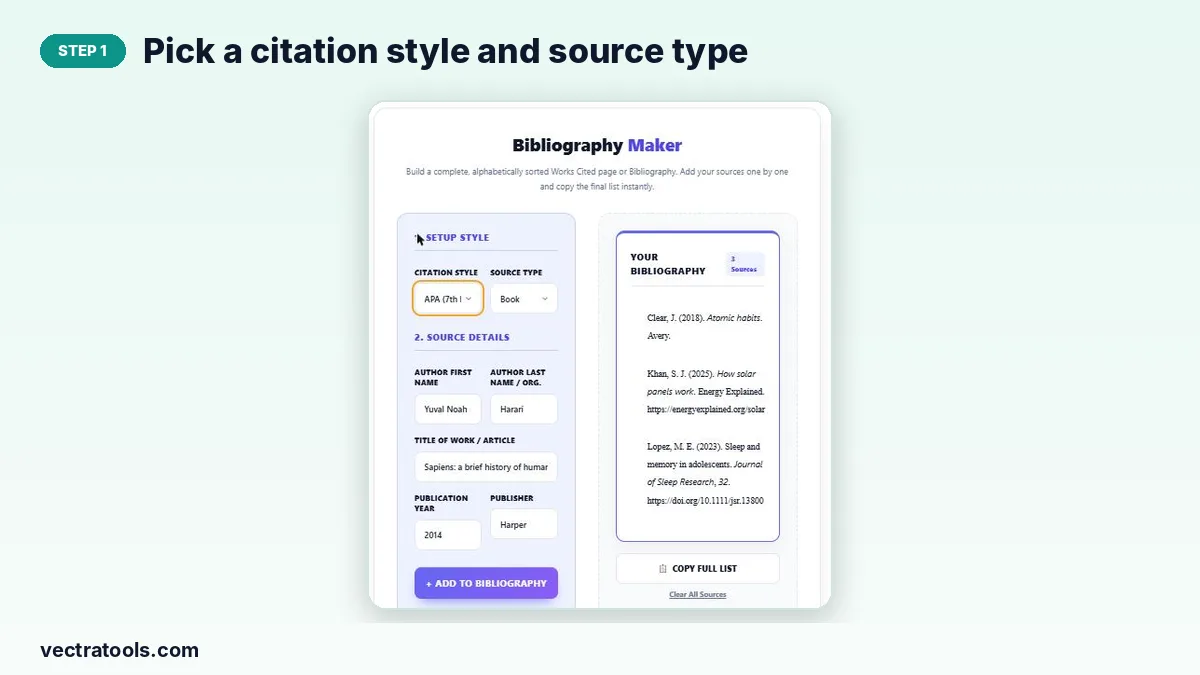
Step 1: Pick a citation style and source type
In “1. Setup Style” choose APA (7th Edition), MLA (9th Edition) or Chicago (17th Edition), then choose Book, Website / Webpage or Academic Journal.
Step 2: Fill in the author, title, year and publisher
Enter the author’s first and last name (or an organisation in the last-name box), the title, the year, and the publisher, website name and URL, or journal name and volume.

Step 3: Press Add to Bibliography for each source
Click “+ Add to Bibliography”. The source joins the list on the right and the title and URL fields clear, ready for the next one.

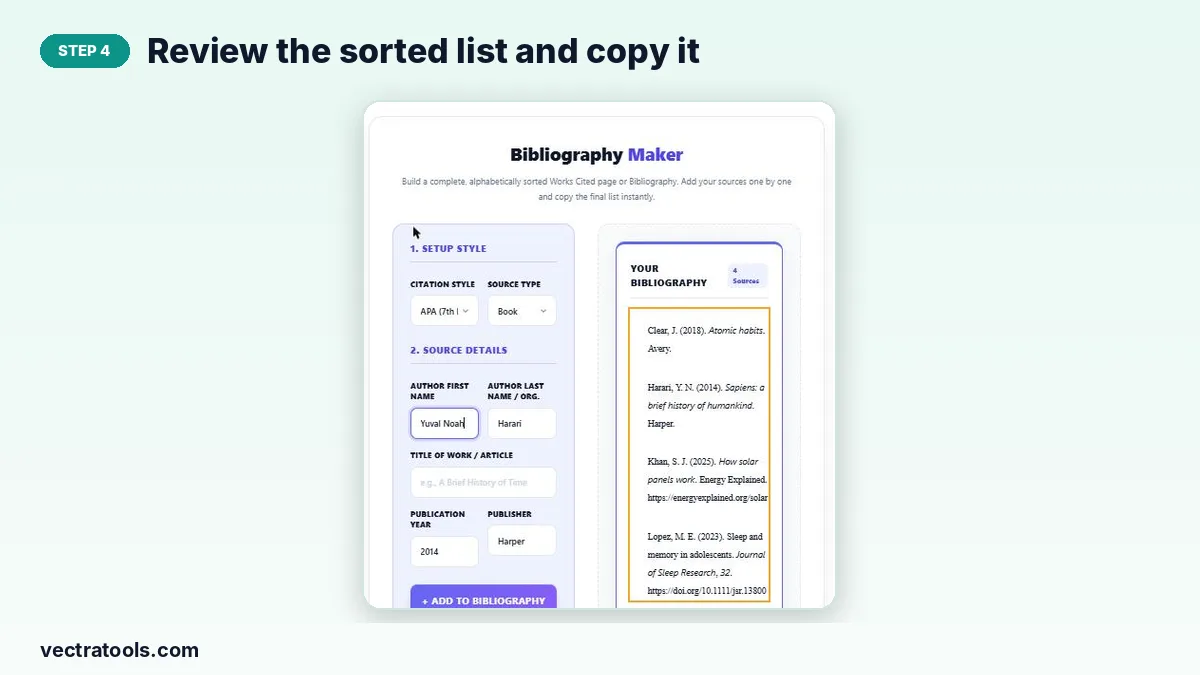
Step 4: Review the sorted list and copy it
Entries are sorted alphabetically by author and shown with a hanging indent. Remove a mistake with its × button, then press Copy Full List and paste it into your document.
APA vs MLA vs Chicago: Which to Use
| Style | Common subjects | List title |
|---|---|---|
| APA | Psychology, education, nursing, social sciences | References |
| MLA | English, literature, languages, humanities | Works Cited |
| Chicago | History, art history, some business and humanities courses | Bibliography |
Always follow the style your teacher, journal or university asks for.
Tips for a Correct Bibliography
- Add every source you cite in the text, and only those, unless your course asks for a wider reading list.
- Type APA titles in sentence case; the tool keeps APA titles as you typed them.
- For journal articles, paste the DOI as https://doi.org/… in the URL field.
- The list is kept only while the page is open, so copy it before closing the tab.
Why Use a Bibliography Maker
Typing a reference list by hand means formatting each entry, then sorting them, then reformatting everything if your tutor asks for a different style. A bibliography maker does all three for you. Use this bibliography maker from the first day of research so your final list is ready the moment your essay is finished.
Frequently Asked Questions
Is this bibliography maker free?
Yes. It is free with no sign-up, and everything runs in your browser.
Does it sort my sources alphabetically?
Yes. The list is re-sorted by author surname every time you add or remove a source.
Can I change the citation style after adding sources?
Yes. Switch the Citation Style menu and every entry is reformatted straight away.
Is my bibliography saved?
No. The list is held in the open page only. Copy it before you close or refresh the tab.
How do I delete a source?
Click the × next to the entry. Clear All Sources empties the whole list.
Does it support Harvard style?
This tool covers APA, MLA and Chicago. For Harvard references use the Harvard Citation Generator.